PDF to Video
Create a training video from a PDF in an instant
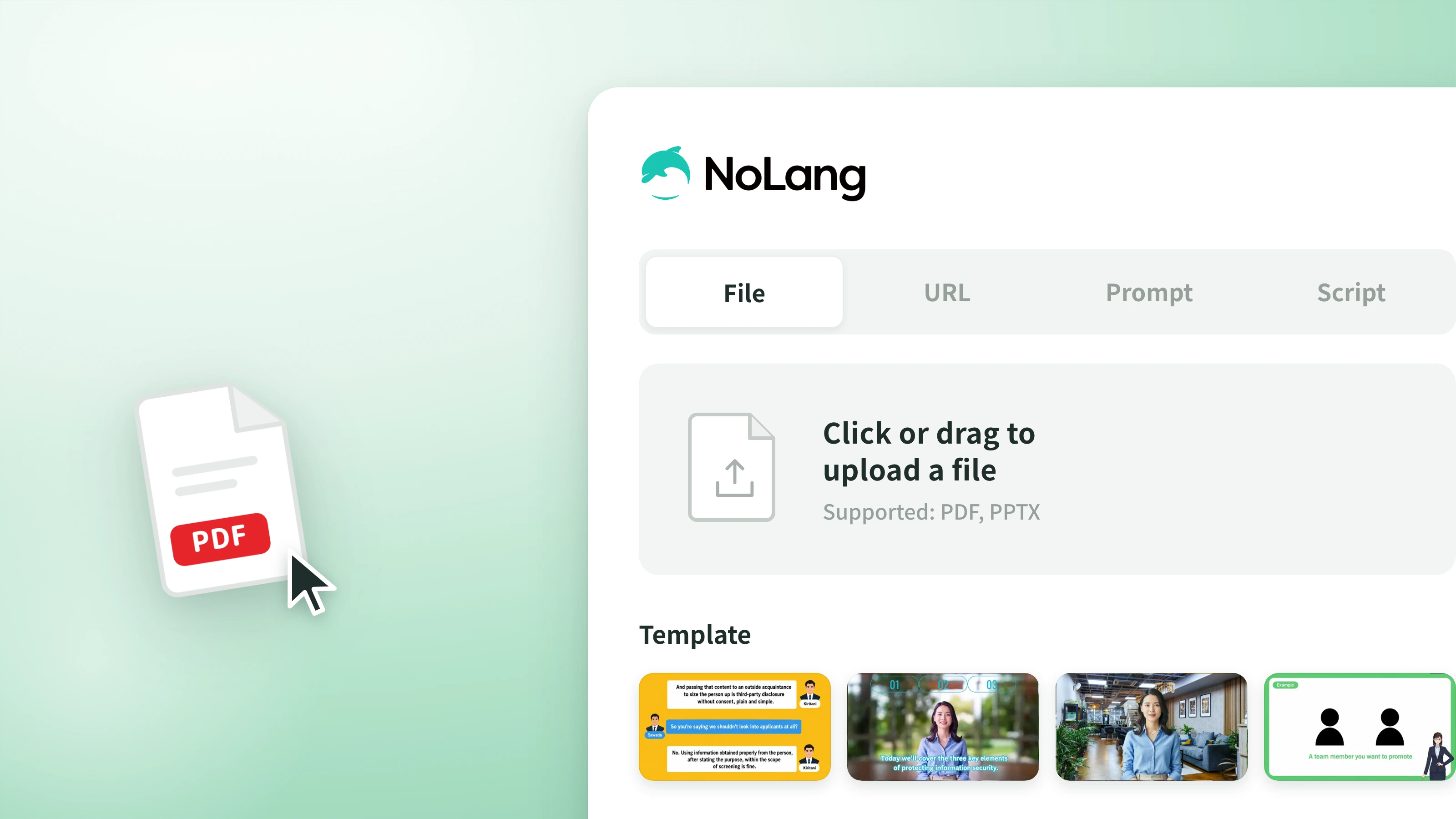
Just upload a PDF or PowerPoint file and AI generates the structure, scenes, and narration automatically. Turn your training documents straight into video learning material.
Features
PDF to Video
Just upload a PDF or PowerPoint file and AI generates the structure, scenes, and narration automatically. Turn your training documents straight into video learning material.
Easy Editing
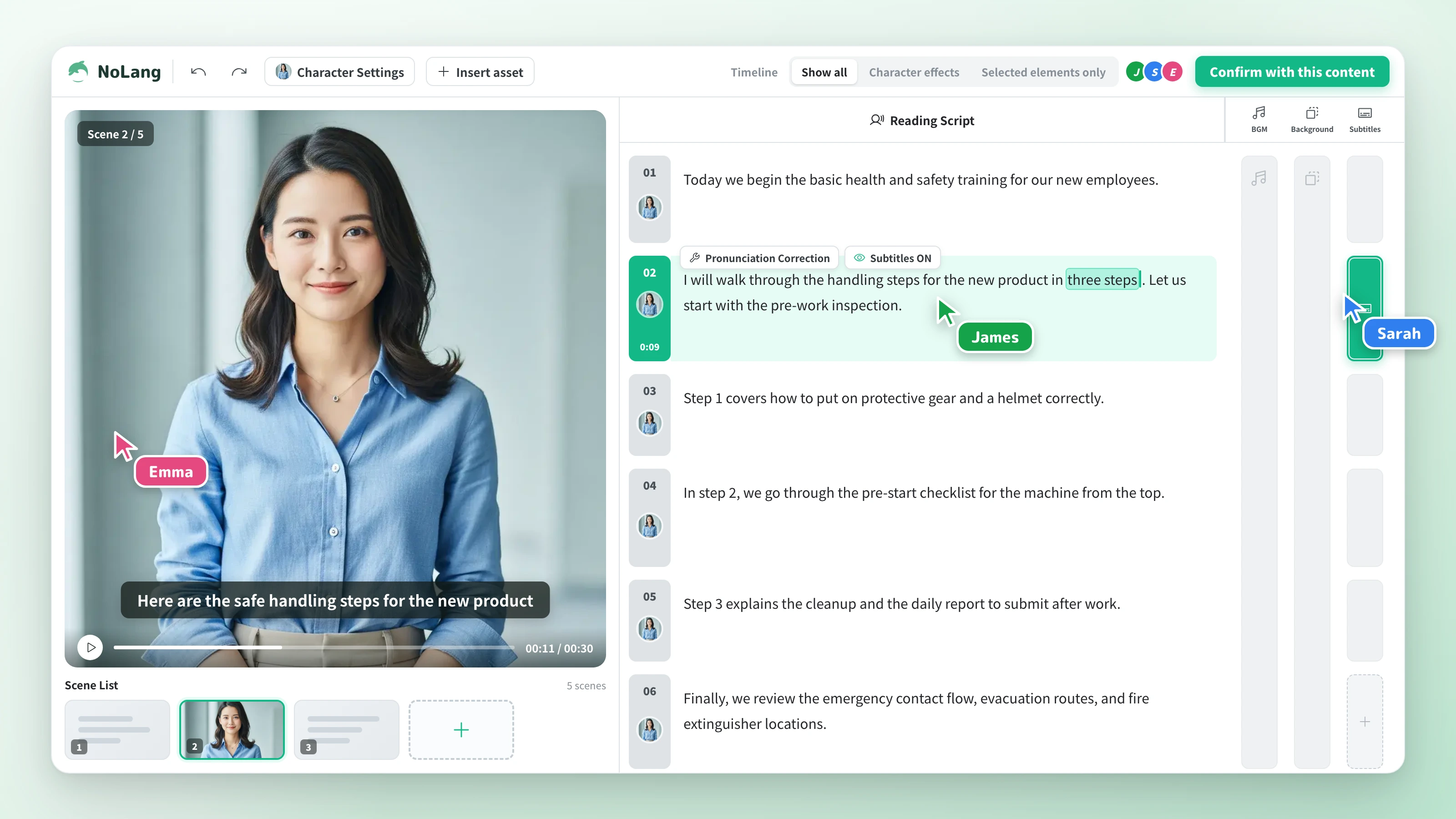
Edit text, swap images, and change the background music as easily as in PowerPoint. Just fix the script and regenerate to publish the latest version, with no reshoots.
AI Avatar
A lifelike AI avatar delivers your training content. Facial expressions and lip sync drive higher comprehension and engagement than simply reading out slides.
Personalization
Adjust the content and tone to match department, role, and skill level. Produce training videos optimized for every individual at scale, all in the same workflow.
Multilingual
Supports more than 18 languages. Roll out generated videos in multiple languages and cover overseas offices and inbound training with no translation work.
How to Make a Training Video
USECASE
Here are examples of the training videos you can create with NoLang.
An introductory look at what generative AI actually is. Ideal onboarding material for teams about to start using AI.
Avatar instructor
Follow an exchange between a senior manager and a junior HR staff member to learn how personal information is handled in recruiting, along with past cases.
Conversational Role-Play
An avatar instructor uses concrete examples to explain how unconscious assumptions shape evaluations and decisions. Well suited to evaluator training and D&I education.
Animation
A lifelike avatar instructor explains the three elements of information security. A training video for new employee onboarding and annual training.
Avatar instructor
Business Plan
We also produce custom avatars and voices using studio recordings and even higher-performance AI models.
Generate as many videos as you need without worrying about usage counts or monthly limits. (Some generation types, such as avatars, are excluded.)
Create original avatars and voices based on your own people and voices.
Use the videos you generate with no copyright worries, commercial use included.
A far higher slide generation limit handles long and high-volume documents.
Answers to the questions we hear most often from the people creating and running training videos with NoLang.