
Introduction
The NoLang API exposes the NoLang engine itself as an API: it analyzes a wide range of inputs such as text, audio, and PDFs and automatically generates videos with avatars and AI voices, producing a video in as little as a few dozen seconds.
With this API, you can integrate video generation into your existing applications and workflows with just a few lines of API calls.
* This is the API documentation for Business plan users. If you are on a Personal plan, see the "Personal" tab at the top of the header.
Service overview
Main use cases
- Automatic generation of educational content Generate educational videos in bulk from text and documents
- News and information delivery Automatically generate video content from articles and reports
- Turning presentations into videos Turn PDF slides into engaging videos
- Turning audio content into video Add visuals to podcasts and lecture audio
- Producing marketing videos at scale Produce product explainers and ad videos efficiently
Supported video generation modes
1. Create from a question or instruction Generate a video from text
- Simple explainer videos — generates an explanatory video that follows your instructions
- Script-style video — the text you enter is read aloud as is
2. Generate from documents Generate videos from PDF and PowerPoint documents
- Presentation format — generates a video that presents the document you provide
- Summary format — generates an explainer video that summarizes the document you provide
- Analysis format — generates a video that analyzes your document, based on the document and your instructions
3. Generate from audio Generate a video from an audio file
- Video with subtitles for audio — generates a video that adds subtitles and an avatar to the audio file you provide
4. Generate from video Generate a video from a video file
- Add subtitles to a video you provide — extracts the audio from the video file and generates a video with subtitles and an avatar
Important notes
Requirements
To use the NoLang API, you must meet the following requirements.
- Plan requirements A subscription to the Standard Plan or higher is required (the Free Plan is not eligible)
- Top-up charges Top up before use (pay-as-you-go, prepaid)
Quick start
Create an account and issue an API key
Go to NoLang and create an account.
- Click "NoLang API" in the sidebar
- Open “API Key Management” and click “New API Key”
- Store your API key securely (it is shown only once)
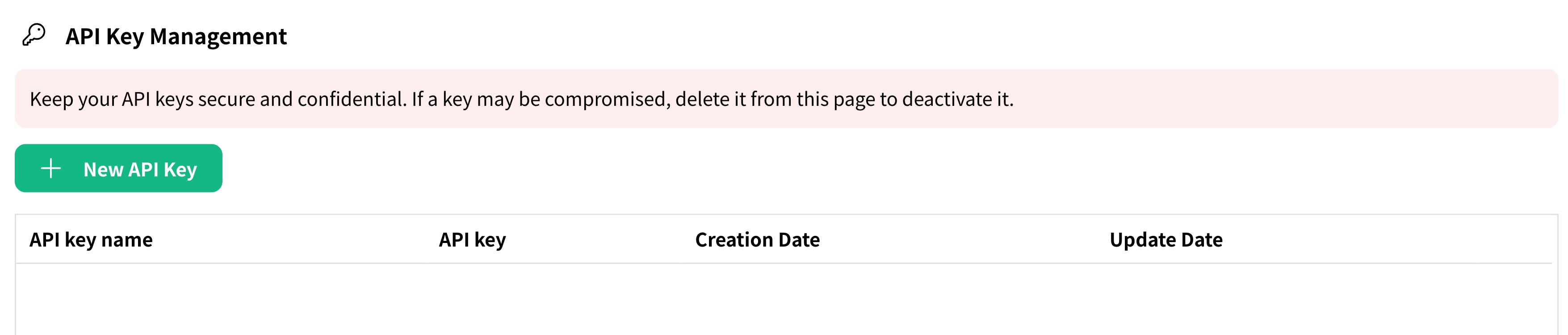
(For administrators) Create an account and issue an API key
Go to NoLang for Business and create an account.
- Click "NoLang API" in the sidebar
- Open “API Key Management” and click “New API Key”
- Store your API key securely (it is shown only once)
- Share the issued API key with your in-house developers
Credit charge
- Click "Credit charge" in the sidebar
- Click the add button on the Credit charge screen and top up the amount you want
* Requires a Standard Plan or higher subscription.
(For administrators) Credit charge
- Click "Credit charge" in the sidebar
- Click the add button on the Credit charge screen and top up the amount you want
Create a video setting
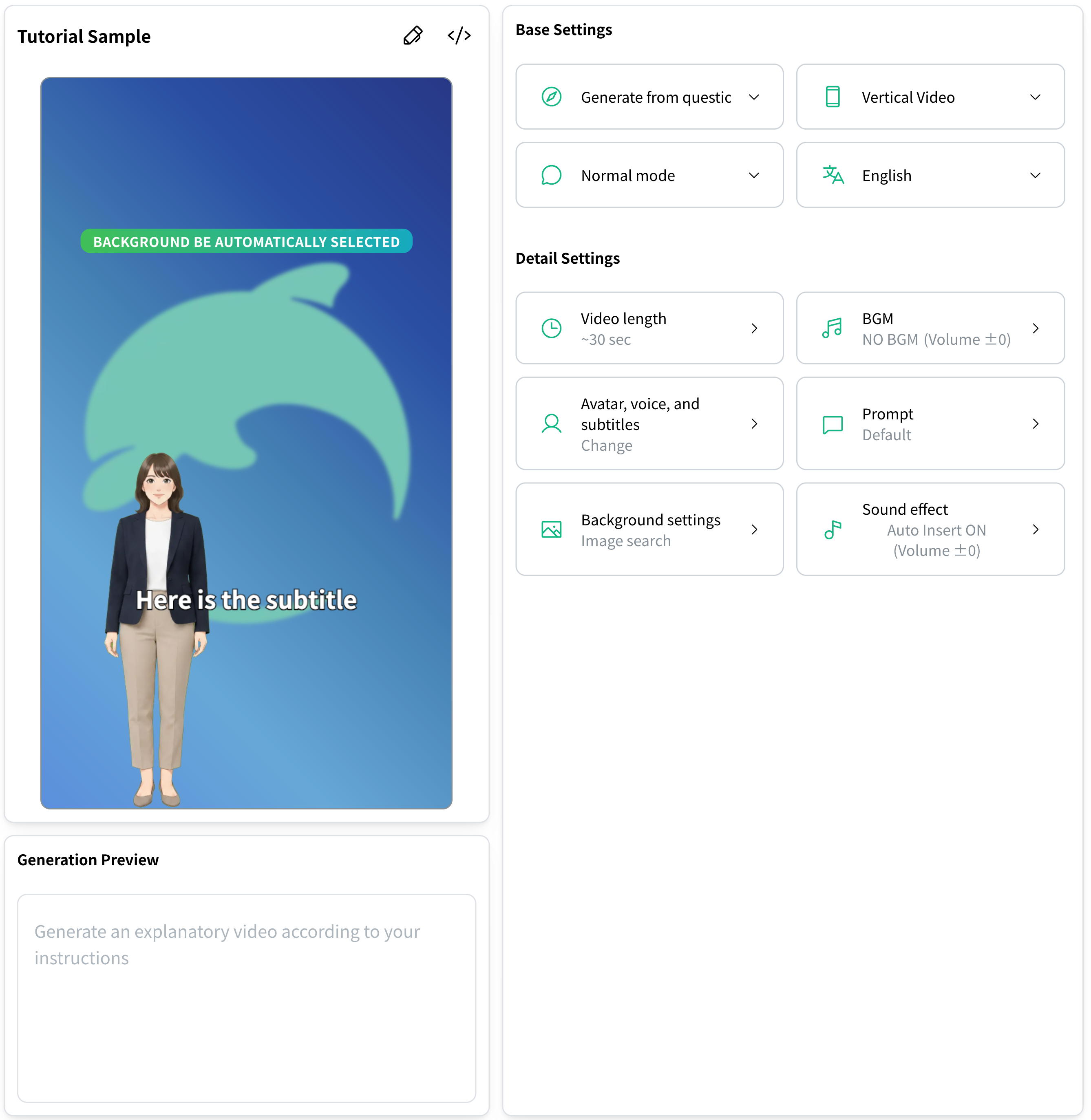
Before you use the API, you need to create a video setting in NoLang.
- Go to the "Saved settings" section from the sidebar
- Select an existing setting or click "Create a new setting"
- Enter your video settings
- Copy the video setting ID using the Copy ID for API button to the right of the setting name
Minimal request example (cURL)
# Generate a video from textcurl -X POST https://api.no-lang.com/v1/videos/generate/ \  -H "Authorization: Bearer YOUR_API_KEY" \  -F "video_setting_id=YOUR_VIDEO_SETTING_ID" \  -F "text=Hello, this is a test of the NoLang API."
# Check generation statuscurl https://api.no-lang.com/v1/videos/YOUR_VIDEO_ID/ \  -H "Authorization: Bearer YOUR_API_KEY"
Check the generated video in the web app
To watch, edit, or download videos generated through the API, open “NoLang API” → “Usage log” in the NoLang web app. Click “Watch & Download” in the list to access these options.
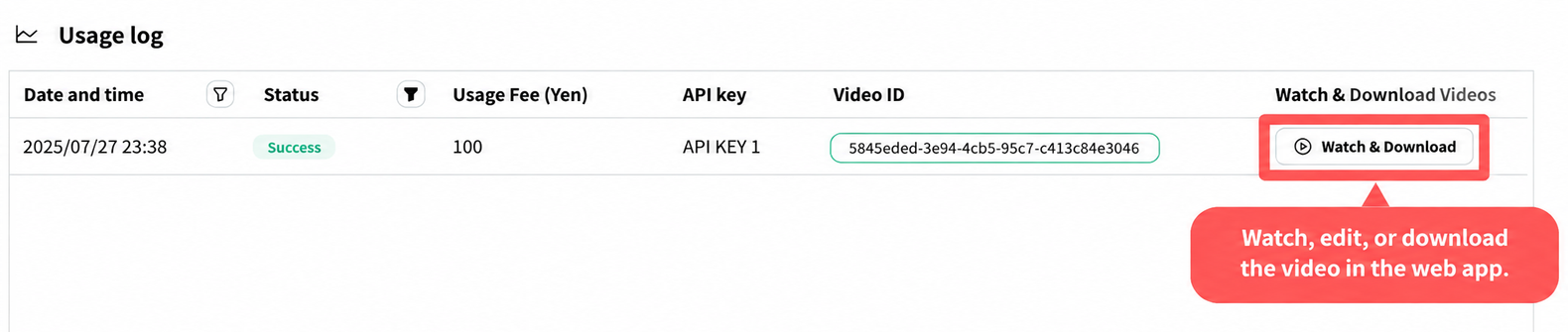
Example usage log. The date and fee shown in the image are illustrative.