
Turn audio files into captioned videos with AI
Upload a recording, and AI transcribes it and builds a video with captions and images, in the original voice.

A video that fits every kind of recording
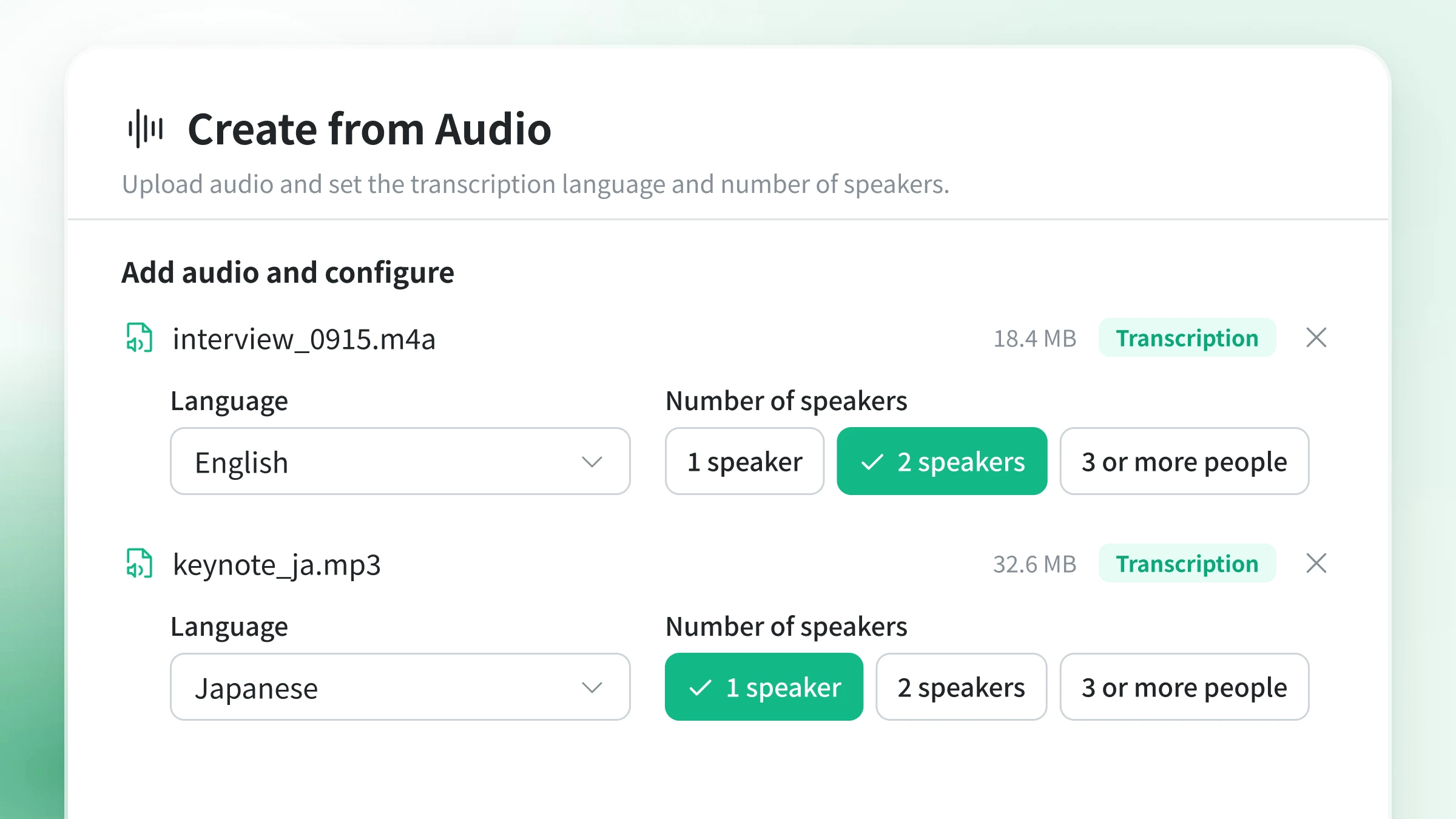
Just add audio, then choose the language and speakers
No complex editing needed. AI automatically handles transcription, captions, and visual composition.
Steps to turn audio into video
- 1
Add an audio file Upload an audio file such as MP3, WAV, or M4A. You can also pick audio you uploaded before.
- 2
Choose the language and speakers Choose the audio's language and how many people are speaking.
- 3
Let AI build the video You can also attach your own photos or ask for a video with only the key points. Based on the transcript, AI pairs the original voice with captions, images, and on-screen text.
- 4
Save as MP4 Save videos made in the right ratio for where you'll post them, such as landscape for YouTube or vertical for Shorts, as MP4 files.
Keeps the original voice
Your recorded voice becomes the video's soundtrack.
Captions synced to speech
The transcript becomes captions timed to the speech.
Multiple speakers
Set the number of speakers to turn conversations and panel discussions into videos.
Transcription in 34 languages
Create videos from audio in English and many other languages.
Add your photos
Attach your own photos or images and they're placed into the video.
AI-generated visuals
AI can generate and add images and diagrams that match what's being said.
Short highlight videos
Ask for a video that uses only the key points of a long recording.
Landscape, vertical, or square
Create videos in the right ratio for YouTube, Shorts, or social posts.
FAQ
Common questions about turning audio into video.
MP3, WAV, M4A, AAC, OPUS, and FLAC files are supported. Any recording of people speaking, such as podcasts, conversations, seminars and lectures, interviews, or internal messages, can become a video.
Yes. Your uploaded audio is used as the video's soundtrack as is. The transcript appears as captions timed to the speech.
Attach images along with your audio and they're placed into the video. If you don't have any, AI can generate images that match what's being said.
Yes. You can set the number of speakers in the transcription settings, so two-person conversations and panel discussions with three or more people also work.
Yes. Create 16:9 landscape videos for YouTube or 9:16 vertical videos for Shorts, whichever fits where you'll post. You can save the finished video as an MP4.
Yes. You can choose the transcription language from 34 languages, including English.
Audio to video