
Your voice, speaking in your videos.
AI voice cloning with NoLang: clone your voice from a short audio clip or by reading a few lines on screen. Just add a script, and your cloned voice becomes the narration and the voice of your characters.

Your cloned voice does the talking

Read a few lines on screen
Choose a language, and short sentences appear on screen. Just read them aloud one at a time to clone your voice.
Listen to your cloned voice right away to check it. Re-record as many times as you like until you're happy with it.

Upload an audio file
You can also clone a voice by uploading an audio file of someone speaking. We recommend tens of seconds of audio with a single speaker with little background noise.
You can use common audio formats like MP3, WAV, and M4A without converting them.
From cloning your voice to the finished video
Clone your voice once, then use it again and again in the videos you make.
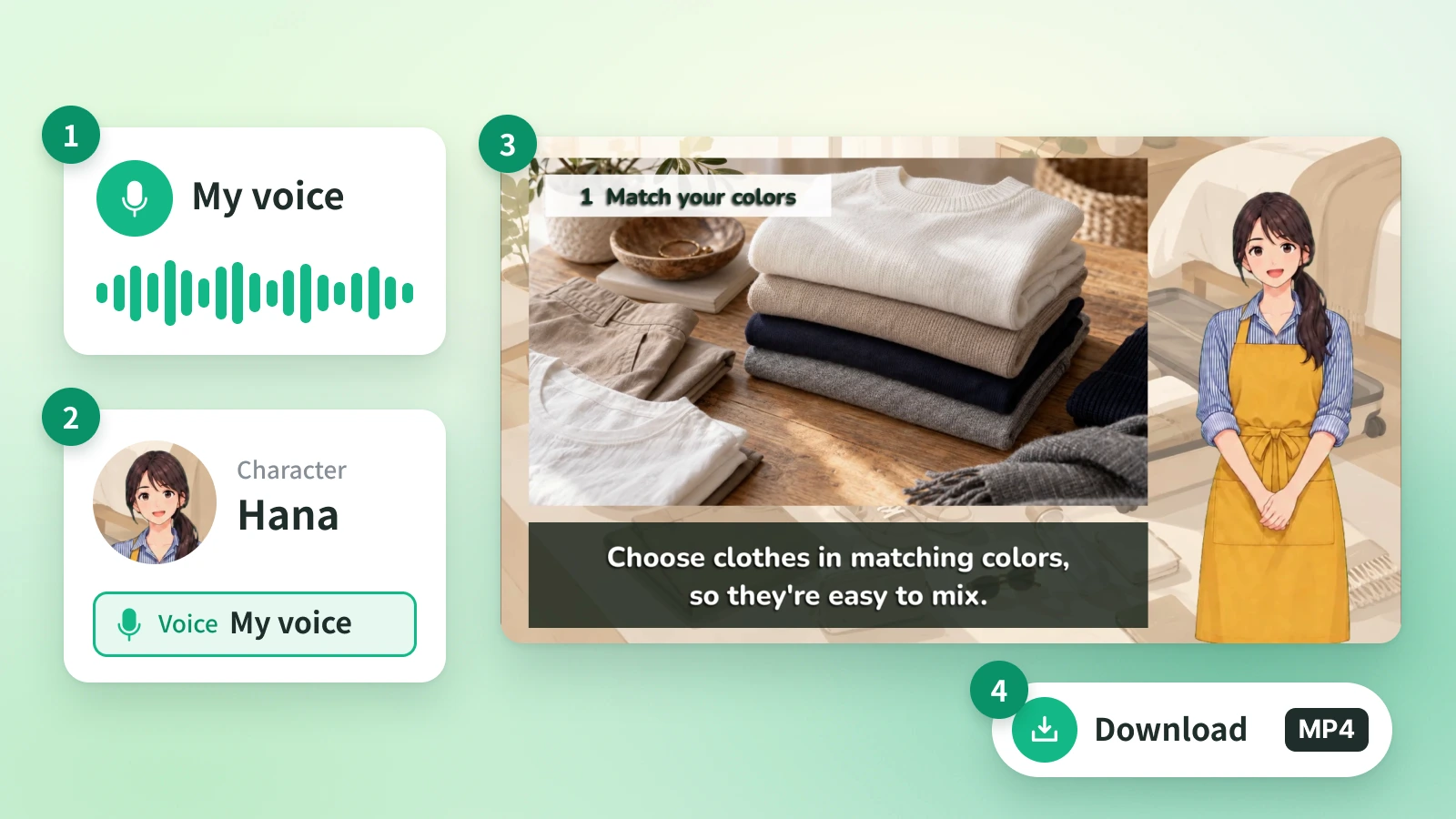
Steps
- 1
Clone your voice. Choose the spoken language, then read the on-screen text aloud or upload an audio file.
- 2
Assign the voice to a character. Assign your cloned voice to a character in your video.
- 3
Generate a video from a script. Generate a video from a script or documents, and your cloned voice does the talking.
- 4
Review and export. Play it back to check, then save the finished video as MP4.
FAQ
Answers to common questions about AI voice cloning.
AI voice cloning is a technology that learns the characteristics of a person's speaking voice so that new text can be read aloud in the same voice. In NoLang, you can use a cloned voice for video narration or as the voice of a character.
Read a few short sentences shown on screen, or upload an audio file just tens of seconds long. For best results, use a recording of one person speaking with little background noise.
You can clone your own voice, or the voice of someone who has given you permission to use it.
When you clone a voice, you choose the language it speaks. An English-speaking voice is made from audio spoken in English.
Use it for narration in the videos you make with NoLang, or as the voice of a character. You can export finished videos as MP4.
You can re-record the reading as many times as you like until you're happy with it. You can also re-create a cloned voice later.
NoLang