
Mavericks, Inc., a Japanese generative AI startup that leads real-time video generation with its own algorithms, has released a new feature in the AI video generation service NoLang that lets users change the recipient name on their receipts and invoices themselves and apply it immediately. The update answers the strict compliance and accounting requirements of the more than 60 companies that have adopted NoLang, as well as its more than 150,000 individual users, and makes the product more practical and more dependable.
About the AI video generation service NoLang
NoLang is a Japanese AI video generation service that creates a video in as little as a few seconds from text, PDF or PPTX documents, a website URL, or even image, audio and video files. Since its release in July 2024, it has passed 150,000 registered users. It is used for summary videos of news articles, content for social media, turning internal training materials into video, and many other purposes, and it is one of the largest generative AI products from Japan in terms of scale (as of January 2026, according to Mavericks, Inc.). With more than 100 avatars and expressive speech synthesis, NoLang aims to be infrastructure that lets anyone turn information into video instantly, with no specialist knowledge.
Try NoLangUsers can now change the recipient name themselves, and the change applies to the next document issued
NoLang generates high-quality explainer videos in as little as a few seconds, and is currently used by more than 150,000 users and more than 60 companies. As business use has grown, so has the importance of payment documents that carry the correct recipient name. With the new feature, the recipient name printed on receipts and invoices can be changed freely at any time by following the steps below.
How to change the recipient name
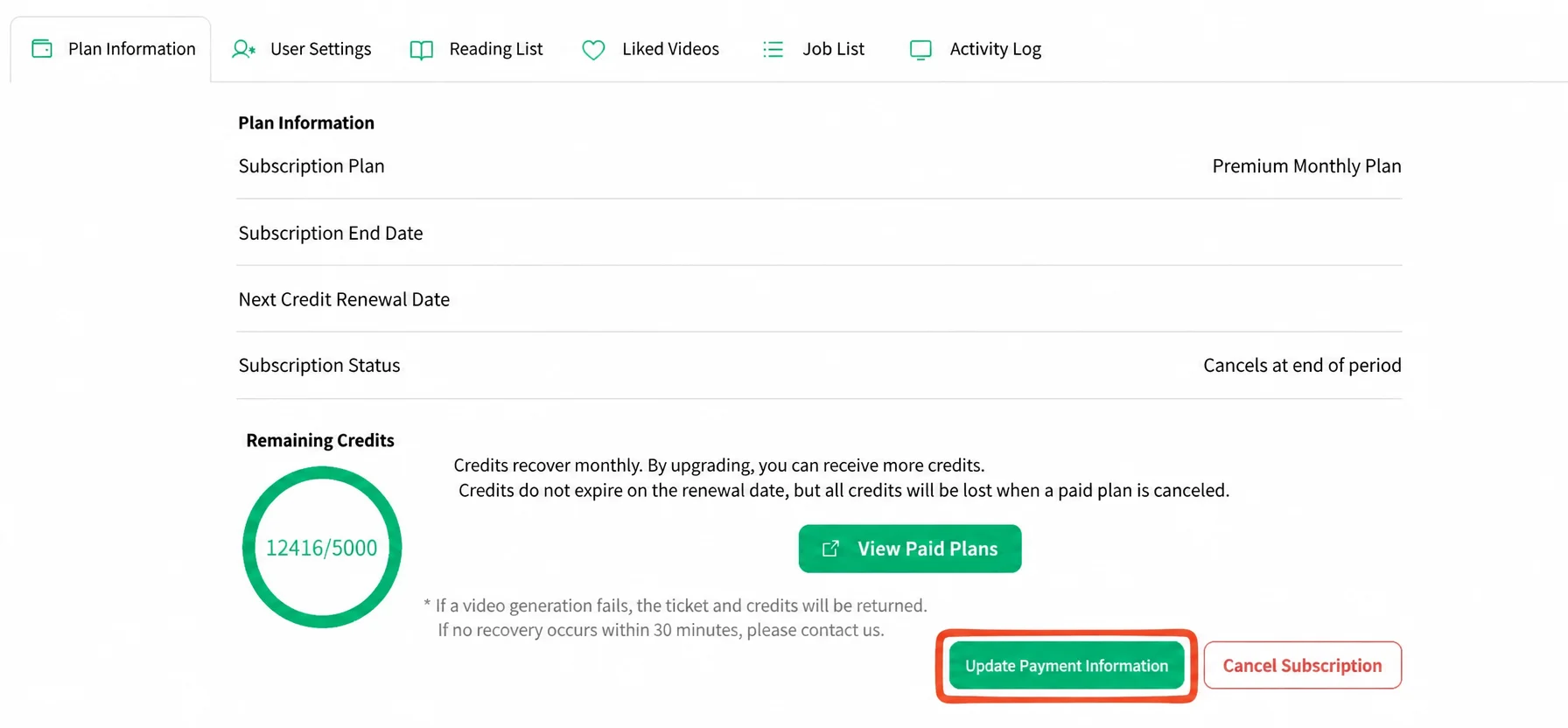
1. Open Update Payment Information from My Page
After logging in to NoLang, open the “Plan Information” tab on “My Page”. Click the “Update Payment Information” button at the bottom right of the screen.
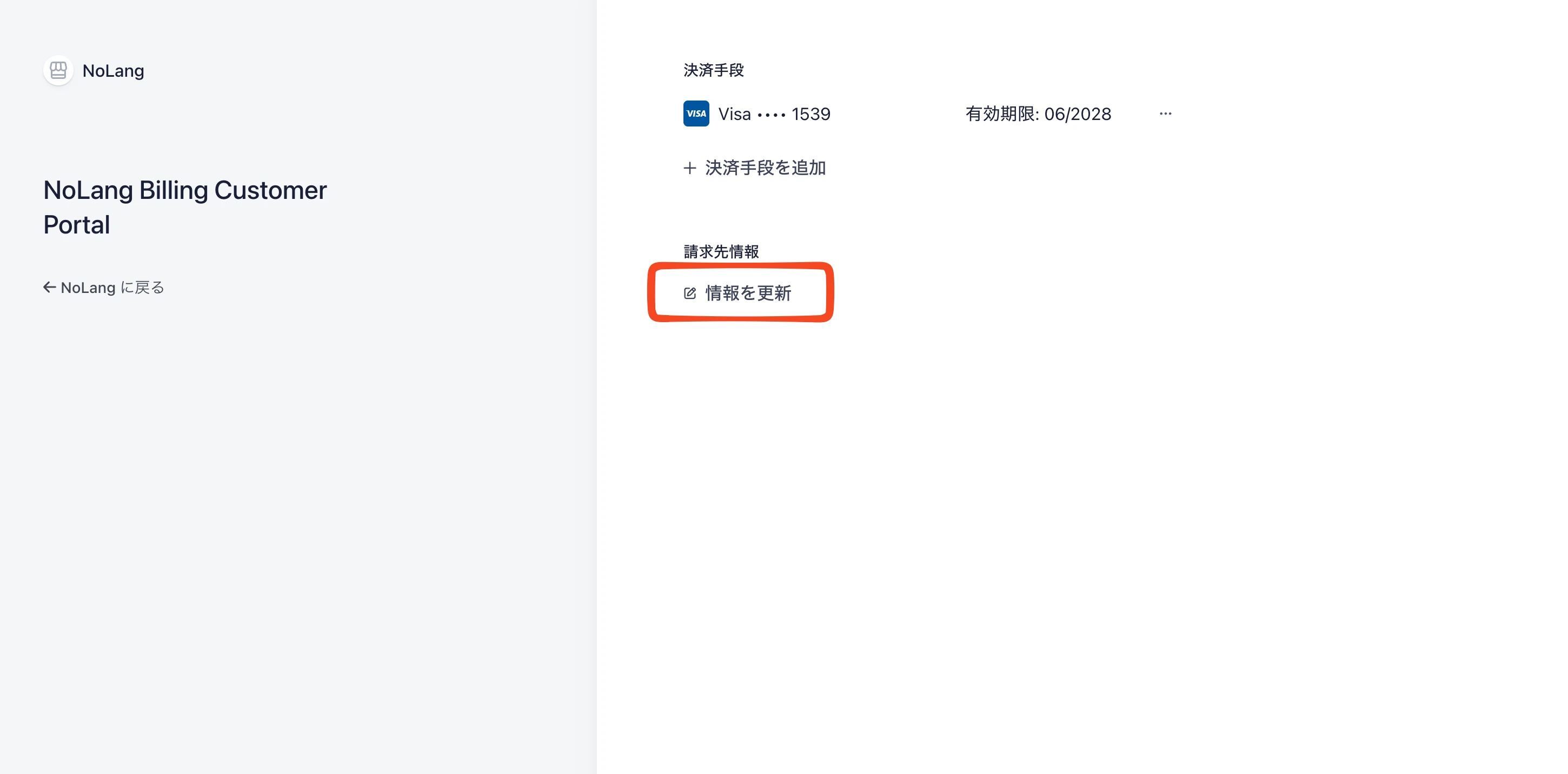
2. Click “Update information” under billing information
The browser moves automatically to an external payment management screen. In the billing information section, click “Update information”.
3. Edit the name and save
Enter the new recipient name, such as a company name or a personal name, in the “Name” field and save it.
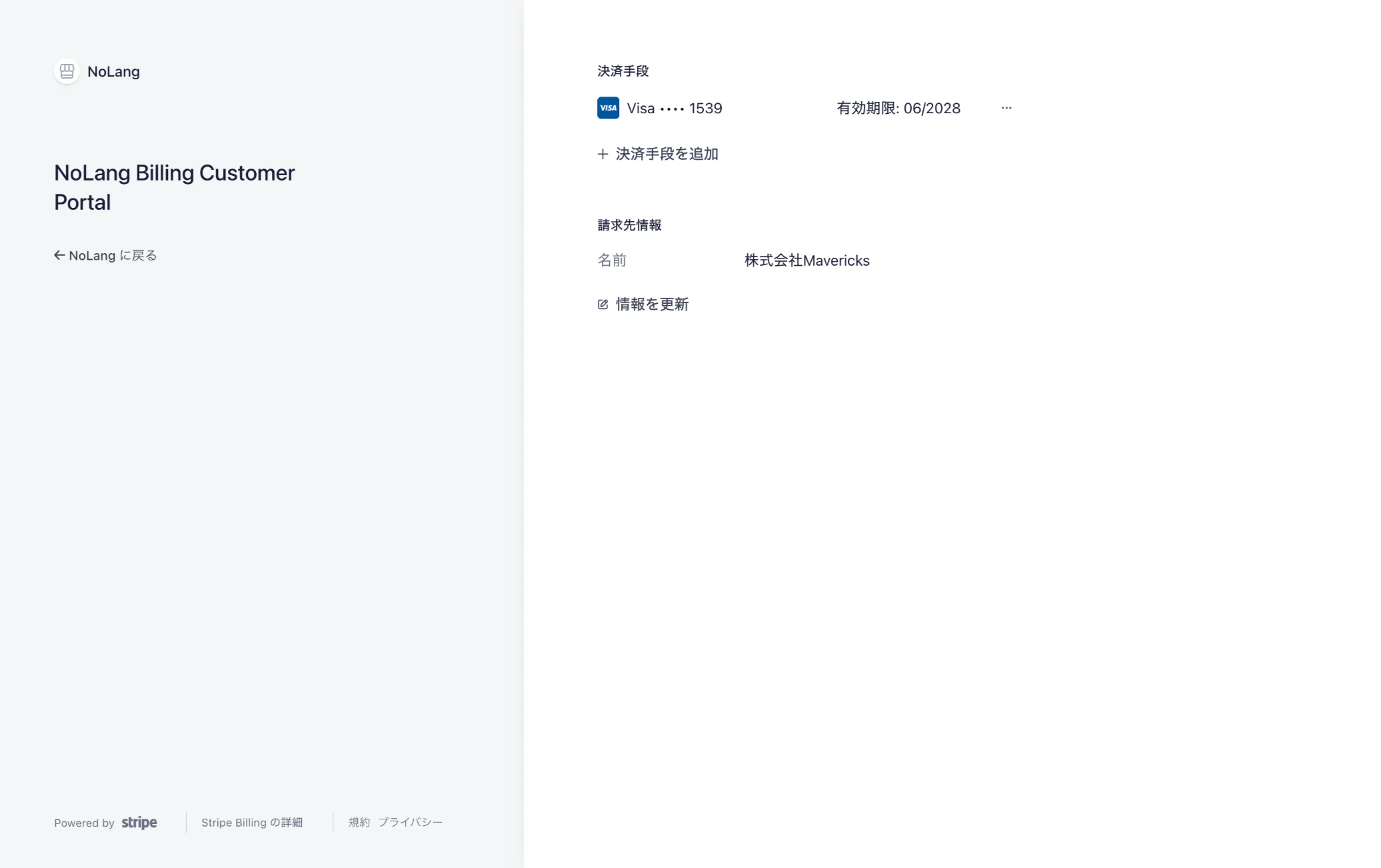
The new recipient name is applied automatically to every receipt and invoice issued from that point on. Documents can therefore be prepared to match an organizational change or an internal accounting rule entirely within the service.
Reissuing documents already issued: individual support for Premium and Business plan users
Mavericks, Inc. has also started handling recipient name changes on receipts and invoices that have already been issued, for customers on the Premium plan and the Business plan.
To request a reissue, send an email to support.nolang@mvrks.co.jp from the address registered with NoLang, attaching the receipt or invoice file sent by Stripe and stating the new recipient name. A dedicated support staff member checks the request and sends the corrected document, normally within about two business days.
What comes next
NoLang will keep reflecting concrete user feedback in the product quickly and improving the convenience of the service as infrastructure that makes communicating information more efficient. Work also continues on the core capabilities of video generation, including more natural AI avatar motion and further gains in generation speed.

