
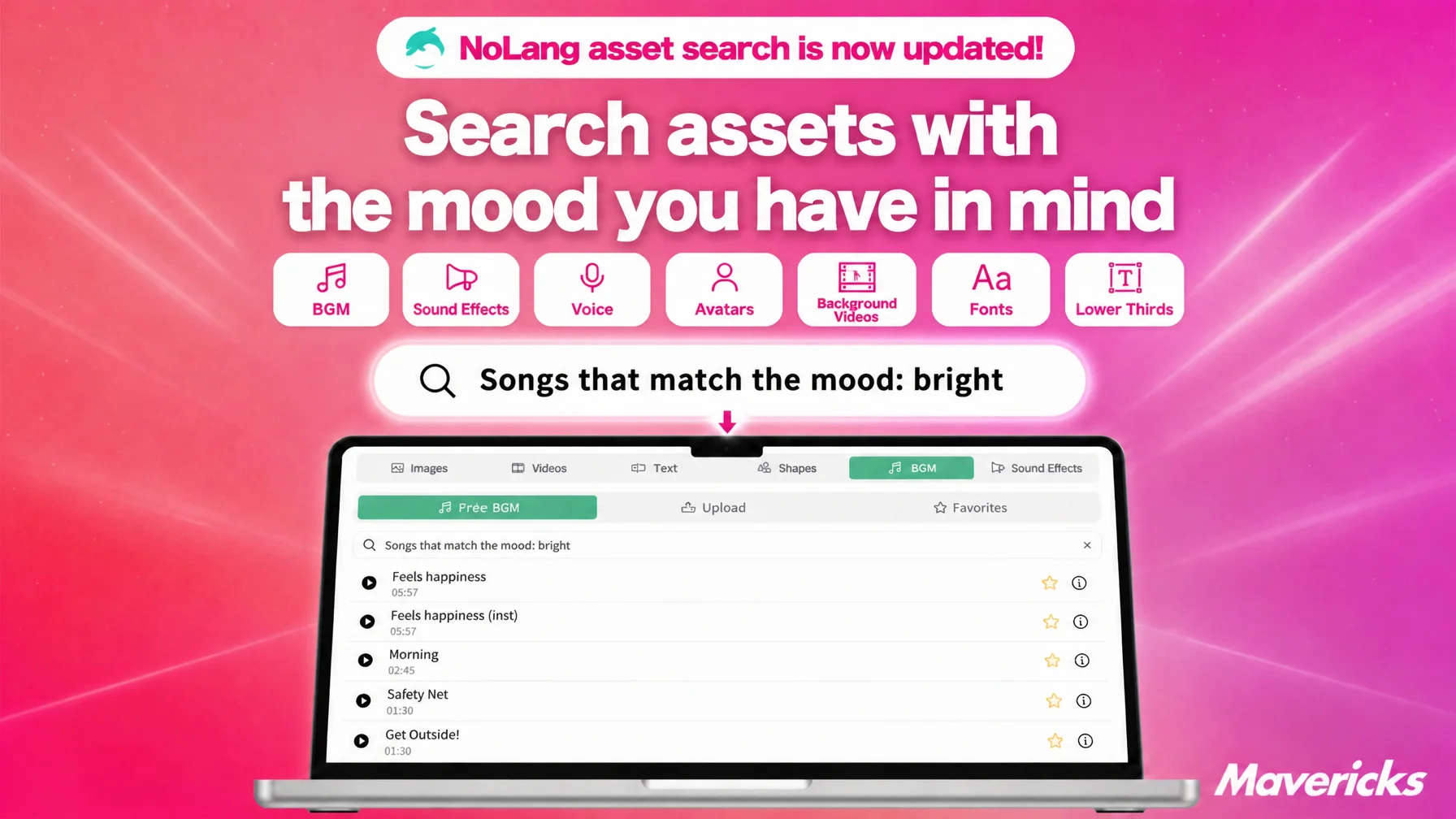
Mavericks, Inc., the company behind the video generation AI NoLang, has completely rebuilt asset search in NoLang. The asset panel in the editor now has a dedicated search box for each of seven asset types: background music, sound effects, voices, avatars, background videos, fonts, and text overlays. Type in a mood or an onomatopoeic word — “an upbeat track,” “ta-da,” “elegant” — and assets with a similar meaning appear as candidates. Users no longer need to know asset names or categories, and can pick assets that fit the content of each individual video.
In-house video production is growing, and translating an idea into an asset name is the bottleneck
Companies that produce video in-house are already the majority. According to a survey by Hikaku Biz and Mteam, 34.2% of companies handle video production entirely in-house, and 55.9% combine in-house work with outsourcing. Together, roughly nine in ten companies handle at least part of the production process themselves1. The most common difficulty cited for in-house production was “operating filming and editing tools is difficult” at 44.7%, followed by “not enough staff resources” at 31.6%1. The picture that emerges is of people who are not full-time creators facing an editing tool with limited time on their hands.
A video is a collection of assets: background music, sound effects, the voice of the narration, an avatar, footage to lay under the scene, the typeface and design of the on-screen captions. To finish a single video, the person in charge keeps choosing asset after asset. The awkward part is that the image in their head does not come in the shape of an asset name or a category name. They may know they want a scene to feel “a little wistful,” or want “a bolder typeface,” but until they translated that feeling into the name or category assigned to an asset, they could not reach what they were after. So they scrolled endlessly through lists, played a track and went back, viewed a clip and went back. Each asset type had its own way of being searched, and this work came up many times over for a single video.
This accumulation of searching is one reason editing tools feel hard to operate. To reduce that burden, NoLang has rebuilt asset search from the ground up.
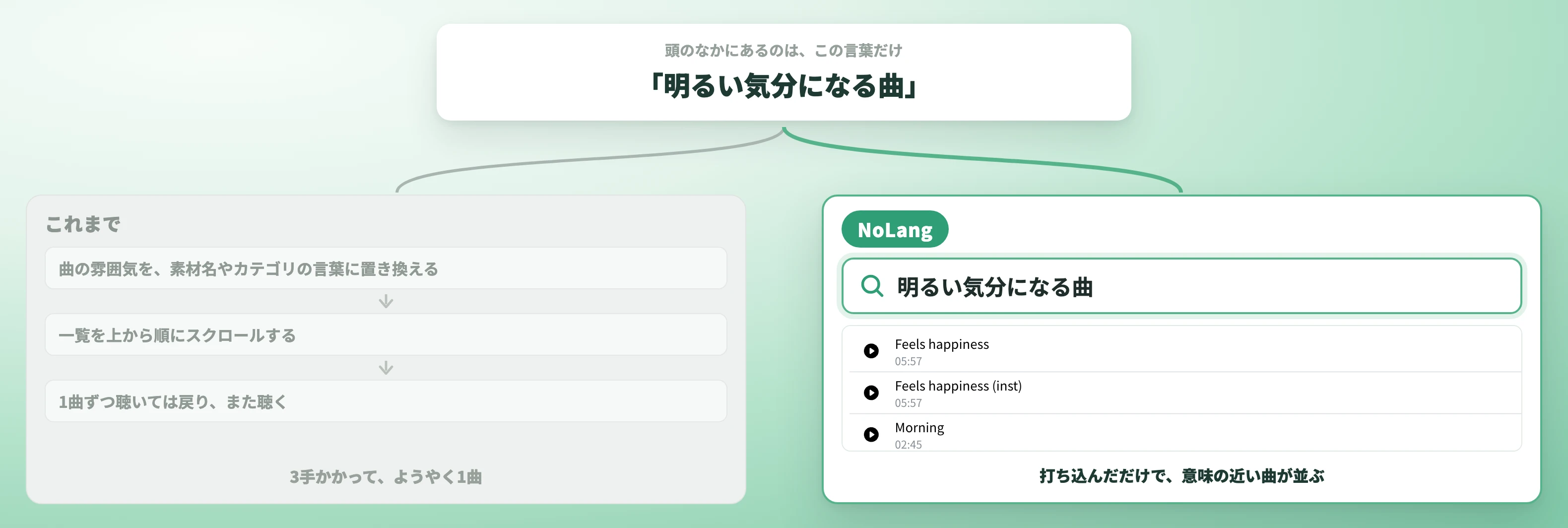
Find assets across seven types with a mood word alone, no asset names or categories to memorize
The asset panel in the editor now carries a search box for each of the seven asset types: background music, sound effects, and voices for audio; background videos and avatars for visuals; fonts and text overlays for text. Every asset that makes up a video can be found by typing words.
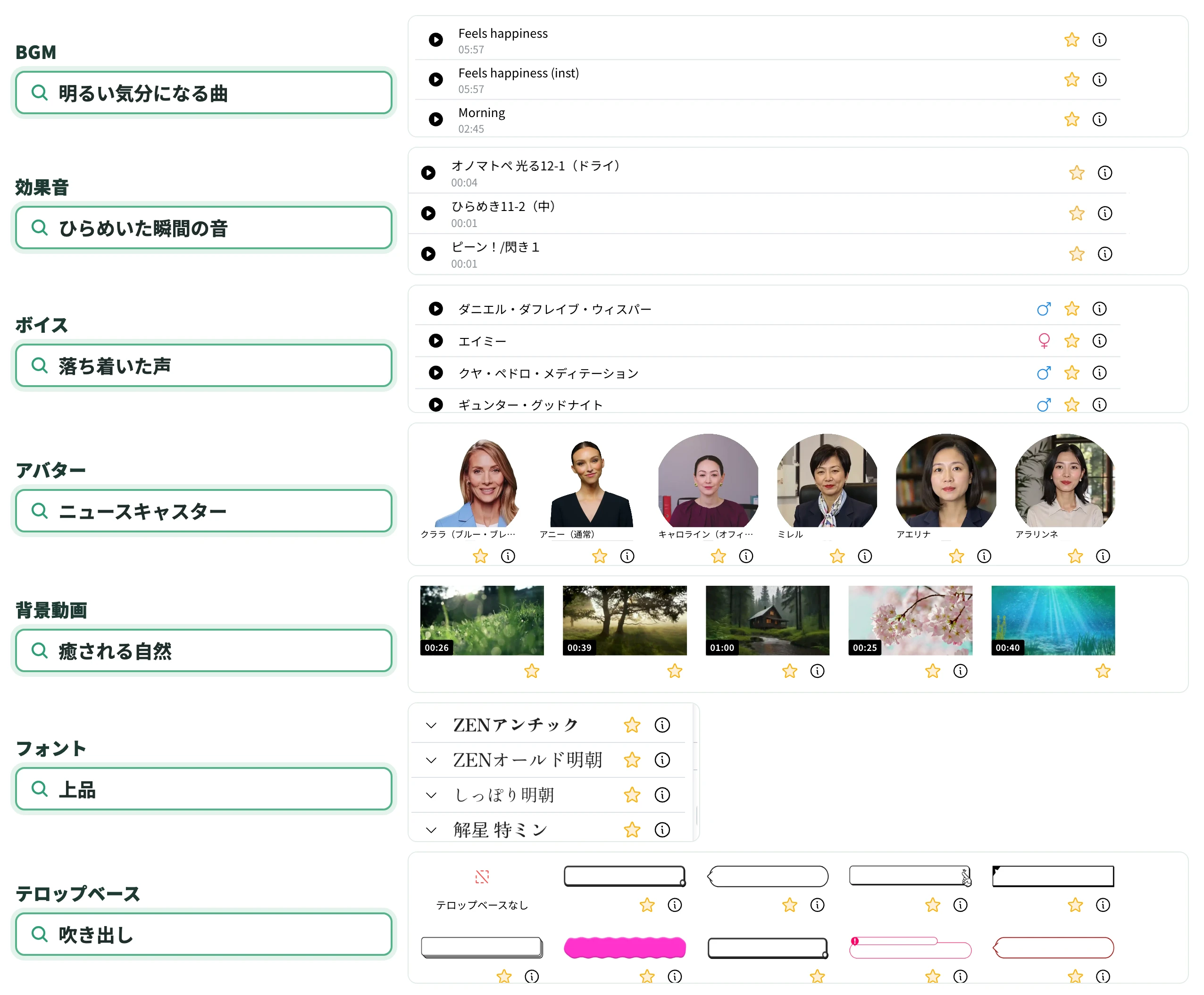
What they share is that assets close in meaning rise to the top of the results even when the wording does not match the asset name exactly. There is no need to know the official name or the category — a mood or a use case, typed as it comes to mind, is enough. For background music, “a moving piano piece” or “an upbeat track.” For sound effects, “ta-da” or “a dog barking.” For voices, “a calm voice” or “announcer-like.” Background videos take “soothing nature” or “a downtown street at night,” and avatars take “news anchor” or “a student in uniform.” Fonts take “a bold font” or “elegant,” and text overlays take “variety-show style” or “speech bubble.”
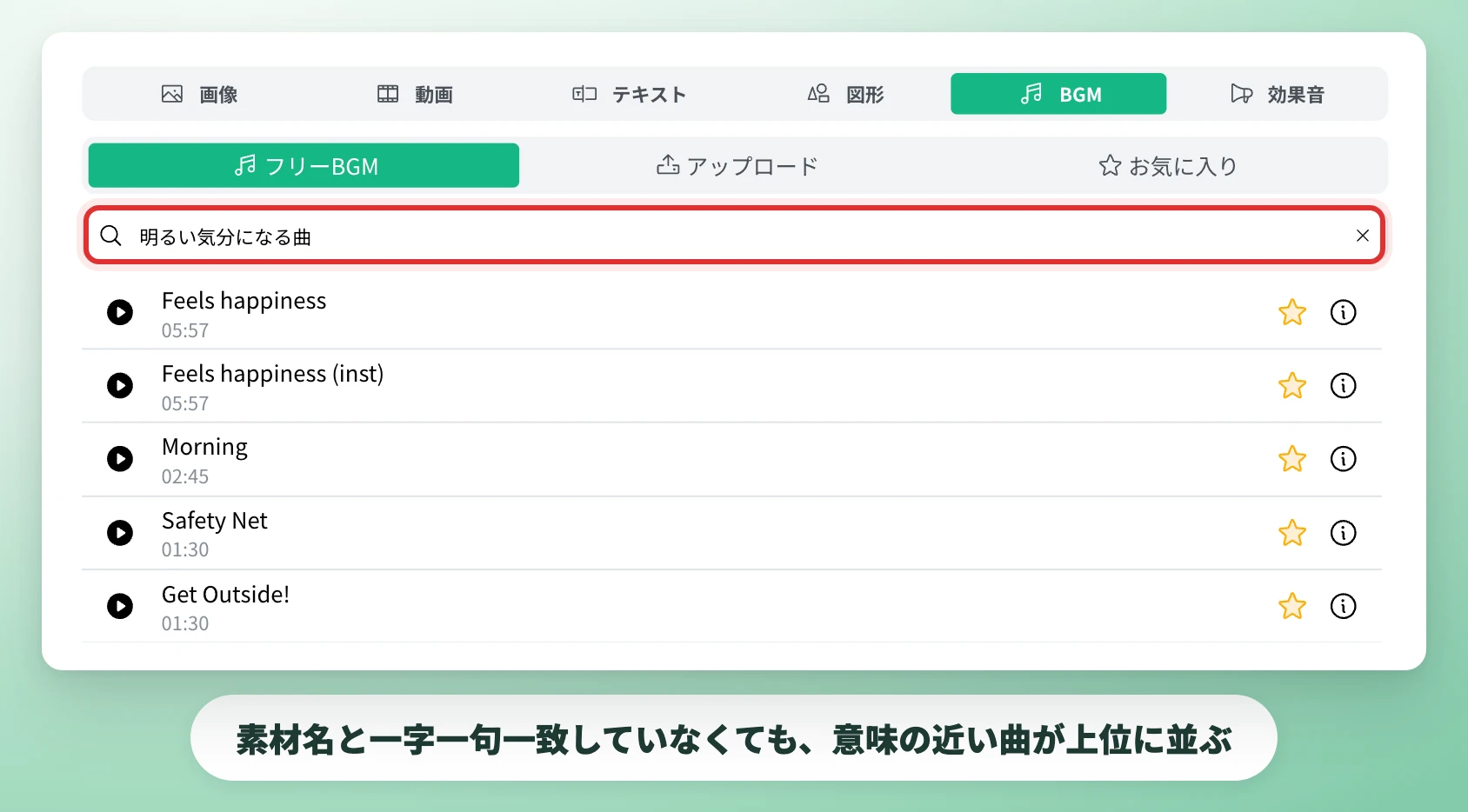
Onomatopoeia, a description of the scene, or an adjective for the impression all work. Background music search is also available in the same form outside the editor, in the background music selection on the settings screen shown before a video is generated.
From product introductions to recruitment videos, assets can be rechosen scene by scene
There is no longer any need to guess at asset names or tags: typing the image in mind is enough to narrow down the candidates. The time that went into scrolling and starting over is shortened by that much. Because anyone can reach an asset that suits the scene with intuitive words alone, even without being a dedicated editor, people who are not used to operating editing tools can now get to the finishing touches when they take on video production.
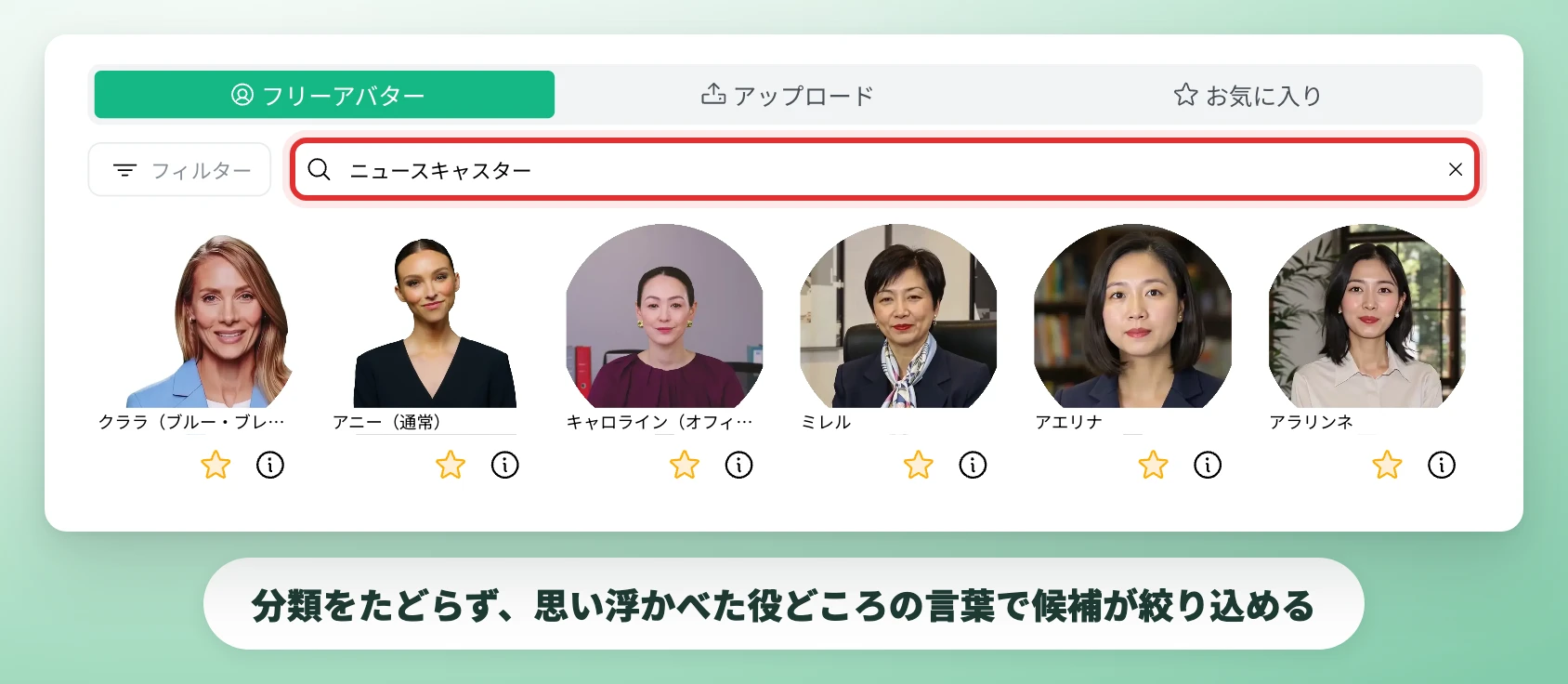
A wide range of situations is expected. In a product introduction video, the tone of the background music can switch between the first half that describes the problem and the second half that describes the results after adoption. A recruitment video can use a narration voice and an avatar that match the culture of the company, while a short video for social media can settle on a track that matches the pace and a caption design with impact in a short time. All of these are adjustments that tended to be put off because finding the assets took effort.
The biggest effect of this update is that no one has to settle for “the same assets as last time because there is no time.” For every single video, assets can be rechosen to suit its content.
Looking ahead
Video is now a medium used not only for corporate communication but also for public relations by local governments and for teaching materials at schools. Much of that work is handled by people who are not video production specialists. A gap in expertise or familiarity should not turn directly into a gap in how well a message comes across, and lowering the barrier to choosing assets is one step toward that. Mavericks is working toward a state in which anyone can choose an expression that matches what they want to convey, even without specialist knowledge of video production, and will continue to ship updates based on feedback from users.
Footnotes
-
One’s Mind Inc. (Hikaku Biz) and Mteam, “Survey on in-house versus outsourced video production and its challenges” (in Japanese) ↩ ↩2

