
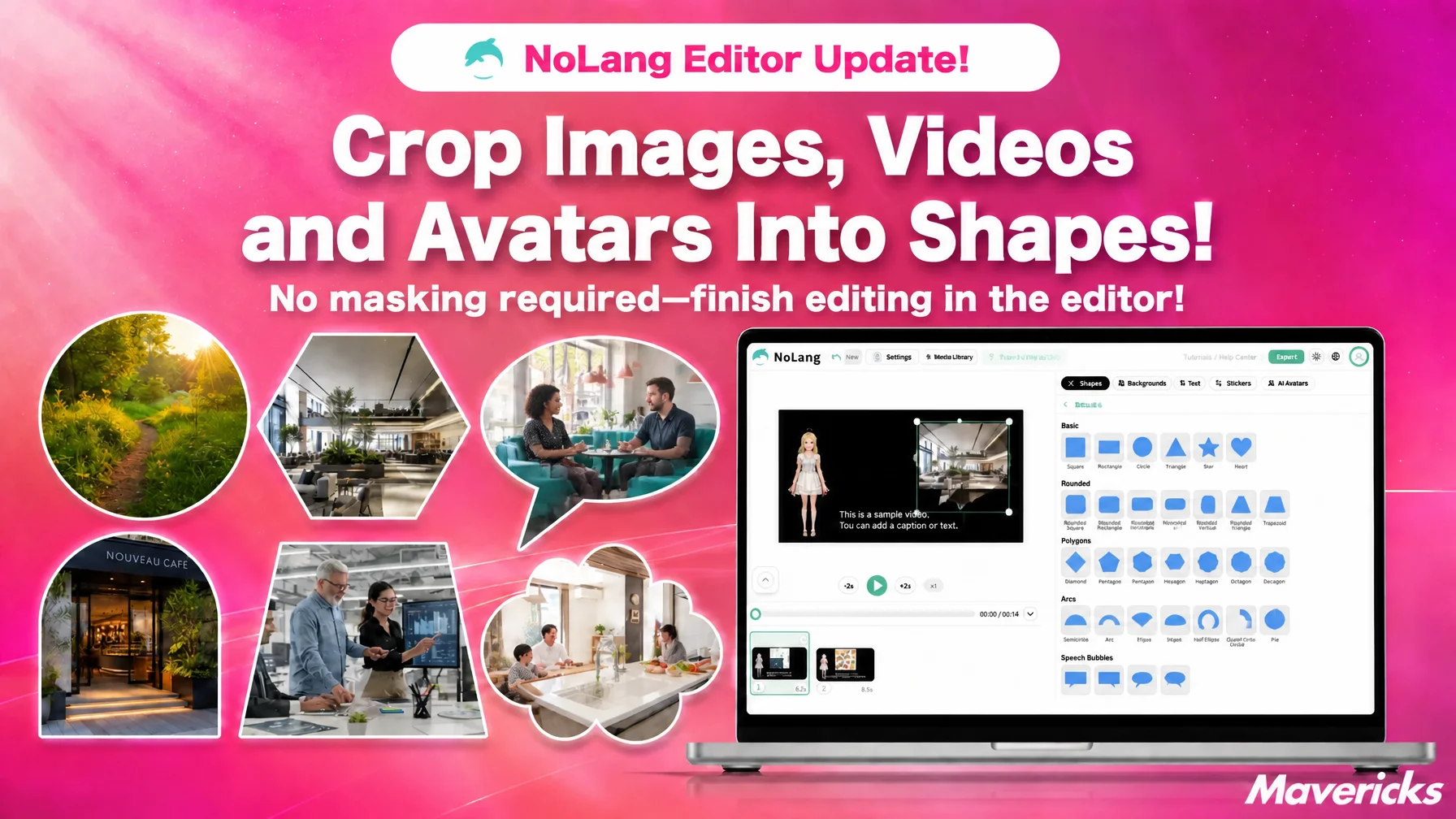
Mavericks, Inc., the company behind the AI video generation service NoLang, has updated the NoLang editor so that inserted images, videos and avatars can be cropped into shapes. Round them off with a circle or an ellipse, frame them in a regular hexagon for a catalog look, or use a speech bubble for a comment-style callout. When you swap one frame shape for another, the border width and color carry over, and the shape itself can be fine-tuned with sliders. The update also adds decorative shapes such as clouds and jagged bursts, hollow shapes such as picture frames and rings, and arc shapes such as half circles and arches. A spotlight that covers the screen with a dark overlay and reveals a single point is included as well, so eye-catching presentation can be built inside the editor without image editing software or separate decorative assets.
Six in ten say the format works, yet vertical videos still cannot be produced at scale
Short videos for social media, product introductions, recruitment communications. What a video has to do is not only convey information correctly. What stops a scrolling finger is, in most cases, the look of the video itself.
According to a survey by PLAN-B Marketing Partners Inc., 61.5% of advertising managers said vertical video ads on social media are effective. The most common operational problem, however, was that “creative production takes too much work to produce at scale,” at 49.0%, followed by a lack of internal capacity and staff at 38.8%.1 The format is recognized as effective, yet the volume cannot be produced. Part of that workload is the editing done purely for presentation.
Cutting a person out in a circle, fitting a product photo into a hexagon, framing footage with a border, leaving only one point bright to draw attention. Preparing this kind of presentation used to mean masking in image editing software or hunting down decorative assets somewhere. For every single video, work piled up outside the editing tool. NoLang has added a function that swaps the frame shape of an inserted asset for a shape, plus a category that collects shapes made for visual effects. After the AI assembles a video from the script, the step of finishing that video into something eye-catching now continues inside the same screen.
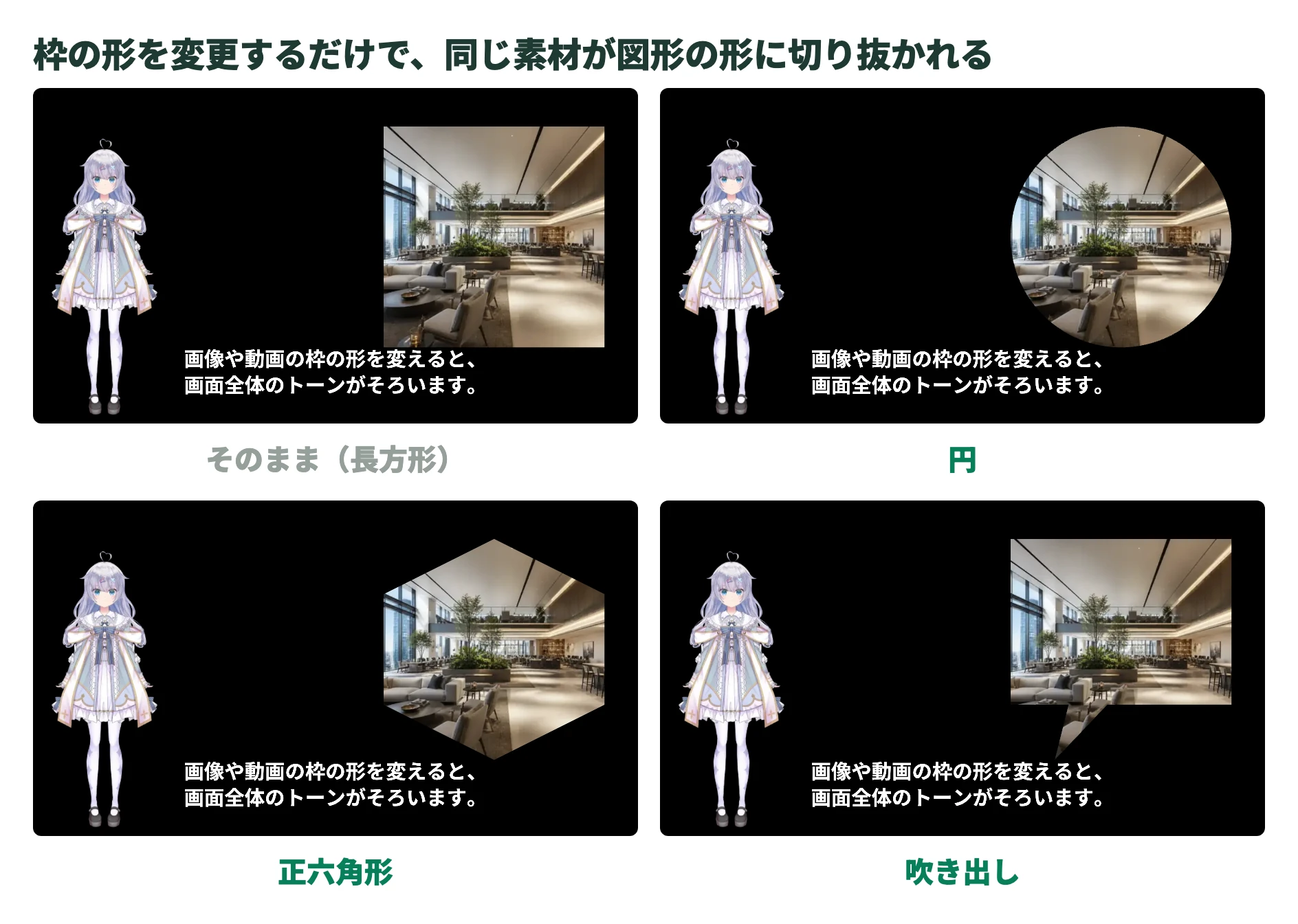
Match the crop shapes, and assorted material becomes one coherent screen
For inserted images and videos, and for avatars (characters), open the shape list from “Change frame shape” in the settings panel and replace the frame shape itself. Crop with a circle or an ellipse for an icon-like look, or fit the asset into a regular hexagon or octagon for a catalog-style layout. You can also tilt the frame with a trapezoid or a parallelogram to add movement, cut a dome with an arch or a half circle, or add softness or momentum with a cloud or a jagged burst.
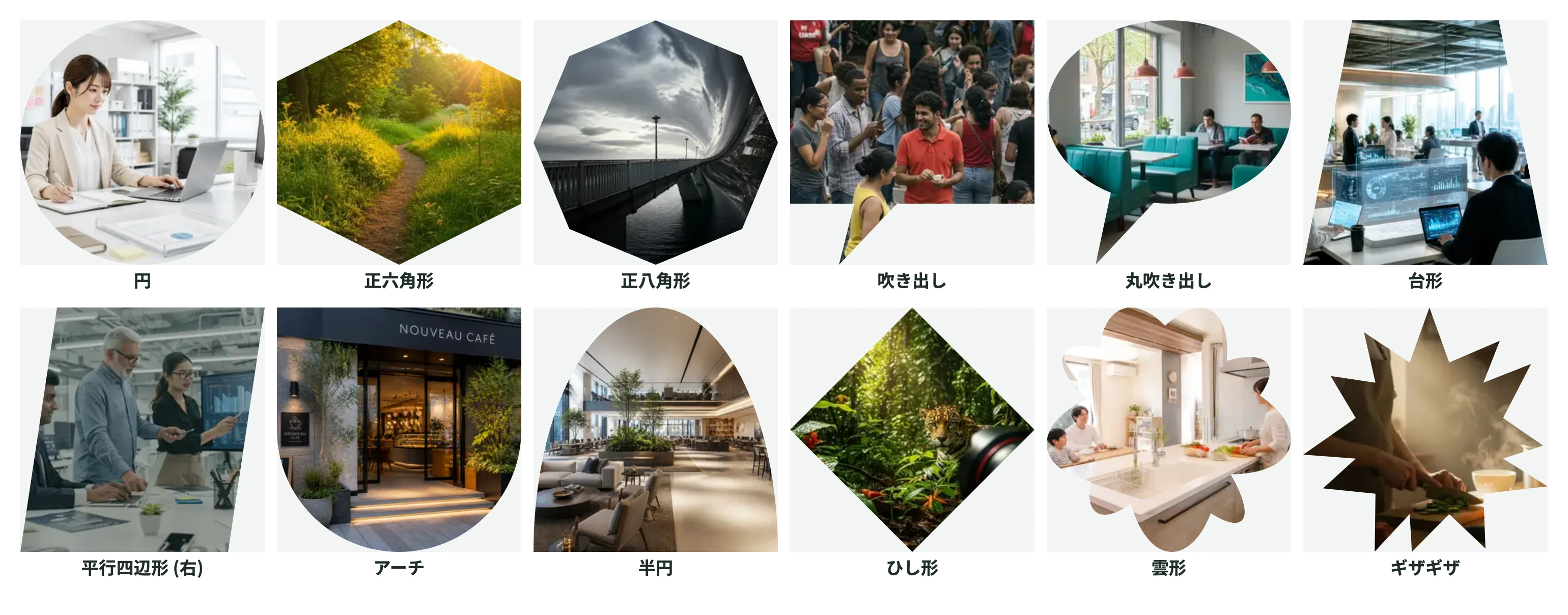
The effect is clearest when the shapes match. For recruitment communications, line up employee interview footage in matching circular frames side by side. For a product introduction, lay photos supplied by a vendor into a grid of matching hexagons. Simply unifying the crop shape makes assets shot by different people at different resolutions balance within the same screen, and the assorted look disappears. Even a mix of smartphone footage and stock material keeps the tone of the screen intact.
A cropped frame can take a border, with a color and width of your choosing. When you swap the shape, the border and background color you already set carry over, so there is no need to rebuild the look. The shape itself is adjustable with sliders: the number of corners on a polygon, the direction and position of a speech bubble tail, the height of an arch.
Sale energy or a night scene from a single shape, with no hunting for assets
The “Decoration and effects” category holds a spiral, dots, a wave, a cloud, a flat-bottomed cloud, a jagged burst, a lightning bolt, a flat-topped lightning bolt, a crescent moon, a sun, an L shape, an L shape with an angled end, a bookmark, a double-sided bookmark, a droplet, a clover and a gear. Place a jagged burst or a lightning bolt behind a price to give it sale energy, switch between morning and night scenes with a sun or a crescent moon, tighten the corner of the screen with a bookmark or an L shape. The time spent going out to find decorative assets is simply removed.
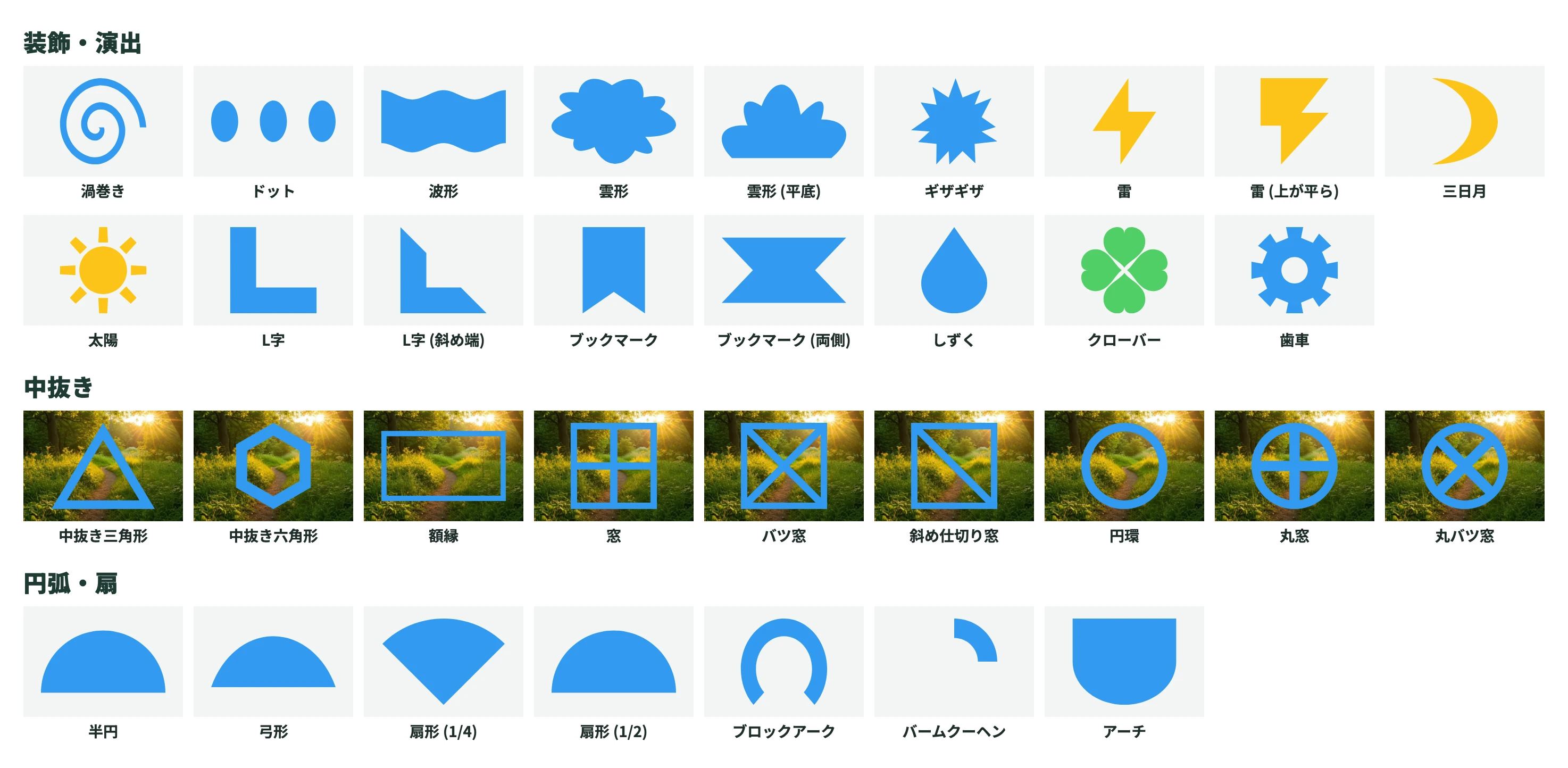
The “Hollow” category, which collects shapes with an open center, contains a hollow triangle, a hollow hexagon, a picture frame, a window, a cross window, a diagonally divided window, a ring, a round window and a round cross window. Because the footage underneath stays visible inside the outline, you can overlay a picture frame to make interview footage look like a photograph, or edge an avatar icon with a ring. The “Arcs and sectors” category offers a half circle, a circular segment, a quarter sector, a half sector, a block arc, a baumkuchen and an arch. Combining sectors and the baumkuchen produces a pie-chart-like way of showing proportions, while arches and half circles work well as a base for a heading.
The spotlight stands out among these. It covers the whole screen with a semi-transparent black overlay and opens a hole in one part of it to reveal a single point. The hole can be a circle, a square, an ellipse or a rectangle, and its position and size move with sliders. When a video explaining how to use something needs to say “press here on the screen,” attention can be gathered without drawing a line or an arrow.
Decorative shapes also change character once adjusted. For a cloud, you set the number and size of the bumps and the pattern; for a jagged burst, the number and depth of the spikes and the pattern; and the number of rays on the sun and the number of teeth on the gear also move. The same “cloud” becomes a comic-style billowing cloud when the bumps are increased and enlarged, and a calmer outline when they are reduced and made smaller. The intended mood can be approached without searching for another asset.
What comes next
The more shapes there are to choose from, the more the next problem becomes how to arrive at the intended presentation. Mavericks will continue to work on making shapes easier to choose, including their ordering and how they are presented. The goal is a state in which people who have something to say can also choose the presentation that suits it. Mavericks will continue to ship updates based on feedback from users.
Footnotes
-
PLAN-B Marketing Partners Inc., “Survey on the state of vertical video advertising on social media 2025” (in Japanese) ↩

