
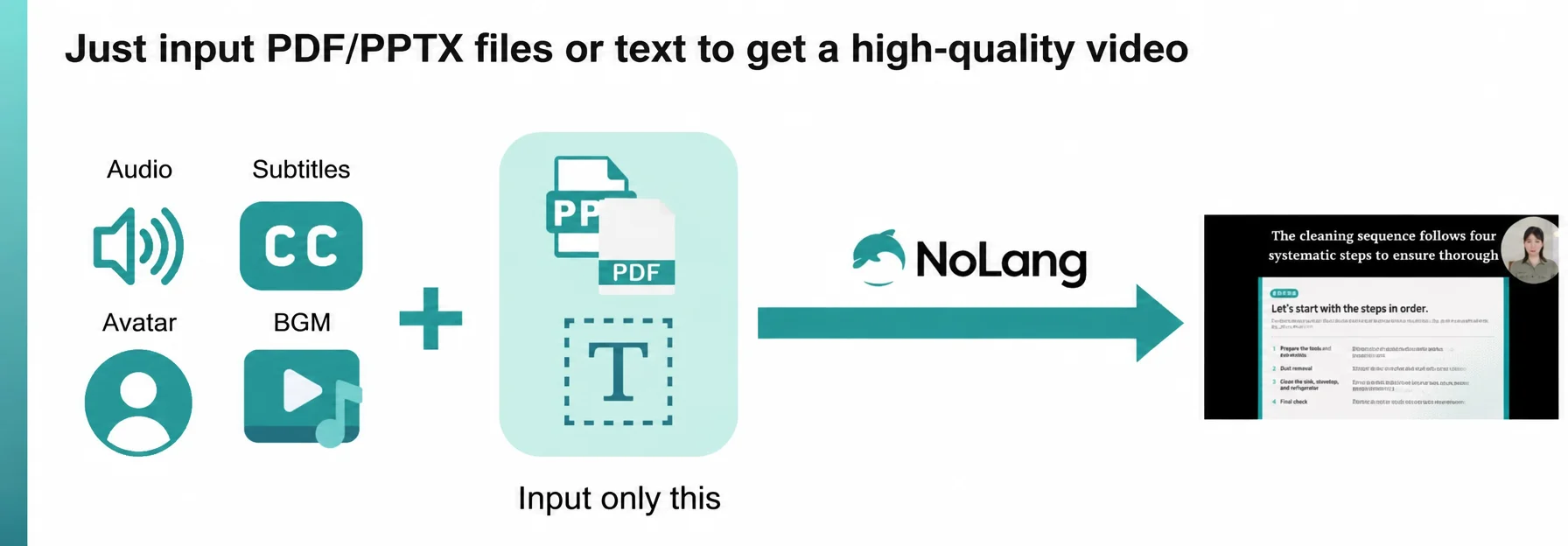
Mavericks, Inc., the Japanese company behind the AI video generation service NoLang, has significantly expanded the Template feature of NoLang in order to reduce the workload of the two production steps that most companies struggle with: planning and structuring a video, and editing it. With the Template feature, users upload the text they want to turn into a video, or an existing PDF or PPTX document such as training material, an earnings presentation, or a product brochure, and then select a Template that matches their goal. NoLang automatically generates a high-quality video in which the AI avatar narration, text overlays, background music, and background footage are optimized for that purpose.
Long production cycles as a challenge in video production
Video is now used across every area of business, from marketing to recruiting, IR, and internal training. As its importance grows, however, many companies run into three realities: high cost, long production times, and a lack of specialist knowledge.
On cost, outsourcing to a production company averages roughly 300,000 to 1,000,000 yen per video, which is a significant barrier. The production period is just as serious a problem: one to three months typically pass between the request and delivery.
That time comes from the steps specific to video production, above all planning and structuring, and editing and revision. Planning and structuring is a zero-to-one step that requires know-how, and editing and revision is one of the most time-consuming tasks of all. In a survey of companies working to use video more, the most common challenge was “production takes too long” (56.1%), followed by “we have no specialist knowledge in-house” (40.5%).
This shortage of time and expertise is what makes it difficult for many companies to achieve both quality and volume in their videos.
(Source: Hikaku Biz and Funusual, Inc., “Survey on the adoption rate and cost-effectiveness of video marketing” (in Japanese), URL: https://www.biz.ne.jp/、https://funusual.co.jp/)
Automatic video generation from text and documents: an expanded Template feature
NoLang, the Japan-born AI video generation service with more than 150,000 registered users, has significantly expanded the range of templates in its Template feature, which reduces the work of the planning, structuring, and editing steps that hold back the business use of video.
With the Template feature, users upload the text they want to turn into a video, or an existing PDF or PPTX document such as training material, an earnings presentation, or a product brochure, and then select a Template that matches their goal. NoLang automatically generates a high-quality video in which the AI avatar narration, text overlays, background music, and background footage are optimized for that purpose.
This expansion adds new templates alongside the existing ones: vertical video templates built for social platforms such as TikTok and YouTube Shorts, templates that explain documents for internal training and manuals, and corporate templates suited to IR information and company introductions. English-language templates have also been significantly expanded, strengthening support for companies producing video for audiences outside Japan.
How to use the Template feature
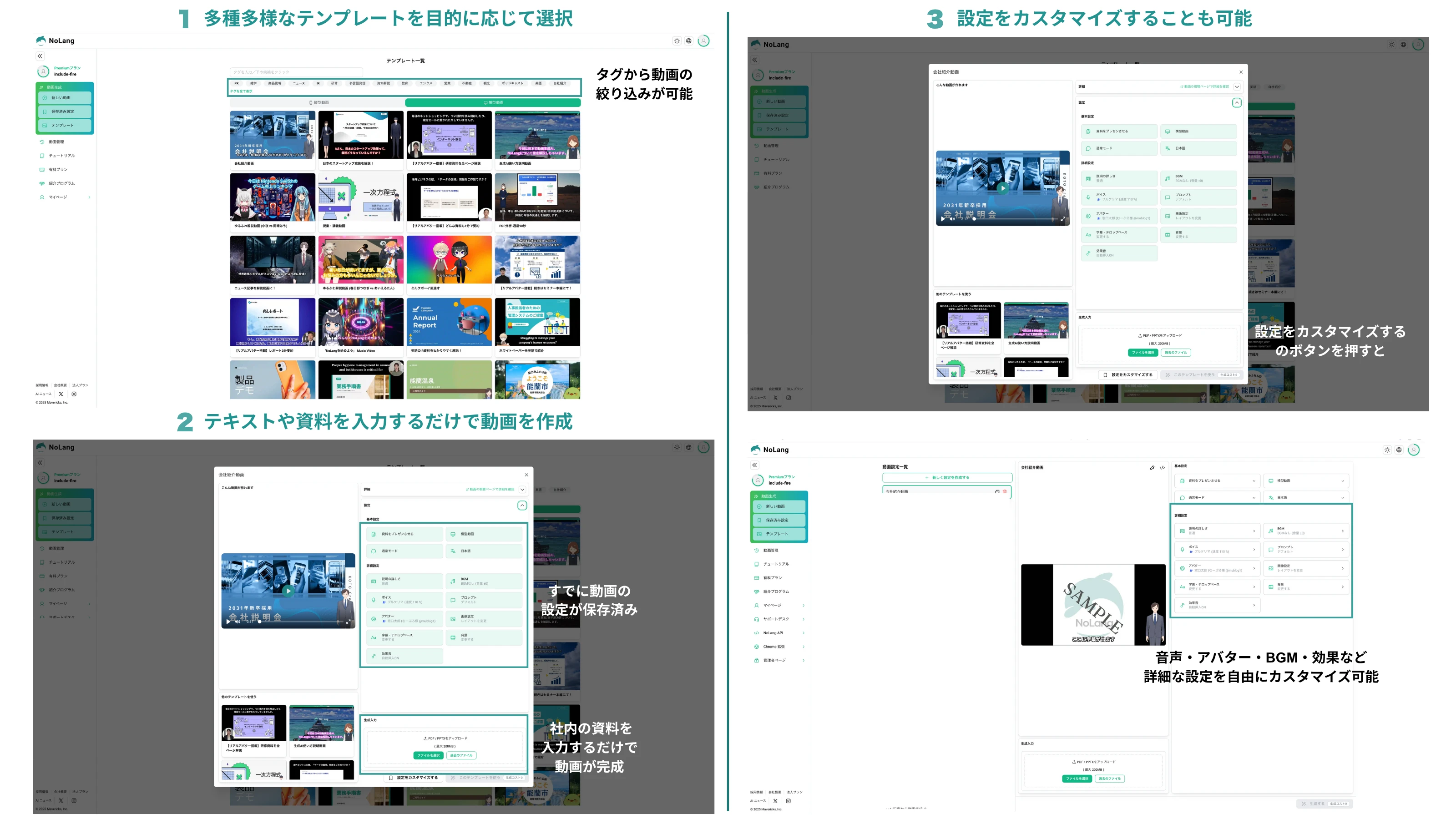
Users start on the Template selection screen and choose either Horizontal Video, which suits platforms such as YouTube, or Vertical Video, which suits TikTok and YouTube Shorts. The screen offers Tag filters such as PR, Training, and product explainer, so users can easily search for and select a template that matches their goal. Each template comes with settings already saved for its intended use, including the type of avatar, the text overlay font, the background music, and the background footage. Users only enter the text they want to turn into a video or upload an existing PDF or PowerPoint document, and a high-quality video is generated automatically, with no planning or editing skills required.
Users can also customize the avatar, background music, background, and the font and position of text overlays, starting from the settings stored in the template. This makes it efficient to produce distinctive videos that match a company’s own brand image.
Main characteristics and benefits of the Template feature
Just select a template: no video editing skills needed
No specialist editing software skills or design knowledge are required. Users simply select a prepared template that matches how the video will be used, such as a YouTube Short or internal training. Because the AI automatically places the text overlay font, its display position, the avatar type, and the background in the optimal way, even users with zero editing experience can create high-quality video. This addresses the problem faced by people who had given up on publishing video because of the learning curve and the editing time it demanded.
From business to social media: templates for a wide range of use cases
This expansion makes a broad set of templates available for every kind of scene: vertical video for social media, such as product advertising and UGC-style content; internal training video, such as machine operating manuals and internal security briefings; and IR video for investors that explains earnings materials and management policy in clear terms. For social media (TikTok and YouTube Shorts), the vertical video templates feature eye-catching text overlay placement and brisk scene transitions. For training video, the templates pair avatar narration with a clear on-screen view of the source document (PDF) to improve learning outcomes. For corporate use (IR and company introductions), the templates use a formal design that conveys credibility and expertise, and they also support the use of a real avatar that looks like the company’s own executive (optional).
Deep customization: reflect your own identity on top of a template
A video generated automatically by the AI does not have to be published as it is; it can easily be customized in an intuitive editing screen. Users can revise the wording and line breaks of text overlays, change fonts, and swap out background footage. In addition to more than 100 stock avatars, companies can use their own characters (for example, in Live2D) and an optional real avatar with a matching voice that closely resembles a specific person. The result goes beyond simple automatic generation: it lets each publisher create something distinctive and strengthen and unify its branding.
Looking ahead
Mavericks, Inc. will continue to expand its templates for a wide range of industries and use cases based on user feedback. At the same time, the company aims to make the emotional expression and gestures of avatars more sophisticated, so that the explanatory videos it generates come closer to natural human delivery. Through NoLang, Mavericks, Inc. intends to use AI to maximize the value of people, a company’s key asset, and to remain the leading solution for internal and external communication.
Contact us
