
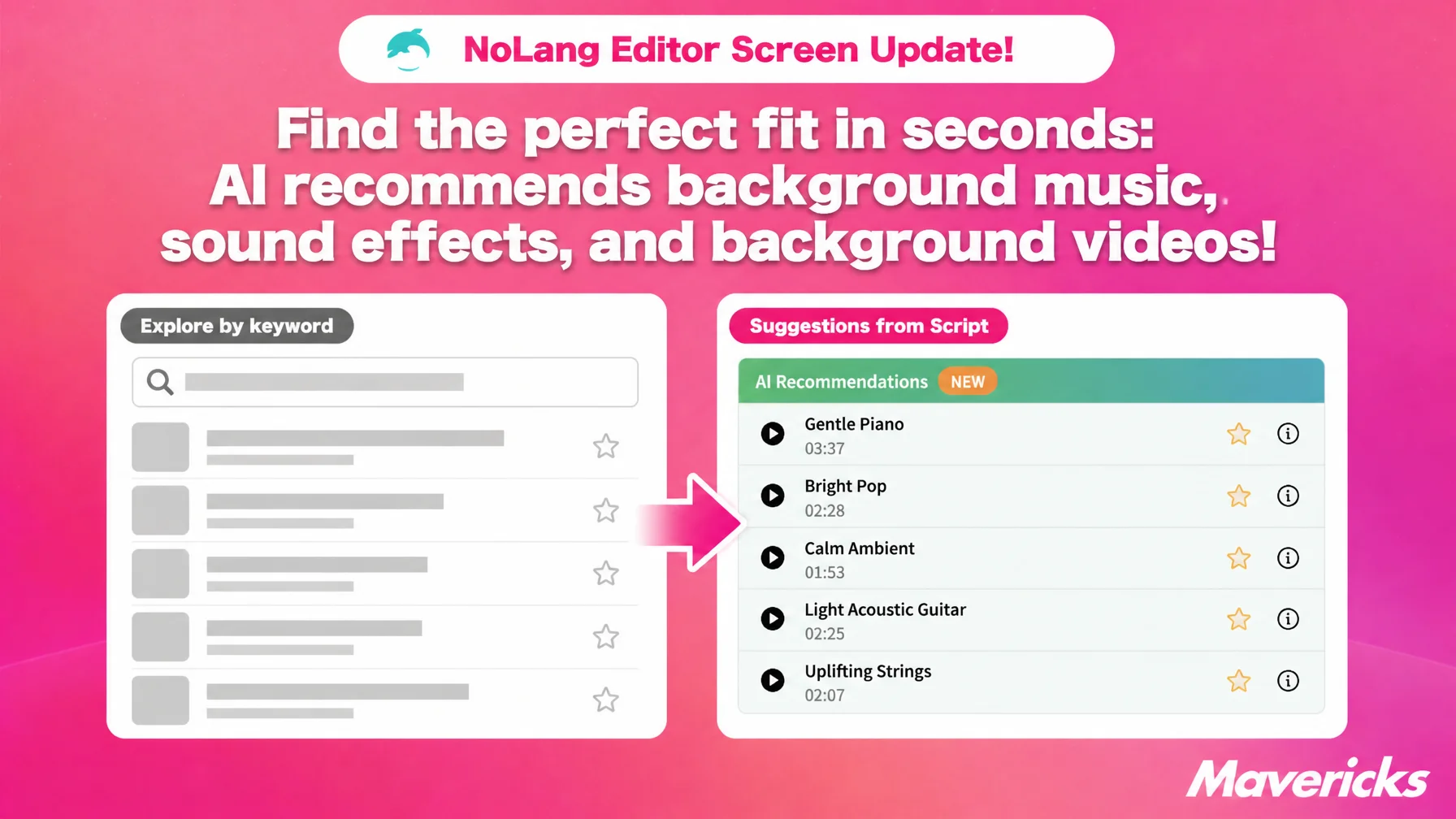
Mavericks, Inc., the company behind the AI video generation service NoLang, has added “AI recommendations” to the NoLang video editor. Based on the script of the scene you have selected, the AI places suggested background music, sound effects, and background videos at the top of the asset list. There is no need to think up search keywords: the suggestions appear in the editor when you add an asset, when you drop one onto the timeline, and when you replace an asset you have already placed. Because the AI picks assets that fit the scene from the large library available in NoLang, you spend less time looking for material, and you have room left for finishing touches such as changing the background music from scene to scene or adding a sound effect at a key moment.
Production workload blocks volume, and the time spent searching for music and sound effects adds up
Demand for video keeps growing, but in production teams the workload for a single video is the biggest bottleneck. In a survey by PLAN-B, Inc., the challenge most often cited by advertisers running vertical video ads on social media was “creative production takes too much work to produce at volume,” at 49.0%1. A survey on producing video in-house also ranked “staff are short on time and cannot devote hours to production” among the top challenges2. Making video inside the company has become normal, yet the hours needed to finish one video pile up and volume production stays out of reach.
So where does that workload actually grow? Work stalls less on the editing itself than on the search for background music, sound effects, and background videos that suit the scene. NoLang offers a large library of all three, but whether you can pick the right one for a given scene comes down to whether you can think of the right search keyword. Without the right word, you keep scrolling the list and place whatever happens to catch your eye. Whether the asset is a hit or a miss then affects both the quality of the video and the time it takes to make.
To shorten the search itself, NoLang has added “AI recommendations” to the editor.
The AI suggests assets from the script, so no search keywords are needed
“AI recommendations” puts assets that match the script of the selected scene at the top of the asset list. It covers three types: background music, sound effects, and background videos. That spans the assets that set the mood through sound and the ones that fill the screen, which together make up the main building blocks of a video. You do not have to come up with search keywords; once the script is written, matching suggestions line up automatically.
The difference from keyword-based asset selection is that the script you have already written becomes the clue for choosing assets. Background music and sound effect suggestions can be previewed on the spot, so you can check how they sound before deciding. Background video suggestions can be judged by how they look. If you rewrite the script, the recommendations update to match it, so there is no need to search for assets again after reworking the copy.
Just select a button, and the suggestions appear right there
No special setup is required. Select the button for adding an asset in the editor, and recommendations for that scene appear at the top of the candidate list. The same happens when you insert an asset into an empty slot on the timeline, and rank icons are attached in order from the top so you can see at a glance which one is closest to the content. Replacing an asset you have already placed draws on the same recommendations.
Assets you like can be bookmarked directly from the suggestions, so they carry over to your next video.
The search step disappears, cutting the production time per video
The steps of thinking up search keywords and comparing the results are gone, which brings the time spent looking for assets close to zero. Once you write the script and select a scene, you start editing with matching suggestions already in place. Even if the saving is only a few minutes per video, it multiplies by the number of scenes and by the number of videos produced. The more continuously a team produces video at volume, the larger the effect.
The saving grows with the number of scenes in the video. Changing the background music for each scene or adding a sound effect at key moments used to mean repeating the search once per scene. Because suggestions now appear automatically for each scene, that repetition disappears. In a ten-scene video, that is ten rounds of searching for assets removed outright.
What comes next
NoLang has built an environment where a video can be generated simply by entering text or documents, and where everything from post-generation editing to export happens in a single service. “AI recommendations” is an extension of that work. Users may know how to operate the tool yet still not know what to choose, and the aim is to reduce the burden at that stage.
As the number of assets grows, the sheer range of choices becomes a burden of its own. Alongside expanding the library, Mavericks will keep improving the paths that lead users to the asset they need without hesitation.
Video has become a means of communication used everywhere, from corporate announcements to public-sector outreach and the creation of teaching materials at schools. Mavericks aims for a state in which even organizations without production specialists on staff can turn what they want to say directly into finished work, and will continue to ship updates based on feedback from users.
Footnotes
-
PLAN-B, Inc., “Survey on how vertical video ads are run on social media 2025” (in Japanese) ↩
-
Joint survey by Hikaku Biz and Mteam, “Survey on in-house versus outsourced video production and its challenges” (in Japanese) ↩

