
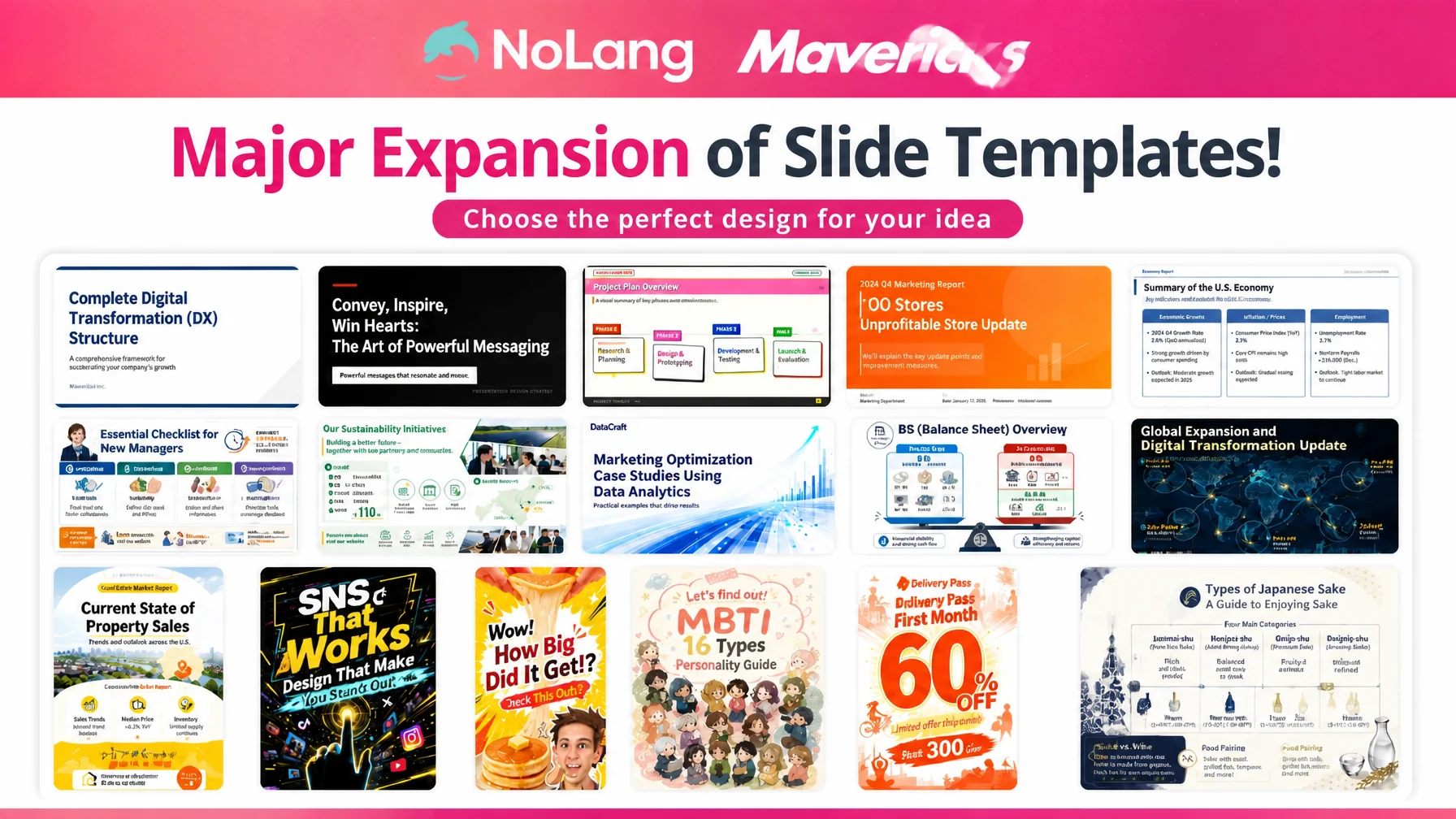
Mavericks, Inc., the company behind the AI video generation service NoLang, has significantly expanded the slide templates available in NoLang’s slide generation. The lineup covers a wide range of styles, from diagram-driven consulting decks to explainers for rules and procedures and warm color schemes suited to introducing a store or a clinic. The preview shows both the finished slides and the instructions they were generated from. Alongside the official samples, users can also pick their own saved slides as templates, so a design they like can become the basis for the next document. Slides created this way can be carried into video generation, which lets teams distribute documents and post videos in the same visual tone.
Contact us about NoLang619 hours a year on documents, with design decisions as the heaviest part
Proposals, internal briefings, slides projected at study sessions. The volume of material produced in daily work keeps growing, and the time it takes is far from trivial. According to a survey by Smart Slide, Inc., the task sales professionals spend the most time on is document creation, at 30.5%. The survey estimates 619 hours per person per year spent on creating documents, equivalent to roughly 1.67 million yen in labor cost1.
The time goes into more than working out the content. Even when the message is already clear in someone’s head, they still have to settle on colors, fonts, spacing, and where to place each diagram. Judgments about appearance draw on a completely different skill set from building an argument. Open a blank slide, decide what design to use this time from scratch, then rework the layout once the content is in place. That back-and-forth repeated with every document. Handing the work to a designer or an outside production company costs time and money, while keeping it in-house leaves each document looking different from the last. Neither route solved the problem.
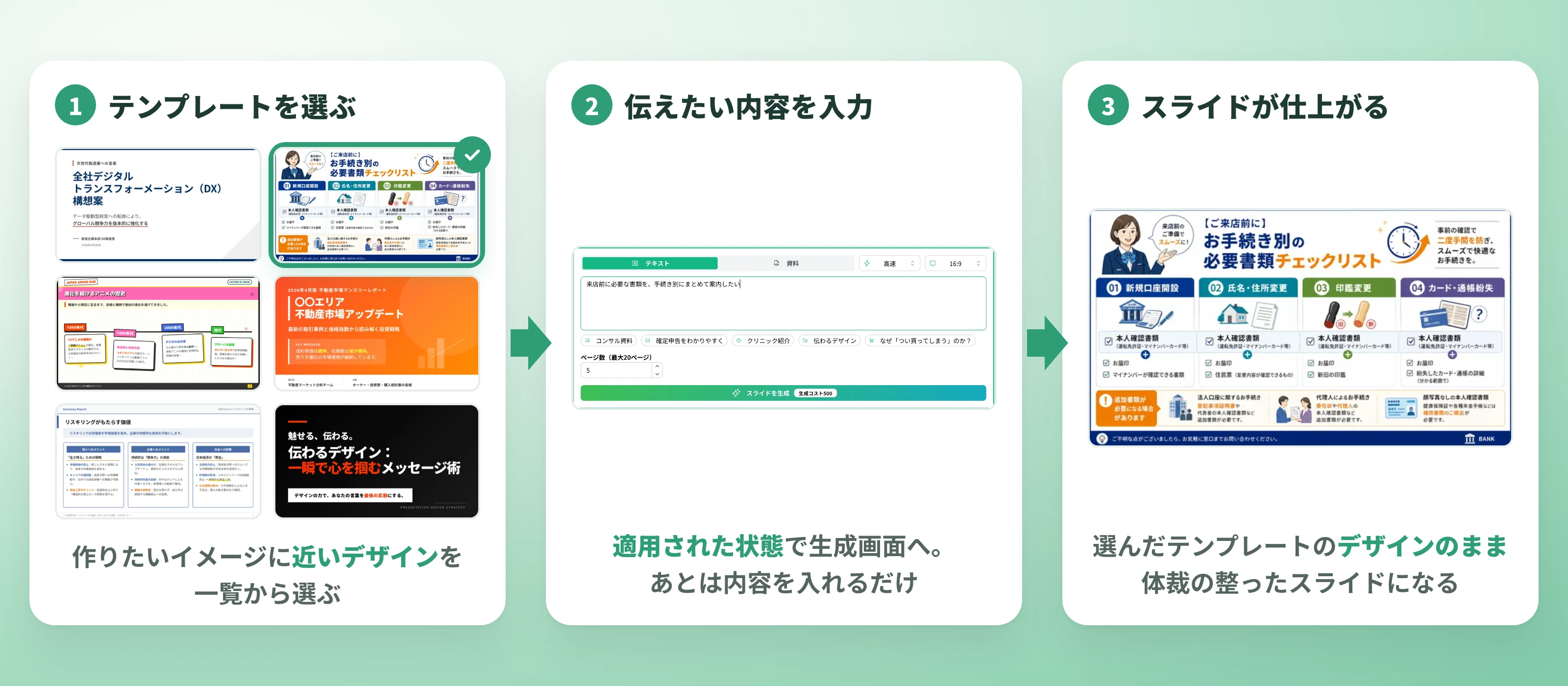
NoLang added these slide templates to remove the design decision step itself. Users choose a template close to what they have in mind and generate a properly formatted set of slides from it.
A much larger template lineup removes the need to start from a blank slide
This update significantly increases the number of slide templates to choose from. Opening the template list page, titled “What kind of slide will you create?”, shows the new templates as thumbnails. There are consulting-style decks built around diagrams, explainers that break down rules and procedures, designs with warm colors suited to clinics and stores, and layouts that put a single large message front and center. From external proposals to consumer-facing explanations and social media posts, the styles match the character of the document.

Any template can be opened in a preview and paged through to see its contents. What stands out here is that the input text behind the template is displayed alongside it, showing the instructions it was generated from. Seeing the result and the instructions side by side helps users judge which style suits which kind of document before choosing. Once a template is selected, the generation screen opens with it already applied. From there, entering the content is enough to produce slides in the chosen design.

The list can be filtered by generation type and aspect ratio, so when the purpose is already fixed — slides for projection or a social media post — only the matching templates are shown for comparison. Instead of starting from a blank page, users start from slides with a finished look in mind. The time once spent weighing design choices goes straight into refining the content.
Contact us about NoLangYour own slides become templates and a base for the next document
Official templates are not the only option. In the “Slide templates” field on the generation screen, users switch between samples and My Slides, the slides they have created themselves. Once a design works well, it becomes the base for the next document. Recurring formats such as quarterly reports or per-service introduction decks no longer require rethinking the design every time. When a team wants a consistent tone, starting from the same slides keeps the result close to the mark no matter who creates it.
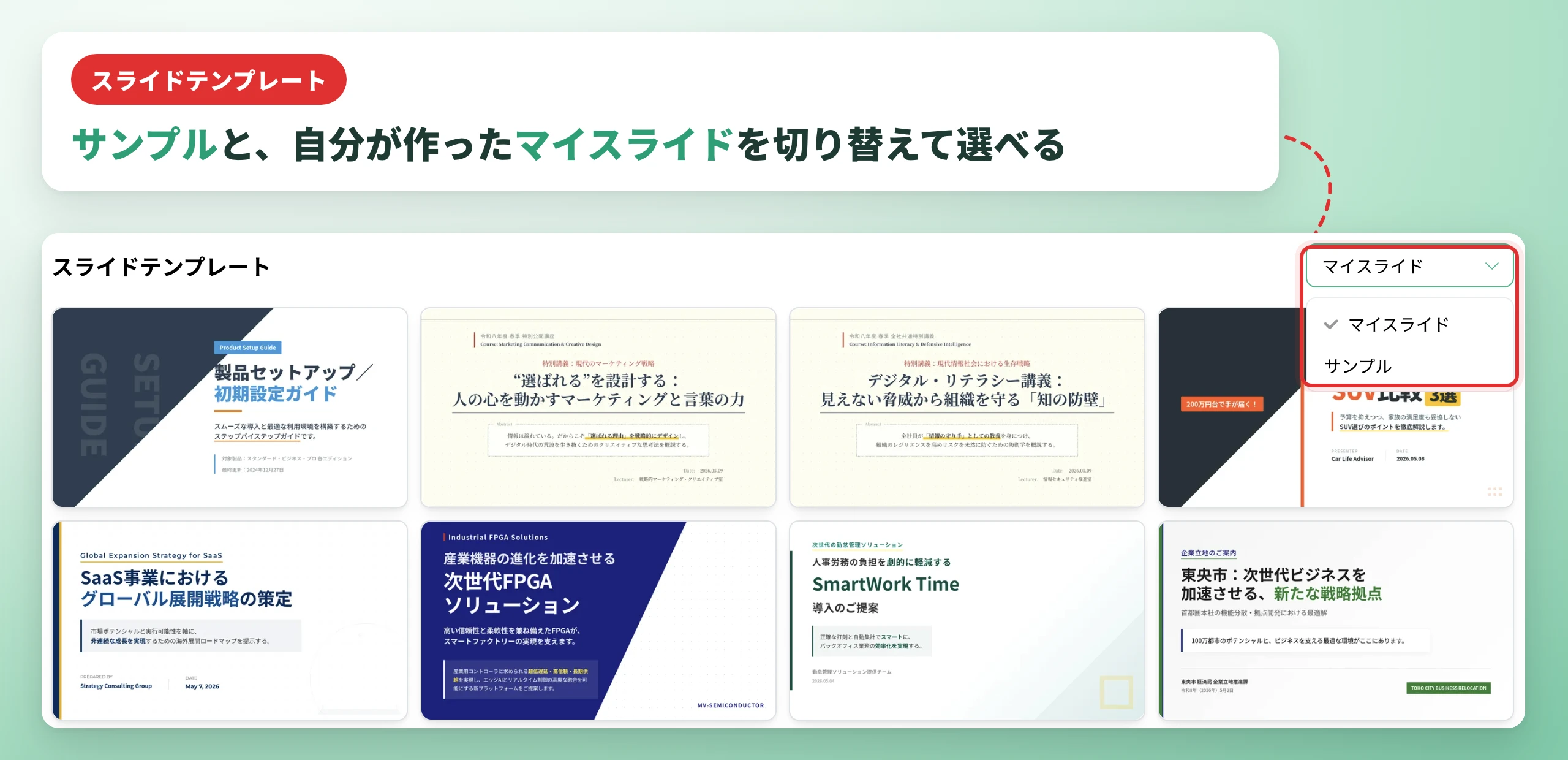
The selected template appears on the generation screen with a thumbnail, and swapping it for another is straightforward. Trying several and settling on a direction works without friction. Beyond the template, adding extra instructions under “Design” and “Content/Structure” layers corporate colors and preferred wording onto the chosen base. The template is only a starting point, and every adjustment after that is made in plain text.
Contact us about NoLangFrom proposals to social media posts, one design across documents and videos
Slide generation in NoLang works by entering text or uploading a PDF document. Choosing a template in advance combines entering the content and settling the design into a single step.
The range of uses is broad. Business documents such as sales proposals, slides for internal study sessions, and supporting material for IR briefings, as well as social media slides covering products or useful tips, and content for recruitment communications and service introductions. Because the resulting slides can be combined with video generation in NoLang, a document can be carried straight into a narrated video. A design set once by a template can be reused across both the documents that get distributed and the videos that get published. That is a specific advantage of NoLang, where slide creation and video production are completed in one service.
Public-sector notices, announcements from medical institutions, handouts from schools — the wider the audience and the more the accuracy of the content matters, the more often material goes unread because no one had the capacity for design. When choosing a template is enough to get the formatting right, the person who has something to communicate can produce it on the spot, even in settings that previously had to rely on a designer or an outside vendor. The time spent making documents look presentable goes back into sharpening what they say.
Contact us about NoLangWhat comes next
NoLang has built an environment where slides can be created simply by entering text or a PDF, and where editing after generation through to export is completed in a single service. This template expansion continues that work.
At the same time, the more options there are, the more the next challenge becomes reaching the design a user is looking for. Beyond widening the lineup, Mavericks will also work on navigation that lets users find templates by purpose.
The goal is a state where anyone, without design expertise, can prepare documents that deliver their message as intended. Mavericks will continue to ship updates based on feedback from users.
Footnotes
-
Smart Slide, Inc., “Survey on Working Conditions in Sales 2021” (in Japanese) ↩

