
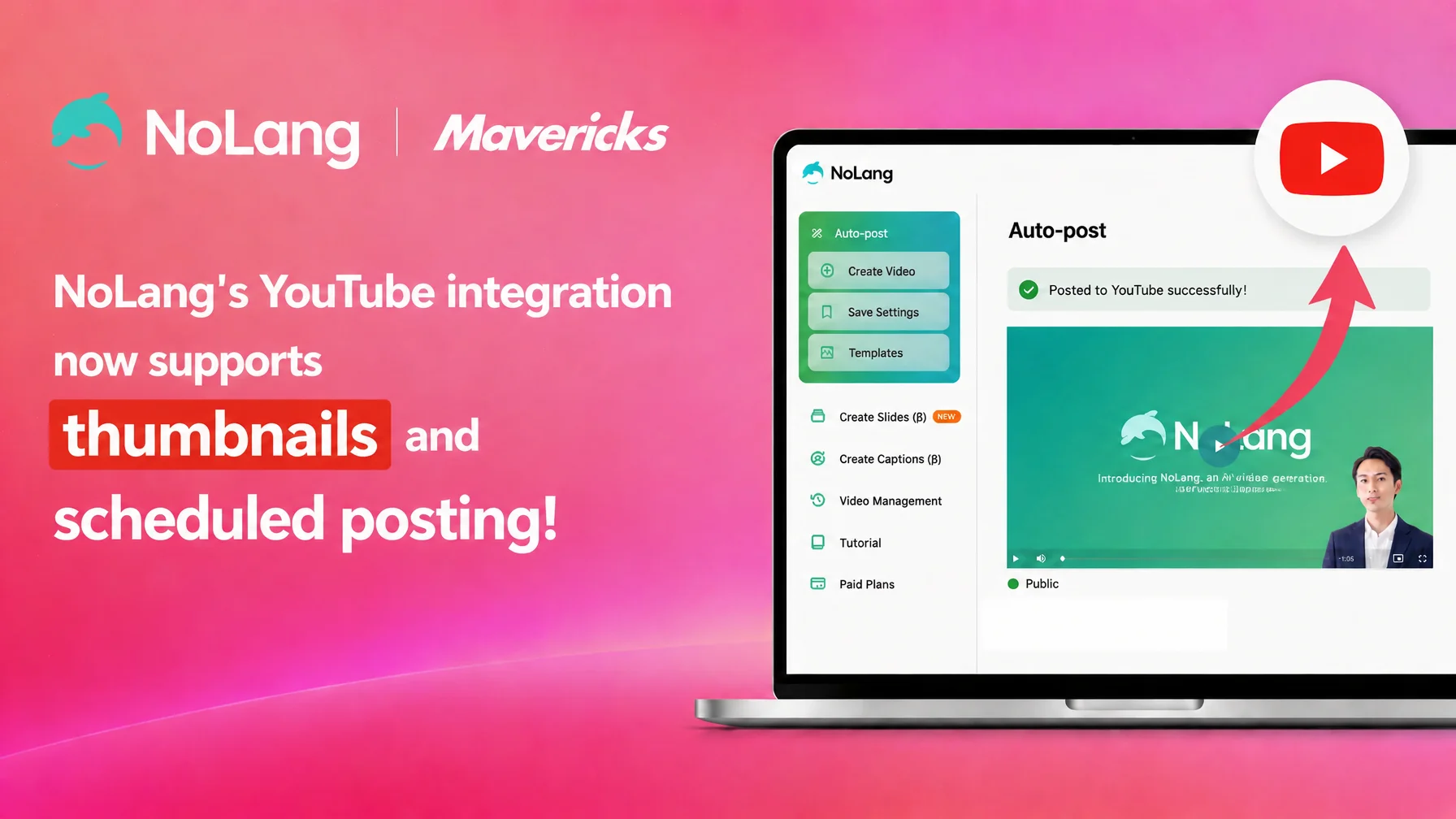
Mavericks, Inc., the company behind the AI video generation service NoLang, has added two features to the YouTube integration in NoLang: scheduled posting and thumbnail upload. Users can now set a publication date and time and assign any image as the video thumbnail directly from the YouTube upload settings screen, without opening YouTube Studio separately. For creators and corporate teams that publish videos continuously, this reduces the manual work involved in posting.
Contact us about NoLangProduction gets faster, but manual work remains in publishing
In video marketing, the production stage still carries a heavy workload. In a survey on the use and cost-effectiveness of video marketing conducted by One’s Mind Inc. (Hikaku Biz) and Funusual Inc. among 148 people who use video (February 18 to March 7, 2025), 56.1% answered that production takes time and 40.5% answered that their organization lacks in-house expertise, which points to how demanding the production process is1.
The publishing step that follows a finished video carries its own overlooked burden. Posting to YouTube means entering a title, description, category and tags, then adjusting the publication timing and preparing a thumbnail image. These small manual tasks add up, and the more videos a team publishes, the more time they consume. For creators and social media managers who publish on a regular schedule, this repeated work easily becomes a bottleneck in maintaining posting frequency.
Thumbnails matter in particular, because they directly influence whether a viewer chooses a video. YouTube’s own help page notes that 90% of top-performing videos use a custom thumbnail2. Half of all channels and videos on YouTube have a click-through rate on impressions of between 2% and 10%3, so the thumbnail chosen at publication is an important factor in how many views a video receives.
Publication timing raises a similar issue. When someone has to operate the upload in real time for every video, gaps appear between the hours when viewers are most likely to watch, the poster’s own circumstances such as vacations or busy periods, and the moment the video actually goes live. To remove this remaining burden in the publishing step, NoLang has added scheduled posting and thumbnail upload to its existing YouTube integration.
Scheduled posting and thumbnails added to the YouTube integration
NoLang has long included a YouTube integration that posts videos generated in NoLang directly to YouTube. This update adds two features to that upload screen: scheduled posting and thumbnail upload.
Everything from video generation and editing to the YouTube upload settings still happens on NoLang’s screens, and two settings that shape the quality and timing of a post have now been added there: when the video goes live and which thumbnail it uses. The social media integration in NoLang also supports posting to Instagram, TikTok, Threads and Facebook Pages, but the two new features are available only on the YouTube upload settings screen.
Scheduled posting lets users set the publication date in advance
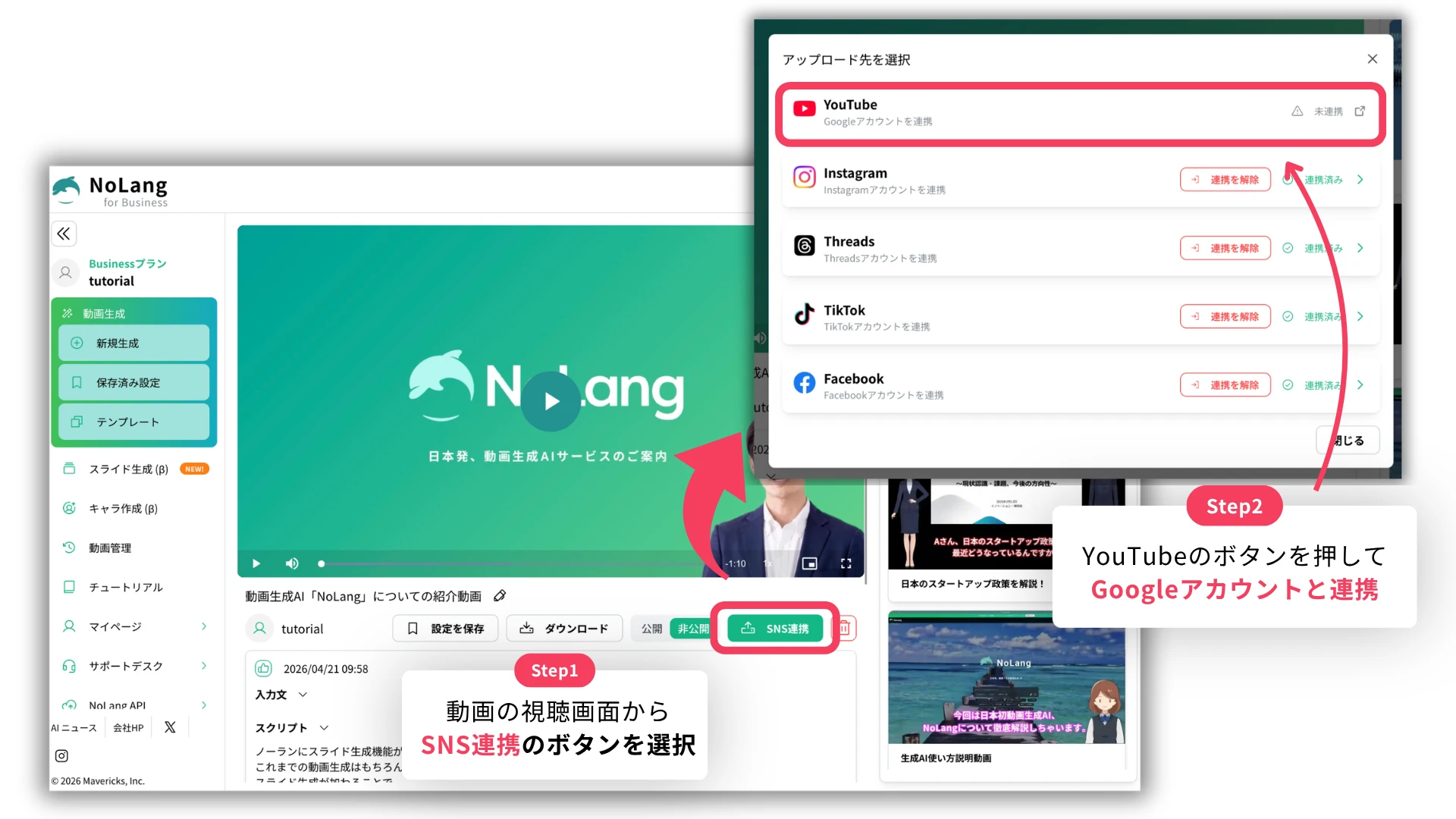
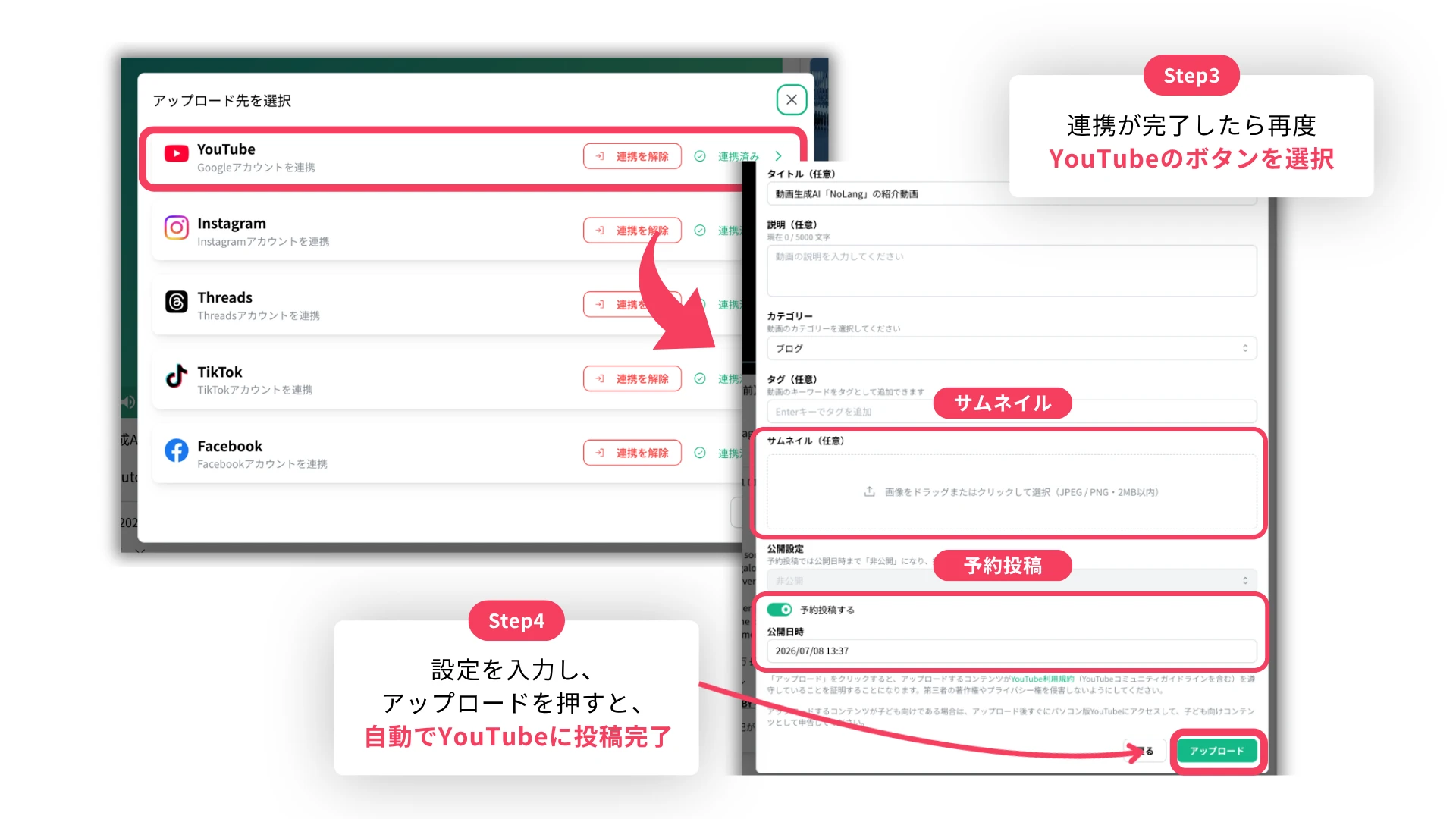
The YouTube upload settings screen now has a “Schedule Post” switch. Turning it on reveals a date and time field for specifying when the video is published.
Previously, adjusting the publication timing after generating and posting a video in NoLang required setting up the schedule separately in YouTube Studio. With scheduled posting, that step is now completed inside NoLang.
Because the moment of generating and uploading a video is now separate from the moment it appears on YouTube, no one has to operate the upload manually to match the hours when viewers are most active, and publication late at night, early in the morning or on weekends only requires setting it in advance.
Upload a thumbnail image to draw the viewer’s eye
A “Thumbnail” item has been added to the YouTube upload settings screen, so users can upload any image file and set it as the video’s thumbnail.
Images can be added by drag and drop or by clicking to select a file, in JPEG or PNG format and up to 2MB. The selected image is previewed on the spot before upload, and it can be removed and replaced at any time using the icon next to the preview. Setting a custom thumbnail used to require visiting YouTube Studio separately and uploading it there; this step is now part of the posting screen in NoLang.
Batch generation and scheduled publishing ease the load of continuous posting
For creators and companies that post to YouTube continuously, generating several videos at once and giving each one a different publication date and time makes it possible to lay out a publishing schedule for the coming days or weeks within a single block of working time. Because generation and upload settings are handled together, there is no need to stop work and run a publishing operation each time a video goes out.
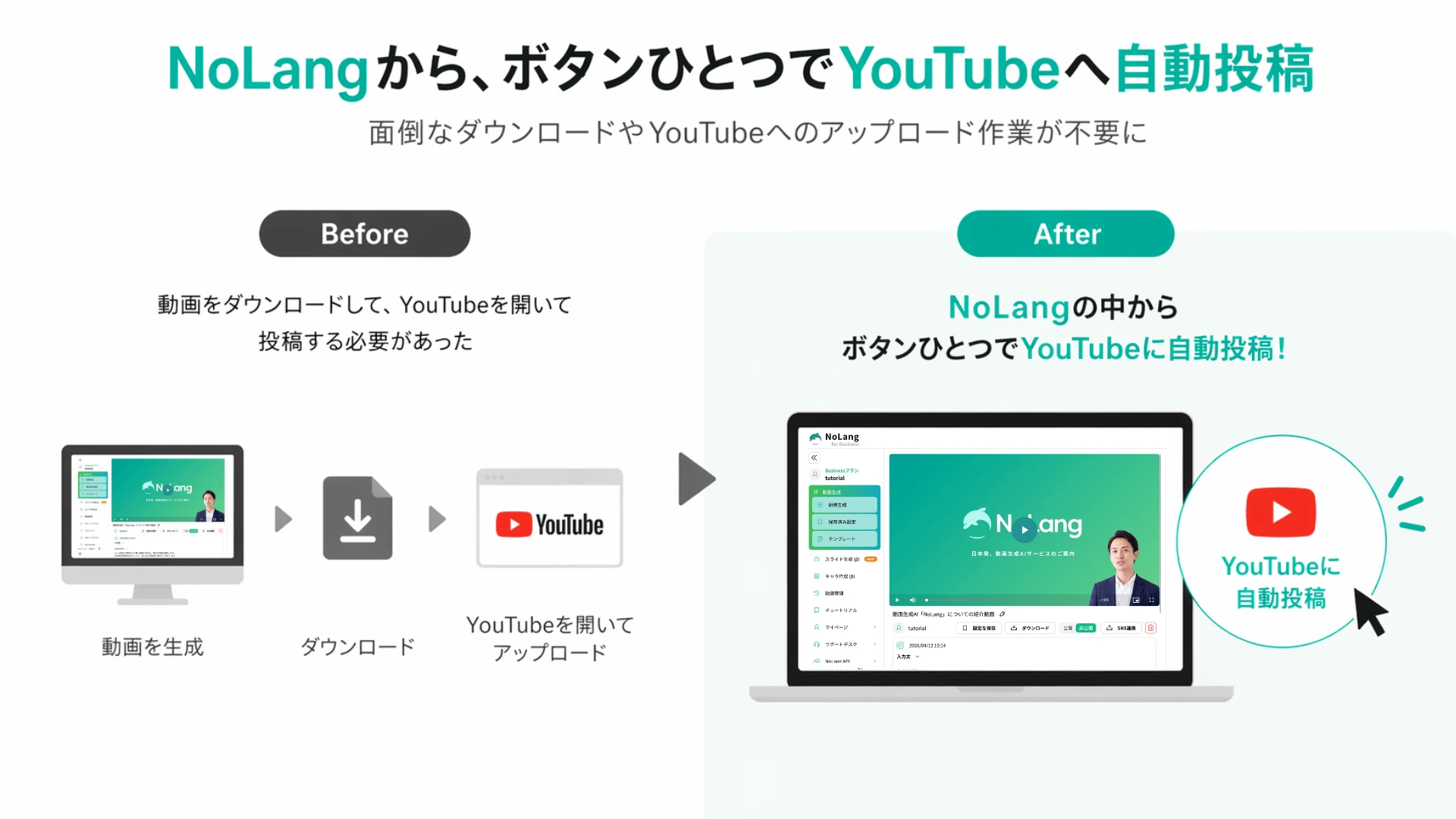
Teams can also separate their own working hours from the publication timing: production and upload settings during weekday business hours, publication in the evenings or on weekends when viewers are more likely to watch. Combined with thumbnail upload, teams can prepare thumbnails with a consistent design for each theme or series, which helps unify the look of a channel and improve click-through rates.
For a channel that publishes weekly, for example, a team can generate several videos at once, set a thumbnail for each and schedule them to publish automatically on set days of the week, so that publishing continues even on days when no one is available.
On channels run as unlisted for training or internal content, specifying the publication date and time in advance makes it easier to align the announcement with the moment the video goes live. Teams that manage several social media accounts can also plan the YouTube publishing schedule alongside their posting plans for other platforms.
Looking ahead
Mavericks plans to continue strengthening the features that connect video production and distribution seamlessly. Following this update, which increases the flexibility of posting settings, the company is also considering features that support post-publication measurement, such as integration with performance analytics.
Footnotes
-
One’s Mind Inc. (Hikaku Biz) and Funusual Inc., “Survey on the use and cost-effectiveness of video marketing” (in Japanese) (conducted February 18 to March 7, 2025, among 148 people who use video; “production takes time” 56.1%, “no in-house expertise” 40.5%) ↩
-
Google (YouTube Help), “Tips for thumbnails and titles” (in Japanese) (90% of top-performing videos use a custom thumbnail) ↩
-
Google (YouTube Help), “Check impressions and watch time” (in Japanese) (half of all channels and videos have a click-through rate on impressions of between 2% and 10%) ↩

