
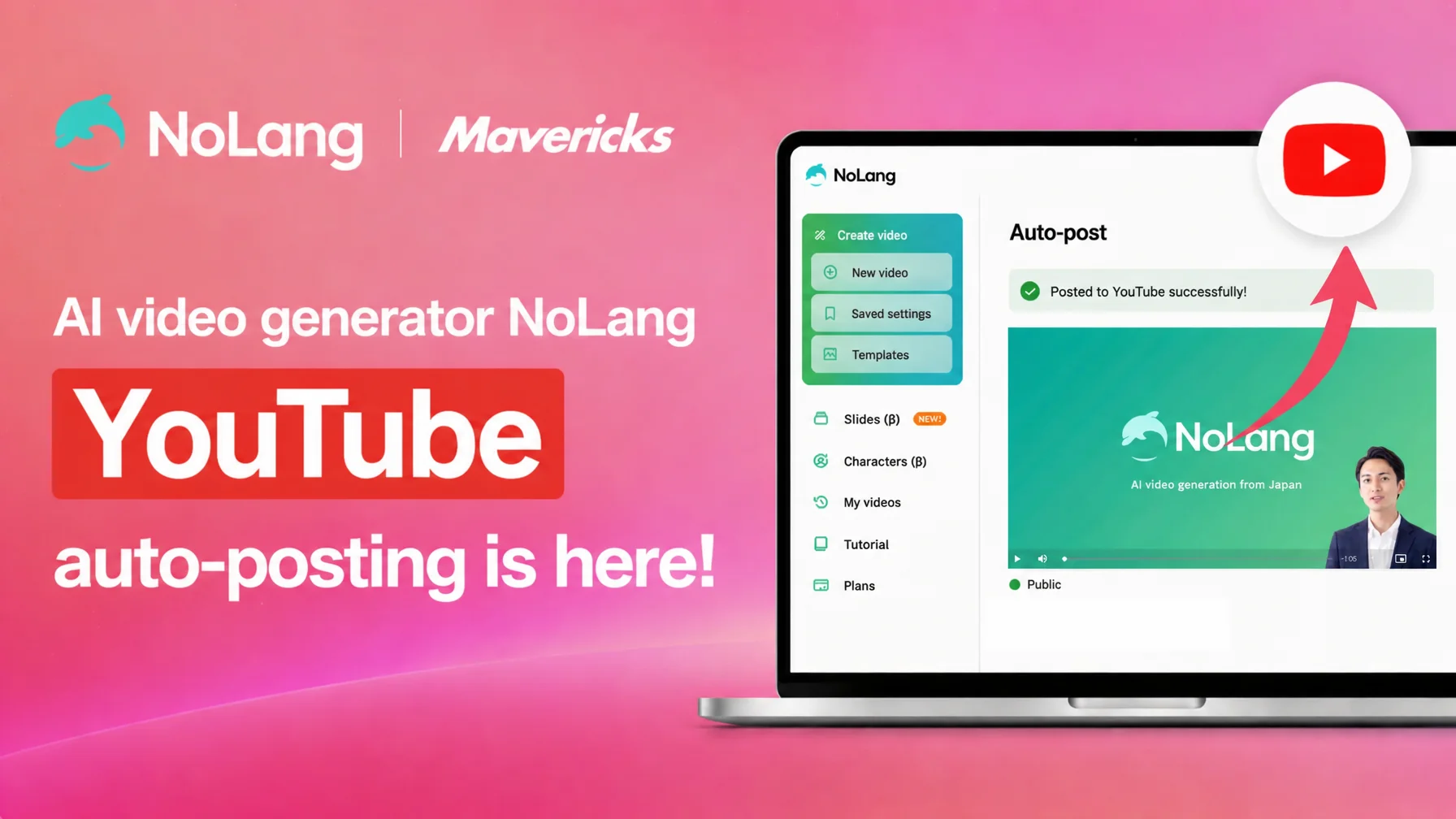
Mavericks, Inc., the company behind the AI video generation service NoLang, has added a YouTube integration that posts videos created in NoLang directly to YouTube. With the new feature, a video generated automatically from text, a PDF, a URL or other material can be published to YouTube without leaving the NoLang screen. Linking a YouTube account is required only the first time; after that, users enter a title, a description and a public setting and post with a single click. By removing the tool switching and manual steps that used to sit between production and publishing, the integration cuts the workload of running a corporate YouTube channel and shortens the time it takes to get content out.
Six in ten companies use YouTube, and the work from production to posting is the bottleneck
YouTube keeps growing as the central platform for corporate video marketing. A survey of 504 marketers published by PRIZMA in January 2025 found that 61.3% of companies use YouTube as their main video distribution channel, with adoption reaching 81.5% in the IT industry and 79.0% in manufacturing1. Among companies that run a YouTube channel, 55.6% do so to raise brand awareness and 36.5% to acquire new customers, which makes YouTube a core channel for building recognition1.
Video production itself, however, carries structural problems. In a survey by Allied Architects of 221 people with experience running video initiatives, about 40% answered that production costs are high and that they have no one, or not enough people, who can make videos; a lack of know-how and the time required were also cited as major barriers2. Outsourcing a single video from planning and structure through editing typically costs 50,000 to 300,000 yen (5,000 to 50,000 yen for editing only), and full-scale corporate video production often takes one to three months from order to delivery3.
On top of these production issues, the step of actually posting a video to YouTube takes real effort. Entering a title and a description, setting a thumbnail, choosing a public setting: each video means several manual operations, and that becomes a bottleneck for companies trying to publish on a regular schedule. Even when production costs come down, the burden of posting makes it hard to keep publishing consistently and quickly. NoLang added the YouTube integration to answer this need to streamline the whole workflow from production to publishing.
Everything from video generation to YouTube posting inside NoLang
Videos generated in NoLang can now be posted to YouTube directly from the NoLang screen. Once a YouTube account (Google account) has been linked, all later posts start from NoLang. Combined with the horizontal and vertical conversion that NoLang already provides, the same tool covers both regular YouTube videos (horizontal, 16:9) and YouTube Shorts (vertical, 9:16), from generation through to posting.
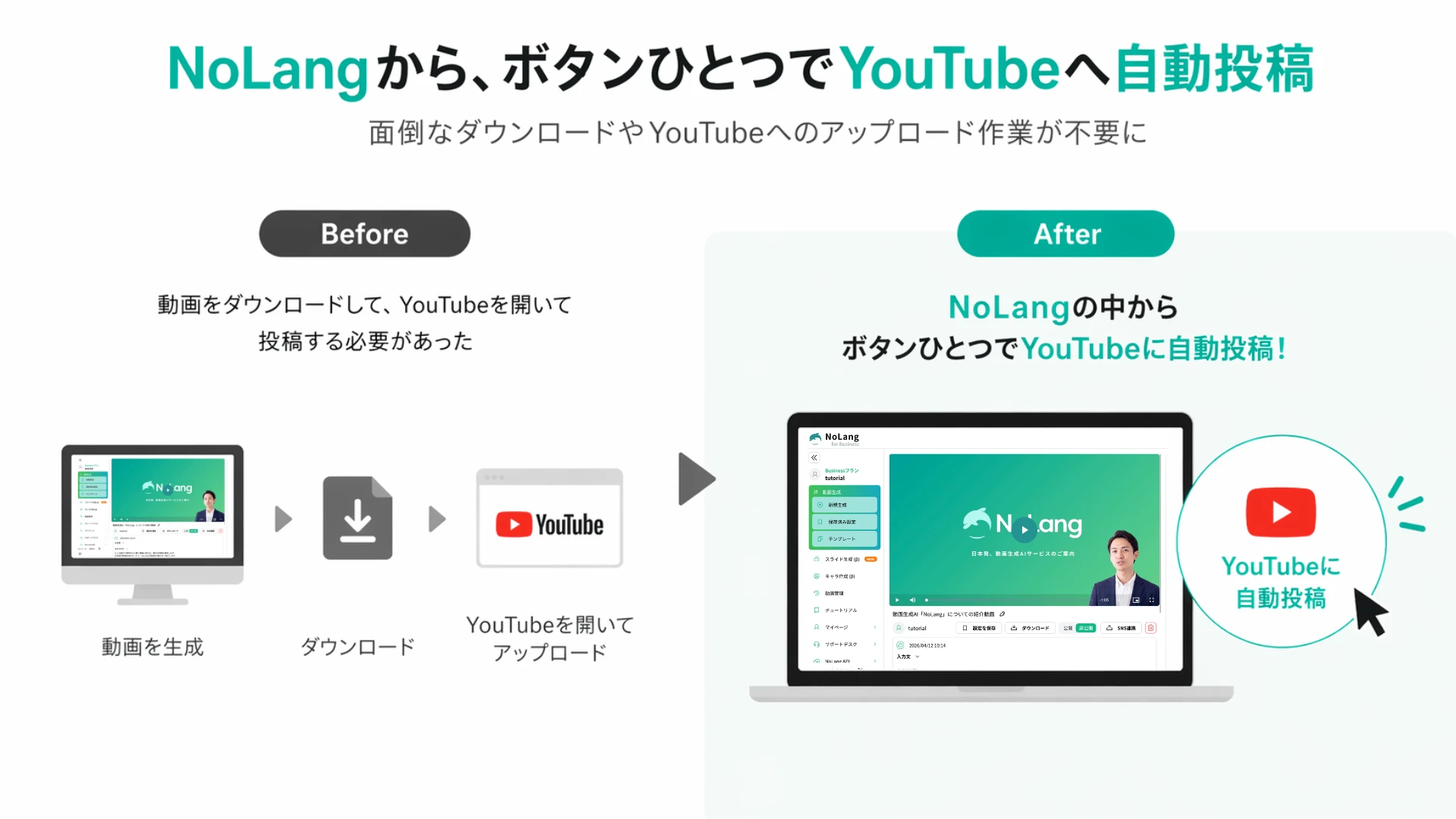
The main advantage is that a single tool covers the format that fits the goal, from long-form videos that deliver information in depth to short videos that widen reach. A workflow that generates a video automatically from text or documents and then handles format conversion and distribution end to end is a clear break from the usual approach of generating and publishing in separate tools. It removes the tool switching and manual uploading that used to sit between production and distribution, and cuts the time to publication substantially.
From channel operations to training delivery, useful across business scenarios
The feature is expected to be used in a range of business scenarios.
The first is making corporate YouTube channel operations more efficient. Companies that post product and service introductions or brand story videos on a regular basis can cut the workload from production through posting considerably. Combined with the horizontal and vertical conversion in NoLang, a horizontal video made for YouTube can also be converted into a vertical version for YouTube Shorts, and both can be posted. Expanding one piece of content into several formats maximizes how far each video goes.
The second is immediate publishing for news and announcements. Industry news or a company’s latest information can be turned into a video from text in NoLang and posted to YouTube right away, which suits content that has to be timely. Previously, posting took time on top of production; now that the whole operation happens inside NoLang, a video can be published as soon as it is created.
The third is delivering educational and training content. Internal training videos or customer-facing how-to videos can be posted to YouTube with the “Unlisted” public setting and shared with employees or a specific group. The analytics in YouTube Studio can then be used to understand viewing behavior and improve the content.
The YouTube integration is part of the social media linking feature in NoLang, which also supports posting to Instagram, TikTok, Threads and Facebook Pages. Videos generated in NoLang can therefore be rolled out efficiently across several platforms for multi-channel distribution.
How to use the YouTube integration
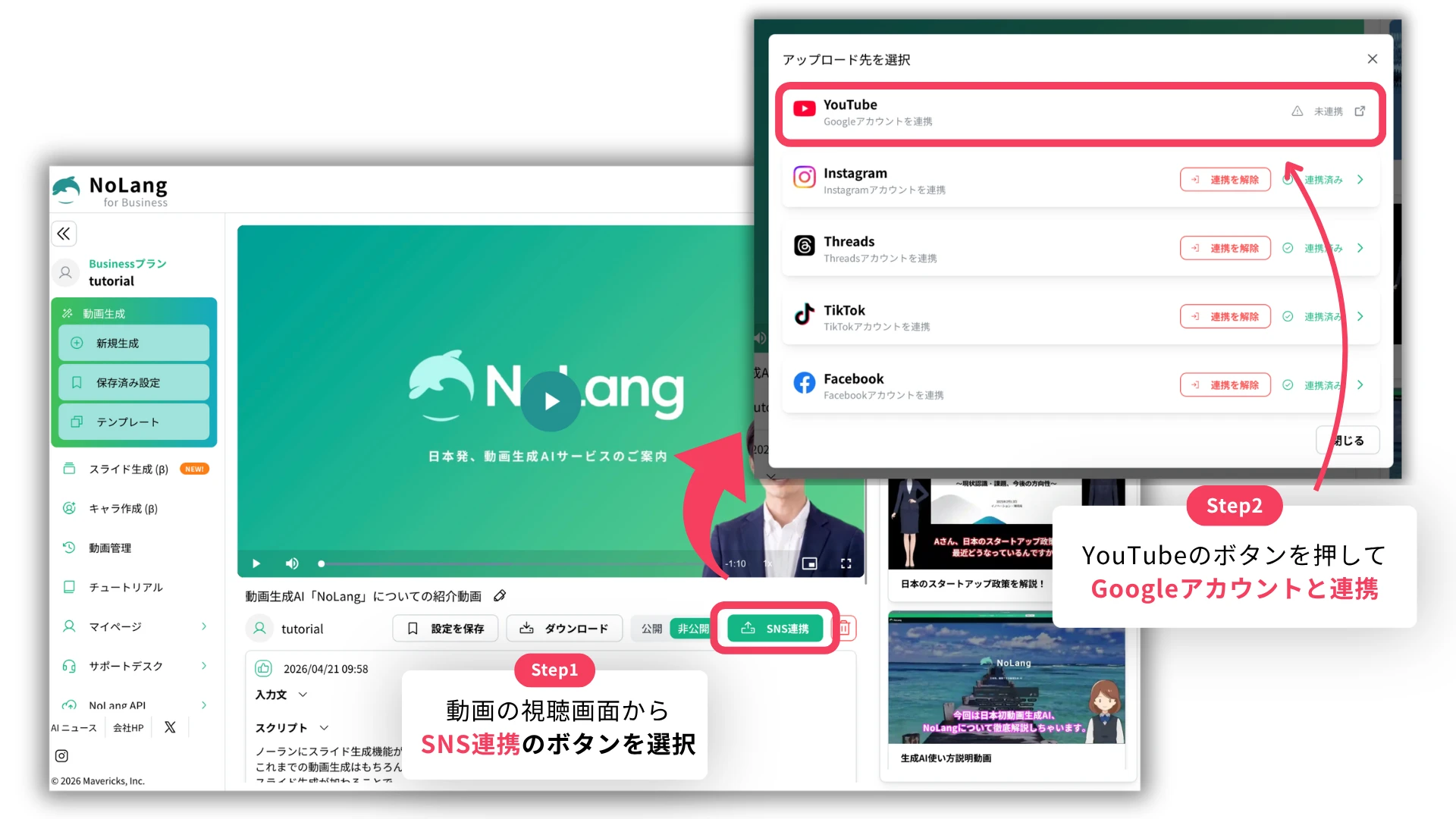
The YouTube integration is available on the NoLang Premium plan and Business plan, and a video is posted in the following steps.
- Select the social media linking button on the screen, choose YouTube as the upload destination, and link a Google account. This linking is only needed the first time. Once authentication is complete, the account information is kept automatically and there is no need to link again.
- Enter the title, description, category, tags and public setting, then click the “Upload” button to finish posting.
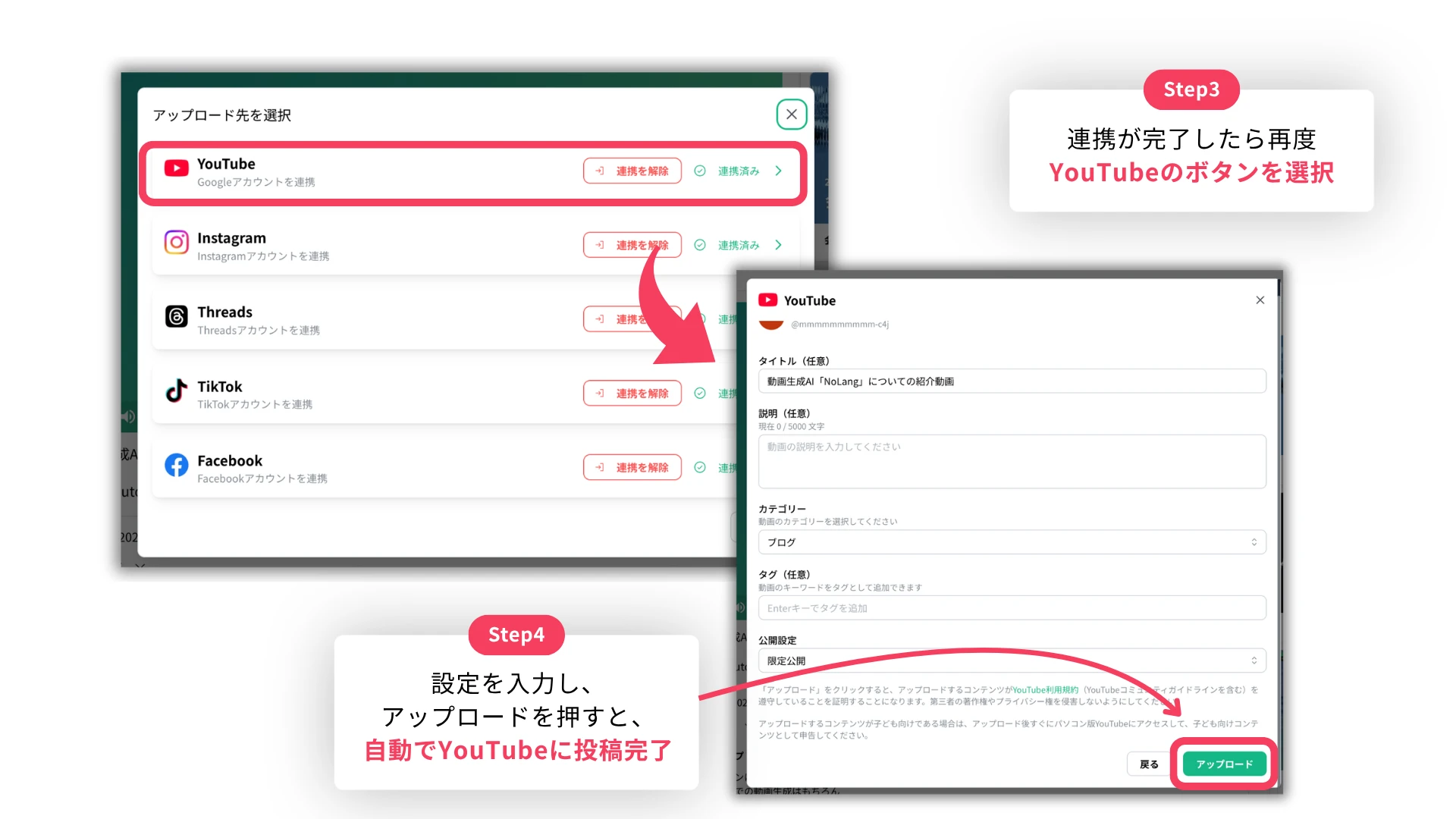
Because every step from generating the video to posting it happens on the NoLang screen, there is no need to move between tools, and a video reaches YouTube in a short time.
Outlook
Starting with this YouTube integration, Mavericks plans to keep strengthening the features that connect video production and distribution seamlessly. Work on making distribution results visible, such as post-publication performance analysis and links to engagement data, will be pursued next.
NoLang will continue to develop beyond video generation into a platform that supports the whole process from content planning through distribution and operations. As infrastructure for the entire video cycle of production, distribution and measurement, it aims to make corporate video marketing more efficient and more effective.
Footnotes
-
PRIZMA, “Survey on the latest trends in corporate social media video use” (in Japanese) (504 marketers surveyed, published January 2025) ↩ ↩2
-
Allied Architects, “Survey on the use of video in corporate digital marketing” (in Japanese) (221 people with video initiative experience, conducted December 2020) ↩
-
CYAN&, “A complete guide to video editing price ranges” (in Japanese) (2025 edition) ↩

