
Mavericks, Inc., the Japanese company behind the AI video generation service NoLang, which has passed 150,000 registered users, has released Voice Clone, a feature that builds a high-quality clone of a person’s voice from just one minute of audio. The feature turns a one-minute recording made on the spot into a voice that reproduces the speaker and can be used directly in NoLang. It can also generate a voice from an existing audio file, and it supports English.
Voice Clone turns a voice into an asset in one minute
NoLang generates videos automatically from text and from documents such as PDFs. Since its release in July 2024 it has passed 150,000 registered users and is now deployed at more than 60 companies, with wide use among Japanese businesses (as of November 2025). The newly added Voice Clone feature lets users create a clone of their own voice. Once the voice exists, entering text or a PDF or PPTX document is enough to produce a video narrated in that person’s voice automatically. Building the model takes only a minute: the user reads a short passage in the browser, or uploads an existing audio file. No special equipment and no long recording session are required, so videos in a credible, personal voice can be produced at scale without taking up the speaker’s time. By making original, high-quality videos easy to produce, the feature strengthens personal reach and branding.
What Voice Clone offers
The feature provides two ways to create a voice, depending on the user’s goal and setup. Standard and Premium users can create a voice from about one minute of recorded audio. On the Business Plan, voices can also be created from an existing audio file in addition to this recording method.
Create from a recording: delivery and nuance carried over
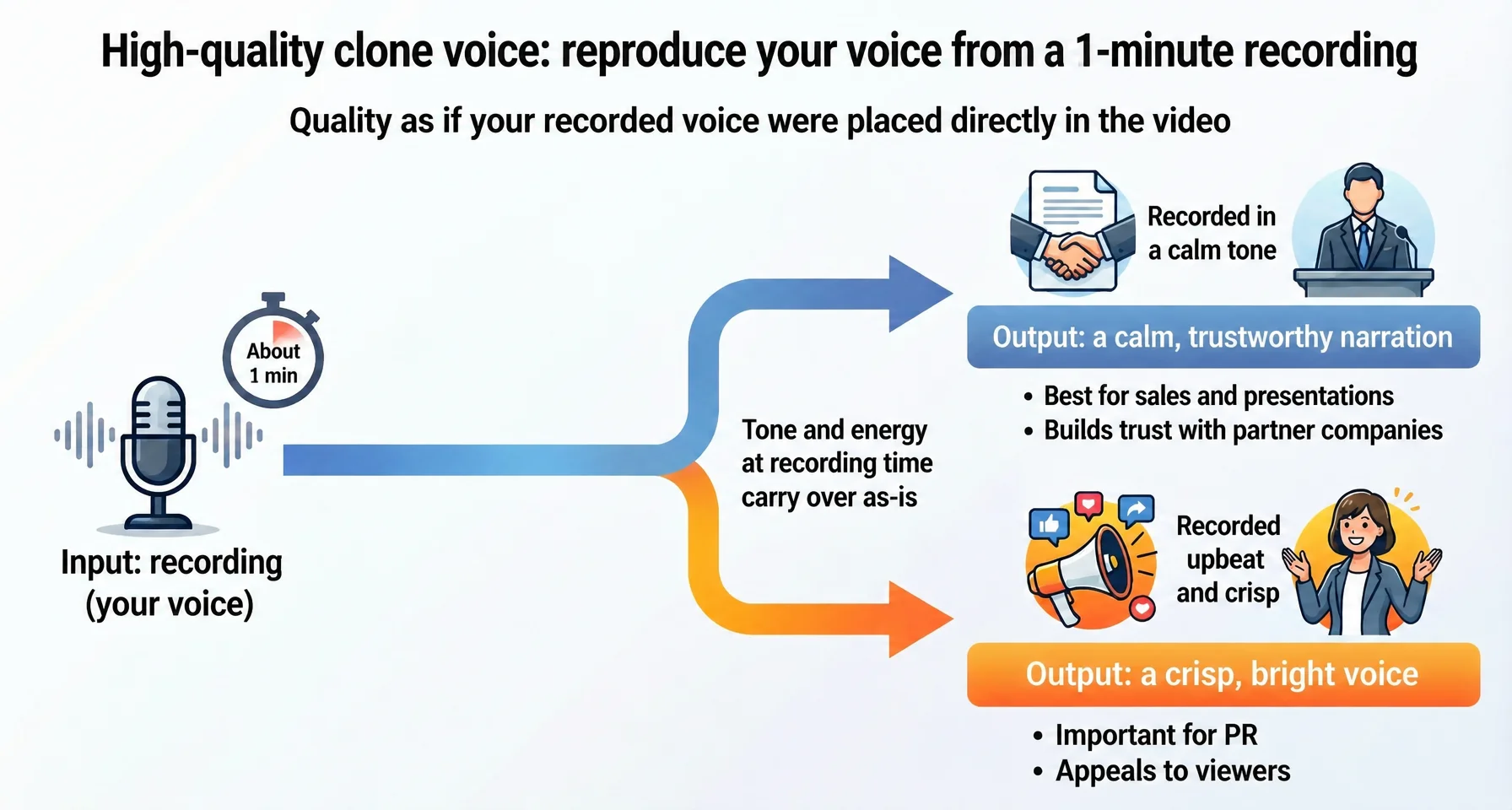
In this method the user speaks into a microphone in the browser. About one minute of recording is enough to produce audio of a quality that sounds as if the recording itself had been placed on the video. The defining trait of the recording method is that the tone and energy of the recording session carry straight into the clone. Record in a calm tone and the result is a quiet, trustworthy delivery, well suited to sales calls and presentations where the goal is to build confidence with the other company. Record in a bright, energetic tone and the result is a crisp, upbeat voice, which matters in PR and communications work where the point is to convey appeal to viewers. The same person can therefore keep several vocal registers and choose the one that fits how the video will be used.
Create from an audio file (Business Plan): reuse existing recordings and go multilingual
In this method the user uploads audio data they already have1. The content of the audio is unrestricted, so high-quality narration recorded in a studio in the past, or audio extracted from a conference talk, can be used as is. This means a company can create a clone voice internally without asking busy executives or managers to record anything. Uploading an English audio file also makes it possible to create an English clone voice with the same vocal character. A Japanese speaker with only a few dozen seconds of English audio can generate a video in which they speak fluent English in their own voice, which lowers the barrier to producing videos for non-Japanese audiences: product introductions for overseas customers, earnings presentations for overseas investors, and English-language training videos for foreign workers.
How companies can use it
Beyond saving time on video production, clone voices in NoLang can be used as a strategic tool for improving business outcomes.
Corporate planning and IR: take a leader’s voice global, in several languages, immediately
In timely disclosure, text and images such as earnings summaries and briefing decks make it hard to convey a leader’s intent and conviction, while securing recording time with a busy executive is difficult in the first place. With a clone voice, videos using an executive’s voice can be produced with no demand on that executive’s time. Information can then be tailored to each group of stakeholders: a video using technical language and a credible tone for institutional investors, a plain-language explanation for retail investors, and a video addressing overseas investors in English in the executive’s own voice. The result is highly personalized, effective IR for each audience, at the same time and cost as before.
HR and training: play different vocal registers to get more out of training
Because Voice Clone in NoLang reflects the vocal color and energy of the recording, a calm, serious model can be used for compliance training and a bright, passionate one for recruiting and motivational videos. Matching the vocal register to the content holds learners’ attention, which improves retention of the material and recruiting results.
Communications and branding: turn the voice of a company character into an asset
When companies run social media accounts around their own characters, recording with someone who has an appealing voice becomes a bottleneck of scheduling and coordination, making it hard to post in step with trends. The answer is to upload a recording from an internal member with a good, appealing voice and create a clone voice dedicated to the character. Videos that use that voice together with the company character can then be generated instantly from text input alone.
What comes next
Mavericks, Inc. will continue to deepen the combination of visual expression and audio generation in NoLang. The company aims to put the “people” and “voices” that businesses hold to digital use, and to contribute to communication DX and stronger global competitiveness across companies.
Footnotes
-
Audio data is supported in the mp3, wav, m4a, aac, ogg, and flac file formats ↩

