
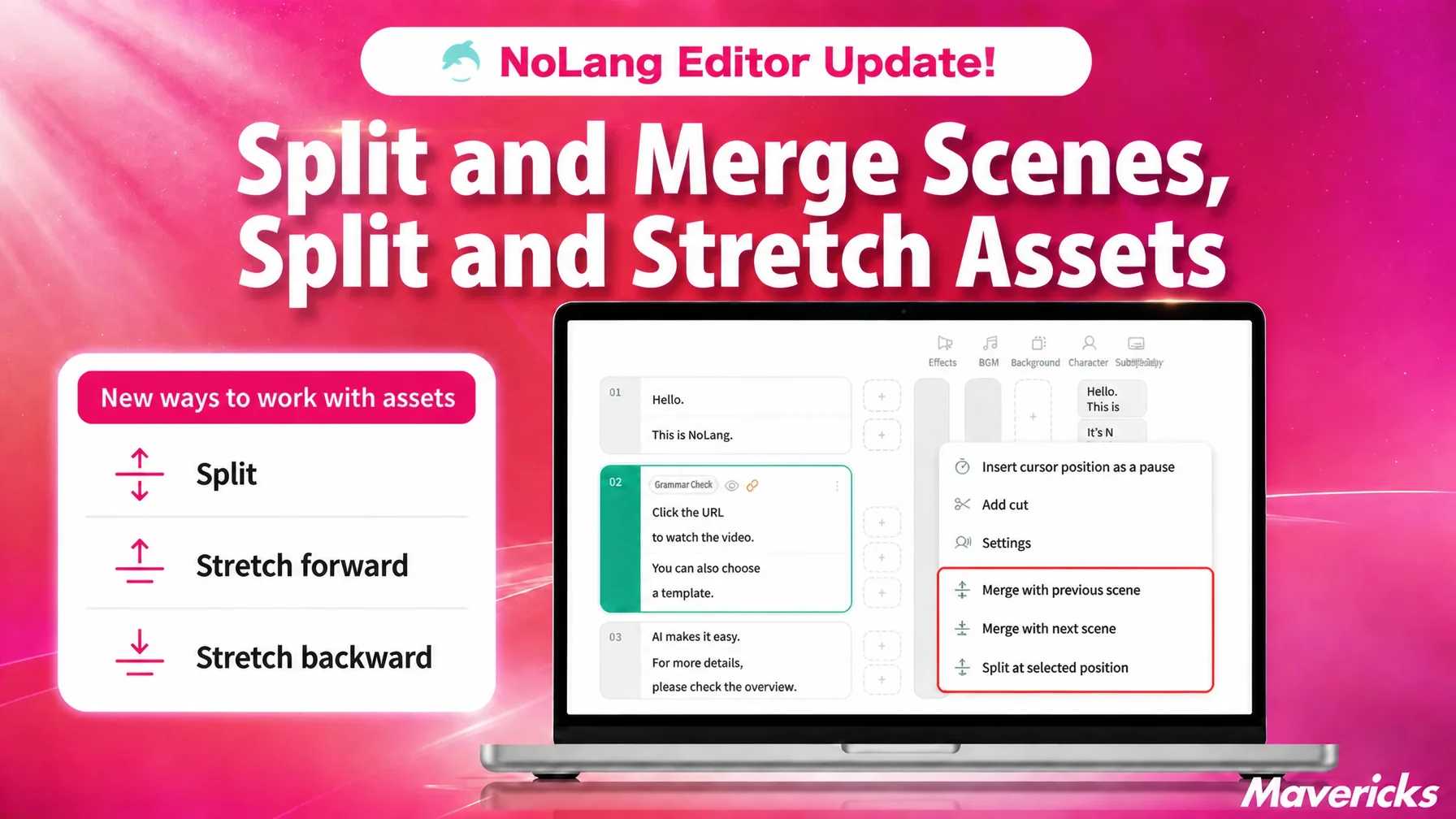
Mavericks, Inc., the company behind the AI video generation service NoLang, has added scene splitting and merging to the NoLang editor. Place the cursor in the script at the point where you want a break and the scene divides in two, and adjacent scenes can be combined into one. The settings tied to each script line — background, background music, subtitles, and standing character illustrations — carry over unchanged, so there is no need to place assets or redo decoration again. Assets such as text and images can now also be split partway through their display range or extended forward and backward. You can try a different structure as many times as you like without rewriting the script.
In-house video production is growing, and re-cutting scenes is where the rework happens
More companies are producing video in-house. What holds those teams back, however, is less about planning or creative ability than about operating the editing tool itself. In a joint survey by Hikaku Biz and Mteam, the most common problem named in in-house video production was “adopting and operating shooting and editing tools is difficult,” cited by 44.7% of respondents1. As long as staff spend their time wrestling with the editing tool, in-house production cannot deliver its full benefit.
That burden is heaviest when the structure of a video has to be rebuilt. In the NoLang editor, one line of the script is one scene, and assets such as backgrounds, background music, subtitles, and standing character illustrations are placed relative to script lines. How the scenes are divided therefore determines the structure of the video itself. Yet once you start writing, situations always come up: a single scene runs too long and needs a background change partway through, or scenes have been broken up so finely that they should be gathered into one block.
Until now, cases like these tended to require manual work — rewriting the script or rebuilding scenes — which made adjusting scene breaks one of the most rework-prone steps in editing. If reviewing the structure means redoing asset settings every time, the trial and error that raises a video’s quality gets avoided altogether. NoLang has made changing those breaks after the fact something you can finish on the spot, for scenes and for individual assets alike.
Splitting and merging scenes now takes a single button
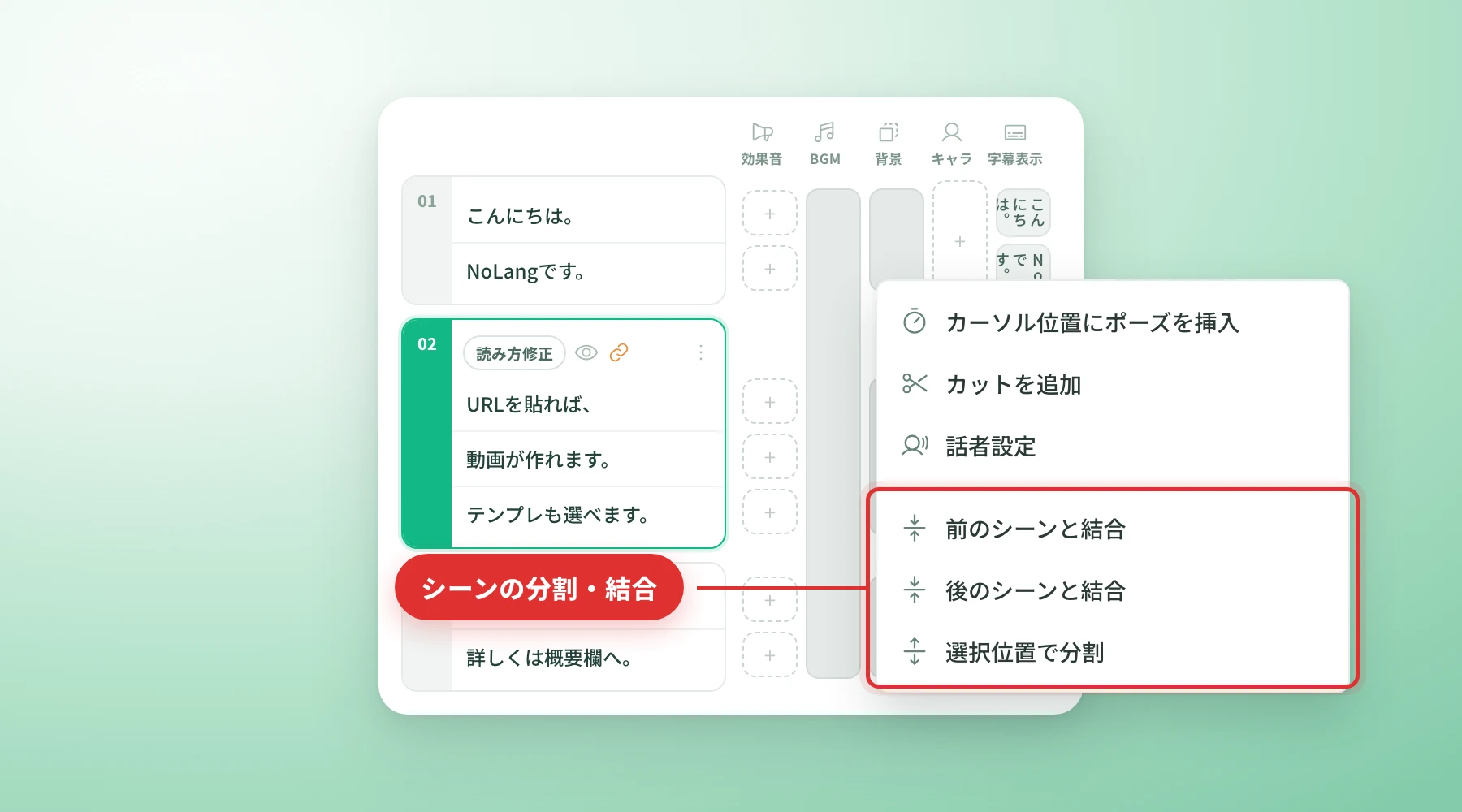
This update lets you split and merge scenes directly from the script on the editor timeline. Put the cursor where you want the break and the scene divides in two at that point. An adjacent scene can be merged with the one before it or the one after it. Whether you want to insert a visual transition in the middle of a long explanation or gather overly short lines into one block, the work is done in the script.
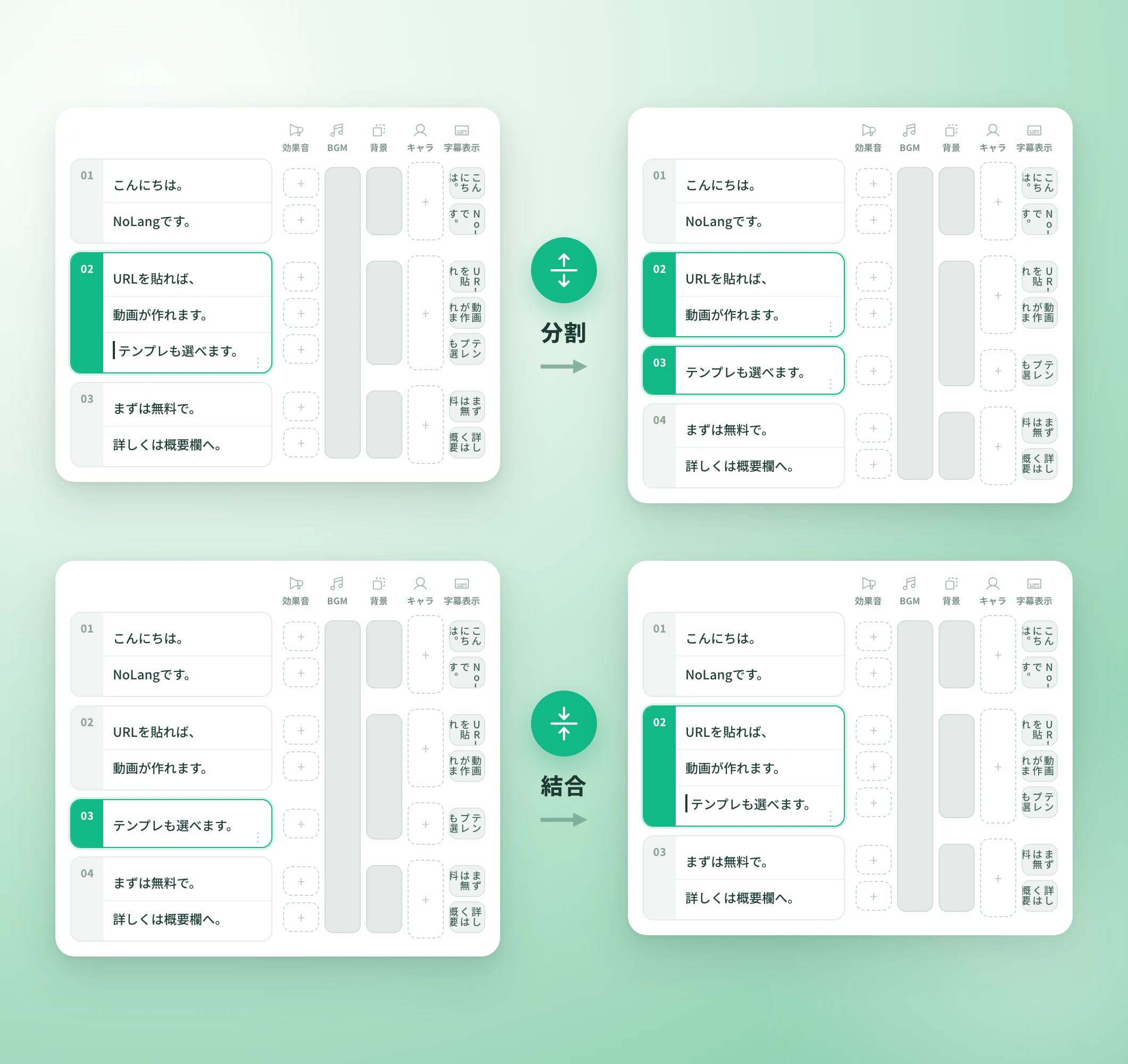
Splitting a scene keeps the settings attached to each line. Lane settings such as background, background music, subtitles, standing character illustrations, and expressions stay with their original line and follow it into the new scene. Even when you want to create a chapter break partway through a 10-minute explainer video, there is no need to reposition subtitles or character art you have already built; you change only the position of the break.
When two scenes are merged, the silence at the seam between them is removed, producing one continuous stretch of speech with no dead air. Pauses explicitly written into the script are preserved as the intentional beats the user meant them to be, so the pause you placed before a key line stays while only the unwanted breaks disappear. Combining opening lines that were split into a few seconds each into a single scene lets you fix the pacing of the introduction — where viewers are most likely to drop off — in one pass.
Text and images can also be split and stretched with a single button
The display range of the assets lined up on the timeline can now be edited after the fact as well, not just the scenes. Three operations have been added for text, image, video, background music, and standing character illustration assets: “Split,” “Extend forward,” and “Extend backward.”
“Split” divides one asset into two at the position of the selected cut. The two halves are treated as separate assets afterward, so you can swap out only the second half of an image that had been left on screen, or change the wording partway through a subtitle that was displayed for a long time.
“Extend forward” and “Extend backward” stretch an asset’s display range in that direction, up to the asset next to it, or to the end of the lane if there is none. When you want a subtitle to stay a little longer, or background music to run to the end of the video, you no longer have to drag the boundary and eyeball the fit.
What comes next
Support for splitting and stretching scenes and assets is part of the ongoing work to strengthen the usability of the NoLang editor. Mavericks will keep improving the operation flow toward an editing experience where writing the script and rearranging the structure are one continuous task.
Guided by user feedback, NoLang will continue to update its video editing features, working toward a product that lets anyone create the video they had in mind without specialist editing skills.
Footnotes
-
Hikaku Biz and Mteam joint survey, “Survey on in-house versus outsourced video production and its challenges” (in Japanese) ↩

