
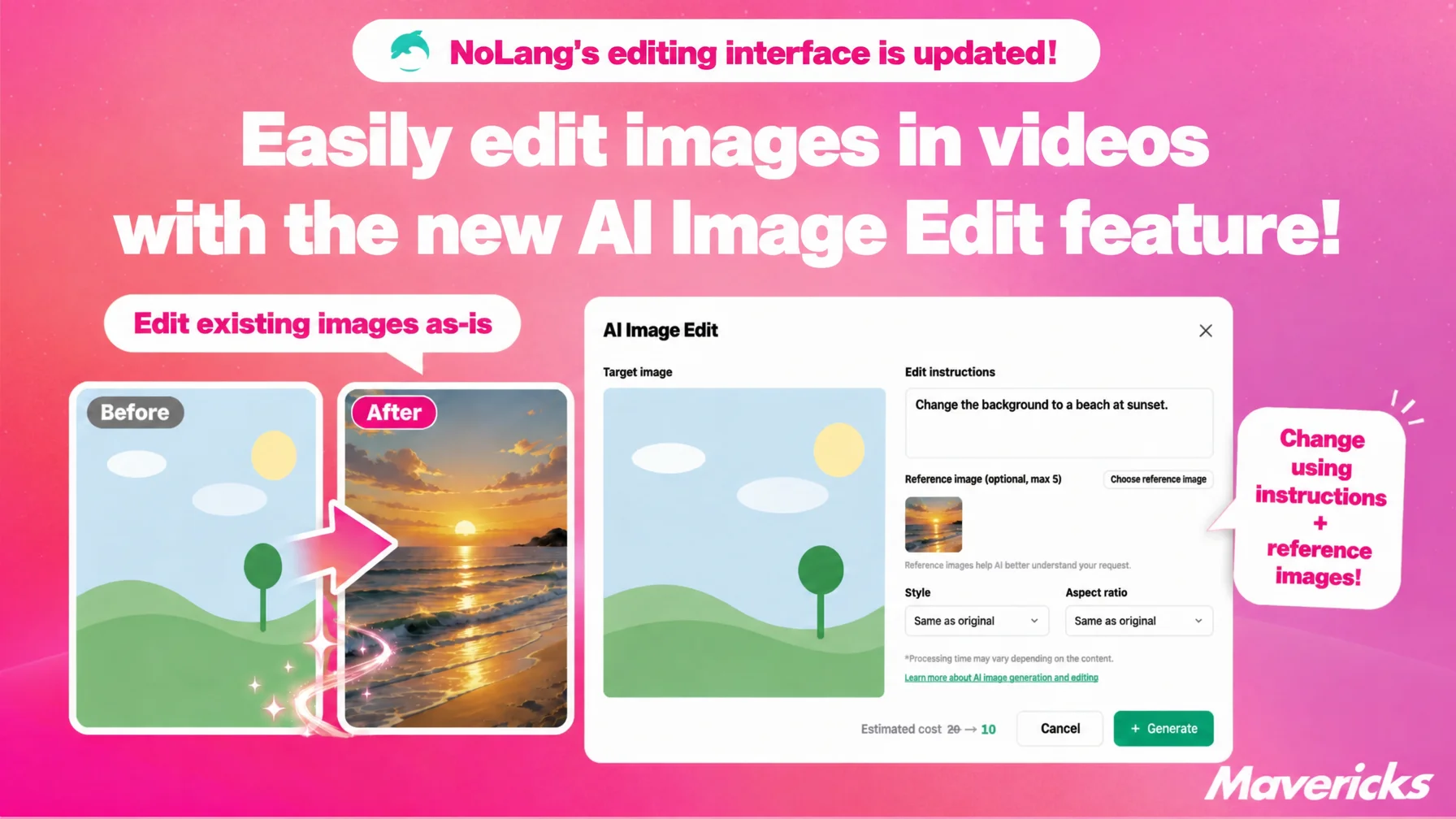
Mavericks, Inc., the company behind the AI video generation service NoLang, has added AI image edit, a new feature that rewrites already generated or uploaded images with AI inside the NoLang video editor. The same update makes it possible to download individual images and halves the credits consumed by image generation and editing. Users type an instruction, and only the part of an existing image they want changed is reworked, without leaving the video editor. Because trial and error now costs less time and money, images become easier to use for everything from fixing slides to preparing material for social media posts.
Contact us about NoLangImage generation AI is hard to fix after the fact, and outsourcing costs add up
Companies are adopting generative AI quickly. One survey found that 34.5% of companies use generative AI in their work, and 86.7% of those companies report a tangible effect on their operations1. Image and video generation, however, lags behind: only about one in ten companies said they use it at least once a week, so it is still less established than text generation2.
A well-known weakness of image generation AI is that the same prompt does not produce a consistent result, which makes it hard to get the intended image on the first try. In practice, a two-step workflow of generating with AI and then correcting and adjusting by hand is becoming the standard, and how easy that “fix it afterward” step is has a large effect on the final quality3. Outsourcing detailed image corrections to a designer costs roughly 500 to 1,500 yen per image even for a simple fix, and several thousand to several tens of thousands of yen for advanced work such as replacing a background or compositing, so every small adjustment meant spending money and time again4.
NoLang already let users generate images with AI for slides and videos, but it had no answer to the request to change only part of a generated image. If something was wrong, the only options were to generate again from scratch or to leave the video editor and open a separate image editing tool. Interrupting production to move between tools was a burden of its own, on top of the outsourcing cost. In response to that feedback, NoLang has now added the AI image edit feature, allowed individual images to be downloaded, and lowered the credits consumed by image generation and editing. Credits are the unit that indicates how much of NoLang a user has used. The rest of this article walks through the update, which lets users generate, finish and use images without leaving the video editor.
New AI image edit feature rewrites existing images from a text instruction
The first part of the update is AI image edit, a new feature in the NoLang video editor that edits generated or uploaded images with AI. Selecting an image asset in the video editor reveals an AI image edit button, which edits the existing image in place.
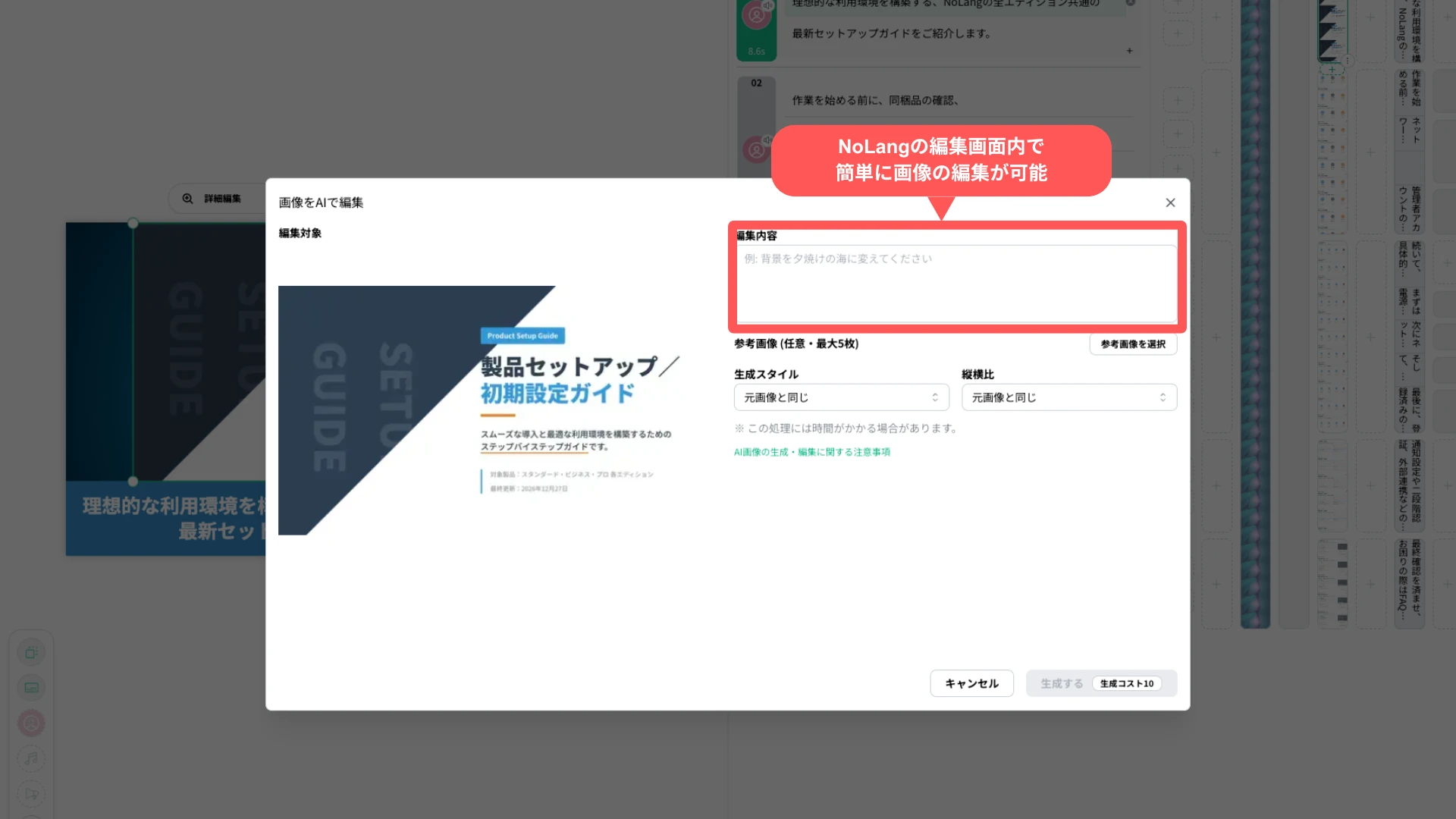
It works the same way as image generation: users describe the change in writing. An instruction such as “change the background to a sunset over the sea” rewrites the image accordingly. Editing can also be started with one click from the menu of a segment, the unit that corresponds to a scene in the video, or from the hover controls in the image list. When it is started from a selected segment, the finished image is swapped into that scene automatically.
Up to five reference images can be combined with the instruction. Aspect ratio defaults to “Same as source image” and can be changed when needed, which makes partial corrections easier while preserving the original composition and style. Finishing an image inside the video editor, without reopening another tool, is what defines the new AI image edit feature.
Individual image downloads are now available for other uses
The second part of the update lifts the restriction on downloading individual images. Until now, images generated in NoLang could only be used inside videos and slides. That limit is gone, and single images can now be downloaded.
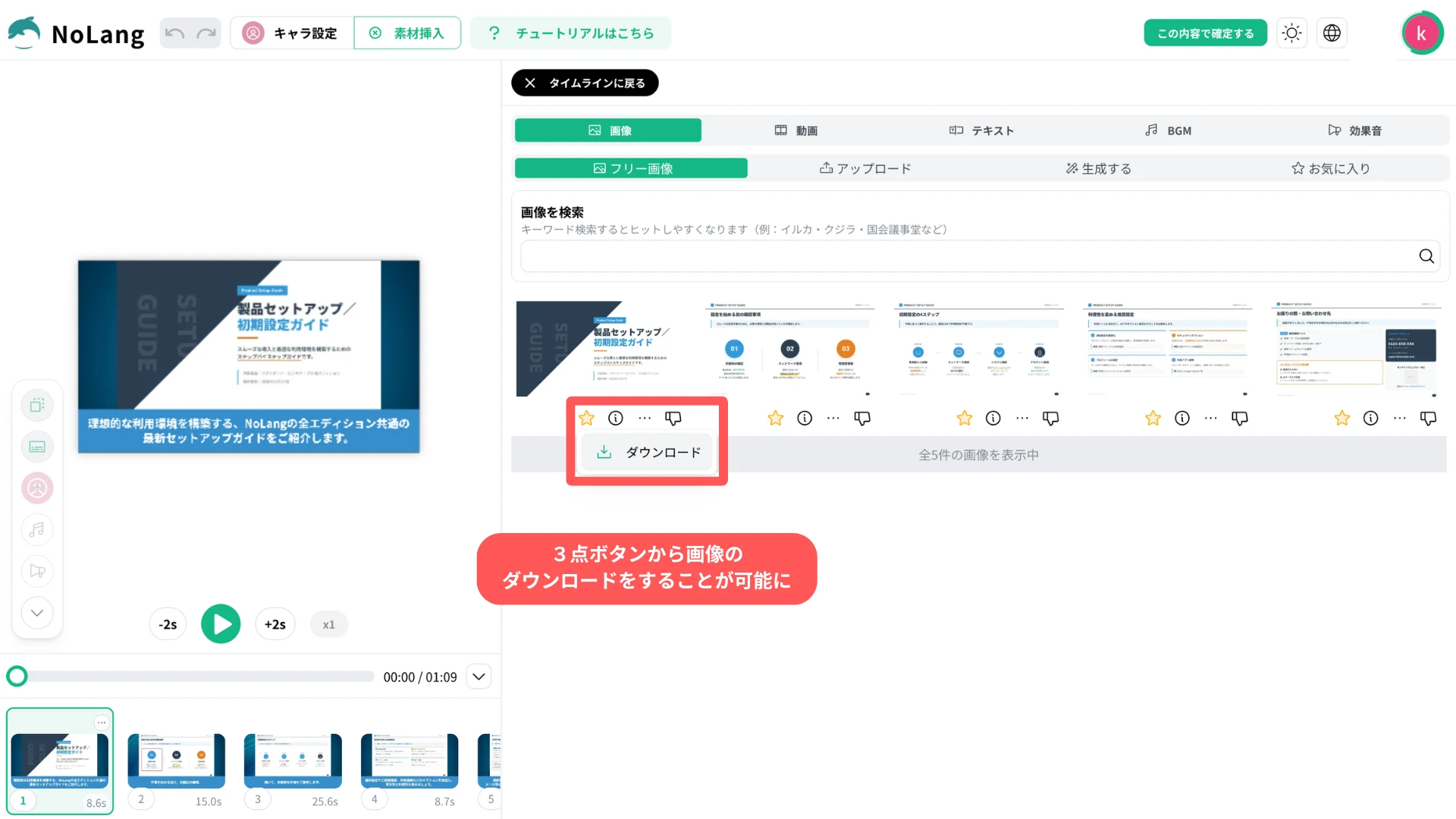
Choosing Download from the menu in the image list saves a generated or edited image as a file. Images can therefore be used outside NoLang videos and slides, for example in documents or as material for social media posts. Images finished with AI image edit can be downloaded as well, so users can perfect an image in NoLang and then reuse it in another document.
Image generation and editing credits halved from 20 to 10
The third part of the update lowers the credits consumed by image generation and editing from 20 credits to 10. The new AI image edit feature costs the same 10 credits as image generation, so correcting only part of an image now costs less than generating a new one from scratch.
Halving the credit cost makes trial and error easier: users can keep changing the instruction until the image matches what they had in mind, or use AI image edit to fine-tune only the part that bothers them. Because a single failed attempt matters less, reaching the intended result takes less effort.
What comes next
NoLang plans to keep expanding the experience around images in video and slide production from “generate and done” to “keep fixing until it is right.” For AI image edit, that means going beyond partial corrections driven by an instruction, toward finer area selection and editing several parts at once, so users can intuitively adjust exactly the part they mean.
Footnotes
-
Teikoku Databank, Survey on corporate trends in generative AI (in Japanese; conducted March 2026. AI adoption rate 34.5%, 86.7% reporting a tangible effect) ↩
-
ICT Research & Consulting, February 2026 survey on generative AI service usage trends (in Japanese; about 10% use image and video generation at least once a week) ↩
-
note “re_birth_ai”, The limits and challenges of generative AI (in Japanese; on the two-step workflow of AI generation followed by human correction and refinement) ↩
-
tsubasa-memo, Photo retouching price guide: comparing 15 outsourcing vendors (in Japanese; outsourcing rates such as 500 to 1,500 yen per image for a simple fix) ↩

