
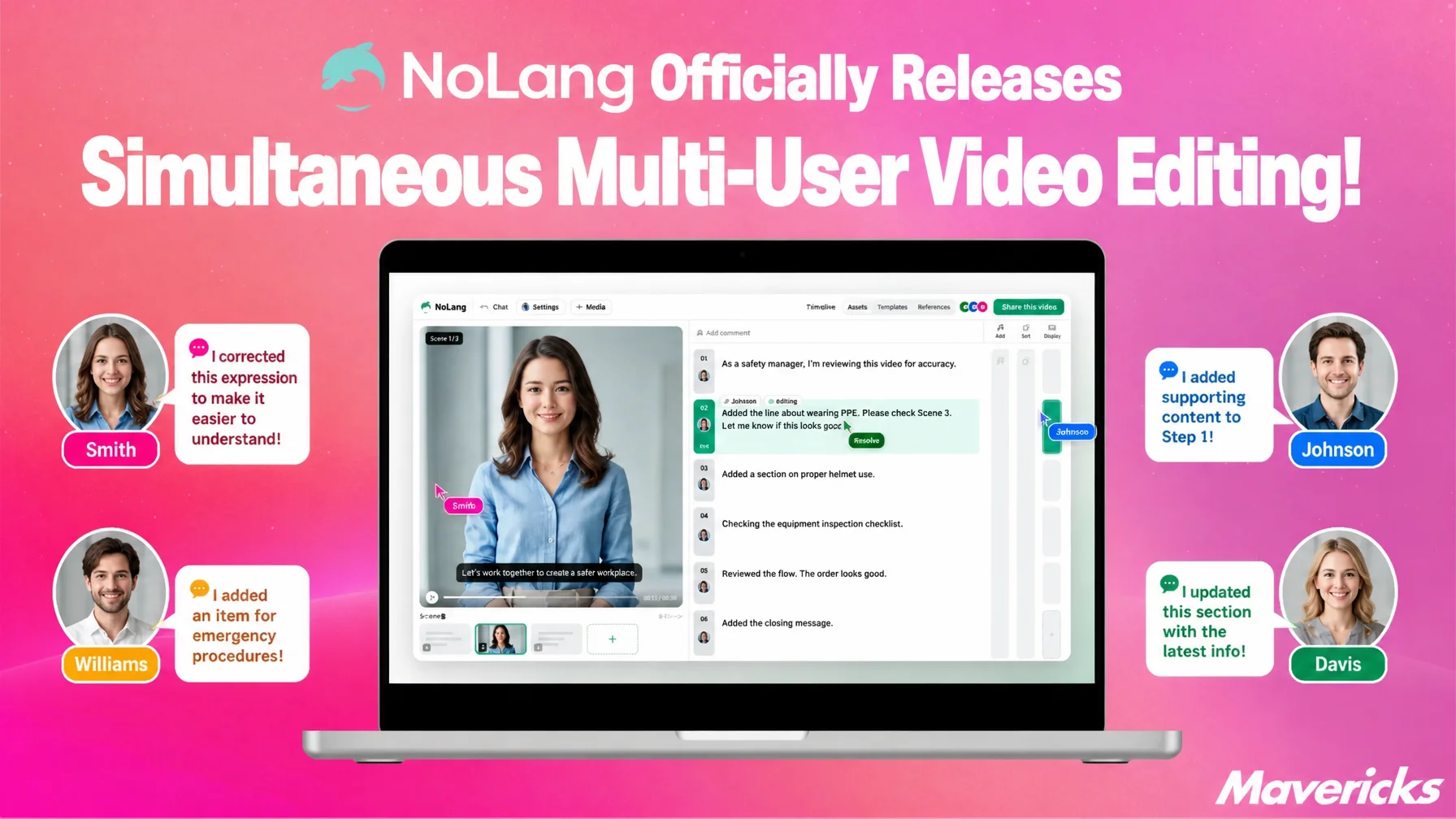
Mavericks, Inc. has officially released a feature that lets multiple members edit the same video project at the same time in the AI video generation service NoLang. Each member’s changes appear instantly on everyone else’s screen, with no locking and no waiting for a turn. Undo/Redo history is kept separately for each user, and icons with colored frames show who is currently editing which scene. This reduces the burden on companies that produce and operate videos as a team, where handing files back and forth and managing versions has consumed significant time.
Contact us about NoLangWhat really costs time in team video production is the back-and-forth, not the editing
Content production inside companies now involves a far wider range of people. In a survey by Nikkei BP Consulting (March 2024, 3,023 respondents), roughly one in three people had been involved in content production at their company, and 19.3% were involved on a routine, continuous basis1.
Once production is divided among several people, passing files around and managing versions becomes a burden. In a survey on file management and operational efficiency that Fleekdrive conducted in March 2026 with 106 people in charge, the most common problem was “it was hard to tell which file was newer” (57.6%). “File names were cluttered with words like ‘final’ and ‘confirmed’” reached 39.4%, and 77.4% of respondents spend 15 minutes or more each day searching for files2. The more files a team builds together, the more time goes into confirming which one is the latest.
The same thing happens with video projects. Files bounce back and forth under names like “project_revision2_final.mp4,” work stalls until someone else finishes editing, and review comments have to be written out and sent back. Coordination that is not production itself eats into the team’s time. Video files are large and checking their content requires playback time, so the load of handing files over and comparing differences tends to be heavier than with text documents. To cut down this non-production back-and-forth, the AI video generation service NoLang has added real-time simultaneous editing for multiple people to its editor.
Official release of simultaneous editing on a single video project
NoLang has officially released a feature that lets multiple members edit the same video project at the same time. Each member can open the project from their own PC and edit it, and when someone corrects the wording of a text overlay, that change appears immediately at the same spot on every participant’s screen. Work in progress is visible simply by opening the screen, so there is no need to report progress separately.
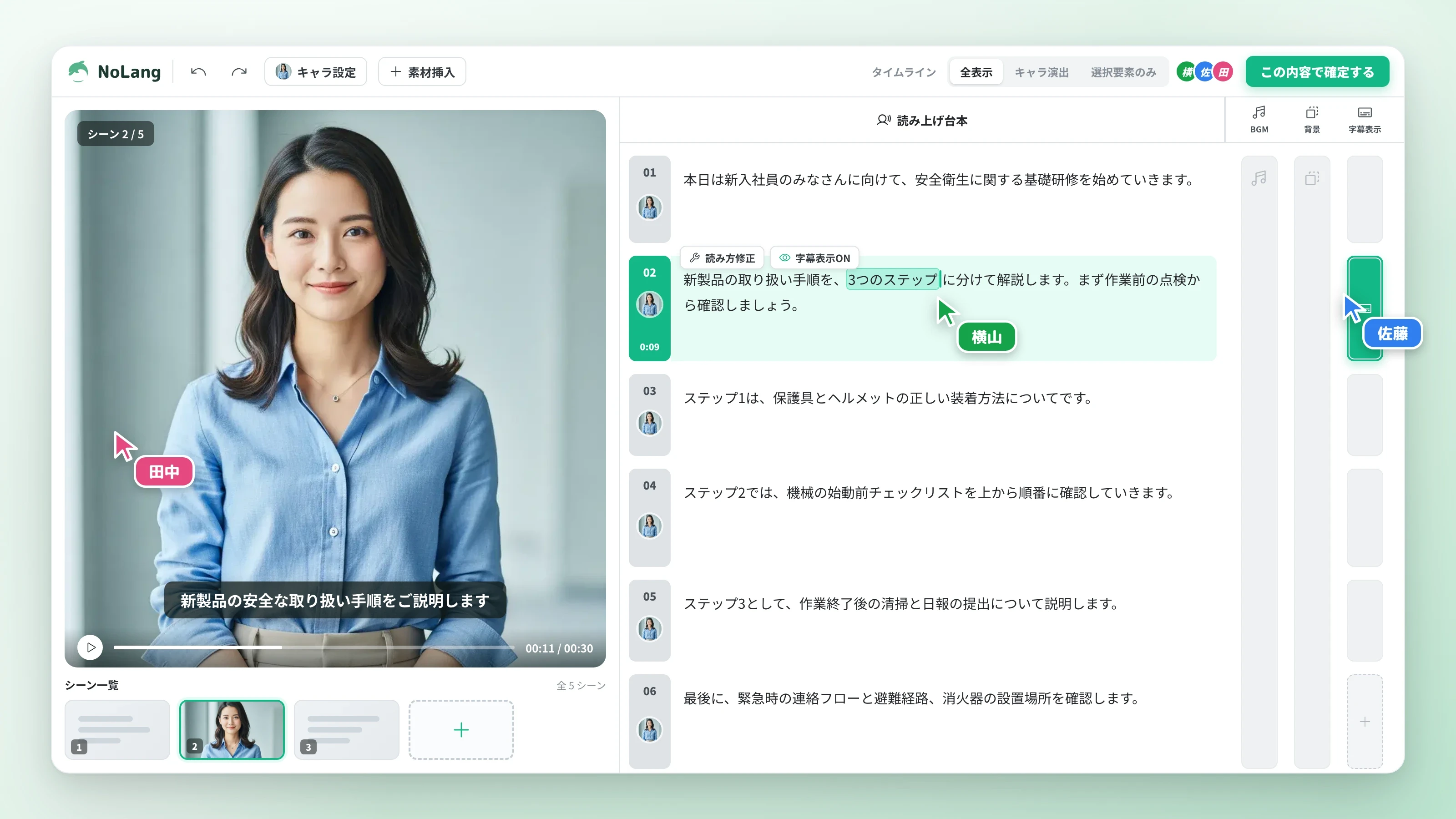
No exporting or handing over of files is involved. Because everyone is always looking at the same latest state, there is no need to check with each other about which version is the newest, or to append words like “final” and “confirmed” to file names. There is no locking that says “someone else has it open, so you cannot edit,” and no waiting for a turn. Even when several people touch the same project at once, their edits do not collide and overwrite each other. Arrangements such as “A makes the corrections first, then B goes in” become unnecessary in the first place.
Undo that does not erase other people’s work, thanks to independent histories
A common concern with simultaneous editing is whether pressing Undo will also erase someone else’s work. In NoLang, Undo/Redo history is independent for each user. Undo only reverts your own actions. It does not affect the edits other members are making in the same project.
Trying a different position for a background music change and reverting it, or shifting the timing of a text overlay and comparing the results: even in this kind of trial and error, independent histories mean each person can work until they are satisfied, without holding back out of concern that someone else is working. Edits keep syncing to everyone’s screen, so no consolidation work is needed afterward to merge files back together. A reviewer can also revert a change they made as an experiment without disturbing other members’ edits.
Three intended use cases: parallel division of labor, on-the-spot review, and work across locations
Simultaneous editing lets multiple people advance the stages of video production in parallel. Beyond shortening production time, it reduces the exchanges required for review and revision, and makes joint work with members in other locations smoother. Here are three scenarios the feature is intended for.
The first is dividing up the production process. While one person adjusts footage and background music on the timeline, another can correct the wording of the script or the pronunciation of proper nouns. Because multiple tasks can proceed in parallel without waiting for the previous stage to finish, the time needed to complete a single video is shorter. For a training video, a reviewer can refine the explanatory text while the production lead swaps out diagrams and adjusts text overlays.
The second is more efficient review. A manager or reviewer can open the same project, check how the video looks, and directly fix anything they notice on the spot. The conventional sequence of exporting, giving feedback, revising, and exporting again can be completed in a single screen share or a single sitting. There is no need to wait for the revised video to be sent back.
The third is joint work across locations or in remote settings. Because NoLang runs in a browser, the same editing screen can be opened from the office, from home, or from a distant site. Multiple people can move production forward without sending large video files to each other. Combined with an online meeting, members in different places can look at the same scene together and finish it in real time.
With the redesigned editor, everything from AI-assisted video generation through editing now proceeds seamlessly on a single screen. A team takes the first draft generated by AI and refines the details together. This simultaneous editing feature extends that production process directly into a workflow for multiple people.
Outlook
The more the production flow, including review and supervision, runs inside the editor, the more the time once spent passing files around can go into production itself. Mavericks will continue developing the AI video generation service NoLang so that video production expands from an individual task into a team workflow, and the cycle of producing, checking, and revising is completed on a single screen.
Footnotes
-
Nikkei BP Consulting, “Survey on challenges in content planning and production” (in Japanese) (conducted March 2024 with 3,023 of the company’s monitors. About one in three had experience in content production, and 19.3% were involved on a routine, continuous basis) ↩
-
Fleekdrive, Inc., “Survey on file management and operational efficiency” (in Japanese) (conducted March 16-18, 2026 with 106 people in charge in IT, DX promotion, and general affairs departments) ↩

