
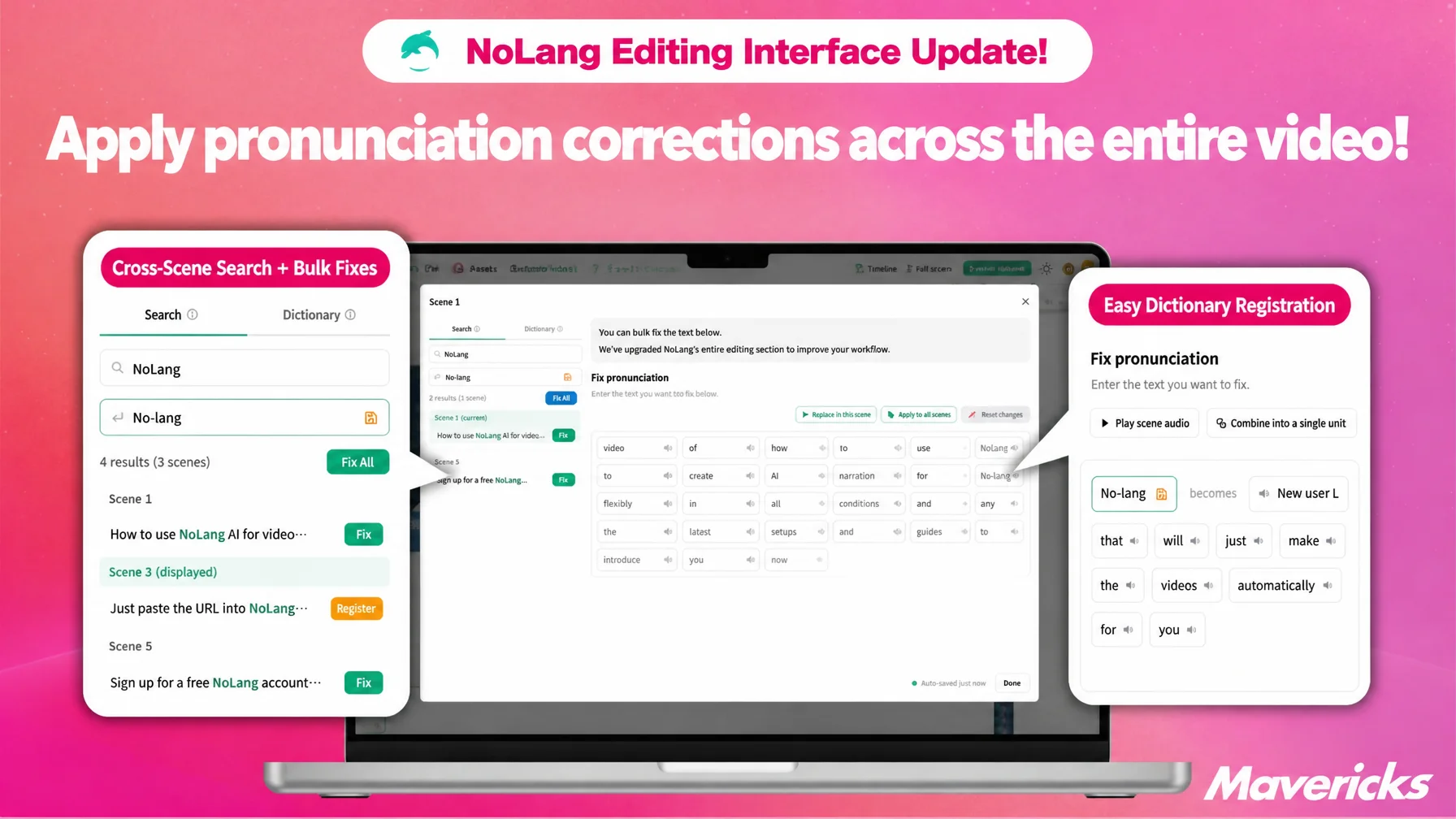
Mavericks, Inc., the company behind the AI video generation service NoLang, has upgraded the “Correct pronunciation” dialog in the NoLang editor so that searching across an entire video, fixing every match at once, and registering a word in the dictionary can all be done on a single screen. Until now, pronunciation had to be corrected scene by scene, and dictionary registration was a separate operation, which made it laborious to keep company names and technical terms consistent. With this update, every match found by a search can be corrected together and registered in the dictionary on the spot, so the same pronunciation carries over to later video production as well. The update helps teams work more efficiently on corporate introduction videos, social media content, and any video where proper nouns appear again and again.
Contact usFixing AI narration mistakes used to mean manual work in every scene
AI video and AI narration cut production work dramatically, but one problem has proved persistent: the AI mispronounces proper nouns, technical terms, company names, and product names. As video production becomes more common, such errors matter, because they affect both the accuracy of the information and the credibility of the company. Every time a mispronunciation occurs, the creator has to find each occurrence in the video and fix the pronunciation by hand. The longer the video and the more scenes a word spans, the more work the correction takes.
Company names, product names, place names, and technical terms in particular often appear many times in a single video. Until now, however, the pronunciation had to be corrected separately in each scene where the word appeared, so a fix made in one scene was not reflected in the others even for the same word. Creators had to review the video from start to finish looking for mispronunciations, then repeat the same work scene after scene.
The “Correct pronunciation” dialog now combines search and dictionary on one screen
To solve this, NoLang has upgraded the “Correct pronunciation” dialog in the video editor so that bulk correction and dictionary registration follow a single flow. Correcting a pronunciation and registering it in the dictionary used to be two separate operations, which made it time-consuming to keep pronunciation consistent across scenes. With this update, both operations can now be completed on one screen.
The upgraded dialog has two tabs, “Search” and “Dictionary.” The “Search” tab searches and corrects text across the whole video, while the “Dictionary” tab applies registered pronunciations in bulk, so users can choose the approach that fits the task.
Search the whole video and fix the matching scenes in one action
The “Search” tab runs a keyword search across the entire video and lists every scene that contains the matching word. Results are grouped by scene, and the scene currently being edited is marked “(currently displayed),” so it is clear at a glance which scene is on screen. Clicking an entry in the result list jumps straight to that scene.
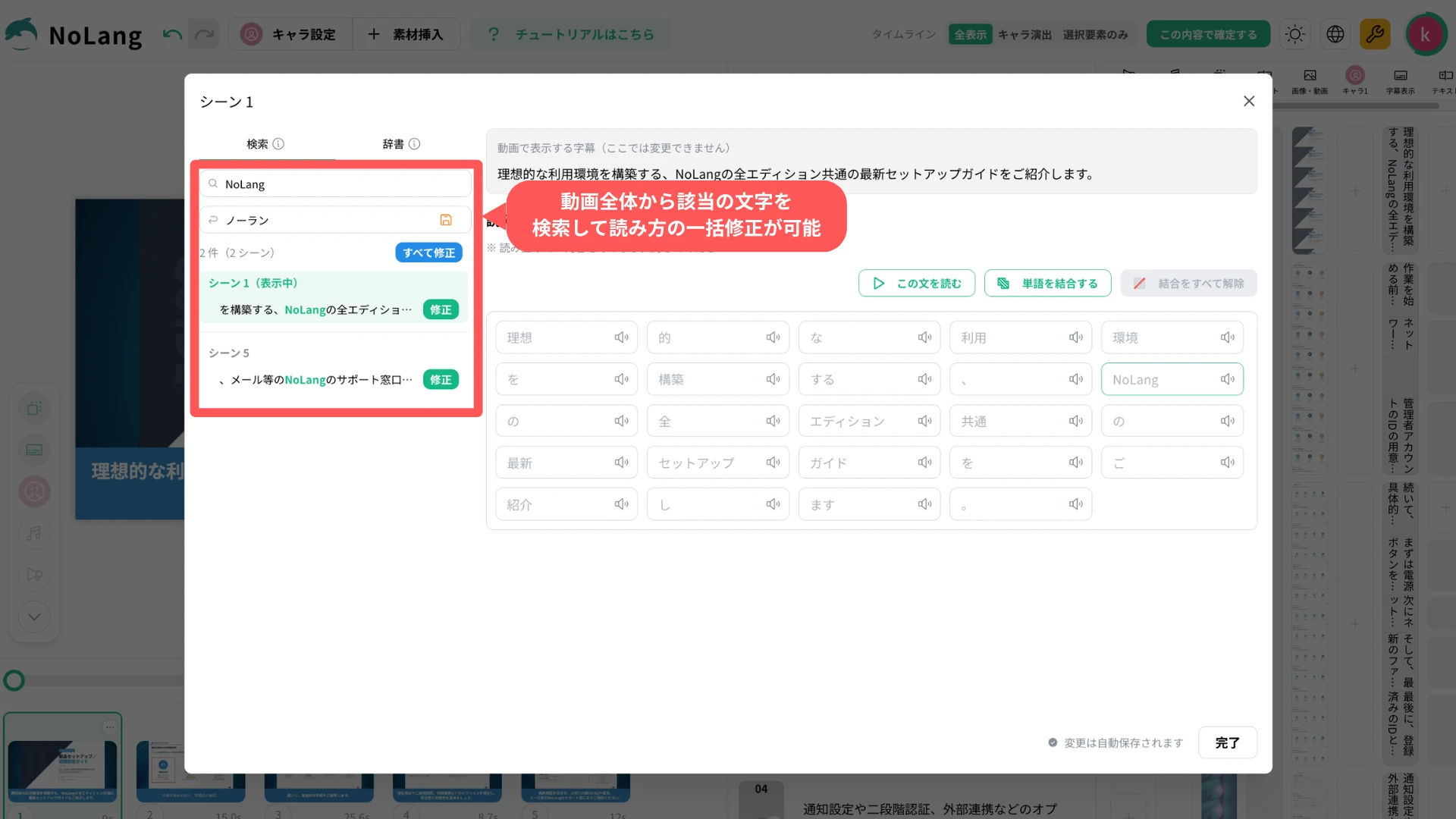
Each match can be applied individually with the “Update” button, which reads “Overwrite” when a pronunciation is already set. The “Fix all” button changes the pronunciation in every scene that matches the search keyword at once. Corrections that previously had to be handled scene by scene are therefore applied to the whole video in a single action.
Tighter dictionary integration keeps pronunciations in later videos
Alongside the cross-scene corrections in the “Search” tab, the link with dictionary registration has also been strengthened. The pronunciation input field in the “Search” tab now has a button that registers the searched word and the entered pronunciation in the dictionary with one click, so correcting a pronunciation and registering it are completed on the same screen. A dictionary icon has also been added to the pronunciation field for individual words, allowing a word to be added to the dictionary in the middle of the usual correction flow.
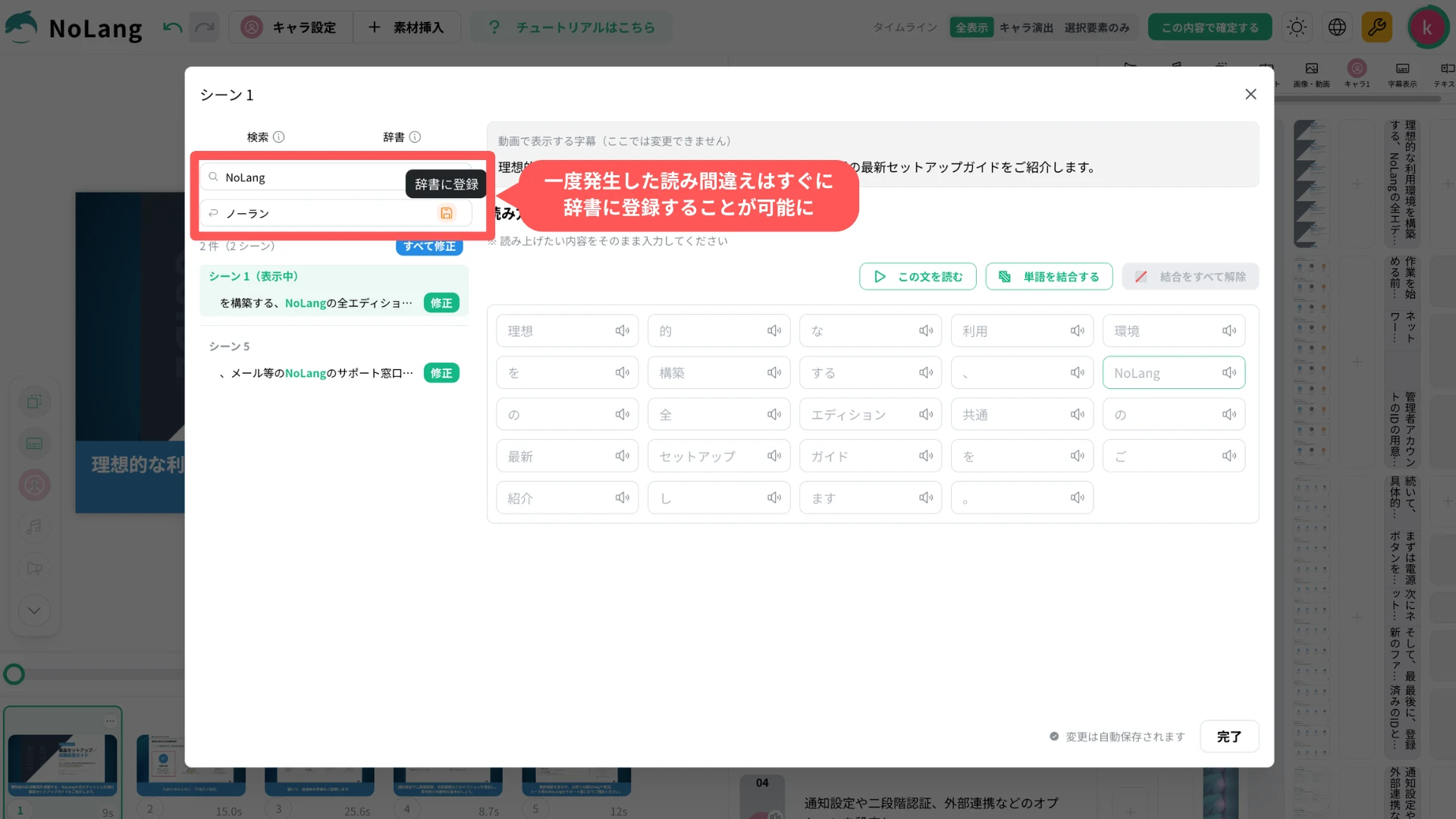
As a result, a pronunciation registered once is applied consistently not only in the other scenes of that video but also in new videos generated and edited later. Keeping the pronunciation of recurring words such as company names and product names consistent becomes far easier.
What comes next
NoLang will continue to reduce the small manual steps in video editing so that creators can concentrate on planning and expression. The pronunciation correction and dictionary features will be improved continuously based on user feedback, with the aim of making them useful in more production environments.

