
Mavericks, Inc., the company behind NoLang, Japan’s largest AI video generation service1, has released a feature that automatically turns Japanese documents (PDF/PPTX) into videos in 18 languages, including English, Chinese and Spanish, to support the global expansion of businesses. The feature does more than translate. It uses an AI avatar and a voice clone that reproduce the appearance and voice of the sales representative, so the finished video looks as if that person is presenting in the local language. This addresses the long-standing obstacles of overseas sales: the language barrier, the lost opportunities caused by time-zone gaps, and the cost of interpreters for meetings and presentations.
Try NoLang for yourselfNoLang adds support for 18 languages, instantly turning Japanese documents into overseas sales videos narrated by your own face and voice
NoLang is Japan’s first AI video generation service1. It generates a video in as little as a few seconds from text, a PDF document, a website URL, or an image, audio or video file. Since its release in July 2024, registered users have passed 150,000. It is now used by more than 60 corporate customers and by many other Japanese companies, making it one of the largest generative AI products to come out of Japan2.
With this major update to 18 languages, including Chinese and Spanish, NoLang lets companies take the Japanese product decks and proposals (PDF/PPTX) they already have and create and distribute sales videos for overseas customers on the spot. The defining feature is that it goes beyond translating a document: it uses the sales representative’s own face, as an avatar, to generate a video that looks like a presentation delivered by that person, entirely automatically.
Until now, overseas sales activity has been dogged by the same problems: miscommunication when the language barrier keeps intent from coming across, difficulty scheduling meetings across time zones, and rising travel and interpreter costs for overseas trips. Videos with subtitles, or audio-only videos, also make it hard to convey enthusiasm and build trust, which limits engagement.
With NoLang, a Japanese document is all that is needed to produce a presentation video with native-level pronunciation in any of the 18 supported languages, including English and Chinese. Because an AI avatar that reproduces the speaker addresses the viewer, the video keeps a human presence that makes it more credible despite being fully digital. Overseas customers can watch the product explanation whenever it suits them, so they arrive at a meeting already informed. That reduces the effort spent on first-time explanations and repeat briefings, while making it fast to expand coverage to more languages and more regions.
How to create an overseas sales video with NoLang
No specialist video editing skills or language ability are required. The three steps below produce a video in which you appear and present fluently in a foreign language.
1. Create an avatar from your photo with the avatar creation feature
First, upload a single photo of the sales representative. The Real Avatar feature turns it into an avatar that moves as if the person is speaking in the video. Lip sync and even blinking are reproduced with lifelike accuracy, giving a strong sense that the person is really talking.
2. More than 300 preset voices, plus your own voice clone made in one minute
For the narration voice, there are two main options to choose from.
■ Choose from more than 300 built-in voices
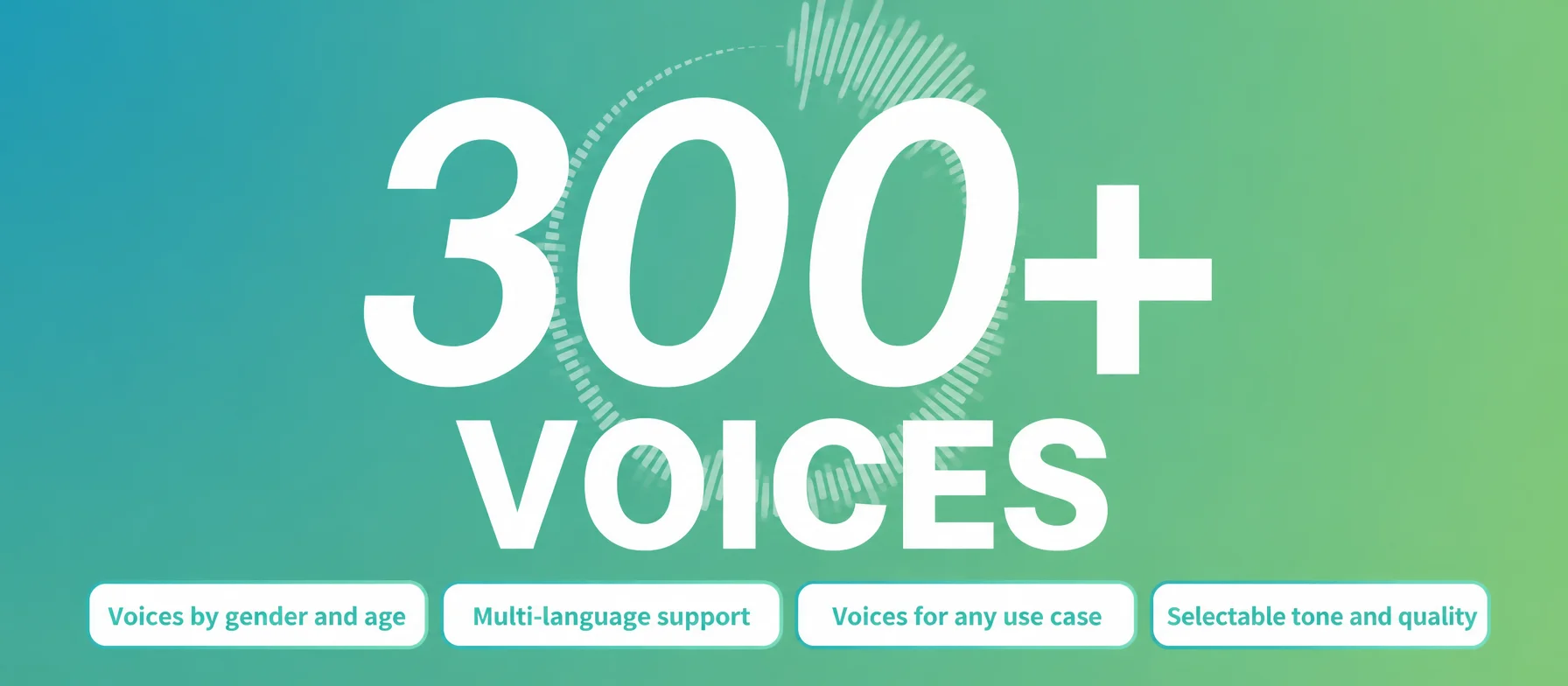
NoLang ships with more than 300 high-quality AI voices. They cover a wide range of vocal qualities and tones, so you can pick the voice that fits the situation, whether the meeting calls for a sense of reliability or a friendlier tone suited to the relationship with the customer.
■ Record one minute of audio and create videos in the language you recorded
With only about one minute of audio, you can also create your own voice clone. A Japanese audio file produces a Japanese voice, an English audio file produces an English voice, and the asset reproducing your voice is generated immediately. Once you have created a voice from that one-minute file, there is no need to record again. From then on you only enter text, and NoLang keeps producing sales videos that speak in your voice on your behalf.
3. Upload your document, set the avatar and voice, choose the language of the video you want, and you are done
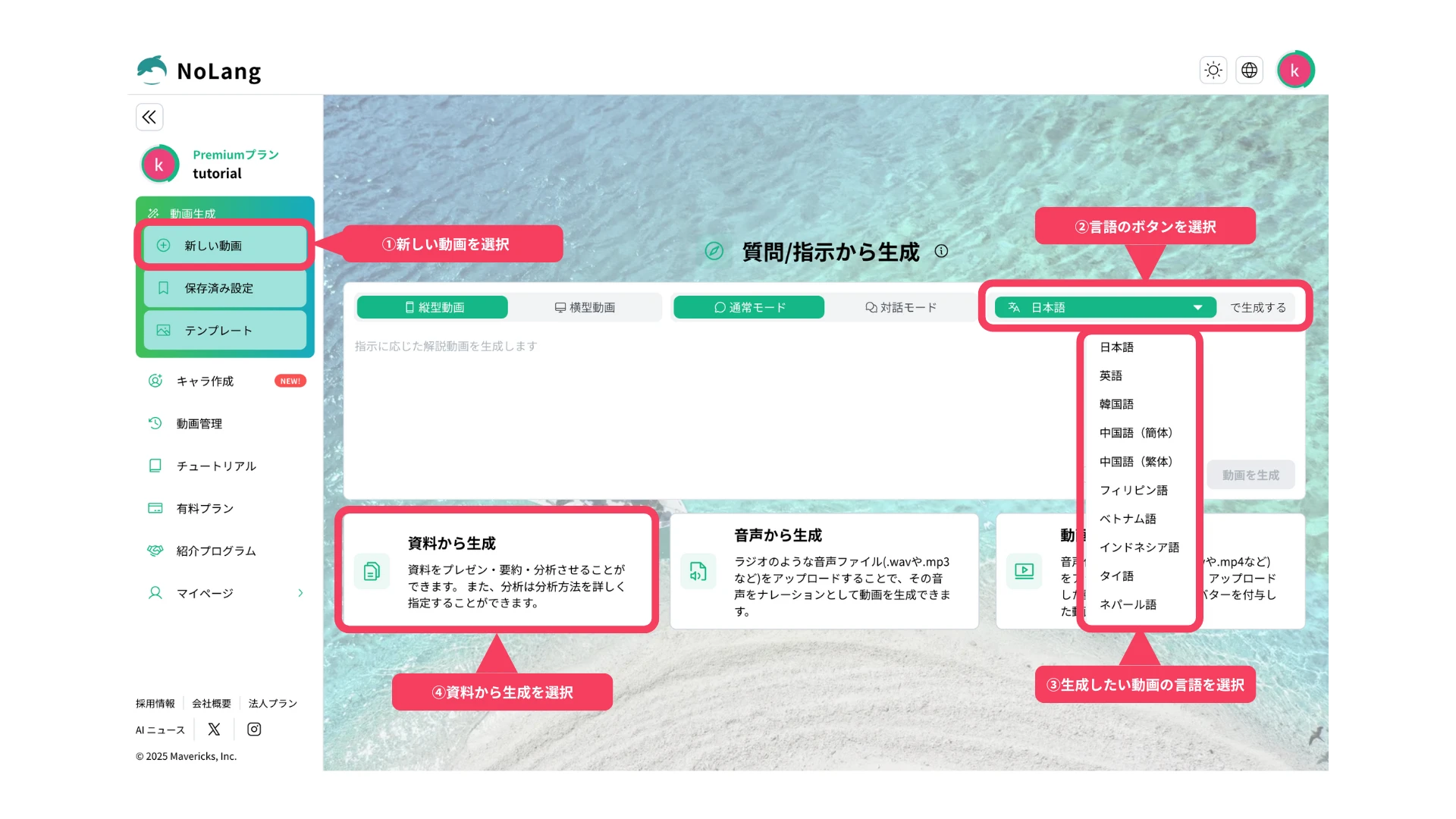
Once everything is ready, all that remains is to upload the Japanese presentation document (PDF or PPTX) on the video generation screen. Start by selecting the output language, choosing from 18 languages such as English, Vietnamese and Spanish. Then press Generate from documents to switch to PDF mode.
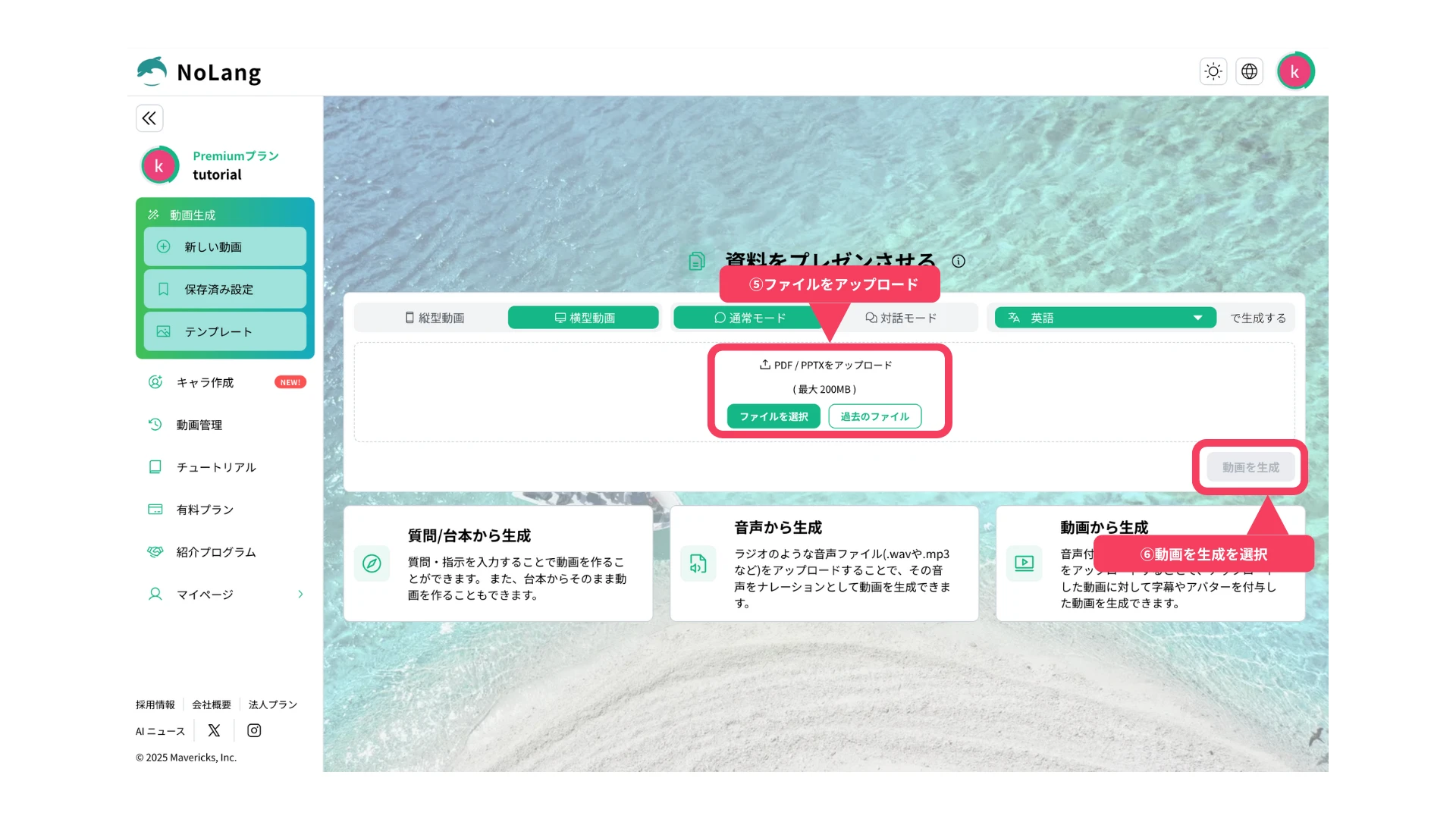
Next, upload the file you want to turn into a video. When the upload is complete, select Generate a video.
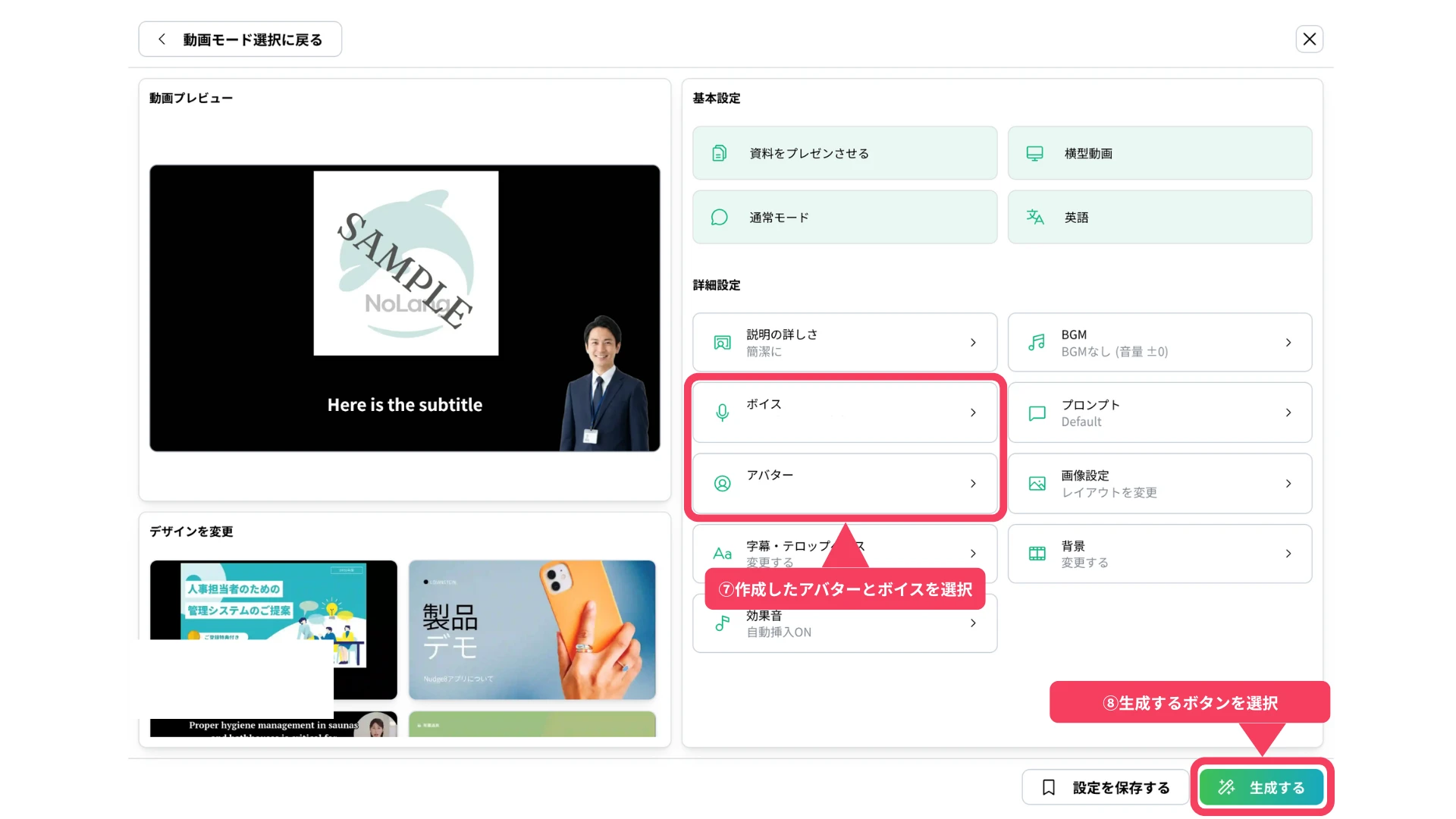
On the settings screen, select the avatar you created earlier and either your own voice or one of the built-in voices, then generate the video. The AI analyzes and translates the content of the document, builds the structure, writes the script and adds narration by your avatar, all automatically, and the sales video for overseas customers is finished in seconds to a few minutes.
4. Convert a video into another language at the press of a button
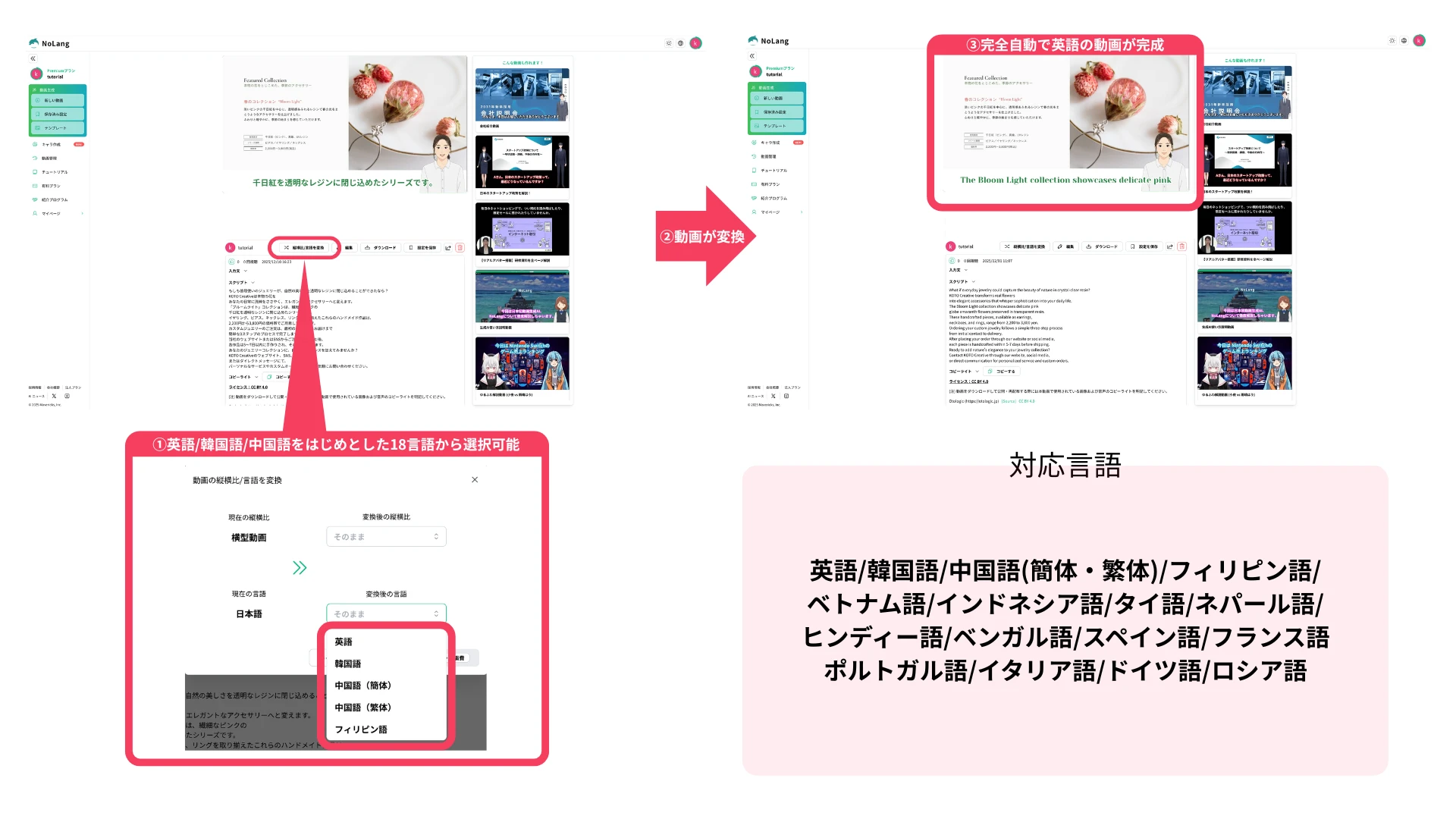
A video you have already created can also be converted into another language instantly, at the press of a button. From the button for converting aspect ratio and language on the viewing screen, select the language you want and press generate. The video keeps its content and timing, and the narration and subtitles switch to the other language automatically. So when you want to take a sales video made in English and offer it next to customers in Chinese or Spanish, you can roll it out to more languages right away, without re-uploading the document or doing complicated re-editing.
What comes next
Mavericks, Inc. will continue to strengthen the multilingual capability of NoLang. The company also plans to deepen API integration with CRM and marketing automation tools, so that videos tailored to the interests of each overseas customer can be distributed automatically, developing NoLang into a platform that supports the automation and efficiency of global sales at the infrastructure level.
Try NoLang
