
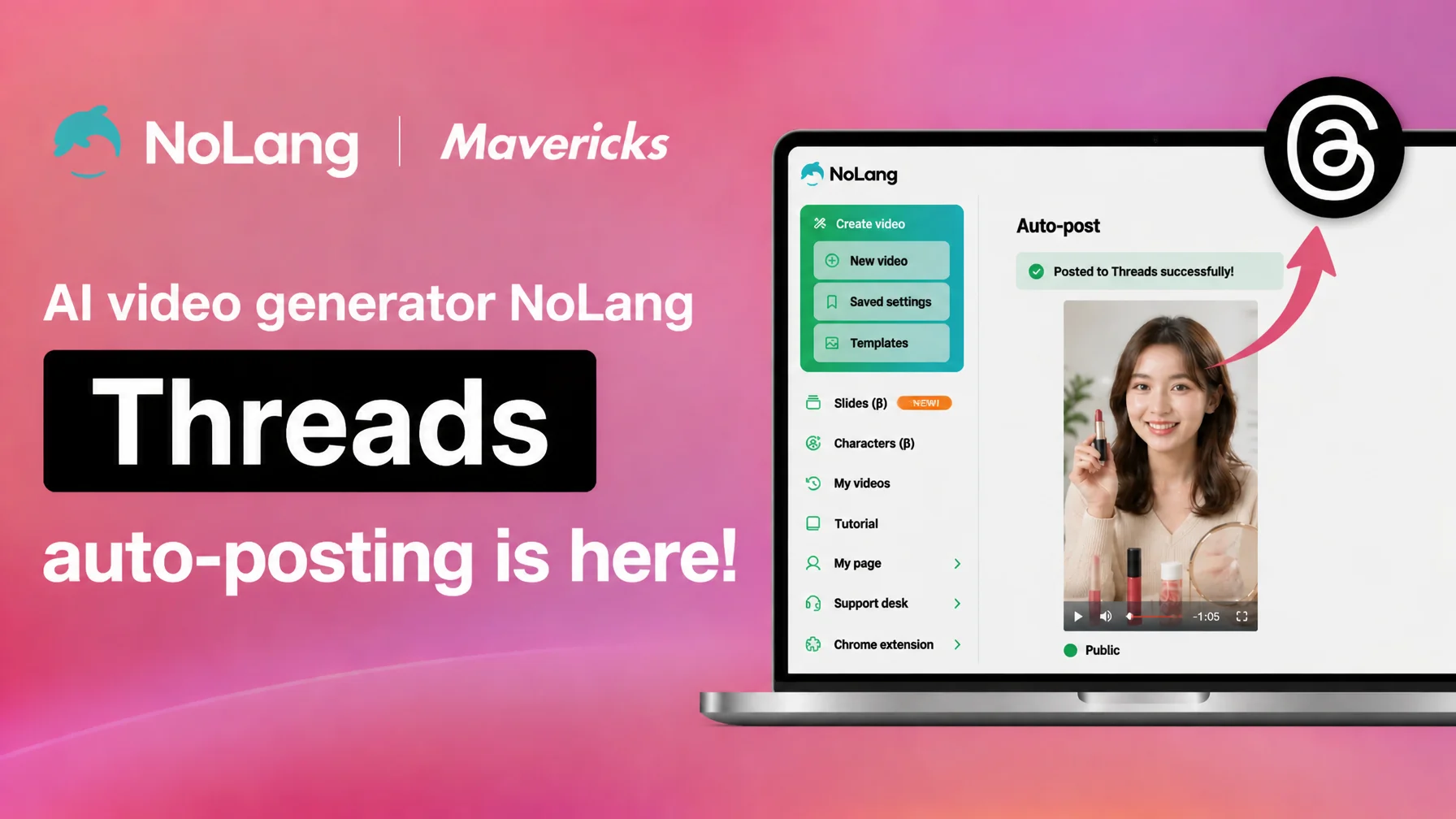
Mavericks, Inc., the company behind NoLang, a video generation AI service developed in Japan and one of the largest in the country1, has released a Threads integration that posts videos generated in NoLang directly to Threads. Everything from automatic video generation with AI to posting on Threads and setting the publication options now happens inside NoLang. Because Threads runs on an Instagram account, companies that already manage Instagram can connect without extra setup, and they can use the fast-growing platform for communication and marketing without specialized video production skills or outsourcing budget. The result is a significant reduction in production cost and operating hours.
12.3 million Threads users in Japan, and the workload behind a fast-growing platform
Threads passed 12.3 million users in Japan just two years after its launch in July 2023, and grew 222 percent over the past year2. It has more than 350 million monthly active users worldwide, and Japan is one of the countries where Threads is used most actively3. In April 2025, advertisers worldwide became able to run ads on Threads, which sharply increased its practical value as a marketing channel.
Looking at the audience, people in their twenties are the largest age group at 24.8 percent, and the split between men and women is balanced at 46 percent to 54 percent, so the platform now reaches everyone from younger users to middle-aged users2. Threads has been seen as a text-first social network, but its support for video posts has advanced, and it is quickly becoming a more important channel for corporate communication.
Opening a corporate account on a fast-growing platform is not simple, however. In a survey of 2,134 people in charge of corporate social media, about half named a shortage of internal resources as their biggest challenge4. Threads is also tied to an Instagram account, so teams have to prepare and differentiate Threads content on top of their existing Instagram work, which increases the load on the person responsible.
To address that, the video generation AI NoLang today released a Threads integration that posts directly to Threads. Automatic video generation with AI and posting to Threads happen on a single platform, which lowers the barrier to entering a rapidly growing service. Small and midsize companies and sole proprietors who cannot spend on specialized video production skills or outsourcing can now use Threads for their communication and marketing.
From generation to posting on Threads without leaving the screen
The NoLang Threads integration posts a video generated in NoLang directly to Threads without leaving the screen. Until now, posting a finished video to Threads meant downloading the video file, transferring it to a smartphone, and uploading it again from the Threads app. That whole sequence now completes inside NoLang.
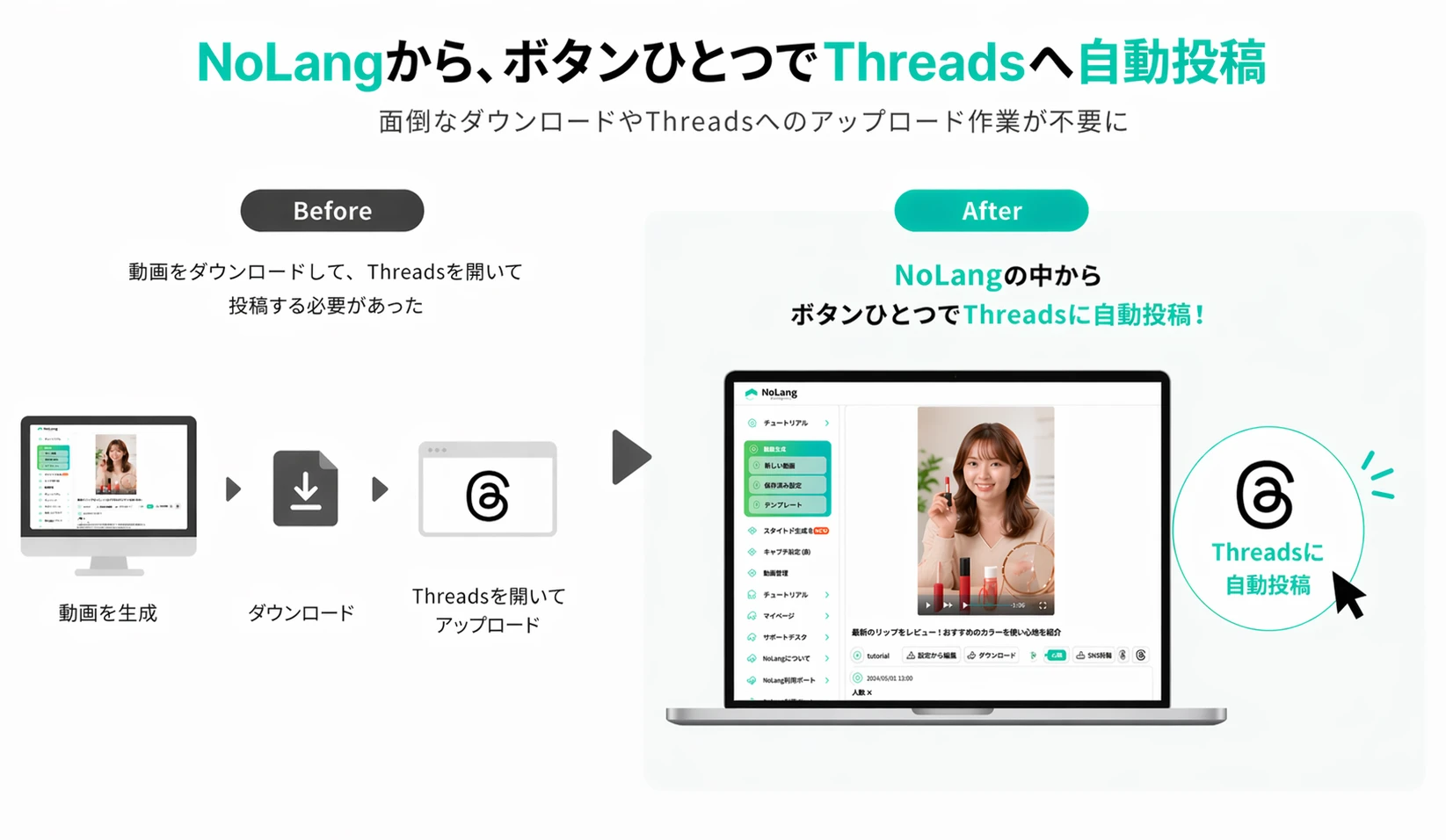
Threads is linked to an Instagram account, so a company that already runs an Instagram account can start publishing video on Threads without creating another account. A post is complete once the caption is set on the NoLang screen and the video is uploaded, which lowers the barrier to getting started on Threads considerably.
NoLang also offers templates in a wide range of formats, both vertical and horizontal, so a video suited to the Threads timeline can be finished quickly. Replacing the text and the assets is enough to prepare a video for posting, even without expertise in video production.
Four ways to use Threads with NoLang
The NoLang Threads integration draws on what Threads is good at, namely topical conversation, real-time reach, and interaction, and it fits a range of business situations.
The first is industry news and breaking updates. Threads is known as a place where reactions and conversations form around a topic, which suits communication that depends on timing. NoLang can generate a video that summarizes a web page from its URL alone, so the path from a news event to a published video is as short as possible. Turning a time-sensitive topic into video and posting it on Threads delivers content that can start a discussion quickly.
The second is insight from executives and specialists. Threads is a text-first platform, but combining text with video makes considered, in-depth content easier to absorb. NoLang can generate a video from a PDF or a text file, so reports, white papers, and essays can be turned into video in a short time, making specialized content easy to publish.
The third is dividing work between Threads and Instagram. The two are linked at the account level, but the content that suits each one differs. A video generated once in NoLang can be arranged as a short, text-heavy version for Threads and a visually driven version for Instagram, so a single generation covers both platforms efficiently.
The fourth is international reach. NoLang supports 18 languages in total, so the same content can be generated in several languages and posted to Threads, reaching part of the more than 350 million Threads users worldwide. That opens up communication beyond Japan, including promotion aimed at inbound audiences.
How to post with the Threads integration
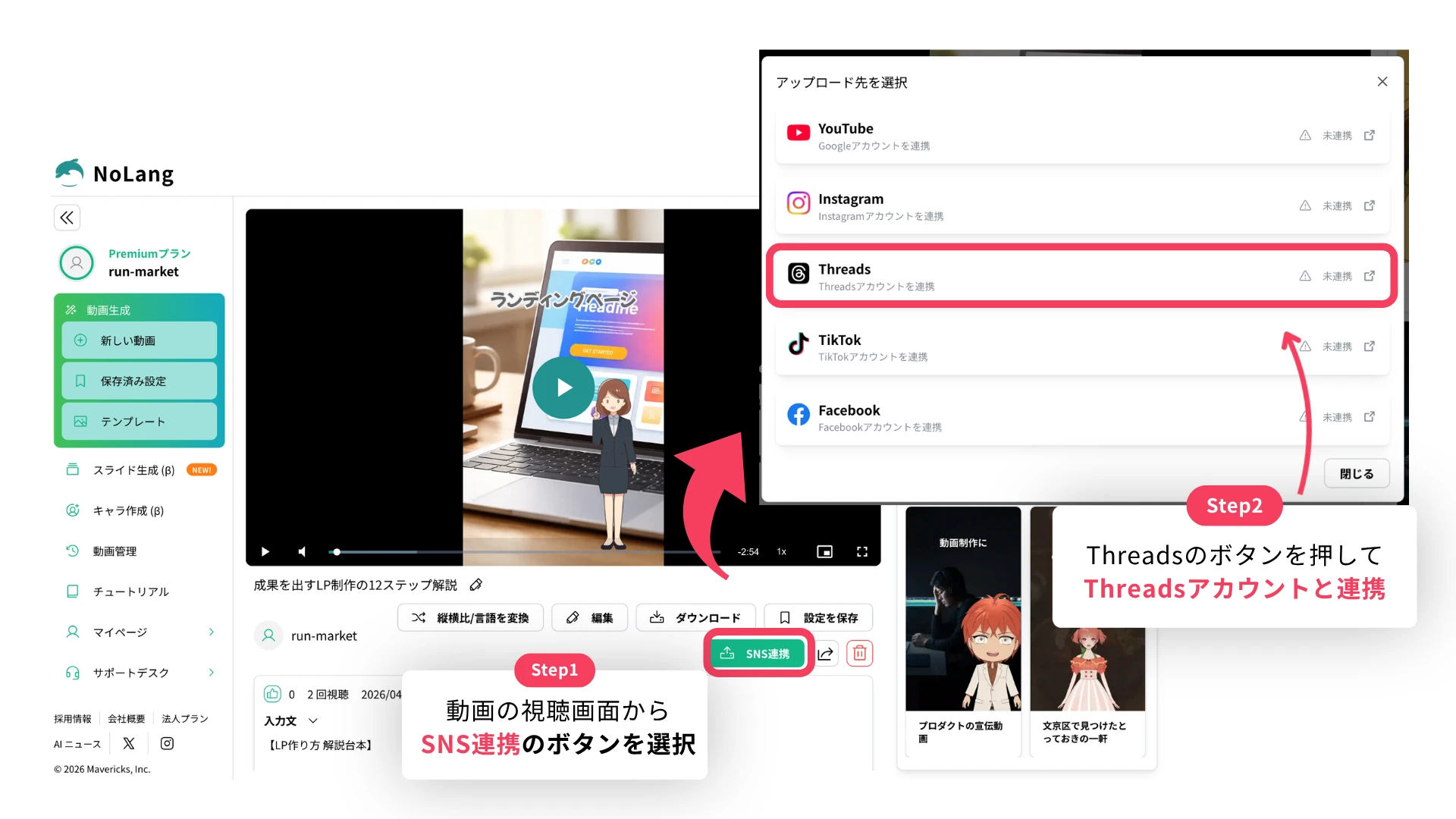
The Threads integration is available on the NoLang Premium plan and the Business plan, and a video is posted in the following steps.
- On the video screen, use the social media linking button to select Threads as the upload destination and connect an Instagram account (Threads is used with an Instagram account). This connection is only required the first time. Once authentication is complete, the account information is kept automatically and there is no need to connect again.
- Enter the post description and the alt text for the video, then click Upload to complete the post.
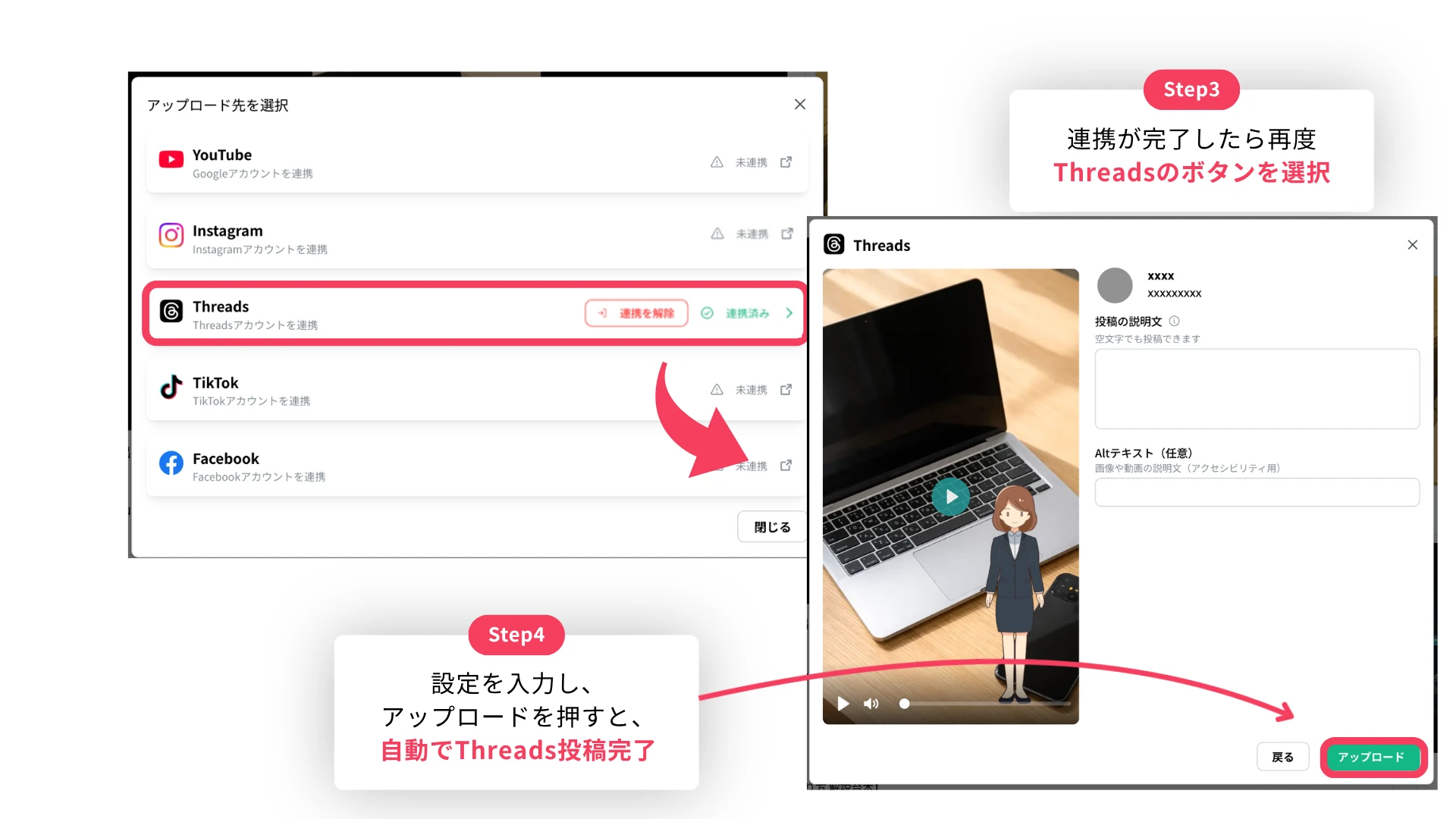
The whole sequence from generating the video to posting it happens on the NoLang screen, so there is no moving between tools, and video can be published to Threads in a short time.
What comes next
Starting with this Threads integration, Mavericks will continue to strengthen the features that connect video production and video distribution. Planned work includes performance analysis after posting and links to engagement data, so the effect of distribution becomes visible.
Footnotes
-
Based on the number of registered users of video generation AI services in Japan. As of December 2025, Mavericks research ↩
-
VALUES, SNS user ranking 2025: a survey of 30 services (in Japanese; published October 29, 2025) ↩ ↩2
-
comnico, Launch of advertising support services for Threads, a social platform with more than 350 million monthly active users (in Japanese; May 13, 2025) ↩
-
KnowledgeBox, A thorough survey of corporate social media operations and results (in Japanese; 2,134 people in charge of corporate social media marketing, May 2025) ↩

