
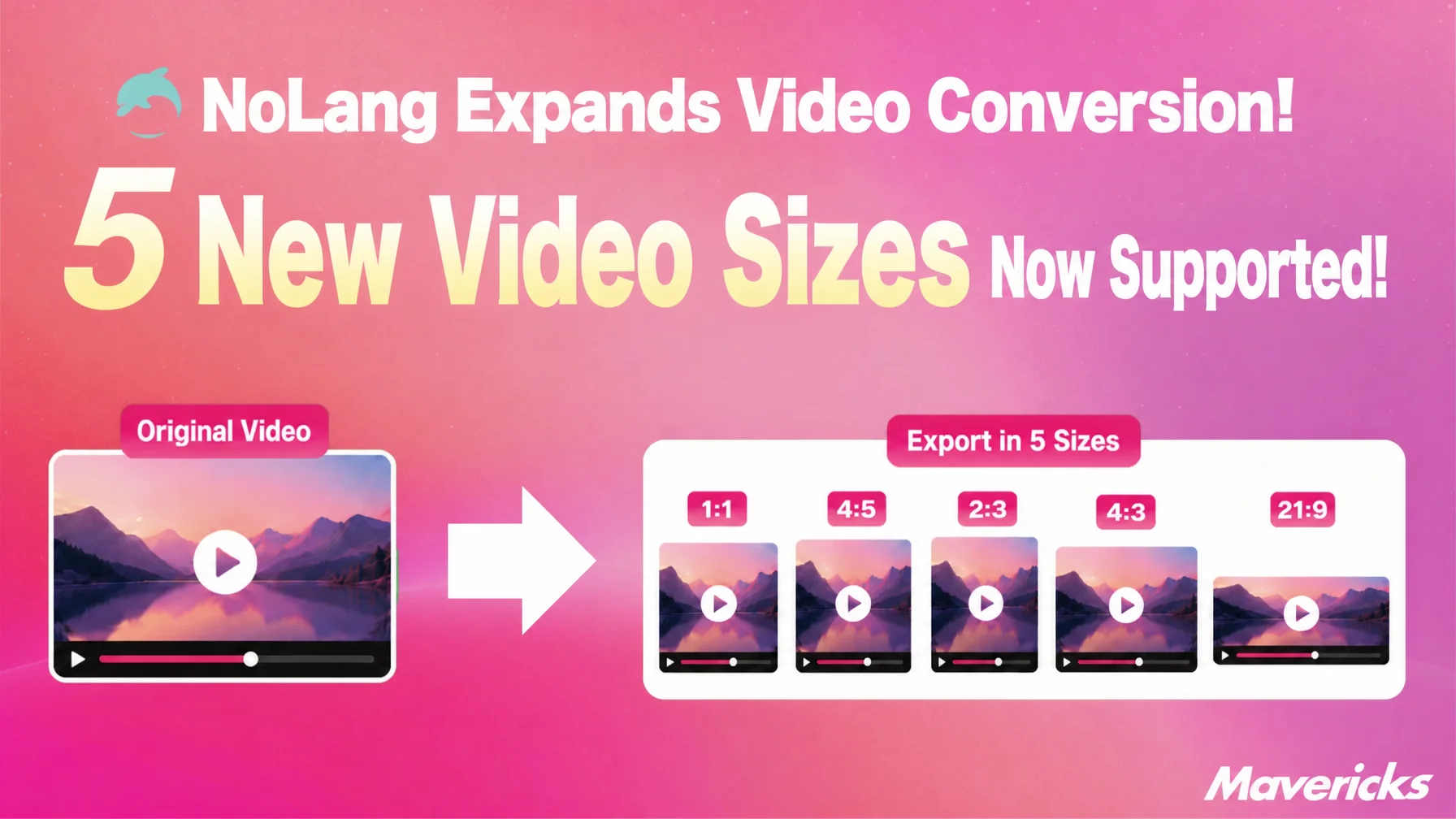
Mavericks, Inc., the company behind the video generation AI NoLang, has expanded the conversion feature in the video editing screen to seven aspect ratios. In addition to the existing 16:9 and 9:16, the update adds 1:1, 4:5, 2:3, 4:3 and 21:9. Selecting a ratio and running the conversion leaves the source video untouched and automatically produces a separate video in the chosen shape. One video can therefore be distributed to several channels at once, without the work of rebuilding it for each social platform.
Contact usDifferent ratios on every social platform, and the rework that falls on one person
In video marketing, a single video is expected to run on several distribution channels. According to Wistia’s State of Video Report 2026, based on more than 900 marketing and video production professionals and published in April 2026, 76% of teams adjust the aspect ratio of a video for each posting destination, and half of those teams said they do so every time. More than half of teams also repurpose video clips for social media, spreading them across LinkedIn (67%), Instagram (49%) and YouTube (41%)1.
The picture in Japan is similar, where running several social accounts in parallel — Twitter, Facebook, YouTube and LINE — is taken for granted2.
Even after a video is finished, the required ratio differs by destination: 1:1 for the Instagram feed, 9:16 for Reels and TikTok, 16:9 for YouTube. The person in charge has had to rebuild the video each time, or place an extra order with an outside vendor for every ratio needed. Changing the ratio in editing software is not a matter of simply cropping the frame, because subjects and text fall outside it, so each element has to be repositioned by hand while checking the layout.
The burden of producing one version per destination often sits with a single social media manager. Wistia’s finding that half of teams adjust ratios every time1 shows that this is not a one-off task but routine work that returns with every post.
Five ratios including 1:1 and 4:5 added to video conversion
The ratios newly added by Mavericks, Inc. are 1:1, 4:5, 2:3, 4:3 and 21:9. Pressing the Convert button on the video playback and detail screen is enough to convert the ratio of a video.
The source video is left as it is, and a new, separate video is generated in the specified ratio. If a Japanese explainer video was made in 16:9, that master can be kept intact while 1:1, 4:5 and 9:16 versions are added as needed, building up a library of derivatives from one original.
Selecting a ratio finishes the job, with no rebuild from scratch
Producing a video in a different ratio previously meant re-editing the source material or cropping it in another tool. This was especially true for videos containing text, avatars and subtitles: a layout built for landscape does not transfer to portrait, so subtitles get cut off at the edge of the frame and avatars end up outside it, and the placement has to be checked again for every ratio. With this update, choosing a ratio for an existing video runs the conversion automatically, so that rebuilding work no longer arises.
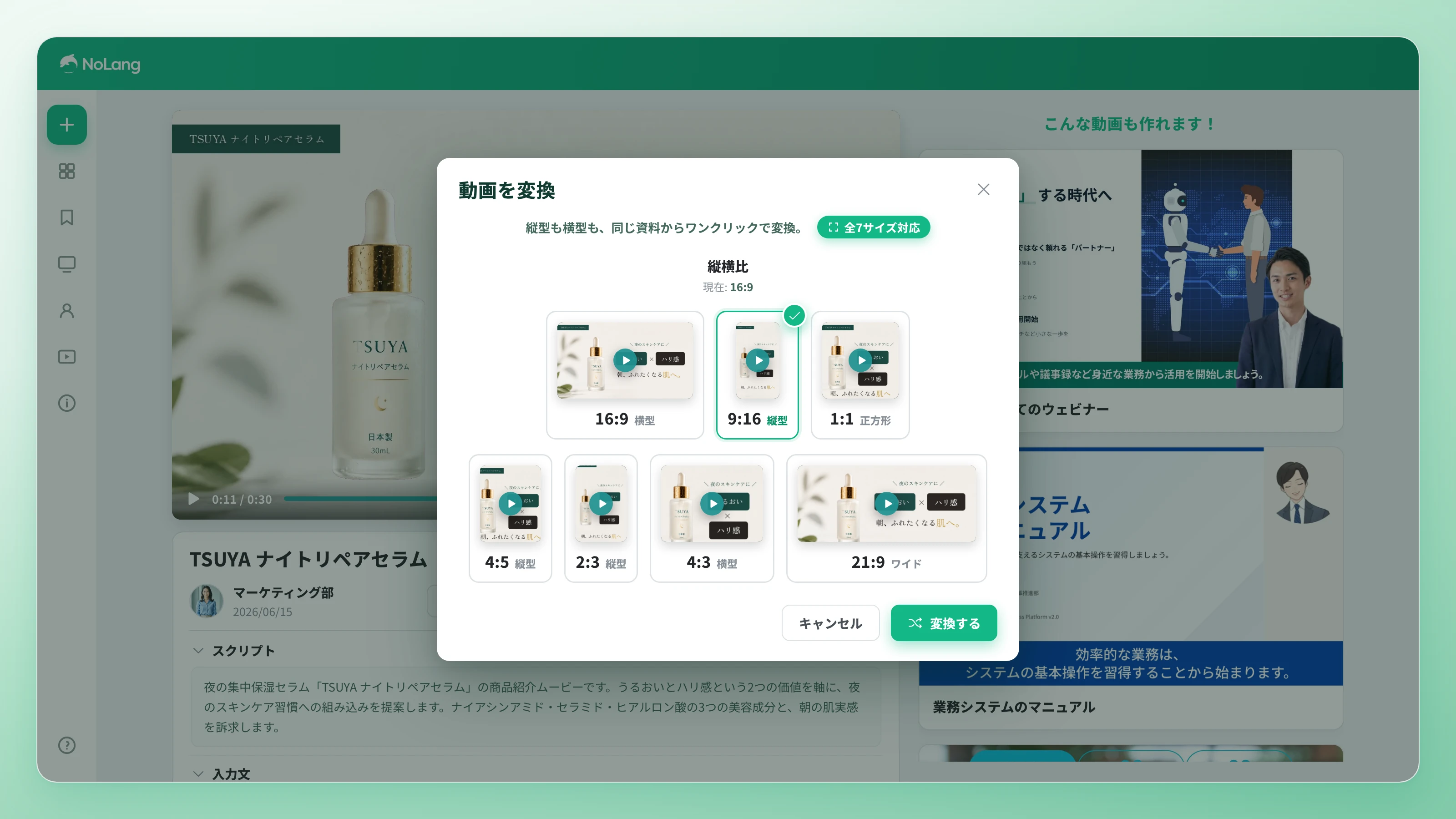
Language conversion and aspect ratio conversion are also combined into the same conversion step, so a combination such as an English version in 1:1 can be specified together rather than run twice. The effort once spent remaking a video for each social platform is replaced by choosing a ratio from one video and running the conversion.
From one video to several social platforms at once
For a product introduction video, a 16:9 landscape version can be made first for YouTube advertising and web placement, and a 9:16 portrait version for TikTok plus a 1:1 square version for the Instagram feed can then be generated from the same video. Because the formats come together without redoing the shoot or the concept, the video can go out on YouTube, TikTok and Instagram at the same time and reach different user bases at once. Multiple channels can now be covered within the production time previously spent on a single video, and advertising results can be verified by comparing responses across channels.
Contact usThe same applies to recruitment communications and event announcements: preparing 4:5 for feed posts alongside 9:16 for TikTok and Reels allows parallel distribution optimized for how each platform displays the video. Even when an application deadline or event date is close, announcement assets can be assembled without pausing to reshoot for each ratio, so the time saved on preparation can go into refining the message itself.
The more distribution channels there were, the more production hours grew in proportion. After this update, the only thing that increases is the number of times the conversion button is pressed; the hours spent on planning and shooting do not. The number of derivative assets born from one video concept can be expanded without adding to the workload of the person in charge.
Outlook
Mavericks, Inc. will continue to use the video generation AI NoLang to give companies an environment in which one video asset can be deployed across multiple distribution channels as it is. This expansion of aspect ratios is one step in broadening the conversion feature, alongside the existing language conversion. Looking beyond the process of making a video to the process of using it across as many destinations as there are channels, the company aims to replace the repetitive work of remaking videos per platform with AI, so that the people responsible can spend their time on planning and improving content itself.
Footnotes
-
Wistia, State of Video Report 2026 (more than 900 marketing and video production professionals, published April 2026. Aspect ratio adjusted per posting destination: 76%; repurposing destinations: LinkedIn 67%, Instagram 49%, YouTube 41%) ↩ ↩2
-
Neutral Works, Survey on social media operations (in Japanese) (231 social media managers, published November 2022. Top challenge: “planning takes time and effort”; the most common priority platform for companies was Instagram at 35.9%) ↩

