
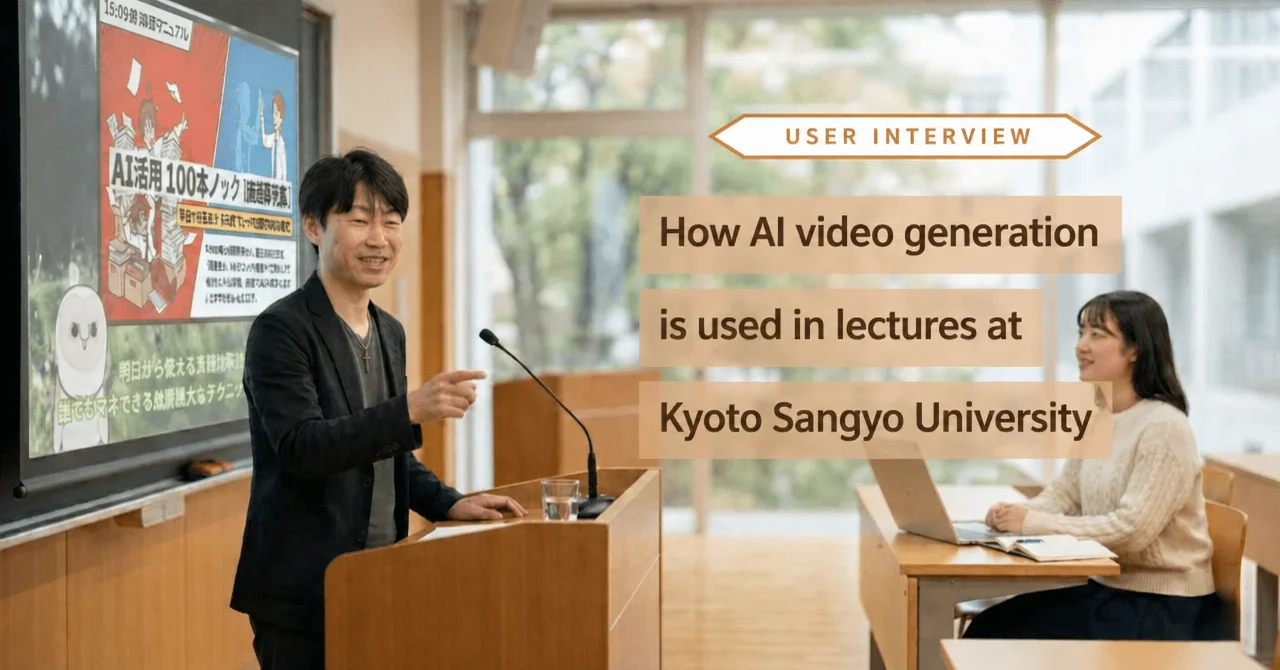
Katsura Hamaguchi is a part-time lecturer at several universities, where he teaches career design, job-hunting support, business psychology and related subjects.
His work at the universities is wide-ranging: building slide materials for his classes, supporting the job hunt of the students who attend his lectures, and writing on his areas of expertise.
More recently he has been running study sessions with fellow “career support colleagues” of his own generation, and he uses generative AI to make the videos he shows there.
Over more than a year and a half of daily use, Hamaguchi arrived at something he had not expected: a way of using AI that makes students take an active part in class. It has nothing to do with the content of the lesson or how well it is explained — it is an unexpected way of moving the students’ eyes.
We asked Hamaguchi about how he uses NoLang and about what video can do in a university classroom.
From lectures to study sessions, NoLang everywhere
― What kind of work do you do day to day?
I work as a part-time lecturer at universities.
I cover a wide range: business skills such as career design, job-hunting support and logical thinking, and also classes on business psychology.
It is not only university classes — I also run courses organized by the career center, and courses on things like group discussions, company research and industry research.
― Where do you use NoLang?
Most often I use it by inserting videos into the PowerPoint slides I project in class.
Since COVID I have also often uploaded videos to the university’s learning management system (LMS) as reference material and given the students the link.
The idea is that I keep posting the videos I make to YouTube and then hand the links to the students.
I do not care about view counts at all — I use the YouTube channel more like a storage locker for videos.
▼ Here is one of the videos posted on YouTube for students
― I see. So you use the videos as teaching material. Do you use them outside of class as well?
Yes. I used to post things like commentary on Nikkei newspaper articles on Facebook, but posting the articles themselves raised copyright issues.
So now I use Google’s AI tool NotebookLM — I use it a huge amount — and with its infographic feature I have it condense a Nikkei article into a single-sheet diagram and output it in vertical format.
Then I upload that image to NoLang and make a video of under three minutes.
I also hold regular study sessions for fellow career-support lecturers, and lately I often talk about AI there, so I make videos for those too.
I feel like I use it almost every day.
Making videos in combination with NotebookLM
― How do you make the horizontal videos you use as class material?
Lately I always make them the same way: build the slides with the slide feature in NotebookLM, export them as a PDF, upload that to NoLang and turn it into a video.
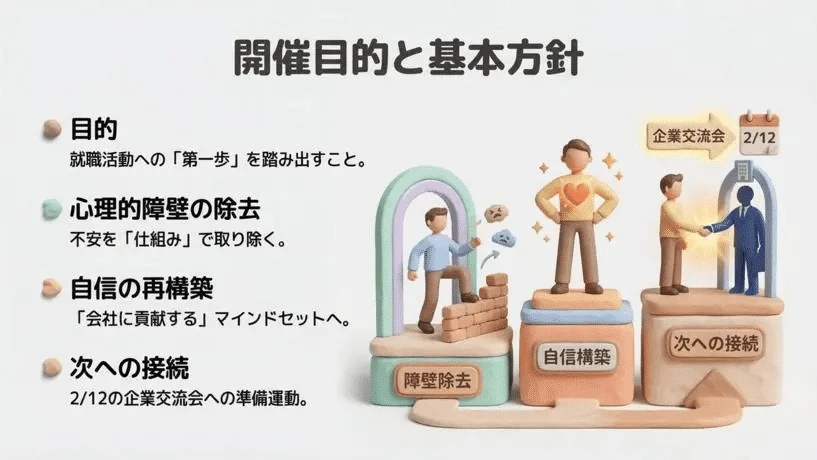
NotebookLM slides have a limit of 20 pages.
If 20 is not enough, I move them into Google Slides and add more pages.
When there are a lot, I really do end up making something like 150 (laughs). Some of the courses run three and a half hours.
― 150 slides is quite a scale (laughs).
It is (laughs).
I know I could just split it up and make several videos, but I upload without checking the file size beforehand, so with 150 slides it quite often will not go into NoLang (laughs).
It would be a great help to be able to make one long video in a single pass.
Recently, with material that has a lot of images, it sometimes goes over 200 MB and will not go through.
The vertical videos are simpler: I have NotebookLM output the diagram in vertical format and upload it to NoLang together with the narration.
That one is really easy.
― Is there anything about NoLang you find especially helpful?
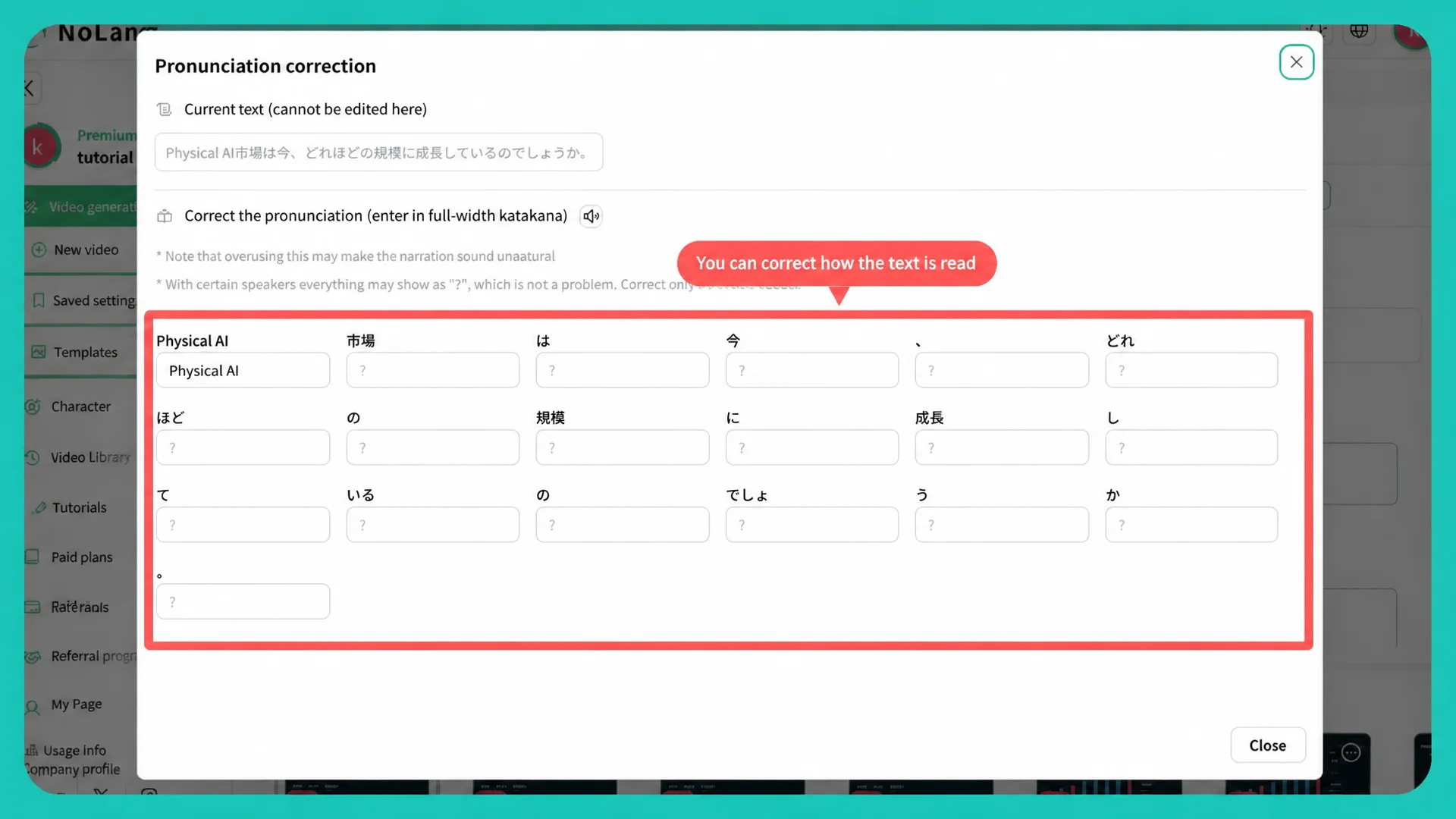
The fact that there are few misreadings of kanji is a real help.
With other tools it happens without fail — kanji get read wrong.
And fixing that is quite a chore, or sometimes not possible at all.
In Japanese the same kanji can have several readings, so I think misreadings are common, and being able to correct the reading is where NoLang is strong — I always think that.
A change in where students look
― Since you started using video in class, has the students’ reaction changed?
Completely different, yes.
I already used the animation feature in PowerPoint to make things move, and people’s eyes are drawn to things that move, so they pay attention to that.
In a normal class you can understand it just by listening, so there is no need to lift your head, right?
But with a video, if I say “I am now going to explain this keyword in a one-minute video,” I then go quiet, so the students have no choice but to look ahead.
And then they naturally lift their heads.
― So you feel the effect of the video firsthand.
Yes. Also, they do not read much text, so I think it matters to cut down the text on the slides and convey things visually.
NotebookLM can make manga now too, so sometimes I put a four-panel comic into a class.
Combined with the videos, it is like planting several bits of “movement” and “eye-catching elements” in the class.
The unexpected effect of the dinosaur avatar
― Are there other NoLang features you use to catch the students’ eyes?
I use the avatar feature quite a lot. I use it for things like announcing the theme of a group discussion.
Instead of me just explaining the theme, an avatar comes out and says “today’s theme is this” — and they watch it quite well (laughs).
I often make it look like a character out of an isekai anime, and deliberately use an anime-style voice too.
― That is a nice way to use avatars. Which avatars do you use most?
I often use turtles and other animal ones. My favorite is the dinosaur. The sitting dinosaur avatar — I use that one an enormous amount.
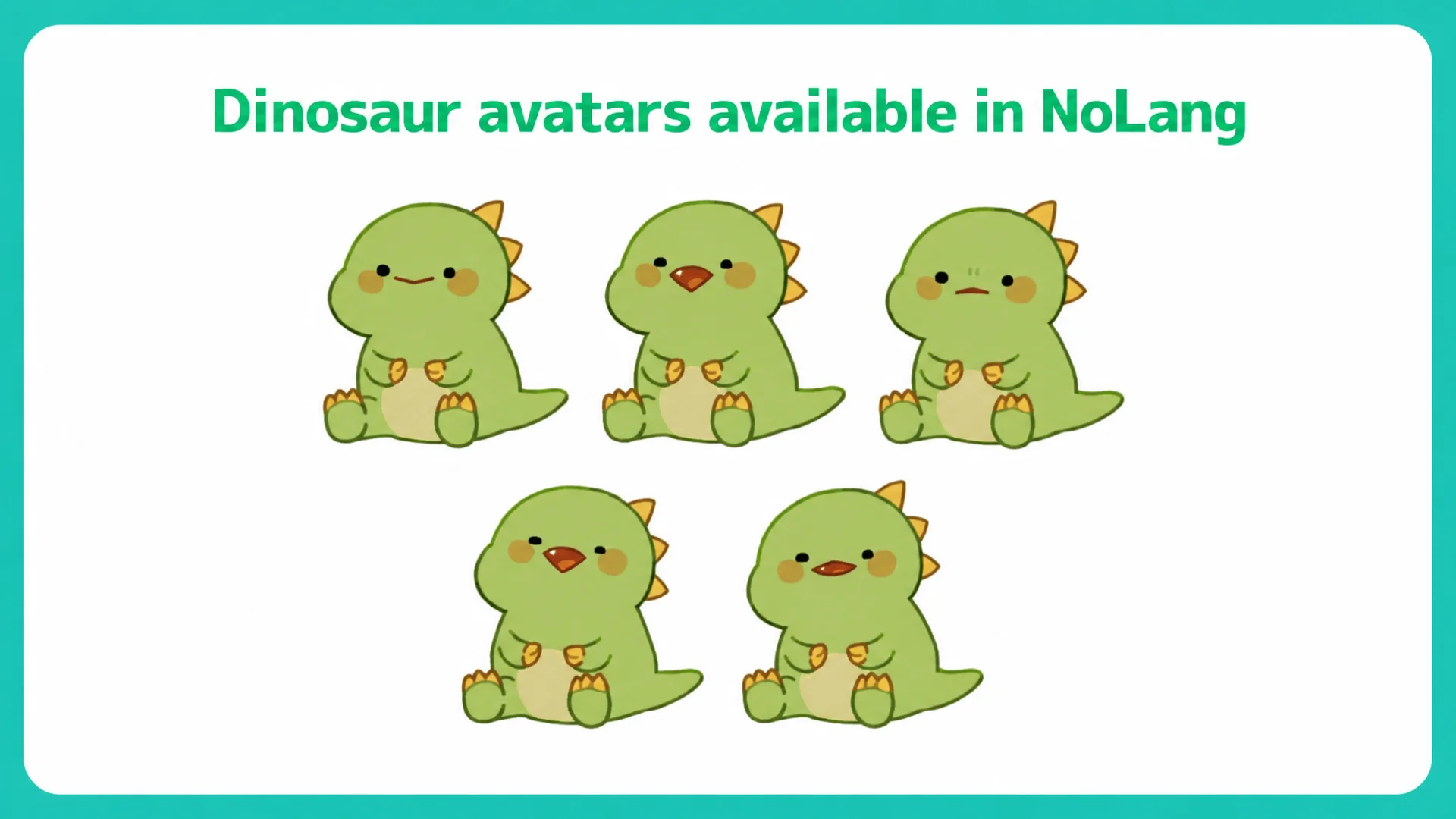
At first I used human-shaped avatars, characters working at a computer and so on, but they do not show much interest in human shapes.
I wonder why — I suppose they are not funny (laughs).
When a dinosaur or an animal comes out, they go “huh?” and watch. You can clearly see that the students’ eyes are drawn to that more.
Why he keeps using NoLang
― You have been using NoLang almost daily for more than a year and a half. What is it that you like about it?
It is easy to operate, and, as I said earlier, there are few misreadings of Japanese kanji.
Another good thing is that uploading PPTX slides and turning them straight into a video goes very smoothly.
Being able to pour NotebookLM slides straight into NoLang — that combination fits our style of use perfectly.
Make the slides → export as PDF → upload to NoLang and turn it into a video: that flow has become part of my daily routine.
― Thank you very much for sharing so much with us today. We will keep developing NoLang so that you can go on using it every day. We look forward to working with you!
[Editor’s note]
From teaching materials for his lectures to commentary on Nikkei articles posted to Facebook — in Hamaguchi’s hands, a single tool has settled naturally into both his work and his personal interests.
What struck us most in the way he uses video was the story of the dinosaur avatar. Noticing that students go “huh?” and look up more for a dinosaur than for a human-shaped avatar is the kind of discovery that only comes from using video in class over and over.
Talking with Hamaguchi reminded us that with AI tools there are things you can only see by continuing to use them.
Profile of Katsura Hamaguchi (HAMAGUCHI KATSURA)
Part-time university lecturer: Kyoto Sangyo University, Kobe College, Osaka University of Human Sciences and others
Lecturer for job-hunting support courses: company research, group discussions and more
Courses taught: Business Solutions for Your Career, Introduction to Business Psychology, Creative Psychology and others
Qualifications: Registered Management Consultant (Chusho Kigyo Shindanshi), Career Development Adviser (CDA)
Activities: Sharing AI know-how with job-hunting students and others under the keyword “AI job hunting.”
Radio personality: Yumenotane Broadcasting Station, “Shukatsu Town” (1st-4th Wednesdays, 23:30-24:00) Program details (in Japanese)
YouTube: “Ehon to Suna no Heya (kari)” YouTube channel (in Japanese)
Facebook: “Katsura Hamaguchi (Katsura Han)” Facebook account (in Japanese)
note: “Are you doing AI job hunting?” https://note.com/ai_syukatu
Unauthorized use, reproduction or duplication of the text and specific content published in this article is strictly prohibited.

