
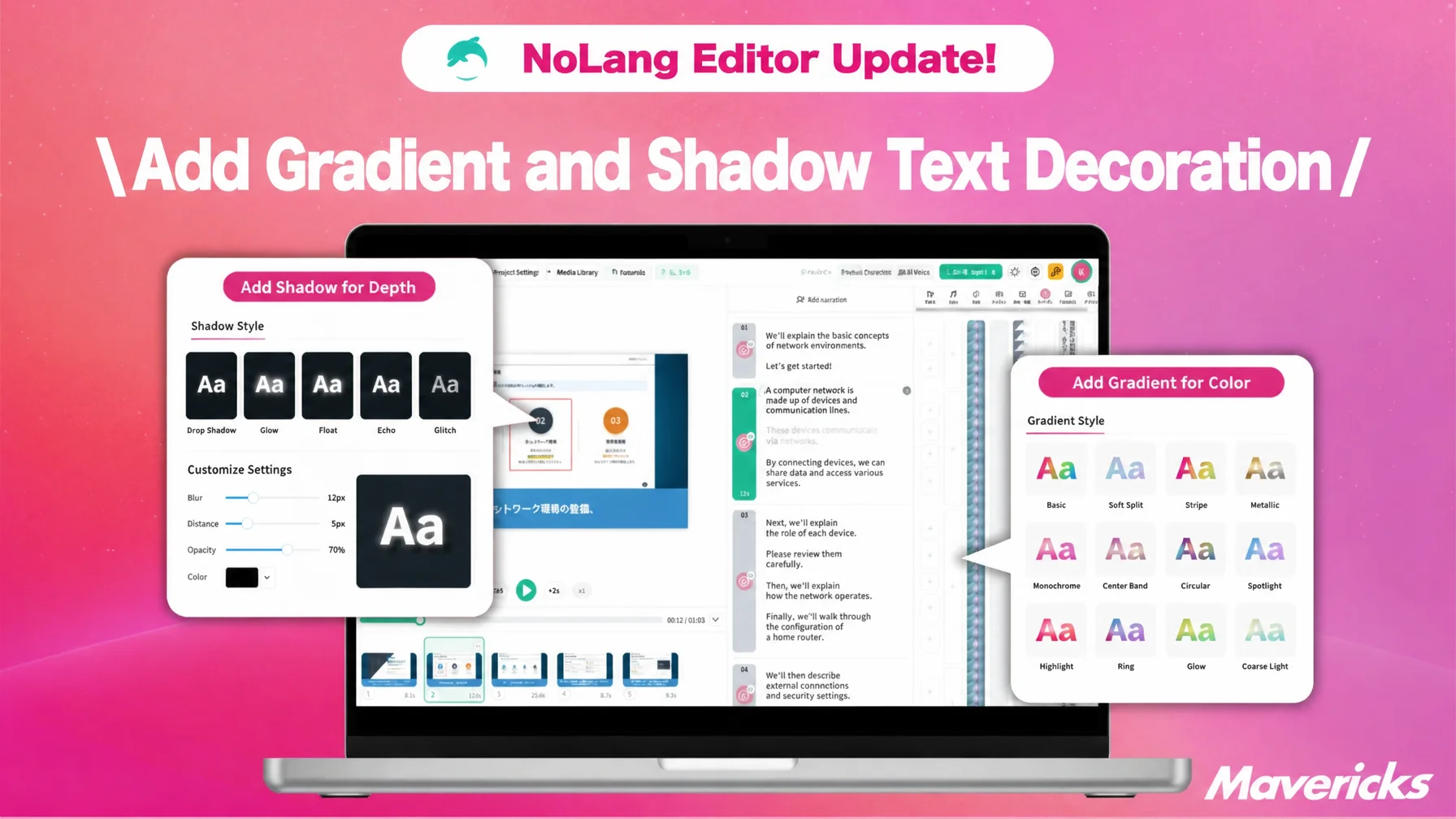
Mavericks, Inc., the company behind the AI video generation service NoLang, has added gradient and shadow decoration to the text style settings in the NoLang video editor. Users can pick from 12 gradient presets and apply five light and shadow effects, including Drop shadow and Neon, with a single click. No specialist design skills are required to produce professional-quality on-screen text. Because social media videos are usually watched with the sound off, teams can now produce highly legible captions in-house, which helps hold viewers on the video and express a consistent brand look.
Contact usMuted playback is the norm on social media, and demand for expressive captions is rising
Watching video with the sound off is already the default on social platforms. Instagram plays feed and Stories videos muted by default, which makes captions and subtitles the lifeline that carries the content of a video. Demand for eye-catching text effects that stop the viewer in the first few seconds comes directly from this shift in how video is watched.
At the same time, many companies want to produce this kind of design-led caption work in-house but cannot. In a joint survey by Hikaku Biz and Funusual, the largest group of companies, 62.8%, produce video partly in-house and partly through outside vendors. Even so, among companies that said they find it hard to see a return on their video spending (n=28), 53.6% cited a lack of in-house expertise, meaning insufficient editing and shooting skills or planning capability, as an issue, and 40.5% of the full sample (n=148) reported the same skills gap1.
Cost is the other barrier to in-house production. When video production is outsourced, 33.1% of companies pay 110,000 to 300,000 yen per video and 31.1% pay 310,000 to 500,000 yen, so those two bands account for roughly 64% of the market, and even a single caption treatment carries a real design outsourcing cost1. Captions are not only a way to convey information. Font, color and decoration shape the perceived quality of the whole video, which is exactly why teams need an environment where advanced decoration is easy to apply without specialist design skills.
Against this backdrop, NoLang has been strengthening the features that let users add advanced decoration to on-screen text.
Gradient and shadow now built into the text settings
Mavericks, Inc., the company behind the AI video generation service NoLang, has added gradient and shadow decoration to the text style settings in the NoLang video editor.
Until now, the NoLang text style settings covered font, size, color and alignment. This update adds decoration effects such as Outline Text and Hollow, multi-color gradients applied to the text color, and shadow effects that give text depth and legibility. Everything applies with one click from the text settings panel in the video editor, so professional-quality captions no longer require specialist design skills.
Gradient text with a choice of 12 presets
Text color can now be set to either Solid Color or Gradient. Choosing Gradient makes colorful text that combines several colors.
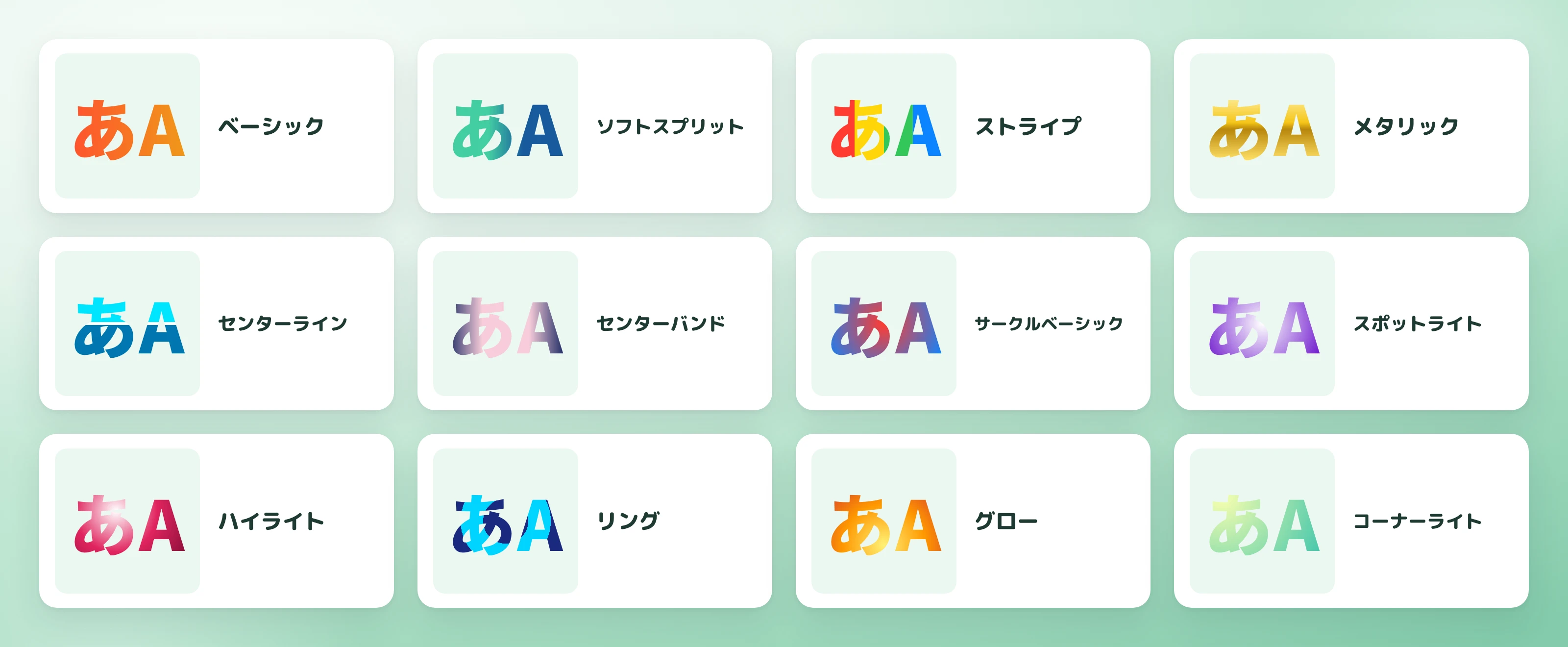
The built-in presets cover a wide range of gradient patterns, including Basic, Soft Split, Stripe, Metallic, Center Line, Center Band, Circle Basic, Spotlight, Highlight, Ring, Glow and Corner Light. The Metallic preset applies Gold, Silver or Copper base colors with one click, reproducing a metal-like finish on text. A sale announcement caption in Metallic gold reads as premium, while a corporate video title in the Center Line gradient looks refined, so the presets can be matched to the tone of each video.
The number of colors in a gradient can be added to or reduced freely, and for linear gradients the angle can be adjusted with a slider anywhere from 0 to 359 degrees, so the color transition follows the flow of the text.
Five light and shadow effects, including Drop shadow and Neon
Alongside Outline Text and Hollow, the text decoration effects now include five light and shadow options: Drop shadow, Glow, Neon, Echo and Glitch.
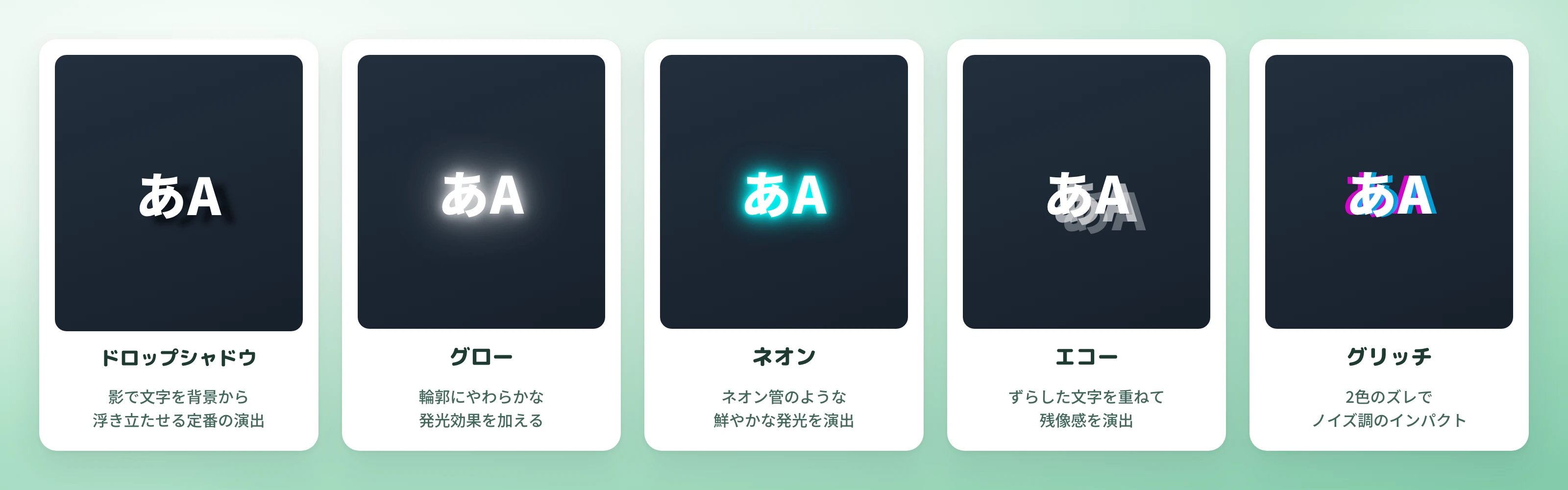
Drop shadow offers fine control over shadow color, opacity, distance, angle and blur, covering the standard treatment that lifts text off the background and improves legibility. Glow and Neon add a luminous outline to the characters, and adjusting color, thickness and blur produces anything from a playful to a cool impression. Echo layers offset copies of the characters, and Glitch creates a noise-like misalignment in two colors; both work as decoration that raises the impact of a video. Neon on a product video headline evokes nighttime entertainment, and Glitch on a key caption in a trend explainer suggests breaking news.
Each effect is chosen from a preset list that also includes No effect, after which parameters such as color, distance, angle and blur can be fine-tuned individually to match the tone of the video or the brand image.
Legible captions that keep viewers watching short-form video
On social media video, where muted playback is the norm, captions decorated with gradients and shadows are easier to read, so information lands while fewer viewers drop off. Adding striking text in the first few seconds helps keep people watching a short-form video, and caption designs that match a brand world can be produced in-house instead of being outsourced.
The same applies to video where the impression left by text decides how persuasive the content feels. A recruiting video can carry a gradient in the company colors to strengthen its message, a product video can make the product name stand out with a shadow or glow, and an explainer video can lift its key captions off the background with a drop shadow. In each case, professional-quality treatment is a matter of selecting a preset, with no design knowledge required.
Contact usWhat comes next
The addition of gradient and shadow is one part of the ongoing work on text expression and video editing in NoLang. Mavericks, Inc. will continue to update the video editing features as a whole, with the aim of building a product where anyone, including users without specialist design skills, can easily create expressive video.
Footnotes
-
Hikaku Biz and Funusual joint survey, Survey on the use of video marketing and its return on investment (in Japanese). 62.8% of companies produce video partly in-house and partly through outside vendors; 53.6% of those who find the return hard to see (n=28) and 40.5% of the full sample (n=148) cited a lack of in-house expertise as an issue. Production costs: 110,000-300,000 yen 33.1%, 310,000-500,000 yen 31.1%. ↩ ↩2

