
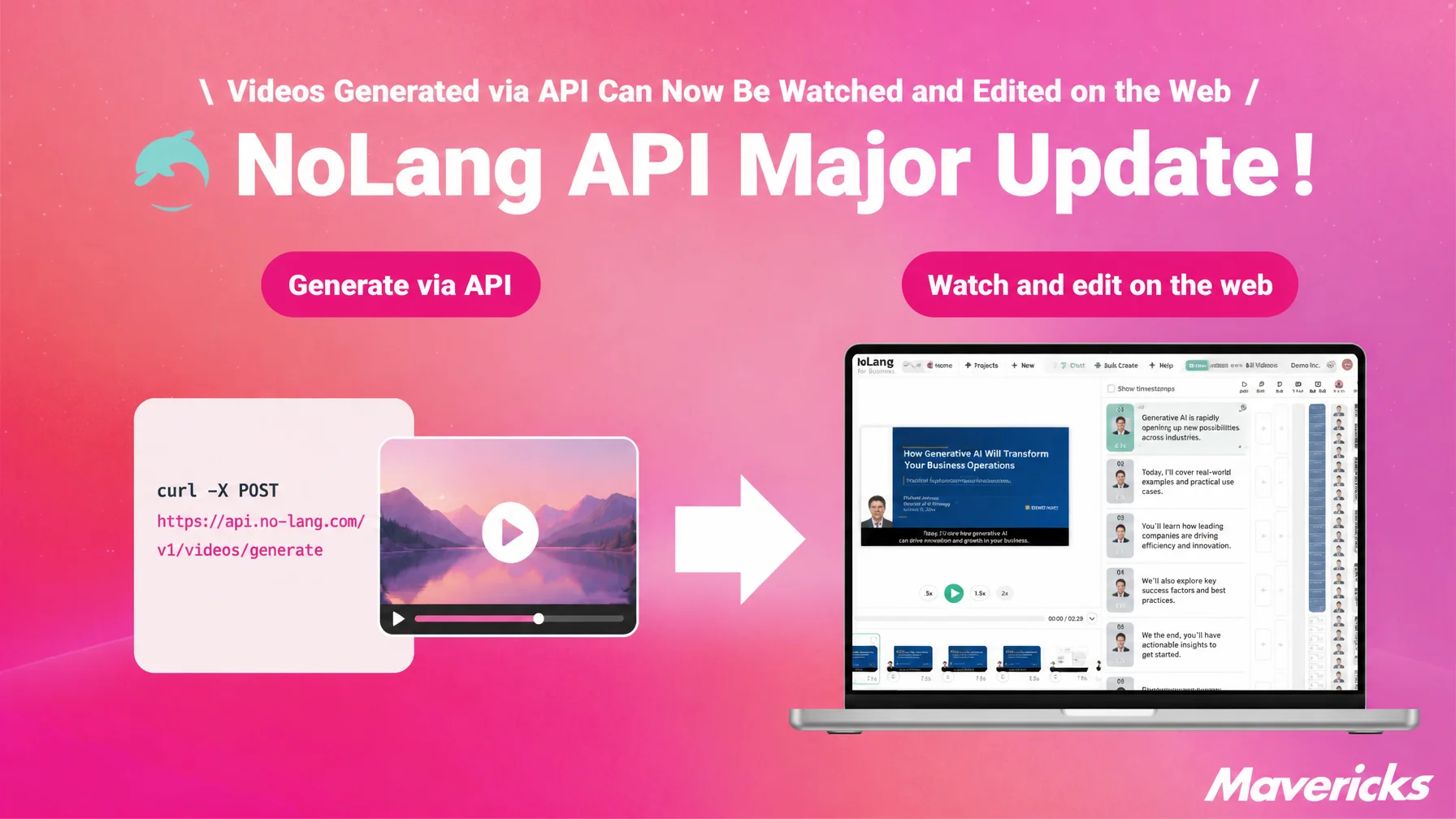
Mavericks, Inc., the company behind the AI video generation service NoLang, has updated NoLang so that videos generated through the API can be watched, edited, and downloaded in the web app. The “Watch & Download” button on the “Usage log” screen now opens the video page inside the app, and from there users can move on to the editor to fix captions or background music. No changes are needed to how the API is called or to existing integrations, so automated video generation and human finishing and review can run as a single workflow, cutting both the cost and the time of producing video.
The manual step that remains even when generation is automated by API
Corporate adoption of generative AI keeps expanding. According to the Ministry of Internal Affairs and Communications’ White Paper on Information and Communications in Japan 2025, 55.2% of companies in Japan use generative AI for work. In China the figure is 95.8%, in the United States 90.6%, and in Germany 90.3% — all major countries are above 90%, which leaves Japan considerable room to grow1. The same white paper found that the most common barrier to adoption was “not knowing how to use it effectively.” The question is no longer whether to try AI as a one-off tool, but how to build it into business processes. That is the stage corporate AI adoption has now reached.
The video market is growing as well. Research by Yano Research Institute puts the combined size of four main markets — video editing software, video distribution platforms, and related segments — at 598.5 billion yen in fiscal 2024 (103.7% of the previous year), with a forecast of 630 billion yen for fiscal 20252. Corporate video marketing and internal digital transformation are driving the increase.
The NoLang API sits where these two trends meet. It automates the time-consuming work of producing video by embedding that step into systems and workflows companies already run. Developers and SaaS providers have adopted it as a way to generate video from articles, documents, and audio inside their own services and internal systems, and to automate high-volume, standardized video production. Automated generation, however, leaves one manual step behind. A single caption needs rewording. Background music or structure needs adjusting for a particular project. Someone needs to check the result before it goes public. This update answers those needs: videos generated through the NoLang API can now be watched and edited in the web app.
The NoLang API generates video from text, PDFs, audio, and other in-house assets
The NoLang API exposes the NoLang video generation engine directly. It accepts four types of input: text questions or instructions, turned into explanatory or script-style videos; PDF documents, turned into presentation-style or summary videos; audio files, given subtitles and an avatar; and video files, whose audio is extracted and treated the same way. In every case a video with an avatar and AI voice is generated automatically in as little as a few tens of seconds, and can be built into an application or internal system with a few lines of API calls.
Generation settings such as avatar, voice, and subtitles can be reused by referencing video settings created in NoLang through a video settings ID, so there is no need to assemble detailed parameters with every request. A video of roughly 30 seconds to one minute costs from 100 yen to generate.
Learn more about the NoLang API (in Japanese)Videos generated via the API can now be watched, edited, and downloaded in the web app
With this update, videos generated through the NoLang API can be watched, edited, and downloaded in the NoLang web app exactly like any other video.
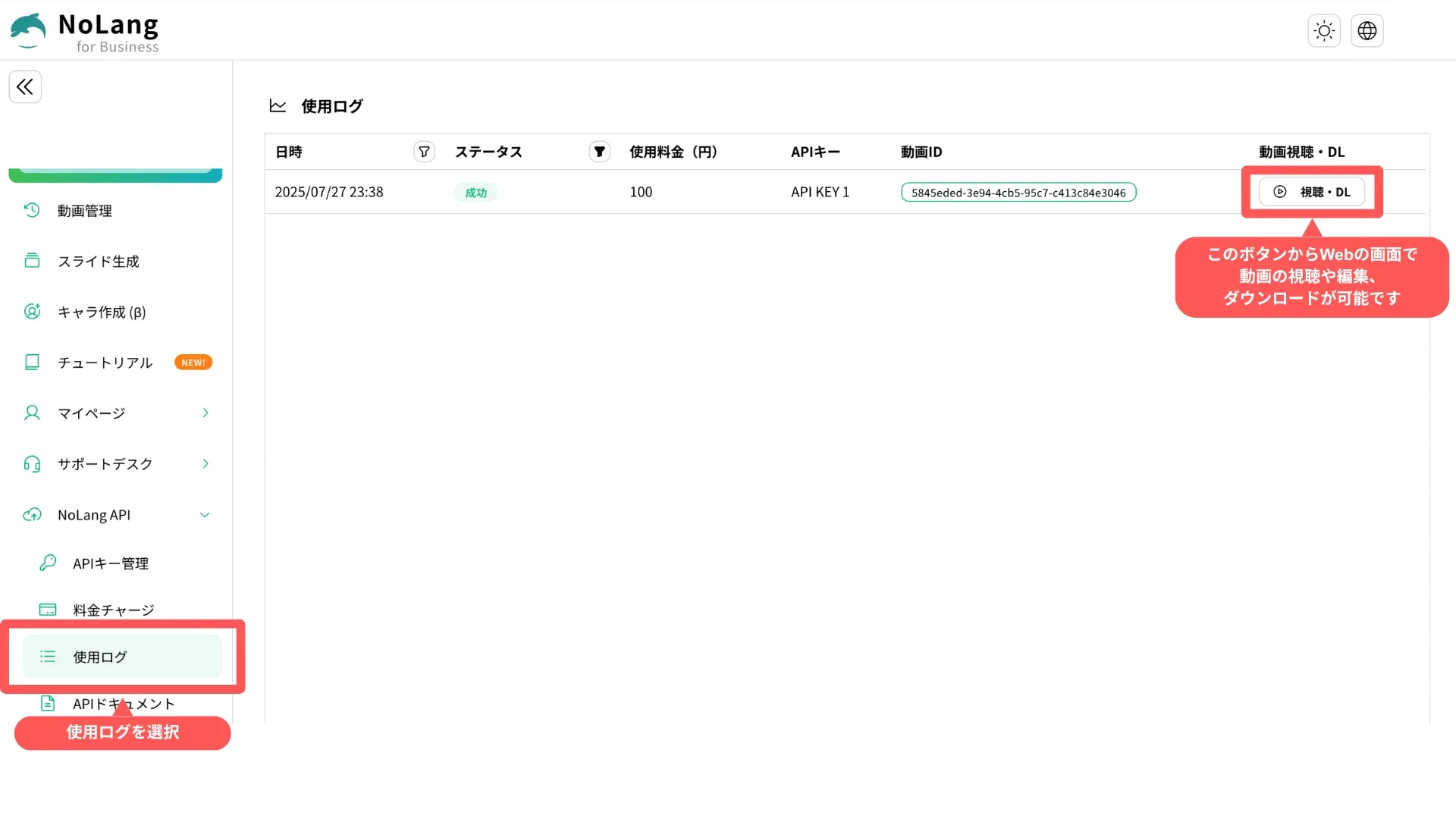
Two things have changed. First, the “Usage log” screen now opens the in-app video page. Second, from that page users can move on to the same editor used for other videos and make changes to the generated video. The specification of the video generation API and the way it is called are unchanged, so existing integrations work as they are.
Generation stays automated through the API, while finishing and review happen on NoLang’s screens. Engineers can concentrate on building and operating the API integration, and the operations staff can take over checking and adjusting the content of each video. The larger the separation between development and operations teams, the more that division of labor pays off.
Finishing generated videos on the web
The “Usage log” screen, found under “NoLang API” in the NoLang sidebar, lists the history of videos generated through the API by date and time, status, cost in yen, API key, and video ID. This update adds a “Watch & Download Videos” column to that list: clicking the “Watch & Download” button on any row opens the video page inside the NoLang app. The page supports both playback and download, so the old routine of noting the API download URL and opening it separately is no longer necessary. The path from generation log to finished video is now a single click.
Going one step further from the video page brings up the same editor used for other videos. Videos generated through the API have no restrictions on editing features, so the overall video can be generated automatically through the API while details such as caption wording, background music, and structure are finished in the editor. This division between automated generation and manual finishing now works entirely in the browser, from the video page through to editing.
Expected use cases
News and owned media that automatically generate explanatory or summary videos whenever an article is published in a CMS can now have the publishing staff check the generated video in the browser and adjust proper nouns, caption line breaks, or background music volume before distribution. Turning articles into videos stays automated through the API, while people handle the final check on brand expression and factual accuracy, so production speed and quality control can coexist.
The update also suits work that produces many videos on a daily or weekly cycle in a shared format: product introduction videos, guides for individual stores or locations, internal training videos, and explanatory videos for sales materials. The basic structure can be generated in bulk through the API, and only the parts that differ per project — product names, dates, disclaimers — finished in the editor. That keeps the effort per video low while still allowing adjustments for each use and distribution channel. It also avoids the cost and waiting time of regenerating a video, and consolidating review and revision on NoLang’s screens reduces the back-and-forth of revision instructions and file handoffs between staff.
Combining high-volume generation through the API with human review and finishing in the web app lets even a small team run continuous, large-scale video operations while maintaining consistent quality.
What comes next
Mavericks will continue to expand features that connect automated generation through the API with operations in the web app as a single workflow. The goal is to link generation, review, editing, and publishing more seamlessly, so that companies can run video production efficiently and continuously as part of everyday work.
Footnotes
-
Ministry of Internal Affairs and Communications, White Paper on Information and Communications in Japan 2025 (in Japanese) — the state of AI use at companies. Generative AI use for work: Japan 55.2%, China 95.8%, United States 90.6%, Germany 90.3% ↩
-
Yano Research Institute Ltd., Survey on the Video Content Business (2025) (in Japanese) — surveyed June to August 2025. Combined total of four main markets: video editing software, video distribution platforms, live streaming apps, and anime production ↩

