
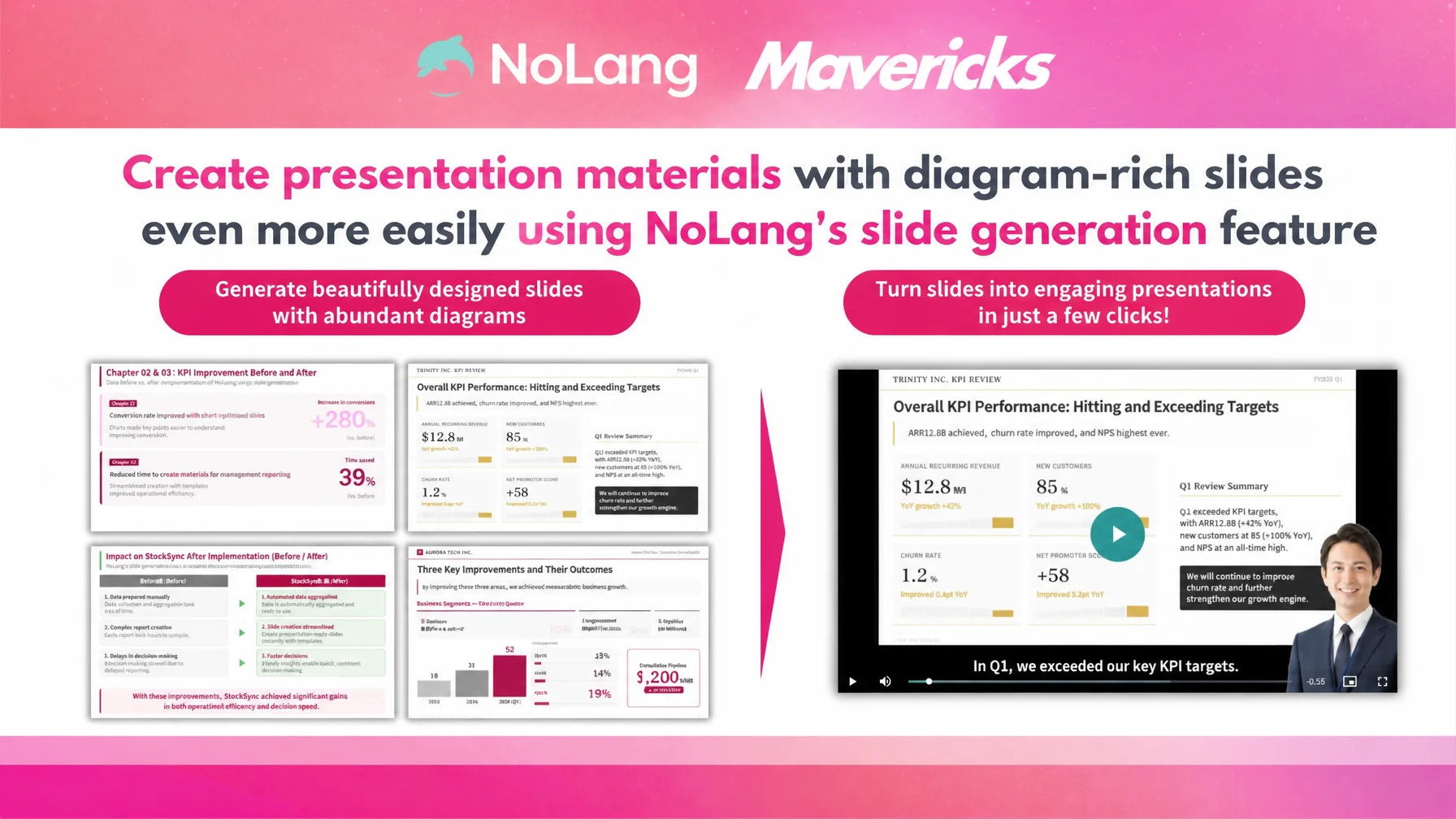
Mavericks, Inc., the Japanese company behind the AI video generation service NoLang, will begin offering a new capability in the NoLang slide generation feature: 16:9 horizontal slides that include a wealth of diagrams and infographics. Release is planned for the end of April 2026.
Until now, NoLang slide generation has focused on simple designs built for conveying information. With this update, AI can automatically produce full-fledged business slides with strong visual design that includes diagrams such as organization charts, flowcharts, timelines, and comparison tables. Users without design expertise can prepare materials for sales proposals, webinars, internal training, and many other business situations in a short time.
Business slides that get the message across, and the growing cost of making them
Proposals, sales materials, internal presentations, training decks, and webinar slides are important communication assets: they influence the quality of decisions, win rates, and how well a message spreads inside a company. Among slide formats, the horizontal 16:9 ratio is the default slide size in major presentation tools such as PowerPoint and Google Slides, and it is also the most standard format for screen sharing in online meetings on Zoom, Google Meet, and Teams, as well as for YouTube and webinar delivery1.
At the same time, the hours business people spend on preparing materials keep growing. A survey of 400 sales professionals found that the task sales staff spend the most time on is “creating materials,” cited by 30.5% of respondents, at 619 hours per person per year — equivalent to roughly 1.67 million yen in labor cost2. Planning documents, proposals, internal presentations, and training decks take a long time to build, and they carry structural problems as well: diagrams and slide design eat up hours, and even when the information is organized, the way to present it is hard to settle. This is a heavy load for sales and planning teams.
A lack of resources is also a serious issue for corporate content production in general. In a survey of 2,134 people in charge of corporate social media marketing, about half named “a shortage of internal resources” as their biggest challenge3. Whether the output is a business document or a social post, the shortage of people with specialist design skills holds back corporate communication as a whole.
Outsourcing slide production to external designers or partners costs 3,000 to 15,000 yen per slide, and a substantial deck runs from tens of thousands to several hundred thousand yen, so cost and lead time become bottlenecks for urgent projects and for frequent internal use4. As a result, producing clear, diagram-rich materials at the pace the business actually needs is a significant burden for many companies.
NoLang slide generation now covers 16:9 slides rich in diagrams and design
To address these issues, the slide generation feature of the AI video generation service NoLang will newly support 16:9 horizontal slides that contain plenty of diagrams and design elements. Release is planned for the end of April 2026.
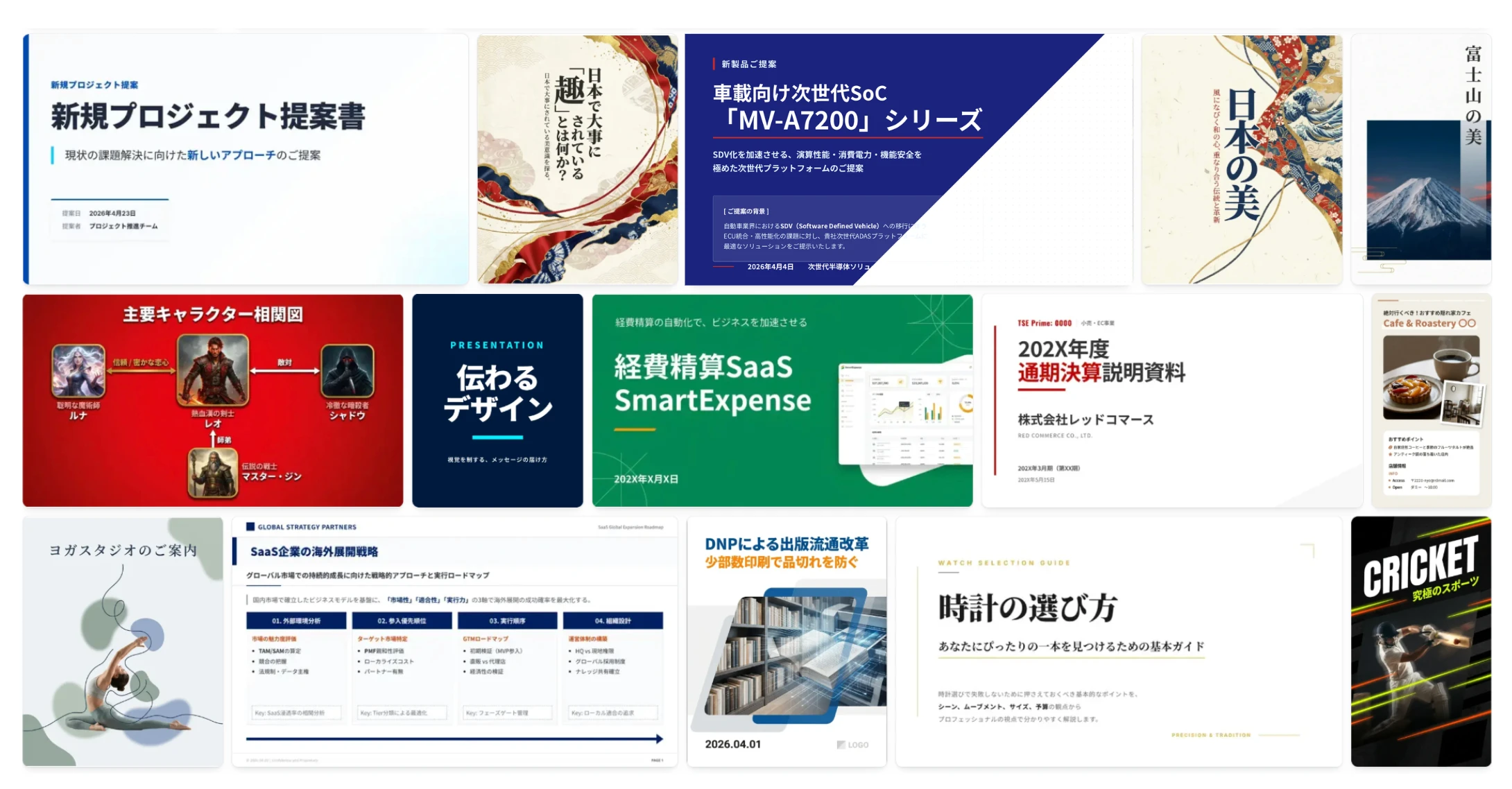
Previous NoLang slide generation centered on simple designs built for conveying information. With this update, NoLang can generate visually persuasive slides that make heavy use of diagram elements — organization charts, flowcharts, timelines, comparison tables, pyramid diagrams, Venn diagrams, roadmaps, SWOT analyses — along with icons, infographics, and decorative design. That covers a wide range of business scenes, from structured consulting-style diagram slides to SaaS product feature introductions, recruiting pitches, and explanatory decks for internal training.
Starting from text, a PDF document, or a URL, users can give design instructions such as “for a consulting proposal, a calm tone with a diagram-centered structure,” “for a SaaS product demo, a modern and playful design,” or “for internal training, a friendly hand-drawn look.” They can also specify content and structure, for example “as a case study, use a three-part layout of problem, action, and result” or “express a four-quadrant competitive matrix on a single page.”
NoLang slide generation is also optimized for Japanese-language content. It is tuned for the legibility and line spacing of Japanese fonts and for layout and color patterns that fit Japanese business culture, so it offers design variations for the Japanese market that AI slide tools built overseas cannot fully reproduce. The result reads naturally to Japanese audiences and fits domestic business customs and internal culture as it is.
In addition, a finished 16:9 deck can be exported as a webinar video or a sales explainer video through the NoLang video generation feature. Clicking the “Video Generation” button on the slide screen passes the completed slides to the video generation screen as the input document for the mode that has NoLang explain a document, and produces a 16:9 video with AI narration, subtitles, and an avatar. One set of material becomes both a deck for meetings and on-demand video content.
Three editing modes to finish 16:9 diagram slides
Generated slides can be adjusted with three editing features: Text Editing, AI Editing, and Insert Page. In Text Editing, users click a text element on the slide and manually replace any text, such as a title, body copy, or key message. Small changes like fixing a typo or updating a figure are reflected immediately in the browser.
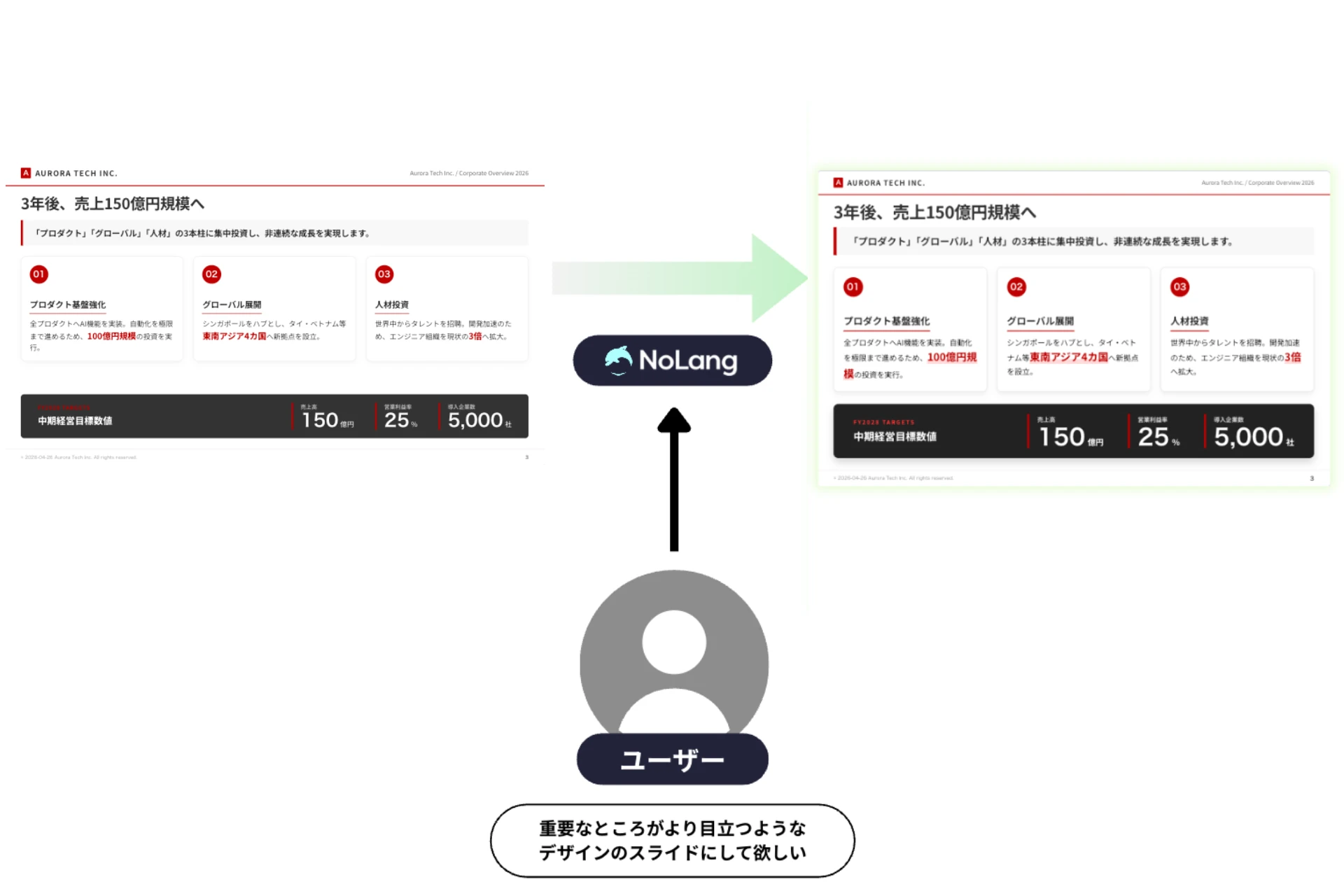
In AI Editing, users enter an instruction in plain language — “change the color of the word NoLang to green,” “the triangle in the upper left is unnecessary, remove it,” or “make the slide simpler: cut the volume to 80% and enlarge the font” — and AI rewrites the design and wording of that page. Details can be adjusted while the 16:9 layout is preserved.
Insert Page has AI add a new page before or after an existing one, in line with the surrounding context. An instruction such as “create a summary slide covering the key points of the PDF” or “create a slide that explains the previous page in more detail” is enough to insert a page that keeps the tone of the deck.
Key use cases, from sales proposals and webinars to internal training and IR
Support for 16:9 slides rich in diagrams and design opens up a wide range of uses. Because NoLang can pass a finished 16:9 deck to the video generation screen as the input document for the mode that explains a document, one set of material works both as a presentation deck for meetings and as an explainer video for on-demand viewing.

The first use is sales and proposal materials. Product and service features, case studies, comparison tables, pricing plans, and expected results can be turned into slides that communicate visually with diagrams and infographics. Persuasive proposals that used to be commissioned from designers or outside partners can now be made by sales representatives themselves whenever they are needed, raising both the speed of deals and the quality of proposals.

The second is webinar and seminar materials. NoLang assembles slides automatically from text or PDF input, so existing blog posts, white papers, and industry reports can become well-designed slides for a webinar in a short time. The finished deck can then be turned into a video and reused as on-demand content, for archive delivery after a webinar recording or for lead nurturing.

The third is internal training, manuals, and materials for company-wide sharing. HR training, compliance training, product study sessions, and internal KPI review meetings all require materials issued repeatedly to employees, and these can be produced in volume in a clear, diagram-based form. Adding AI narration and subtitles turns them into videos that serve as asynchronous learning content for employees who could not attend a live session, which considerably reduces the load on training teams.

The fourth is IR, company introductions, and recruiting materials. Earnings summaries, highlights of a mid-term management plan, company profiles, and recruiting pitches conventionally use diagrams to show business structure and performance trends clearly. With NoLang diagram slide generation, materials that guide the reader’s understanding rather than list data can be generated directly from a company’s own information assets, supporting continuous, professional communication with investors and candidates.
Looking ahead
Mavericks, Inc. will continue to provide, through the AI video generation service NoLang, an environment in which the people responsible for communication can take existing information assets such as text and PDFs and expand them into a variety of formats themselves, helping to remove bottlenecks in corporate content production and communication.
Footnotes
-
Microsoft, “Change the size of your PowerPoint slides”; Google, “Change slide size & measurement units in Google Slides” (16:9 is the default slide size in both PowerPoint and Google Slides) ↩
-
Smart Slide Inc., “Creating materials is the task sales professionals spend the most time on: 2021 survey on the realities of sales work” (in Japanese) ↩
-
KnowledgeBox, “A thorough survey of corporate social media operations and results” (in Japanese; 2,134 corporate social media marketing staff, May 2025) ↩
-
CrowdSourcing Times, “2025: A guide to slide production rates and a comparison of outsourcing services” (in Japanese) ↩

