
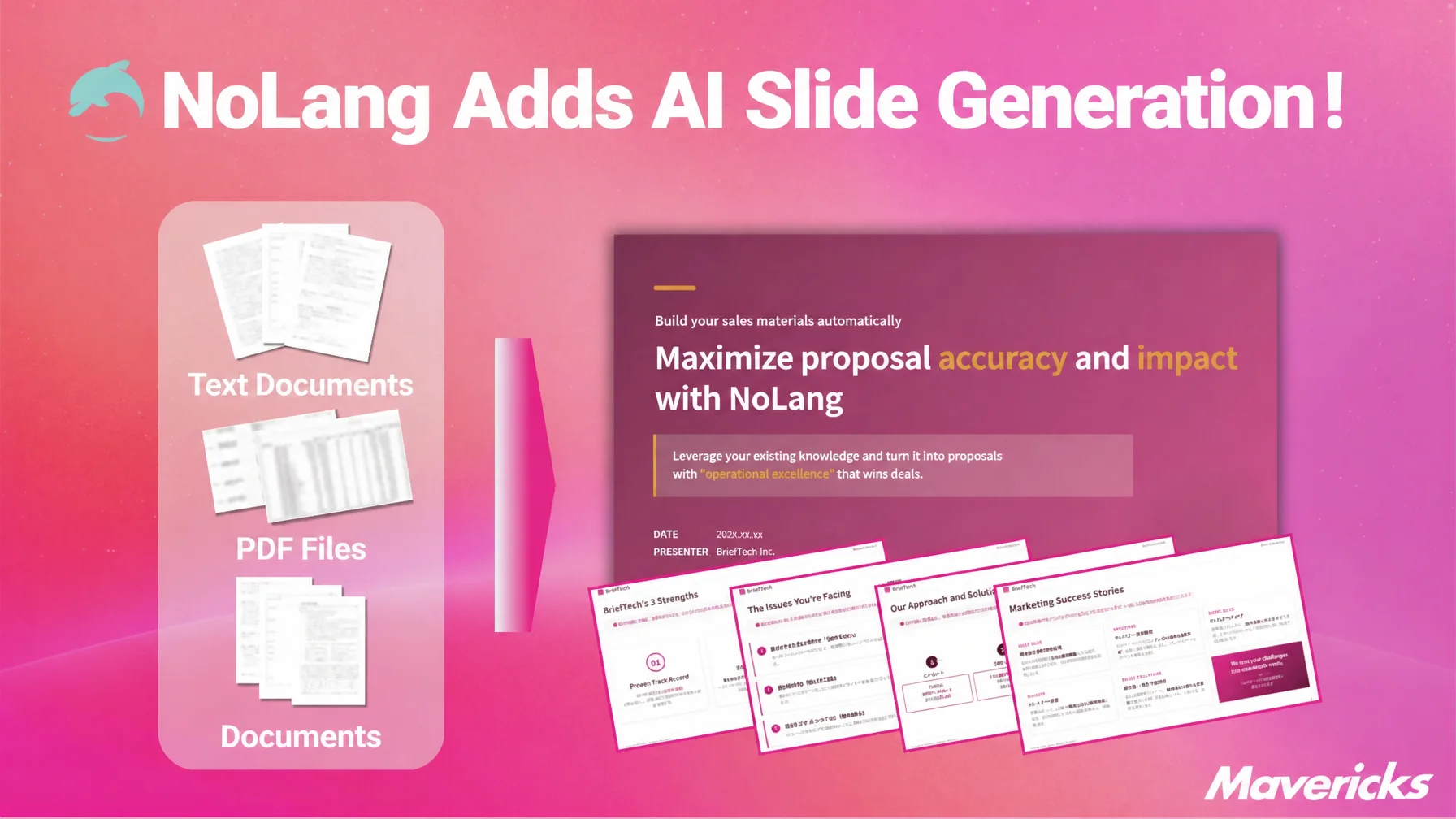
Mavericks, Inc., the Japanese company behind the AI video generation service NoLang, has added a slide generation feature to NoLang. The feature lets AI build a slide deck automatically from an input: a long or complex text document, a data-heavy report, or a PDF such as a proposal or a business plan. Users can specify the number of pages and the design, ask the AI to edit the deck after it is generated, and export the result as a PDF or a PPTX file. Combined with the existing video generation in NoLang, the feature covers everything from writing slides to turning them into a video in one flow. No specialist design or video editing skills are required, so teams can cut the hours spent on producing business documents and prepare presentations more efficiently.
Try creating slides with NoLangAI builds slides from text or a PDF, and NoLang carries them through to video in one flow
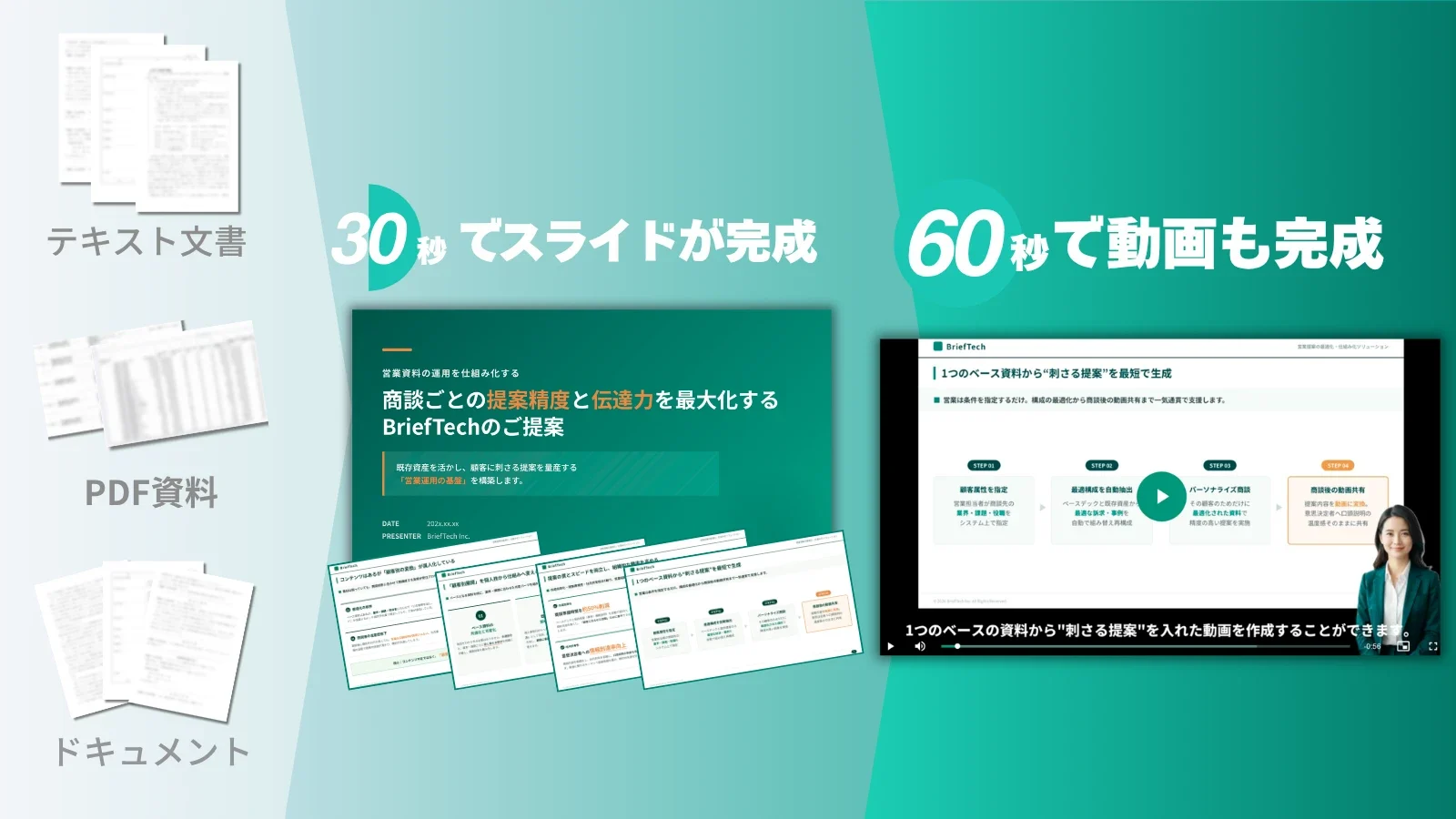
The new feature generates slides automatically once the user supplies text or a PDF. NoLang, used by many companies and individuals as an AI video generation service, now extends its scope to producing slide decks and becomes a platform that supports business communication through both video and slides.
Producing a slide deck has traditionally taken considerable time and effort, from working out the structure to adjusting the design. Slide generation in NoLang answers that problem with a simple proposition: anyone can produce a high-quality deck straight away.
The feature is also effective in combination with video generation in NoLang. Users can build the structure of a presentation with slide generation and then turn that same content into a video with video generation, producing both the deck and the video efficiently. Covering the path from document creation to video distribution in a single flow is a strength specific to NoLang.
Two ways to create slides: enter text or upload a PDF
Slide generation in NoLang accepts two input methods: entering text and uploading a PDF.
With text input, users type in what they want to convey and the AI assembles the structure of the deck automatically, producing slides that organize the material visually. The feature accepts up to 10,000 characters of text, which covers a wide range of uses such as drafting a proposal or organizing the agenda for a meeting.
With a PDF upload, users simply upload an existing report, review, or proposal as a PDF, and the AI reads the content and rebuilds it as slides. Because material already at hand can be used as it is, there is no need to write a new draft, and a presentation can be prepared in a short time.
Try creating slides with NoLangDesign and layout can be specified, combining AI generation with the user’s intent
Slide generation in NoLang pairs the convenience of automatic generation with enough flexibility to reflect what the user has in mind.
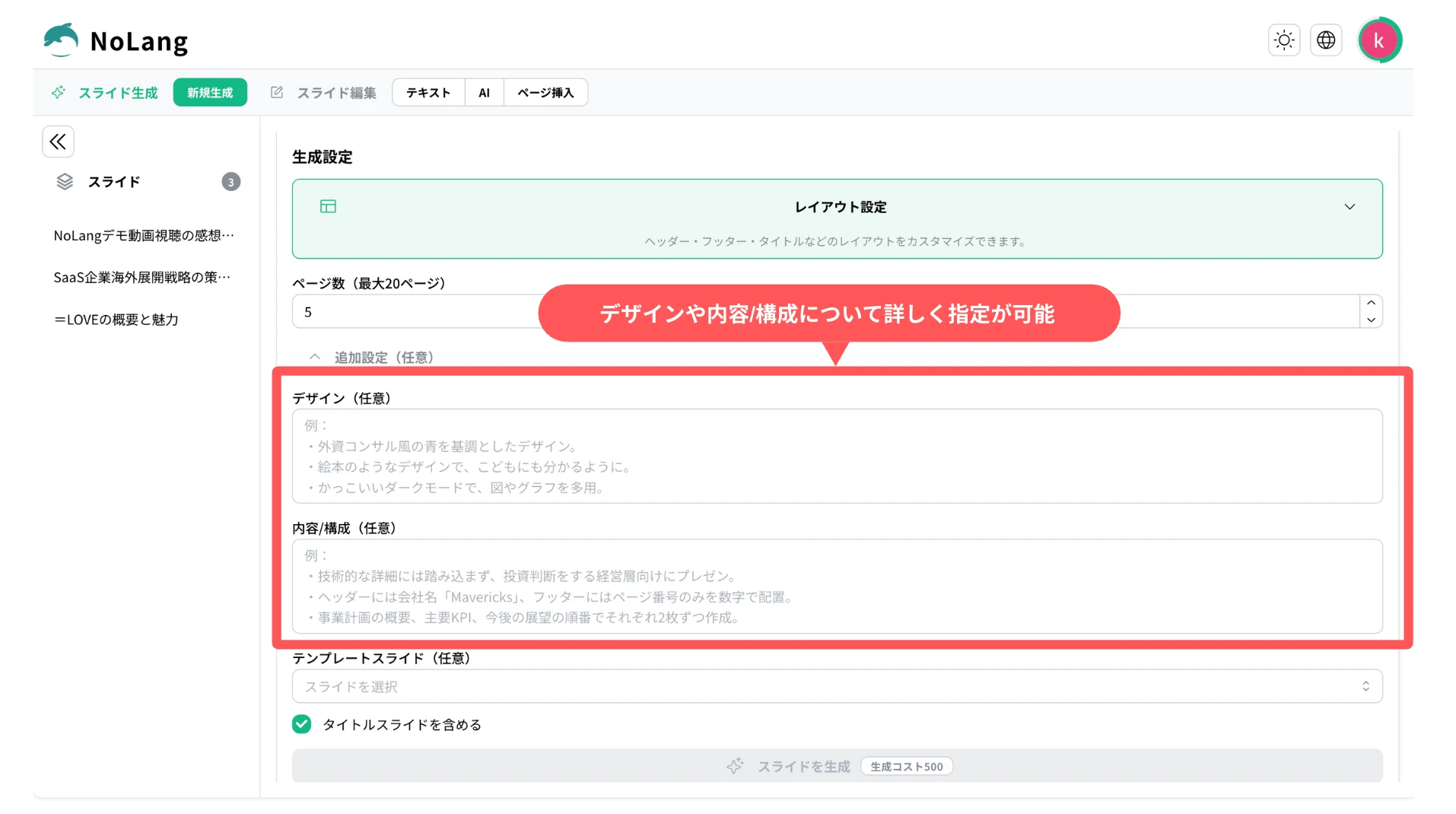
First, users can set the number of pages anywhere from 1 to 20. They can then use the content and structure field to describe in text what the deck should include and which points to emphasize. The design field takes the visual style and tone in natural language, so requests such as “make it simple and modern” or “base it on our corporate blue” can be expressed directly.
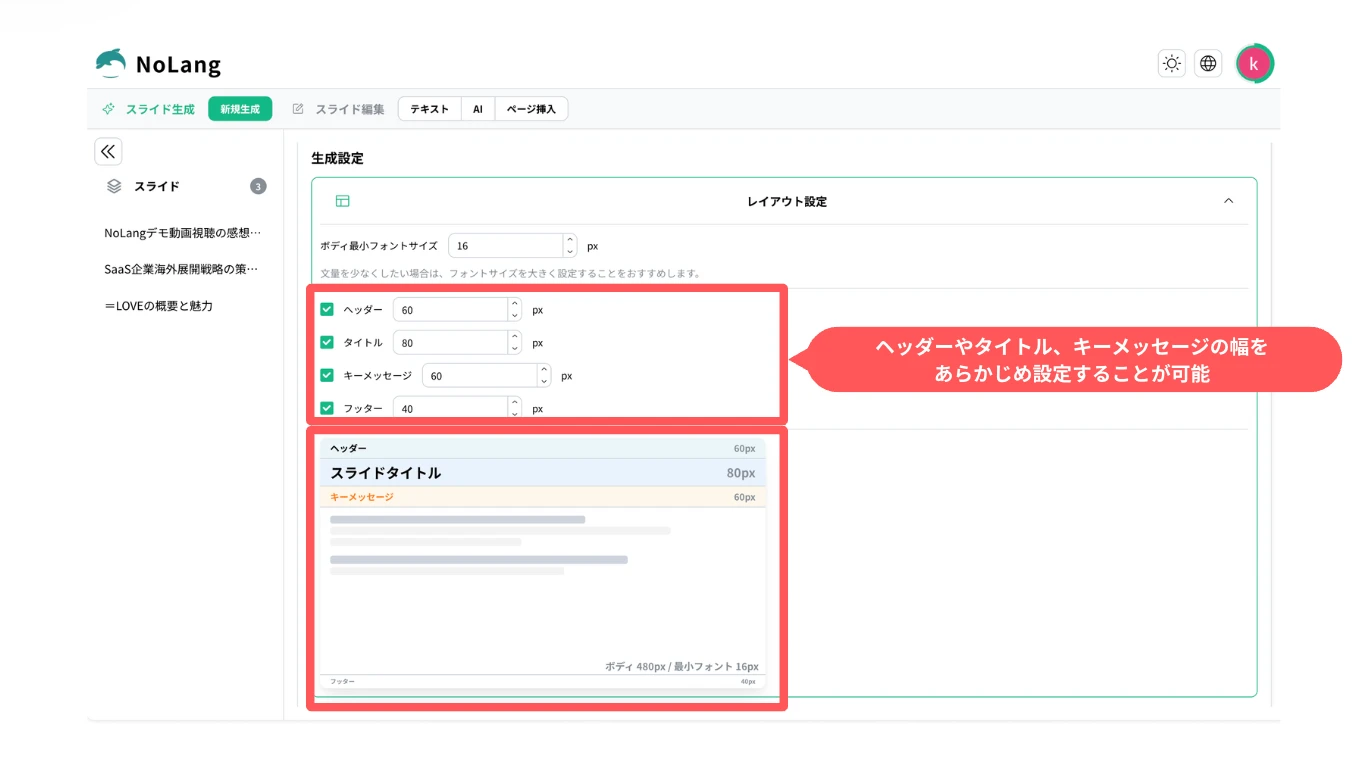
Detailed layout settings are available as well: the heights of the header, footer, title and key message can be adjusted, and the minimum body font size can be specified. Users can also choose whether to include a title slide, which makes it possible to shape the deck around the situation it is used in. These settings ensure that the deck is not left entirely to the AI but can be finished the way the user intended.
Editing continues after generation, with AI helping to finish the deck
Slide generation in NoLang does not stop once the deck exists. The AI also supports the work of polishing it afterward.
Users can give editing instructions in natural language for individual pages of a generated deck. Entering a request such as “make this page simpler” or “add a chart so it is easier to follow visually” is enough for the AI to revise the content and the layout automatically. The feature also inserts new pages with AI, generating a page that follows the context and flow of the pages around it and raising the overall quality of the presentation.
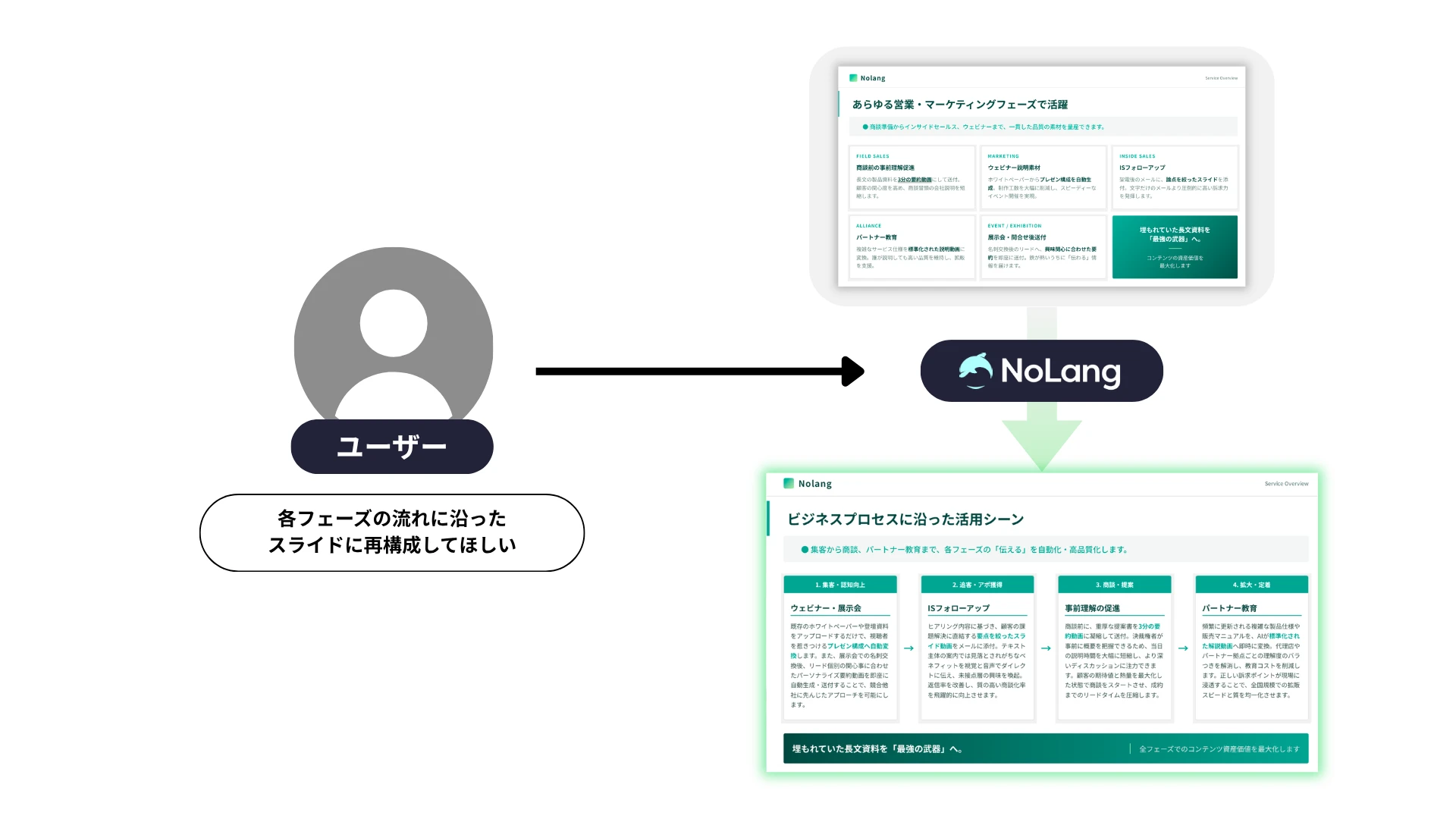
Manual text editing is supported as well, so users can start from the suggestions of the AI and then freely adjust the wording or add information. Working through this cycle in dialogue with the AI, a high-quality deck can be completed in a short time.
Finished slides can be exported as PDF and PPTX
Slides created in a tenant reserved for business customers can be published and shared within NoLang, which makes it easier to share knowledge among team members and reuse documents across the organization.
For export, high-quality output as a PDF is supported. Downloading a generated deck as a PDF makes it straightforward to use outside NoLang, whether for internal sharing, printing, or sending to a client. Across a team workflow, this streamlines the whole sequence from creating a deck to reviewing, sharing and distributing it, and contributes to the productivity of the organization as a whole. PPTX export is also available, limited to customers on the Business plan, so slides created in NoLang can be edited directly in external tools such as PowerPoint or Google Slides.
Try creating slides with NoLangWhat comes next
Mavericks will continue to improve the quality of slide generation and to strengthen its connection with video generation. Planned work includes optimizing the flow that generates a video automatically from the content of a deck, expanding the template library, and strengthening collaborative editing for teams, with continued development aimed at making the entire workflow from producing business documents to distributing information more efficient.

