
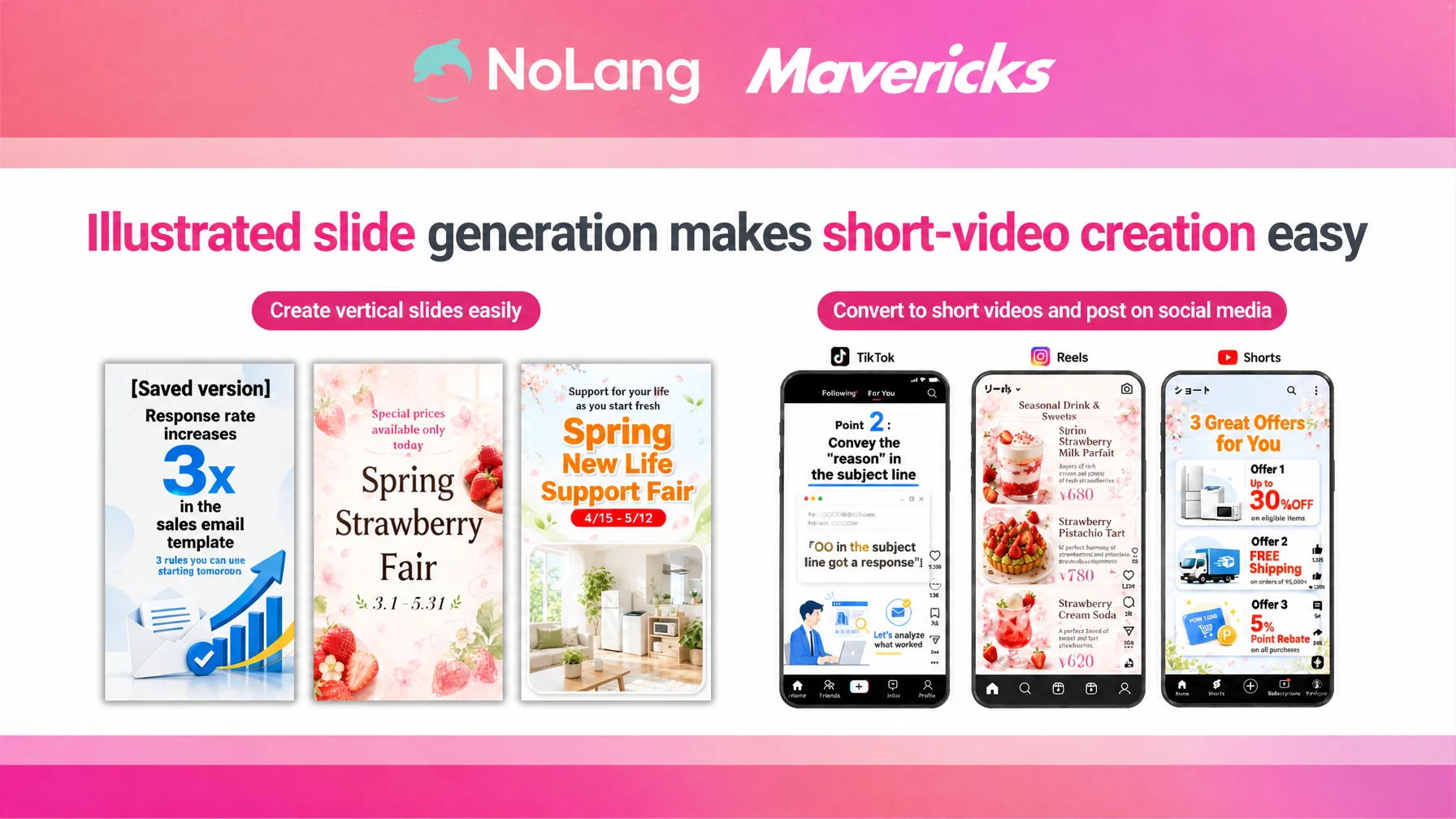
Mavericks, Inc. (head office: Bunkyo City, Tokyo; President and CEO: Shota Okuno), the Japanese company behind the AI video generation service NoLang, has released a new capability in NoLang’s Slide Generation feature that produces visually expressive slides built around illustrations, diagrams and infographics.
Until now, NoLang’s Slide Generation feature focused mainly on slides that organize and structure information. With this update, the AI can automatically produce design-led, visually persuasive full-screen mobile content packed with illustrations, infographics, decorative typography and graphic elements. Users with no design background can now create slides for TikTok, Instagram Reels, YouTube Shorts and a wide range of other vertical formats in a short time.
Contact us about NoLangVertical mobile content goes mainstream, while production workload makes volume hard to sustain
As information consumption shifts to smartphones, the 9:16 vertical format led by TikTok, Instagram Reels and YouTube Shorts has grown into a primary channel for corporate communication. A survey by Japan’s Ministry of Internal Affairs and Communications also shows that time spent online via mobile is expanding across all age groups1, and exposure to vertical content viewed full-screen on a phone increases year after year.
Vertical video has already spread into corporate practice. A survey conducted by PLAN-B Inc. in November 2025 found that 58.7% of companies had already run vertical video ads, and roughly 60% of them rated the format as more effective than other web advertising2. A separate survey by GLAPentertainment of 2,972 people in their 20s to 40s found that 65.7% of TikTok viewers and 61.1% of Instagram Reels viewers said a short video had sparked interest in a product or a place3. Short, vertical content read on a phone screen is no longer only an awareness medium; it drives attitude change and purchases.
At the same time, a lack of resources is a serious obstacle to corporate content production in general. In a survey of 2,134 people responsible for social media marketing at companies, about half named “a shortage of internal resources” as their biggest challenge4, and the scarcity of staff with specialist design skills holds back continuous publishing. Rankings, comparison tables and step-by-step explanations — the kind of vertical content meant to be read — cannot be produced by filming alone. They require design work including diagrams and infographics, which pushes the production workload higher still.
Outsourcing short video production to an external partner typically costs 50,000 to 300,000 yen per video5, so cost and lead time become bottlenecks for urgent projects and for frequent internal use. As a result, producing clear, diagram-rich vertical slides at the frequency the business needs remains a heavy burden for many companies.
NoLang’s Slide Generation feature now creates 9:16 slides with strong diagrams and design
To address these problems, the Slide Generation feature of the AI video generation service NoLang now supports vertical 9:16 slides that make full use of illustrations, infographics, decorative typography and graphic elements.
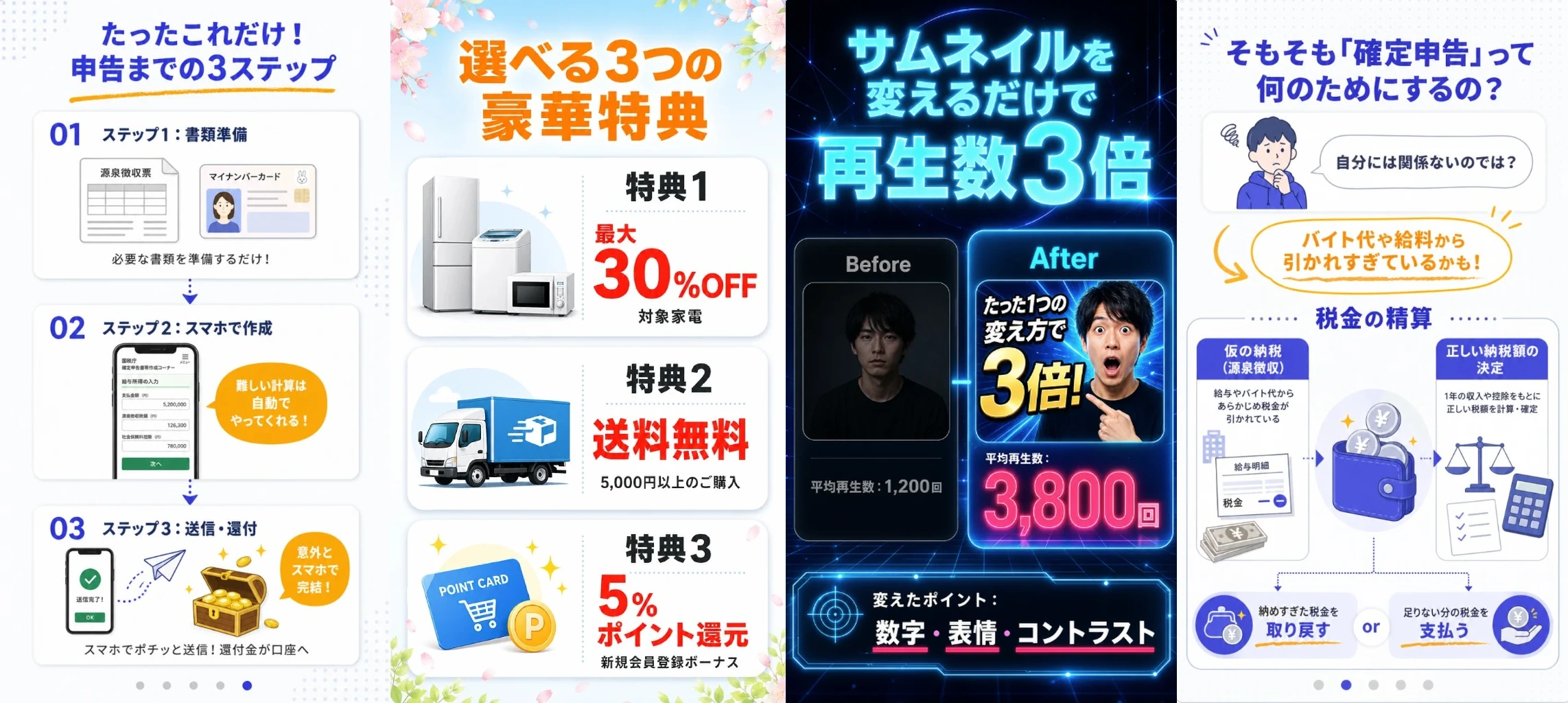
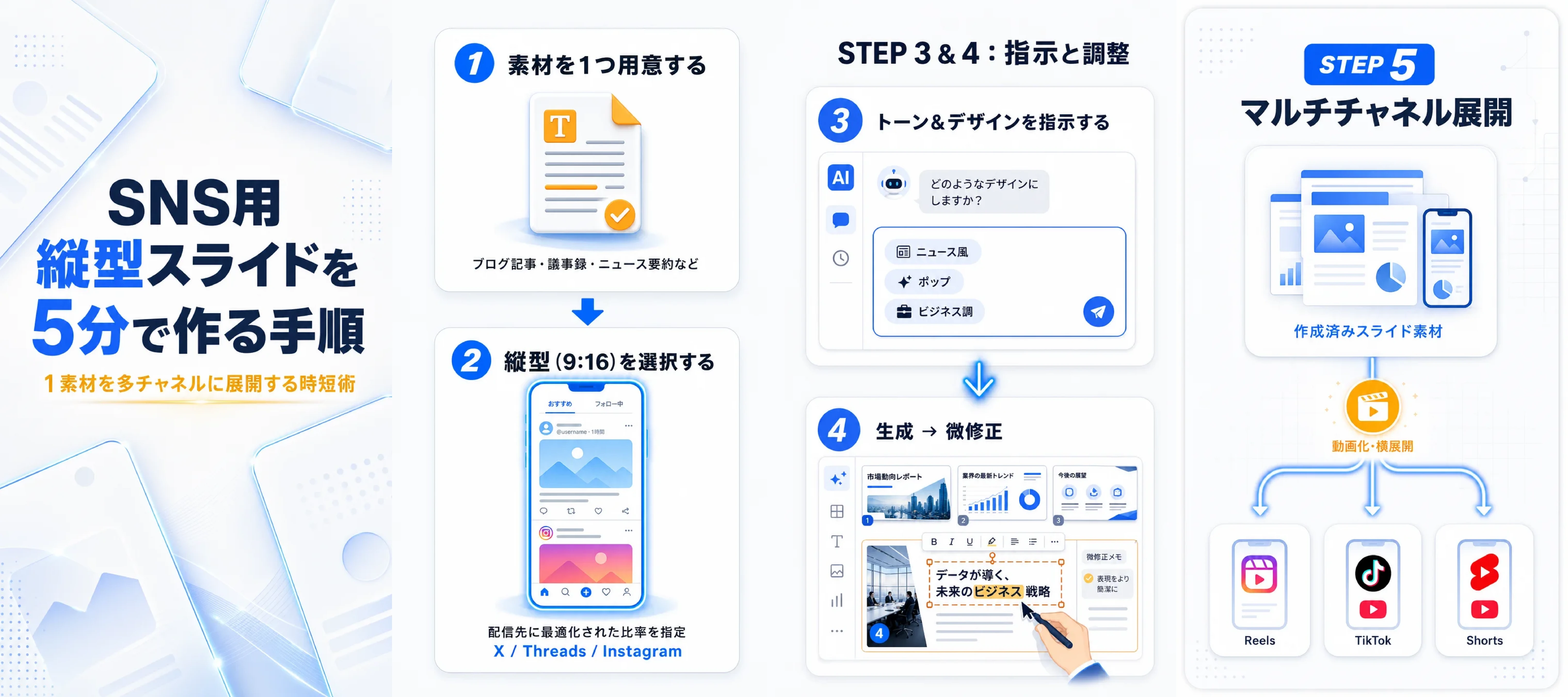
Starting from text you enter or from a PDF document or a URL, you can give design instructions such as “a bright, pop design that stands out in a social feed,” “a friendly, hand-drawn style for recruitment communications,” or “bold, highly legible typography for in-store digital signage.” You can also specify content and structure, for example “a social-first structure that states the conclusion on the first slide and explains the reasons from the second onward, assuming people swipe,” or “a top-five ranking with one item per slide.”
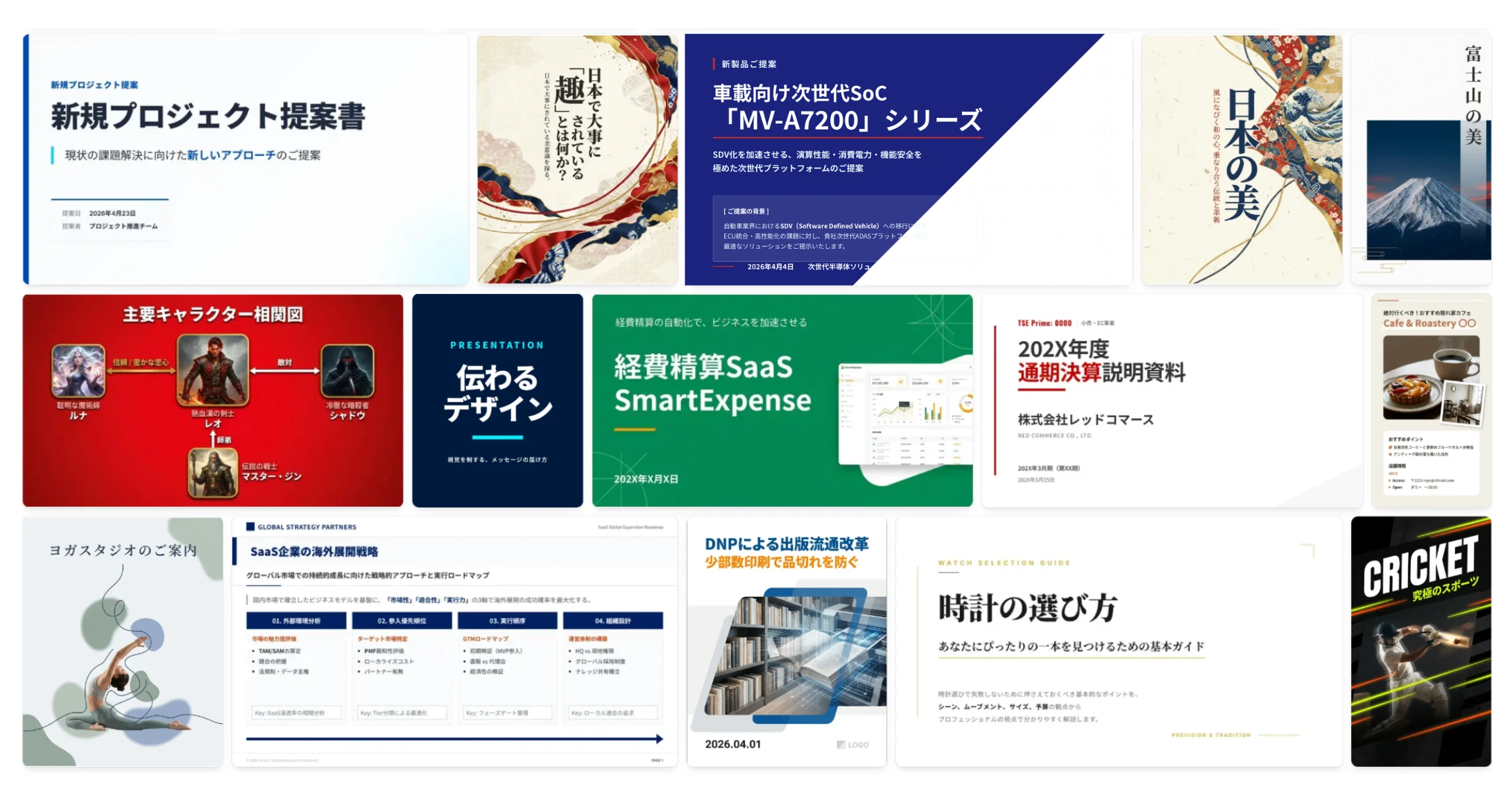
Another important characteristic is that NoLang’s Slide Generation feature is optimized for Japanese-language content. It is tuned for the legibility of Japanese fonts, line spacing, and layout and color patterns that fit Japanese social media culture, so it offers a range of designs for the Japanese market that non-Japanese AI slide tools cannot fully reproduce. The result reads naturally to a Japanese audience and fits directly into domestic social media and marketing.
Finished 9:16 vertical slides can also be exported as vertical short videos by connecting them to NoLang’s video generation feature. A single click on the “Video Generation” button on the slide screen passes the completed slides to the video generation screen as input for the document-explanation mode, where a 9:16 short video can be generated with AI narration, subtitles and an avatar. One vertical slide set can therefore produce both still images for a carousel post and a vertical short video at the same time.
Contact us about NoLangKey use cases: social short posts, carousels, digital signage and training
Support for 9:16 slides rich in diagrams and design opens up a wide range of uses. Because NoLang lets you pass a finished vertical slide set straight to the video generation screen as input for the document-explanation mode, one slide set works both as still images for a carousel and as a narrated vertical short video.
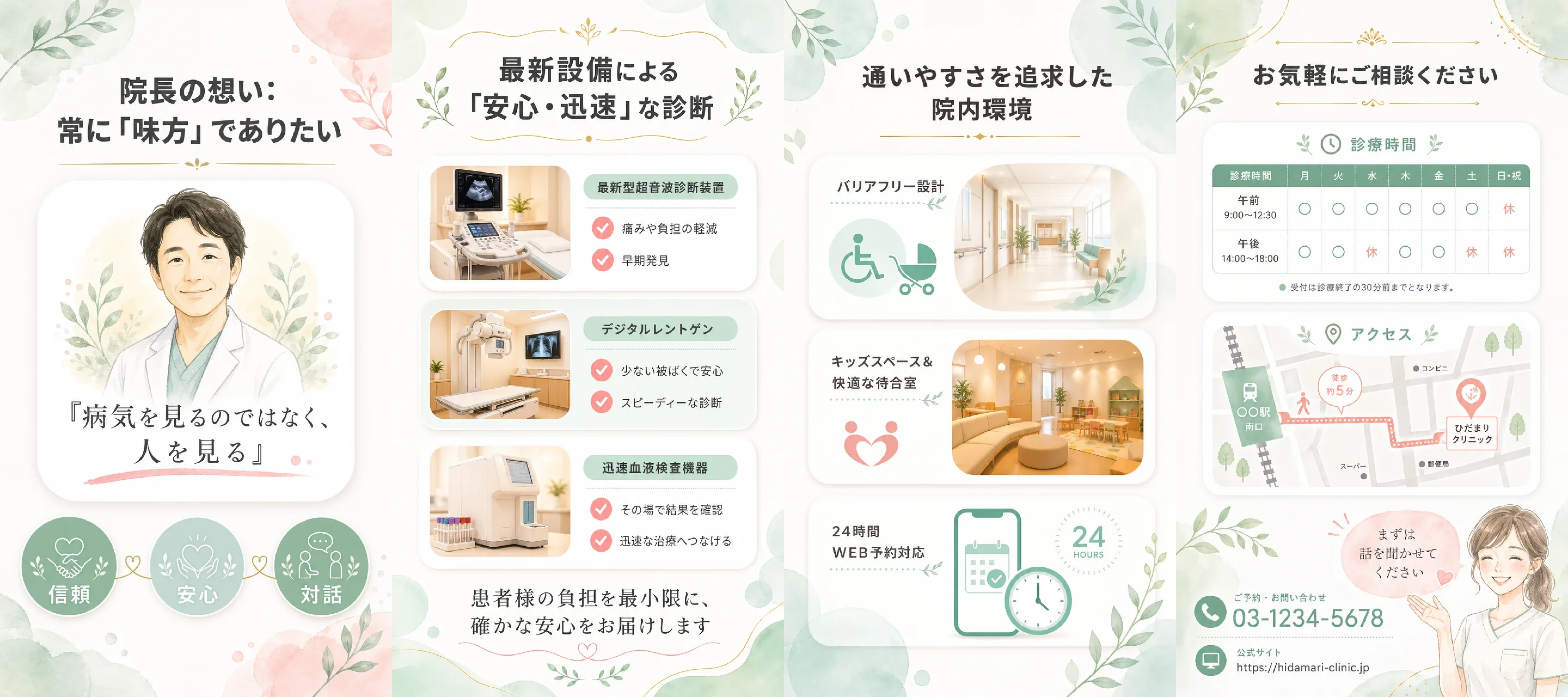
The first use is social short posts on TikTok, Instagram Reels and YouTube Shorts. Service introductions, know-how explainers, rankings and recruitment communications can be created as full-screen mobile slides with diagrams in a few minutes and posted to social media. Turned into video, they can be exported as short videos with AI narration, subtitles and an avatar, which helps improve viewer retention.
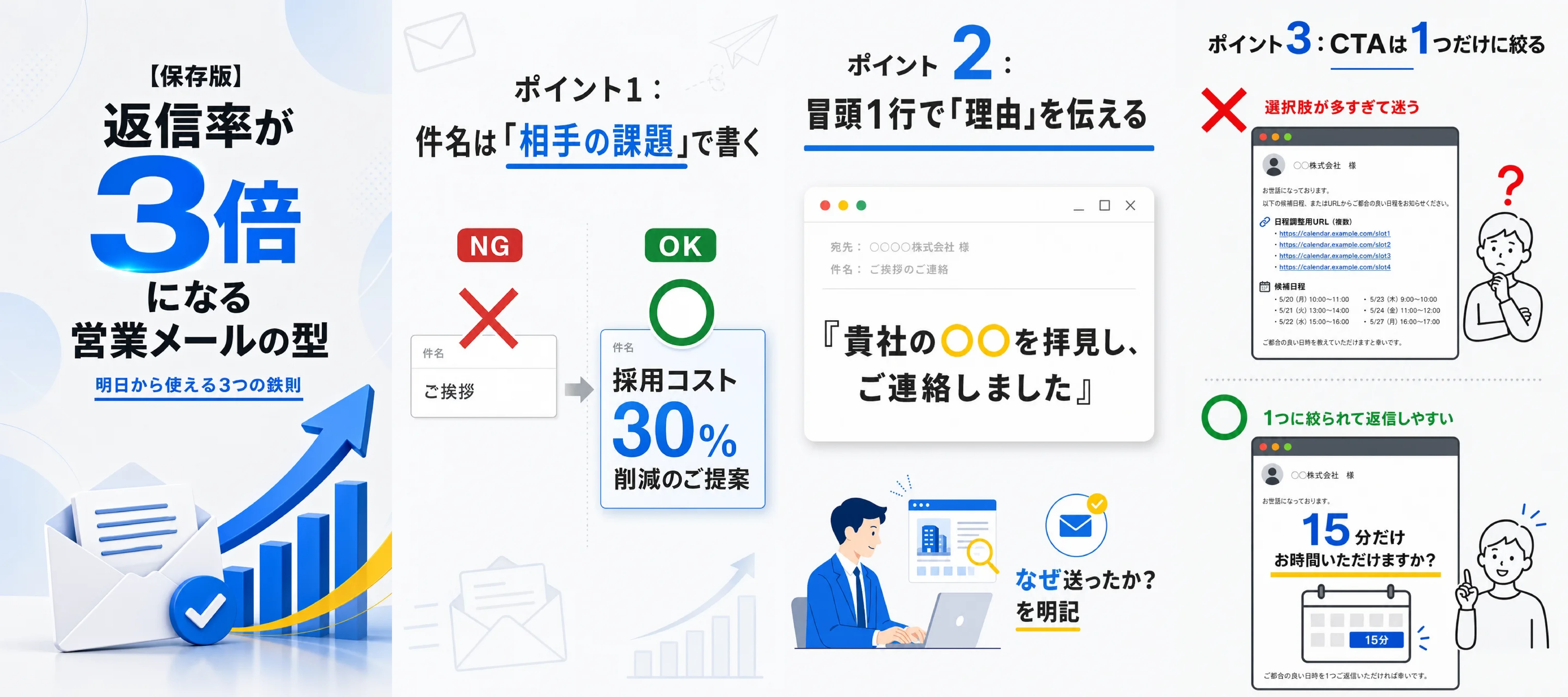
The second is image posts on X (formerly Twitter) and Threads. Article summaries, comparison tables and step-by-step explanations — content meant to be read — can be delivered as 9:16 images that occupy a large area of the timeline. Turning the same vertical slides into video lets you carry a well-received angle over to Reels or TikTok as a short video, so one asset serves several channels.

Third, the slides suit 9:16 vertical digital signage. Campaign announcements, menu introductions and company profiles can be shown as 9:16 slides on vertical displays and tablets in stations, commercial facilities, storefronts and office receptions. Turned into a narrated autoplay loop, they keep promoting actively at unstaffed receptions or late-night storefronts, which helps reduce lost opportunities.
The slides are also effective for internal education and manual distribution. Teams can produce vertical training content and work manuals viewed full-screen on a phone in volume, in a form people can read during a commute or a break. Adding video with AI narration and subtitles helps learners who struggle with long text follow along by ear, and lets them study with subtitles when sound is off.
Contact us about NoLangOutlook
Through the AI video generation service NoLang, Mavericks, Inc. will continue to provide an environment in which the people responsible for communication can take existing information assets such as text and PDFs and expand them into a variety of formats themselves, helping remove bottlenecks in corporate content production and communication.
Footnotes
-
Institute for Information and Communications Policy, Ministry of Internal Affairs and Communications, “Survey on time spent with information and communications media and information behavior” (fiscal 2023, in Japanese) ↩
-
PLAN-B Inc., “Survey on the use of vertical video advertising” (196 advertising professionals, surveyed November 21-26, 2025, online questionnaire, in Japanese) ↩
-
GLAPentertainment, “How vertical short videos are used and why” (2,972 people in their 20s to 40s, in Japanese) ↩
-
KnowledgeBox, “In-depth survey on corporate social media operations and results” (2,134 corporate social media marketers, May 2025, in Japanese) ↩
-
VideoWorks, “Market rates for outsourcing short video production” (in Japanese) ↩

