
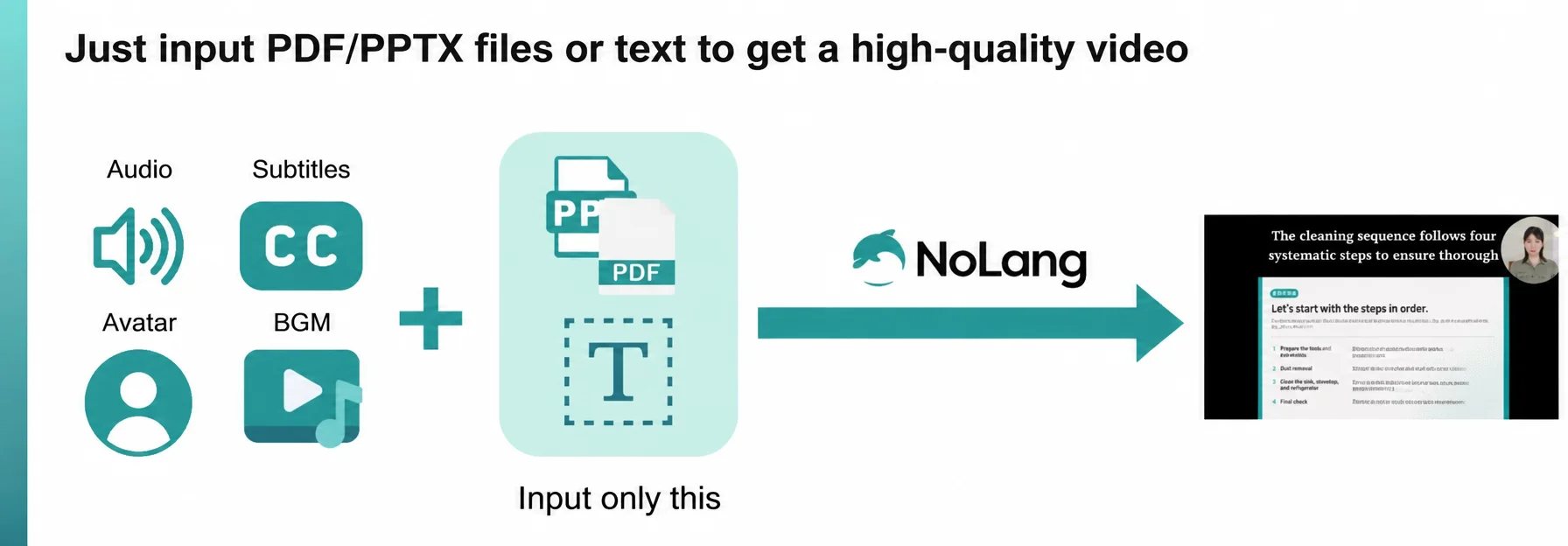
Mavericks, Inc., the company behind NoLang, one of Japan’s largest1 AI video generation services, has released a new feature that automatically translates and dubs Japanese manuals and training videos into all 18 supported languages with a single click. The feature targets the education and training problems that arise when a company expands abroad and has to reach employees who do not read Japanese. Companies can now generate a Japanese training video from existing material such as a PDF, localize it immediately, and roll it out to overseas sites. This cuts the cost and effort previously spent on outsourced translation and production, and updates to internal rules can be reflected in real time. The result is stronger governance, through compliance and standardized operations, together with consistent training quality across countries and languages.
Try NoLangCost and governance challenges in training employees at overseas branches and subsidiaries
For many Japanese companies expanding abroad, running education and training for local employees at overseas branches and subsidiaries is a major obstacle to head-office governance, security, and the standardization of back-office work. Because each site and country uses a different language, a manual or training video produced in Japanese for a domestic audience still has to be translated, dubbed, and subtitled for local employees, and each round costs money. Every time a rule or guideline is revised, replacing the version in each language takes considerable time and expense.
Outsourcing translation and production, or leaving it to the local site, also creates variation in training quality and carries the risk that the head office’s intent is not conveyed correctly. NoLang solves this: create the internal manual or training video once in Japanese, and one button turns that Japanese video into a multilingual version ready for every country and site.
See the Training Video Solution Read the Guide to Making Training VideosCreating multilingual training videos for non-Japanese-speaking employees from a Japanese original with NoLang
NoLang is the first AI video generation service in Japan (Mavericks research). It generates a video in as little as a few seconds from text, PDF documents, a website URL, or even image, audio, and video files. Since its release in July 2024, registered users have passed 150,000, and more than 60 companies have adopted it. As a generative AI product developed in Japan, it is one of the largest of its kind in the country (as of December 2025).
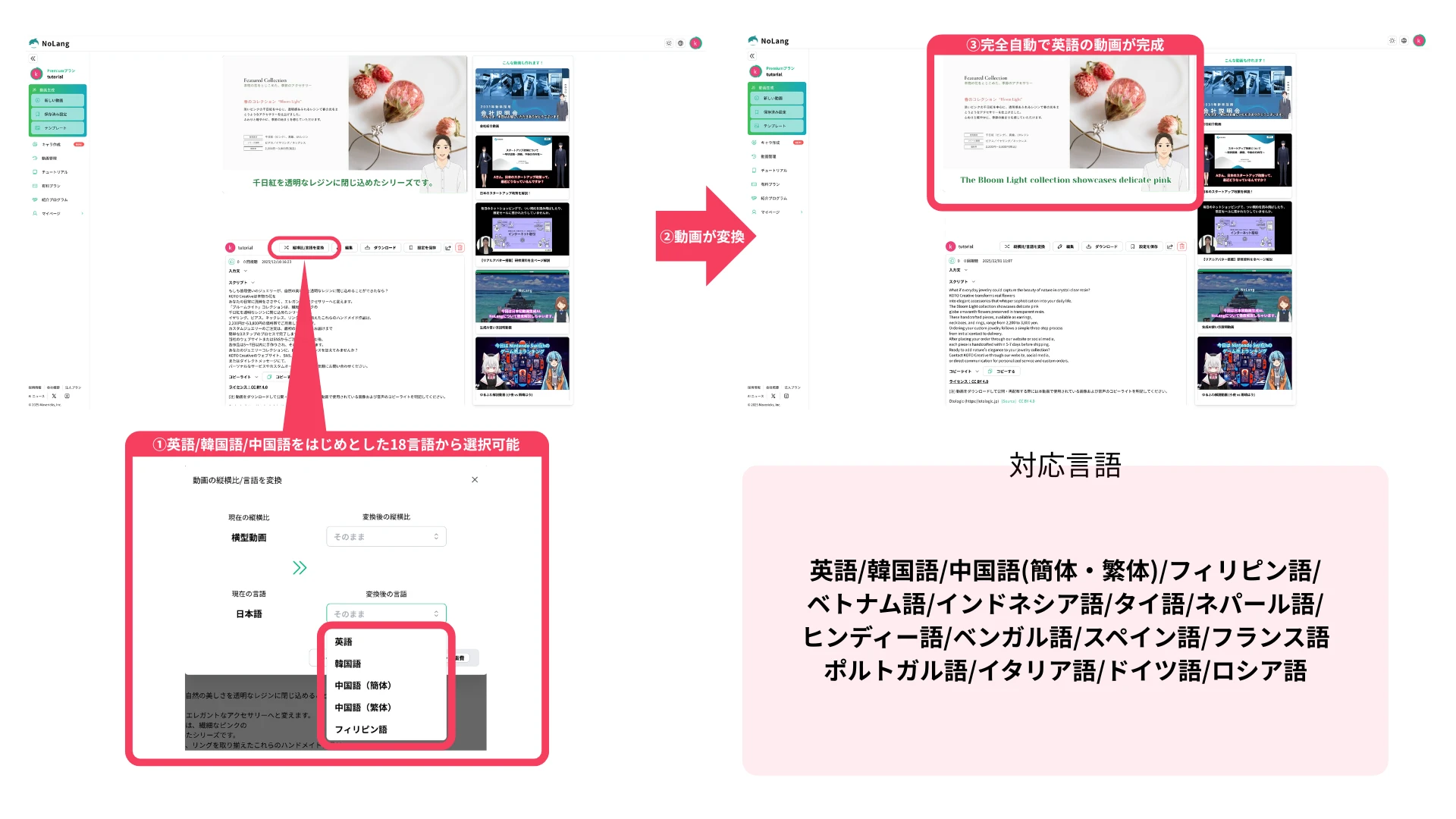
With NoLang, a Japanese training video can be generated from existing PowerPoint or PDF material in seconds. Running that Japanese video through the aspect ratio / language conversion feature converts it automatically into any of the 18 supported languages, including English, Chinese, and Spanish, so it can be distributed to overseas sites right away.
Three steps in total
- Open the viewing screen of the Japanese master video created in NoLang.
- Select the aspect ratio / language conversion button and choose the language you want (18 languages in total2).
- Press the generate button, and a video with narration and subtitles in the selected language is generated automatically.
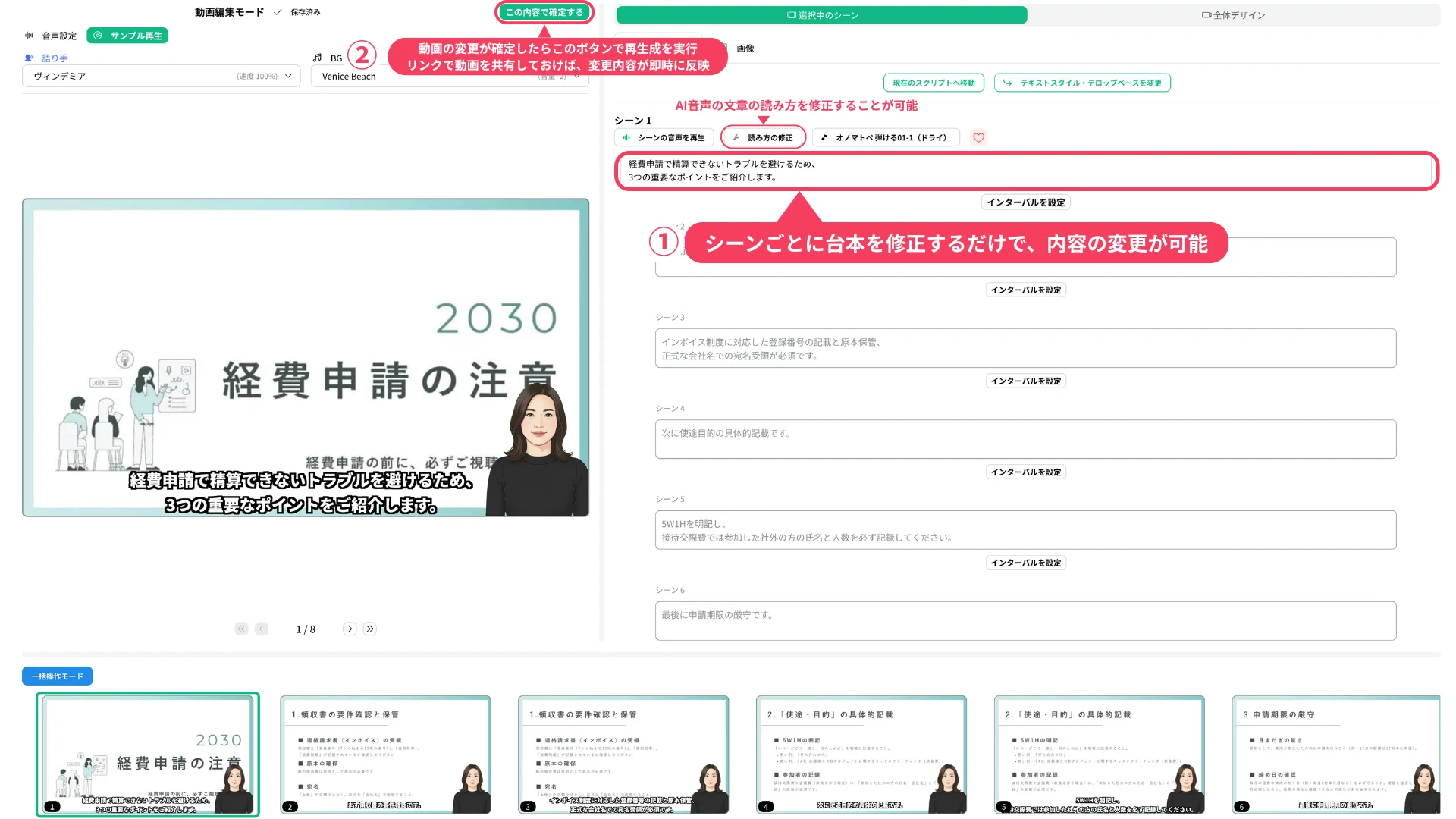
If the training content changes, the video can be updated simply by editing the text in the NoLang editing screen. When the video is shared through a link, pressing the “Confirm with this content” button to regenerate it applies the change to the shared link immediately. Employees always see the latest version without anyone having to download the file again, resend it by email, or replace it on the internal portal.
Example use cases
The solution helps balance cost savings and compliance, particularly in the following three categories.
① Company-wide mandatory training (code of conduct and compliance)
Areas such as the code of conduct, anti-corruption, harassment, and human rights policies need the most standardization at overseas sites, and the content must stay faithful to the head office’s intent. With NoLang, the latest AI translates a video created in Japanese into every language at once and generates the subtitles as well. Using the voice clone feature, an executive’s voice can be reproduced by AI so that the message is delivered in the local language in that person’s own voice, keeping the force of an important message and reaching local employees directly. From there, sharing the link is enough to deploy the video to overseas branches and subsidiaries. This prevents nuance from shifting in translation and aligns compliance awareness across the whole group.
② Information security and personal data (mandatory in every country and site)
Security topics such as ransomware countermeasures, business email compromise, and guidelines for using generative AI at work all demand immediacy. With NoLang, an alert video can be created in Japanese as soon as a new threat appears and distributed in multiple languages straight away. Production that used to cost tens of thousands to hundreds of thousands of yen per video when outsourced now costs tens of yen per video, so short videos of a few minutes, which employees can watch without difficulty, can be published frequently and on a regular schedule. That raises the security level across the whole company, overseas sites included, and keeps the risk of information leaks to a minimum.
③ Standardizing back-office work (accounting, financial closing, and accounting policy)
The feature is also effective for accounting and closing work at overseas subsidiaries, where quality varies most: IFRS compliance, account items, internal controls, and similar topics. Multilingual videos explaining procedures such as expense claims, attendance entry, and transaction approval requests help employees who do not speak Japanese carry out the work smoothly. Registering company-specific terms and technical accounting terms in the dictionary feature prevents misreadings and translation errors and supports accurate understanding. The background to a task, why a given step is necessary, can be structured in Japanese and delivered as it is in the local language. Quiz-style videos collecting common mistakes are easy to produce as well. Beyond better work quality, this raises productivity per employee and reduces the time back-office teams spend answering internal questions.
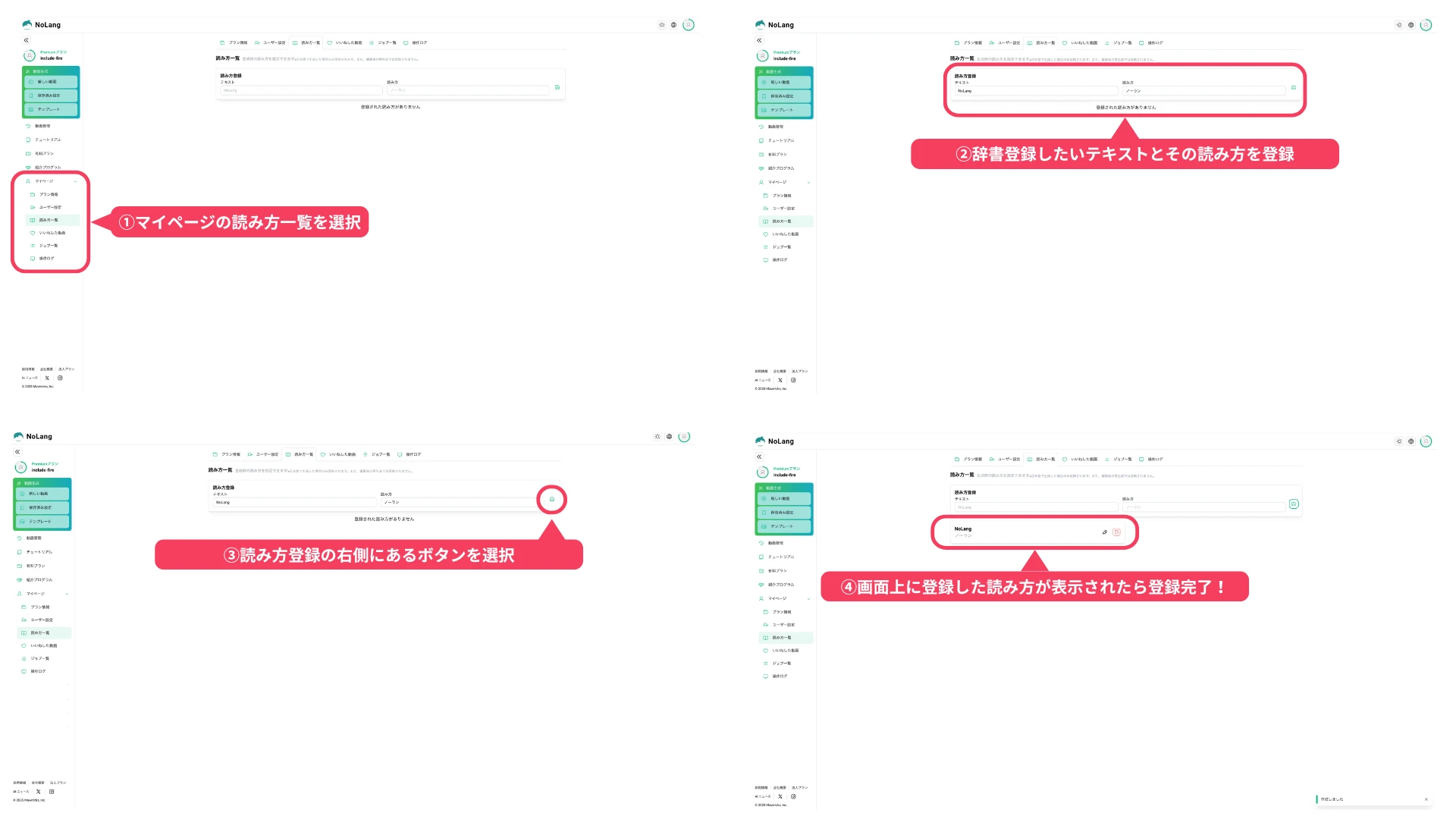
The dictionary feature is simple to use.
- Select the Reading list from My Page in NoLang.
- Enter the text and its correct reading.
- Select the button to the right of the reading entry.
- When the registered reading appears on screen, registration is complete.
Looking ahead
Mavericks, Inc. plans to strengthen multilingual support in NoLang further and to extend coverage to other major languages in stages. Through NoLang, a real-time AI video generation service, and other advanced AI products, the company aims to remove language barriers worldwide and to support global expansion and employee productivity at every company.
Try NoLangFootnotes
-
Mavericks research, as of December 2025, by number of registered users among AI video generation services in Japan. ↩
-
Supported languages: English / Korean / Chinese (Simplified and Traditional) / Filipino / Vietnamese / Indonesian / Thai / Nepali / Hindi / Bengali / Spanish / French / Portuguese / Italian / German / Russian ↩

