
2025/07/28 NoLang 4.0 has been released!
Last updated
The screenshots have been updated to show the current interface. The descriptions of new features, pricing, and campaigns below reflect the information at the time this article was published.
The English examples and diagrams are translated and adapted from the Japanese examples.
1. NoLang 4.0 release special campaign
To celebrate the update to NoLang 4.0, subscribe to a paid plan now and receive the following benefits for a limited time!
- Standard plan: 1,000 credits granted
- Premium plan: 2,000 credits granted
Don’t miss this limited-time offer. Be among the first to experience everything new in NoLang 4.0.
2. Five highlights of the NoLang 4.0 update
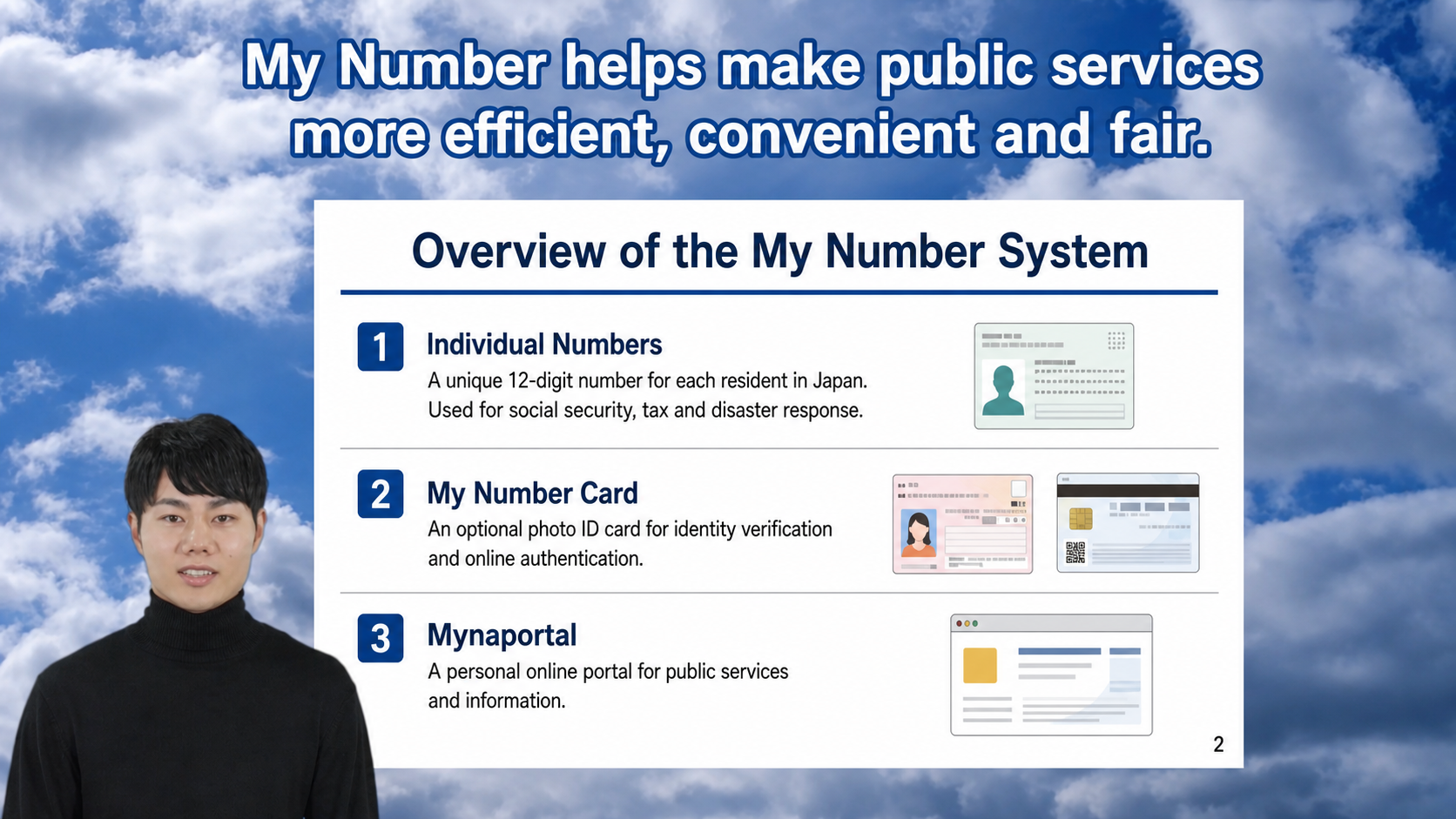
(1) New avatars added & avatar credits now free
- Over 100 new Live2D avatars have been added
- The lineup covers a wide range of characters, from formal avatars suitable for business use to cute animal avatars.
- Adding PSD and Live2D avatars is now free!
- Avatars now also express emotions and make gestures in line with what they say (beta). This improves the quality of avatar videos considerably.
- [Premium plan and Business plan only] Realistic 3D AI avatars are now available as well.

(2) Added voices so natural you would never guess they are AI
- Many new realistic, expressive adult male and female voices have been added. The voices labeled “Instruction OK” are the ones supported.
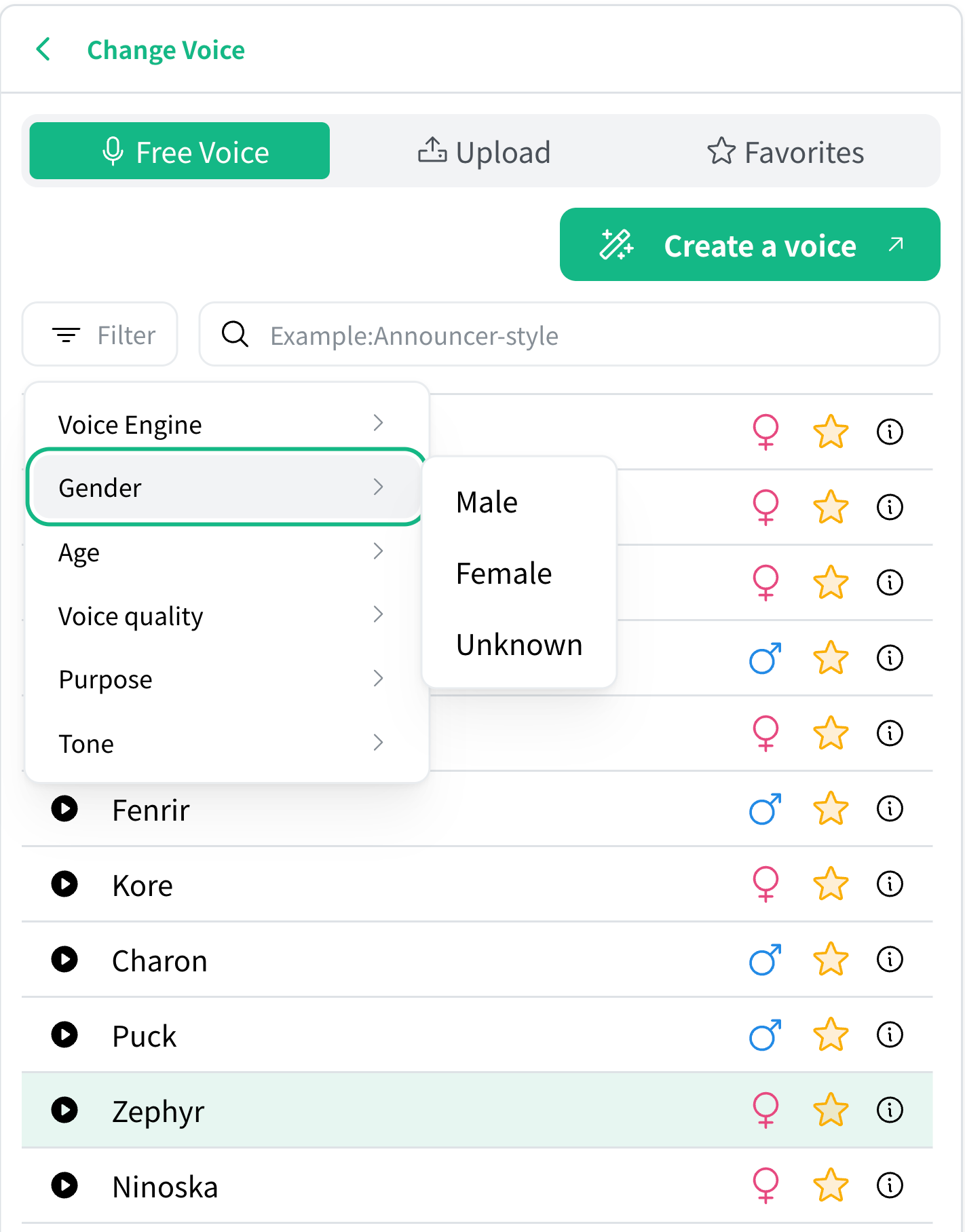
- With these voices, you can also specify how the lines are spoken, for example “with expressive intonation” or “in a calm voice.”
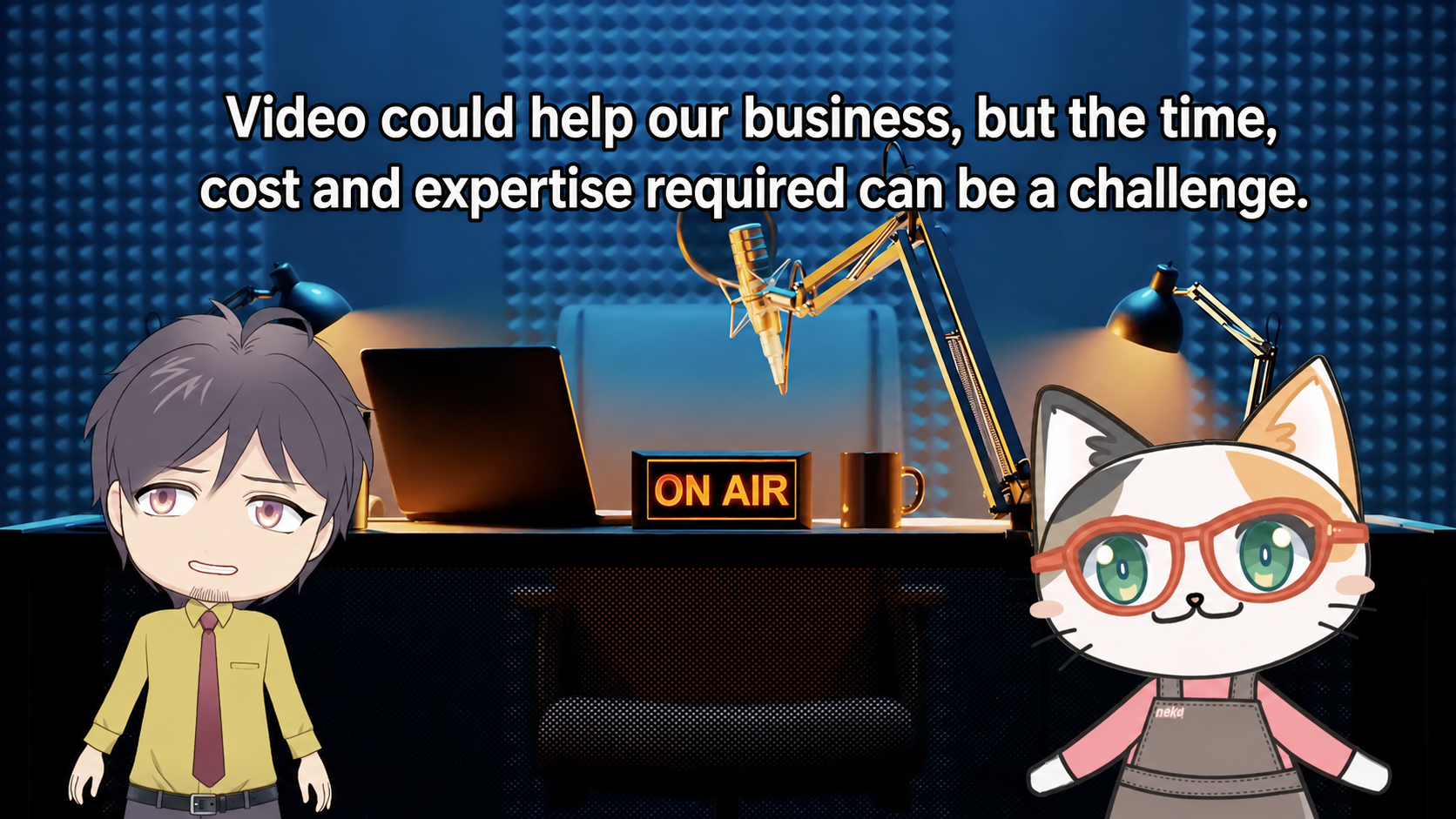
(3) A new mode for creating videos from audio and video
- In addition to text and documents, a new mode that generates transcription videos from audio or video has been added.
- You can create a video with an avatar from podcast audio, or transcribe an interview video.
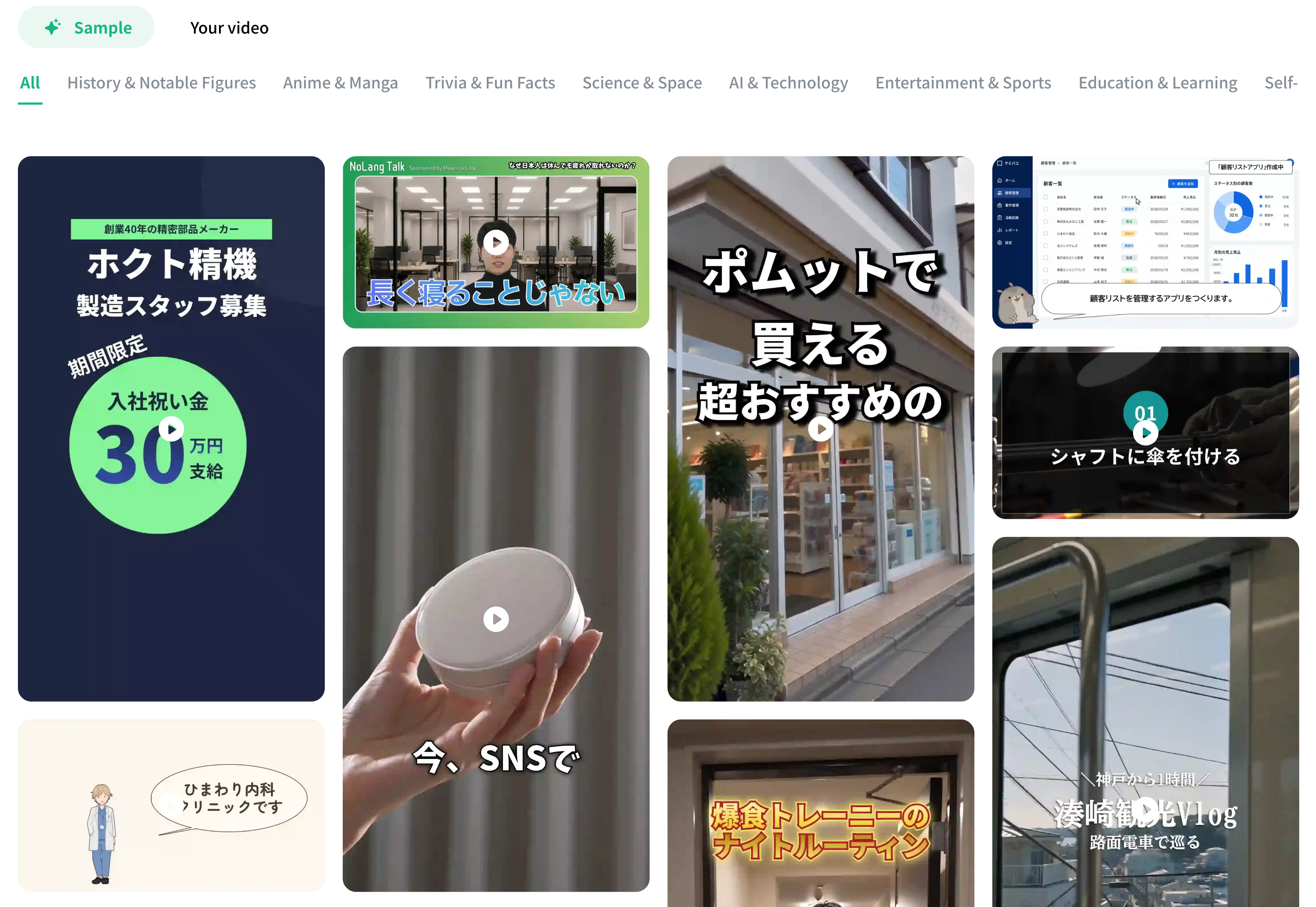
(4) Video generation from templates
- NoLang has released nearly 100 video templates all at once.
- Just pick a template you like and you can create a video on the same theme right away. The range of video genres you can make has grown considerably, so please give it a try.
(5) API features now available
- We have long received many requests such as “I want to produce videos more efficiently with NoLang” and “I want to build it into my system or service,” and we are pleased to announce that we have released the NoLang API.
- You can build NoLang’s video generation into any system.
3. A list of the other updates
- Automatic sound effect insertion (beta)
- Sound effects are inserted automatically to match the video content. They pair especially well with short videos and greatly improve video quality.
- Real-time information from web search now included as standard
- It can now answer questions such as “What is the AI video generator NoLang?” based on the latest information.
- Major expansion of English video generation
- Nearly every feature offered for Japanese video generation is now supported.
- Stronger video generation from documents
- You can now specify the length of the generated video when summarizing a PDF
- A new mode that analyzes PDFs
- Upload your documents and enter what you want analyzed, and it will carry out the analysis while citing the documents.
- It creates its own slides to explain the analysis.
- Dialogue feature unlocked
- Video generation from PPTX is now supported
- More image generation styles
- New styles in Imagen 3 and the arrival of GPT-Image-1
- Video generation based on uploaded images
- Added a feature that lets you upload and specify in advance the images shown in the video
- Video copy feature
- You can copy an existing video for 0 credits.
4. The new credit system
When image generation is OFF
- If the video is one minute or shorter, 40 credits are consumed.
- After that, an additional 40 credits are consumed for every minute beyond the first, depending on the length of the video.
- Example: 60 seconds → 40 credits, 90 seconds → 80 credits, 120 seconds → 80 credits
When image generation is ON
- If the video is one minute or shorter, 140 credits are consumed.
- After that, an additional 140 credits are consumed for every minute beyond the first, depending on the length of the video.
5. Comparison with the old credit system
Avatar ON, image generation ON
| Video length | Current | After |
|---|---|---|
| About 30 seconds | 160 | 140 |
| About 45 seconds | 247 | 140 |
| About 60 seconds | 305 | 140 |
| About 90 seconds | 450 | 280 |
| About 2 minutes | 595 | 280 |
| About 3 minutes | 885 | 420 |
| About 4-6 minutes | 1465 | 700 |
Avatar ON, image generation OFF
| Video length | Current | After |
|---|---|---|
| About 30 seconds | 65 | 40 |
| About 45 seconds | 95 | 40 |
| About 60 seconds | 115 | 40 |
| About 90 seconds | 165 | 80 |
| About 2 minutes | 215 | 80 |
| About 3 minutes | 315 | 120 |
| About 4-6 minutes | 515 | 200 |
Avatar OFF, image generation ON
| Video length | Current | After |
|---|---|---|
| About 30 seconds | 115 | 140 |
| About 45 seconds | 175 | 140 |
| About 60 seconds | 215 | 140 |
| About 90 seconds | 315 | 280 |
| About 2 minutes | 415 | 280 |
| About 3 minutes | 615 | 420 |
| About 4-6 minutes | 1015 | 700 |
Avatar OFF, image generation OFF
| Video length | Current | After |
|---|---|---|
| About 30 seconds | 20 | 40 |
| About 45 seconds | 23 | 40 |
| About 60 seconds | 25 | 40 |
| About 90 seconds | 30 | 80 |
| About 2 minutes | 35 | 80 |
| About 3 minutes | 45 | 120 |
| About 4-6 minutes | 65 | 200 |