
2026/04/13 The slide creation feature (beta) has been added!
Last updated
The screenshots have been updated to show the current interface. The descriptions of new features, pricing, and campaigns below reflect the information at the time this article was published.
The English examples and diagrams are translated and adapted from the Japanese examples.
1. Slide generation
Slide generation
Just enter text or upload a PDF document you have on hand, and AI instantly generates slides automatically, from the structure through to the design. Slides are generated astonishingly quickly, so please give it a try.

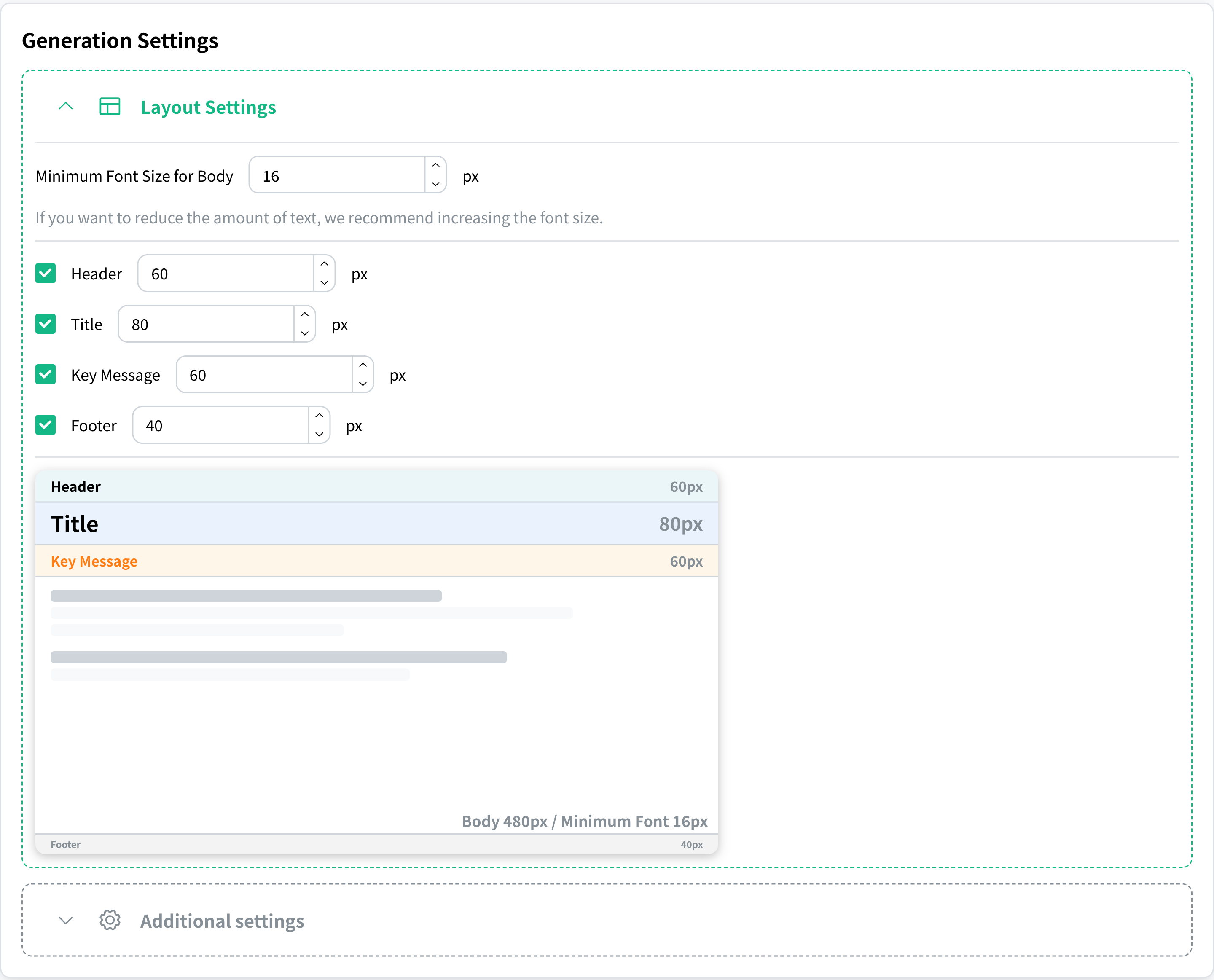
Layout settings feature
You can fine-tune the layout of each element, such as the header, the title, and the font size, down to the pixel. Because you can customize every detail of the design to your liking, you can bring the slides closer to your ideal.
2. Slide editing
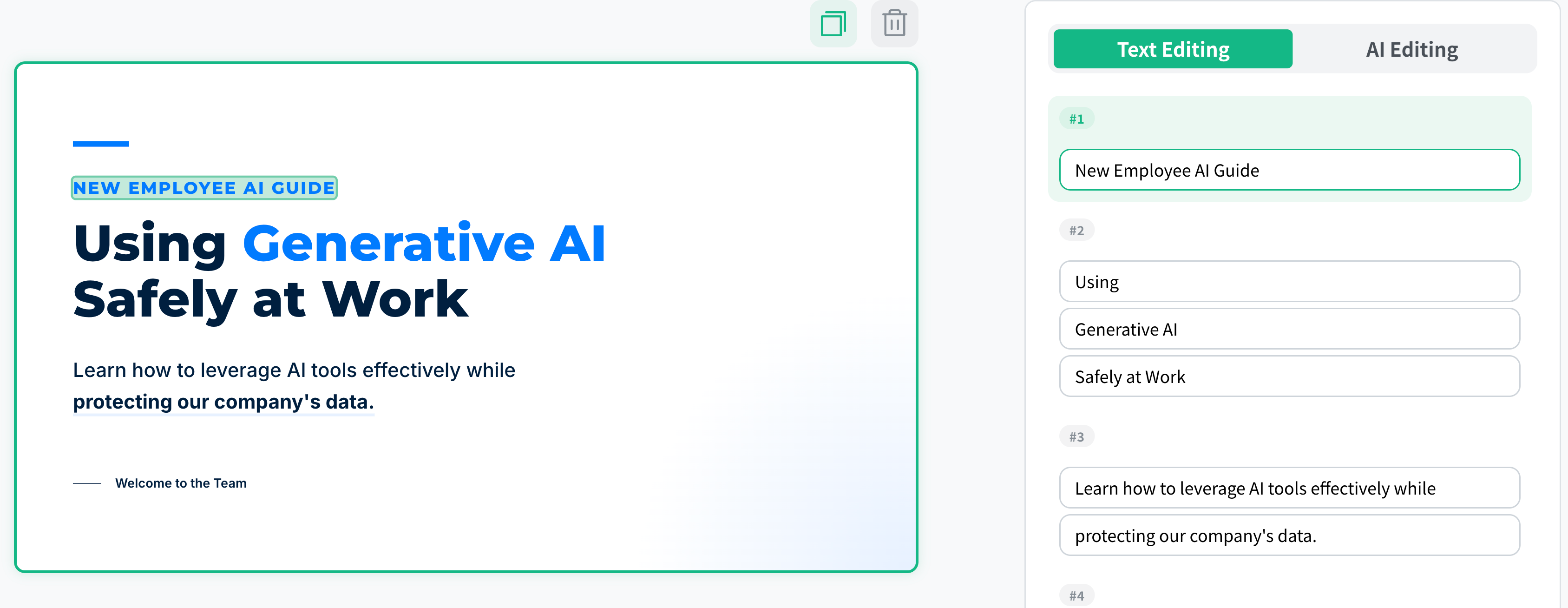
Quickly change just the text
For each page of the generated slides, you can rewrite the text directly. Add your own wording to what the AI wrote, or slip in supplementary information, adjusting every detail to your liking to raise the quality of the slides.
AI-powered edits and page additions
You can revise the generated slides and add new pages simply by instructing the AI. Exchanges as short as ‘Explain this in a little more detail’ or ‘Add one page with this content’ keep improving the slides, so you can raise their quality with very little effort.
3. What makes NoLang slide generation special
(1) Overwhelmingly fast slide generation
Just enter a prompt and high-quality slides are ready in only 30 seconds, so you are covered even when a meeting or presentation comes up at short notice. Freed from the rush of putting documents together, you can spend the time you save on important preparation such as rehearsing your talk.
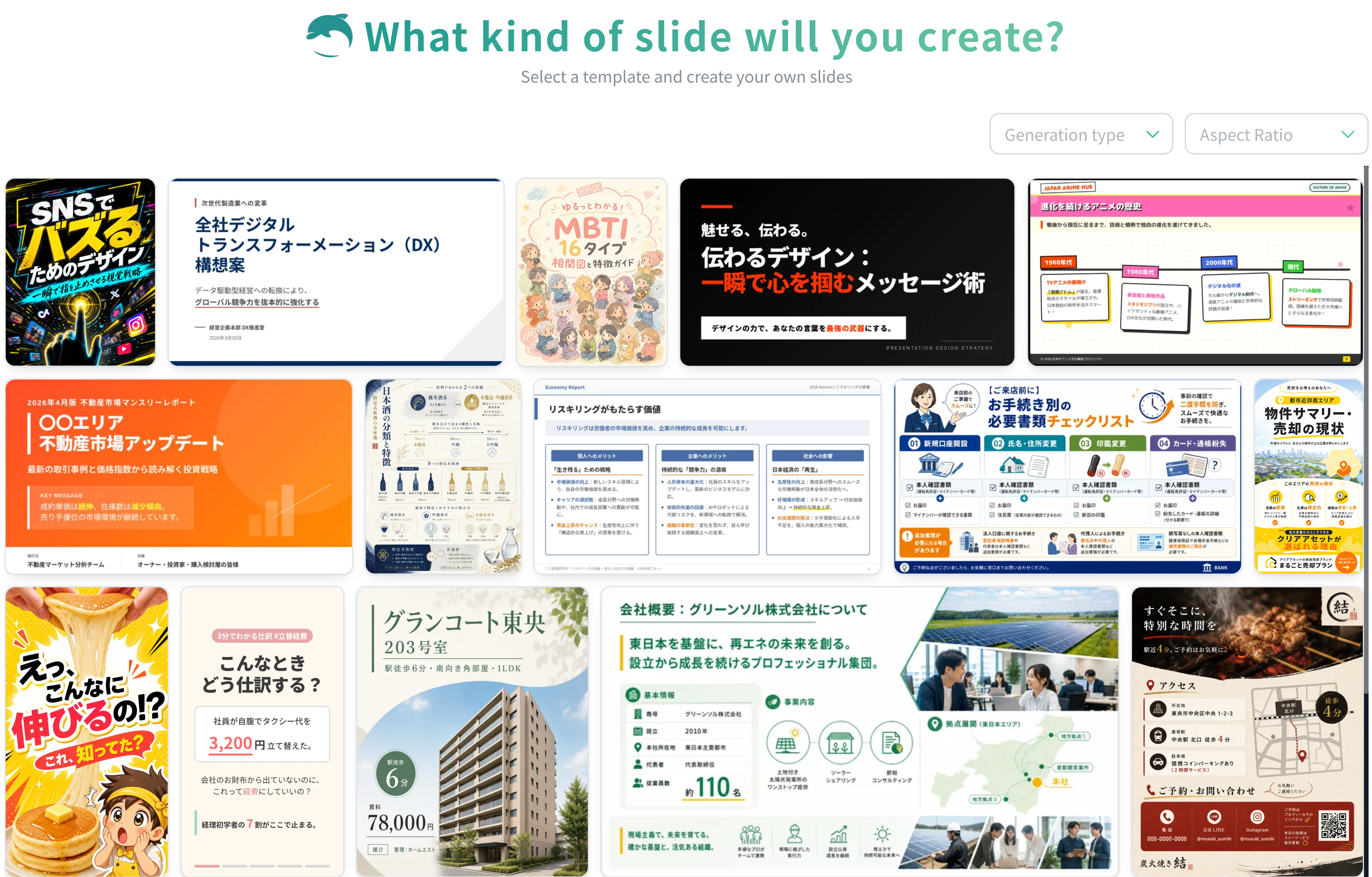
(2) A rich variety of design variations
You can create slides in a wide variety of styles to match the situation, from a calm business look to a casual, friendly design. Because you can quickly find a design that fits your purpose, anyone can easily create tasteful slides that get the message across.
(3) Slide designs with a Japanese sensibility
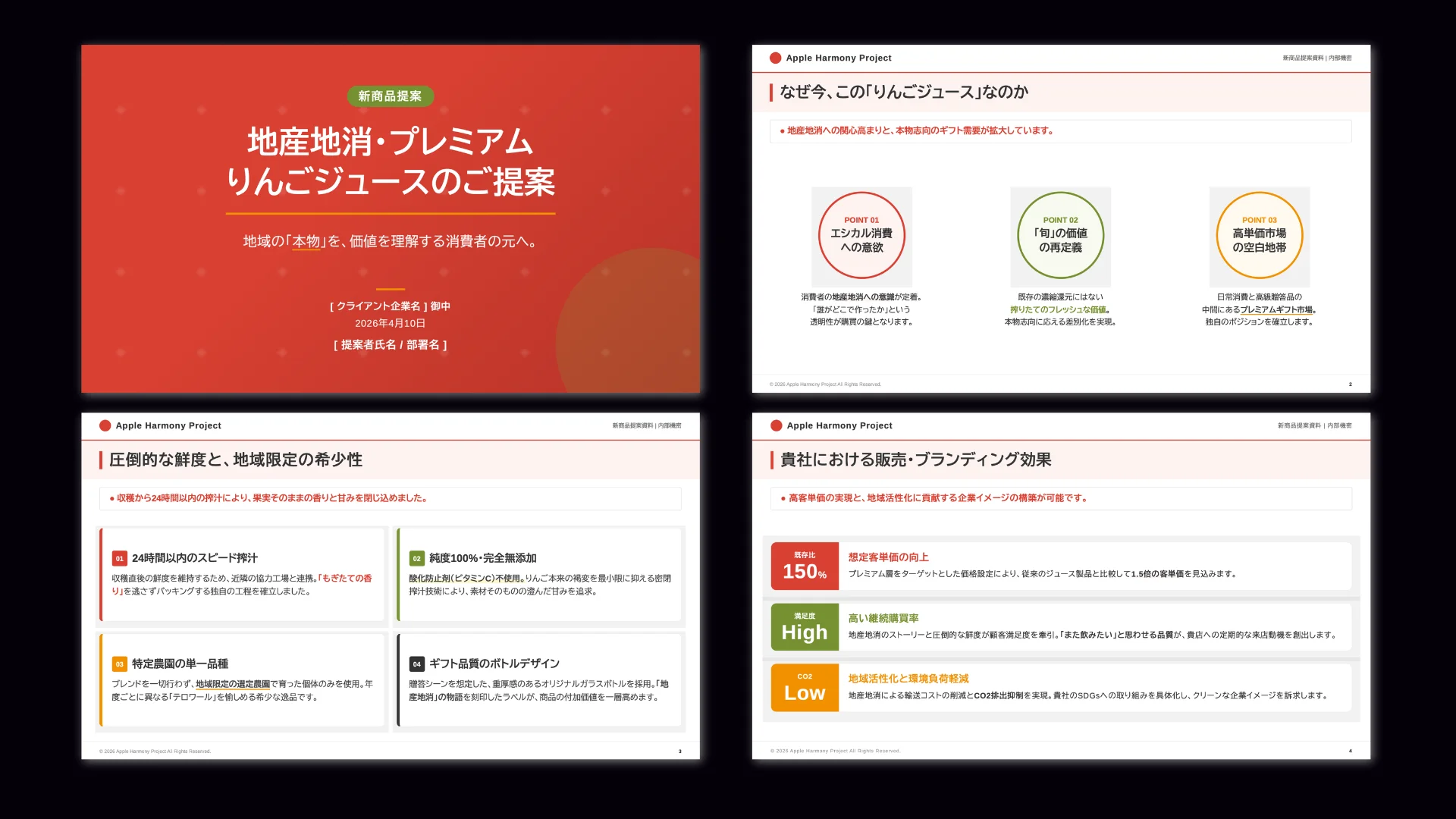
You can create slides by specifying layouts and fonts suited to Japanese business settings. With design settings made for Japan that put readability first, you get high-quality documents you can hand to a manager or client as they are.
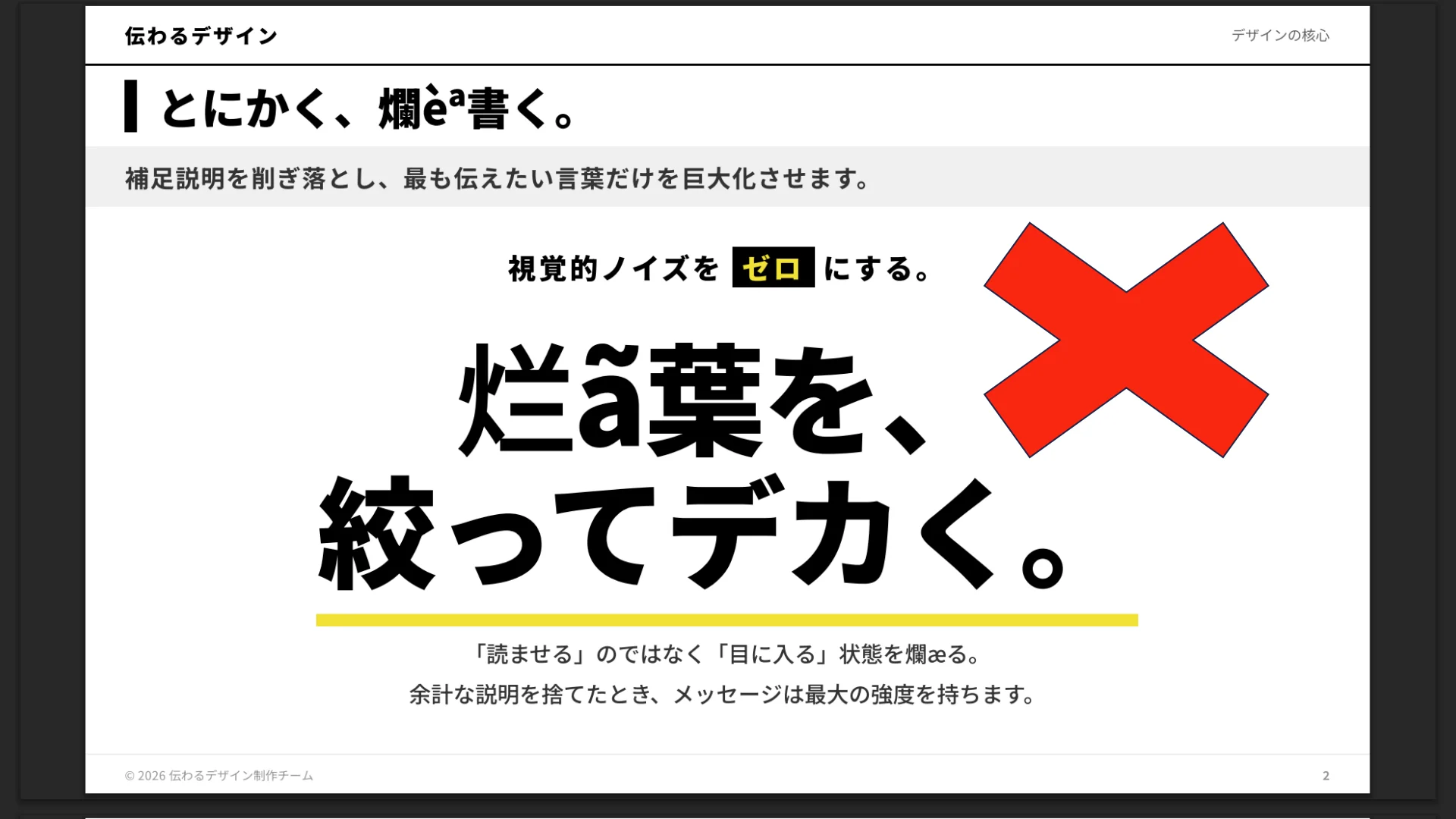
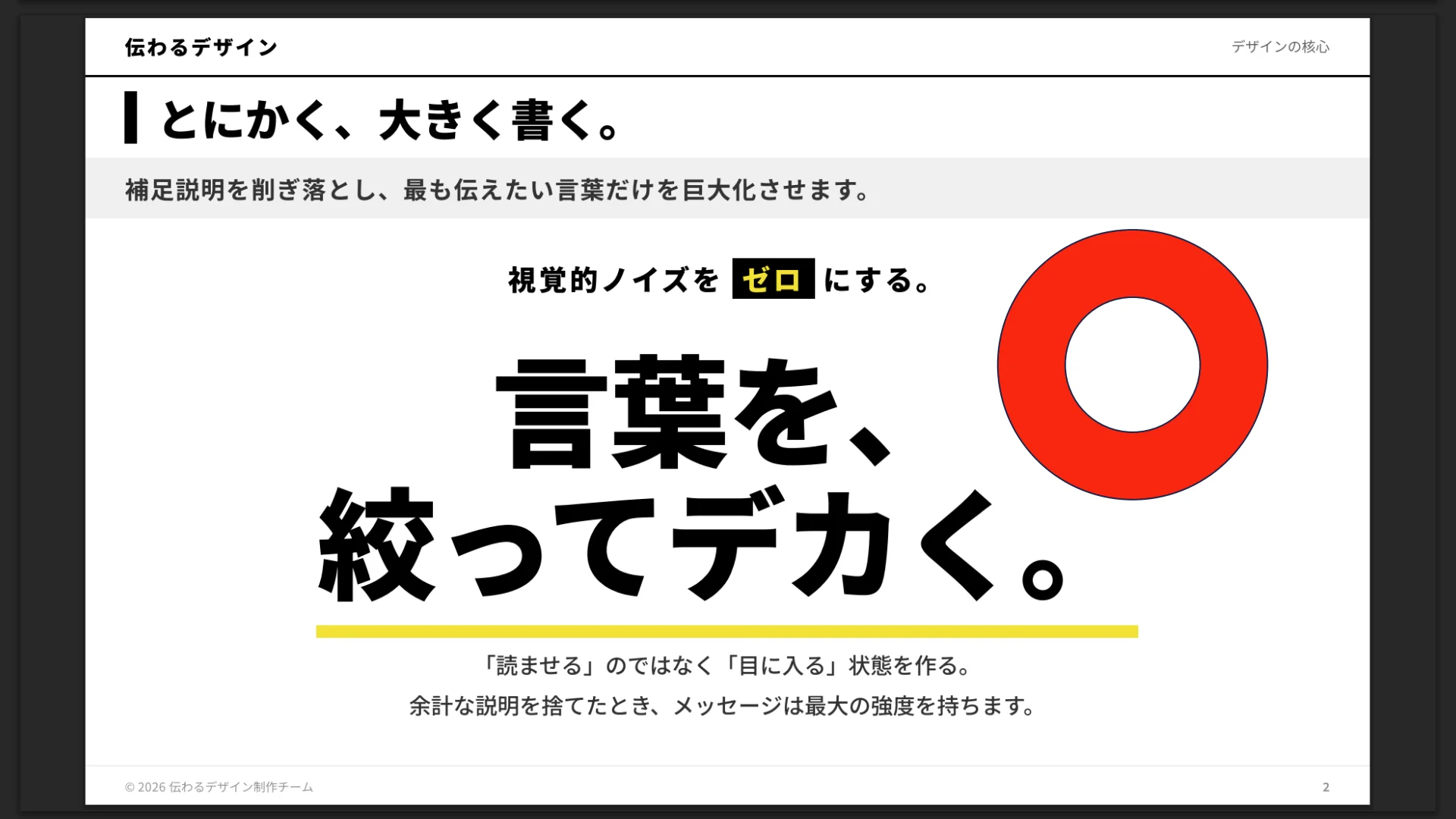
(4) No garbled Japanese text
You can use it with confidence, without worrying about garbled Japanese text or broken layouts of the kind that often happen with overseas tools. Fine nuances of Japanese are reflected correctly, so corrections take almost no time and you can share your documents smoothly from the moment they are created.
(5) Create avatar-narrated explainer videos from slides
You can bring an avatar into the slides you generated and turn them into a persuasive explainer video narrated by AI. Without standing in front of a camera or recording yourself, you can easily create an engaging presentation video that comes across both visually and audibly.
4. In closing
NoLang slide generation is currently available as a beta, and we are working toward the official release by adding new features, starting with PPTX export.
And we are not stopping at slide generation - we are hard at work to deliver the largest update ever to the AI video generator NoLang.
We have a series of major updates planned for this fiscal year, so please stay tuned for the next announcement.