
2026/10/09 AI clips give your videos even more creative possibilities!
Last updated
The features and pricing described below are accurate as of the article’s publication date.
1. What are AI clips?
AI clips are footage generated by AI. When NoLang creates a video, it can now generate AI clips suited to each scene and insert them into the video!
Add motion that text and image effects alone cannot create to highlights such as the opening.
2. How to use | Select from the "+" menu on Home
- Enter what you want your video to be about in the input field on HomeAs before, enter the content of the video you want to create in the input field on the Home screen.

Input example
Create a video explaining the current state of renewable energy in Japan and the energy sources expected to become dominant, using graphs - Open "AI Clip Generator" from the "+" menuClick the "+" at the bottom left of the input field and open "AI Clip Generator." A gauge for choosing how extensively to use AI clips and examples of AI clips will appear.
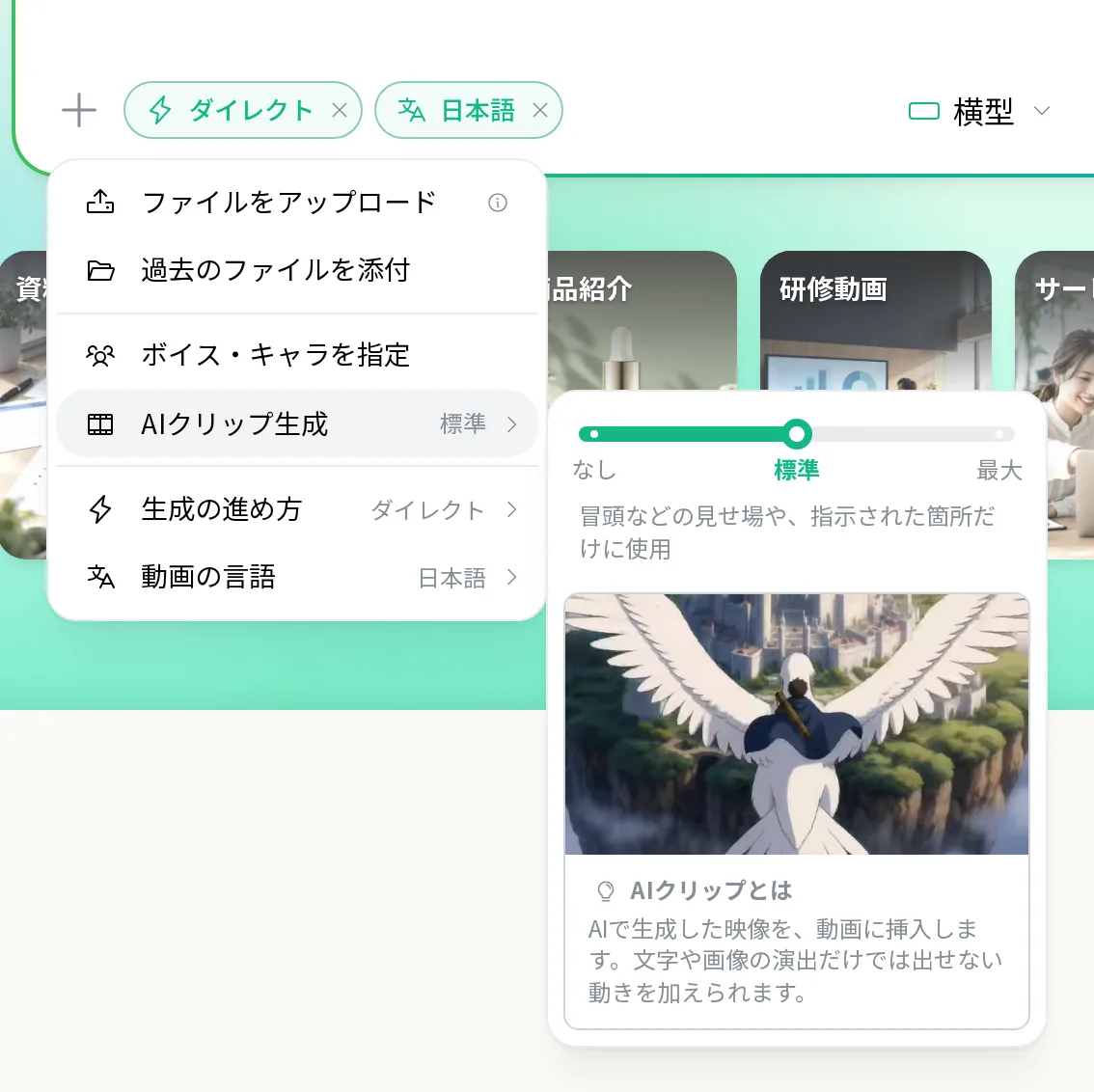
- Select a level on the gauge and generateUse the gauge to select "None," "Standard," or "Max," then submit as usual.
3. Three levels to choose from

- None — Saves credits by not using AI clips.
- Standard — Uses AI clips only for highlights, such as the opening, and where specified.
- Max — Uses AI clips extensively in suitable scenes. Credit usage may increase significantly.
Start with “Standard” and try creating a video with AI clips in its highlights.
4. AI clip suggestions when you ask for moving footage
If you leave it set to “None” and submit content that needs moving footage, you may see the message “AI clips can create moving footage.”
- “Generate with AI Clip Generation on” — Generates with the level set to “Standard.”
- “Generate as is” — Generates without using AI clips.
- “Return to input” — Returns to the input field without generating. Your input will be preserved.
5. Notes on use
If you only want to create AI clips to download or use as video assets, you can also use the “AI Clip Generator” page in the sidebar. You can also create clips using settings carried over from an example.